MCP Server for kicking off and getting status of your crew deployments
46 stars
Python
Updated Sep 19, 2025
Documentation
CrewAI Enterprise MCP Server
Overview
A Model Context Protocol (MCP) server implementation that provides deployed CrewAI workflows. This server enables kicking off your deployed crew and inspect the status giving the results of your crew.
Tools
- kickoff_crew
- get_crew_status
Env Variables
retrieve from app.crewai.com
MCP_CREWAI_ENTERPRISE_SERVER_URL
MCP_CREWAI_ENTERPRISE_BEARER_TOKEN
Usage with Claude Desktop
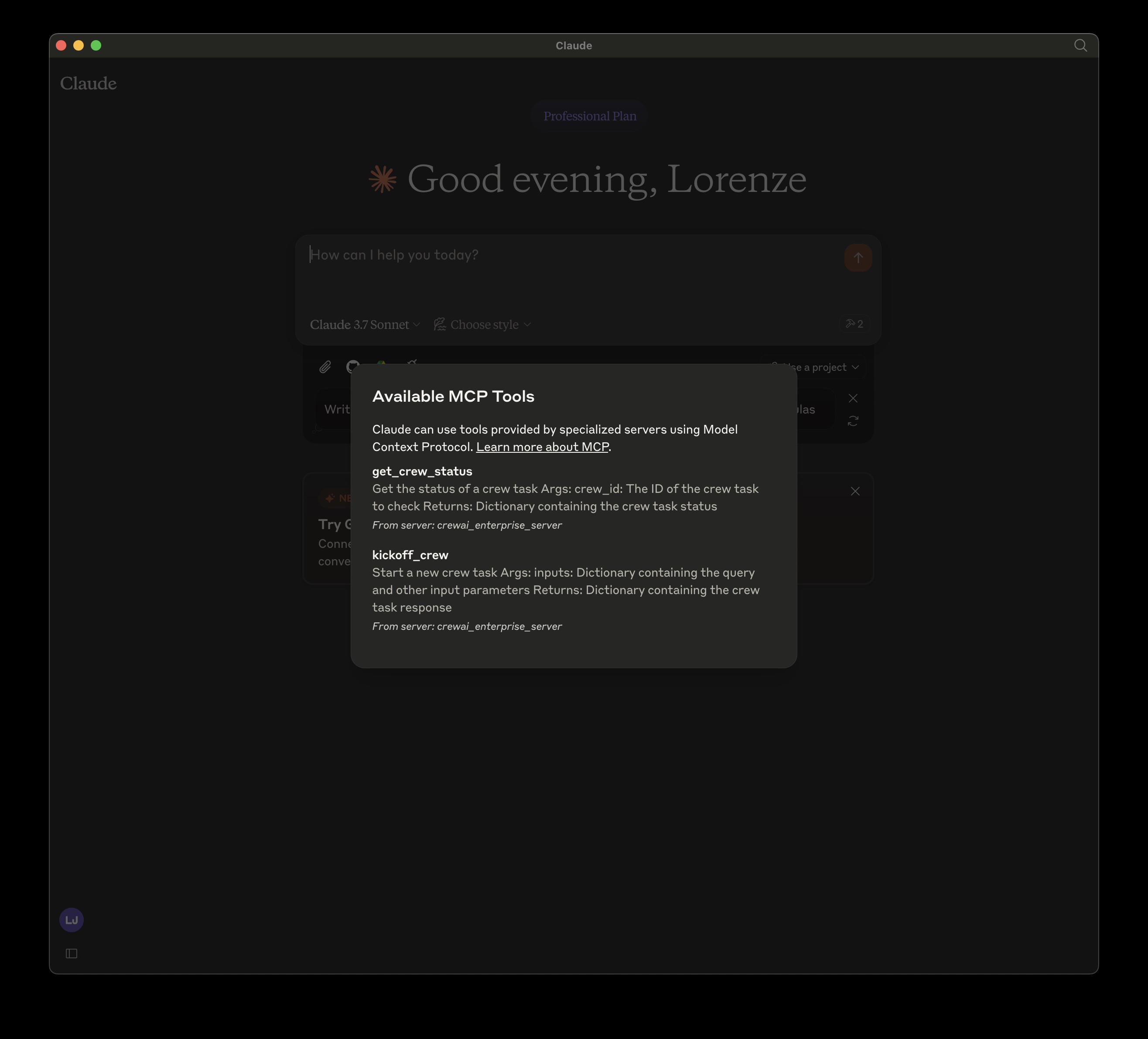
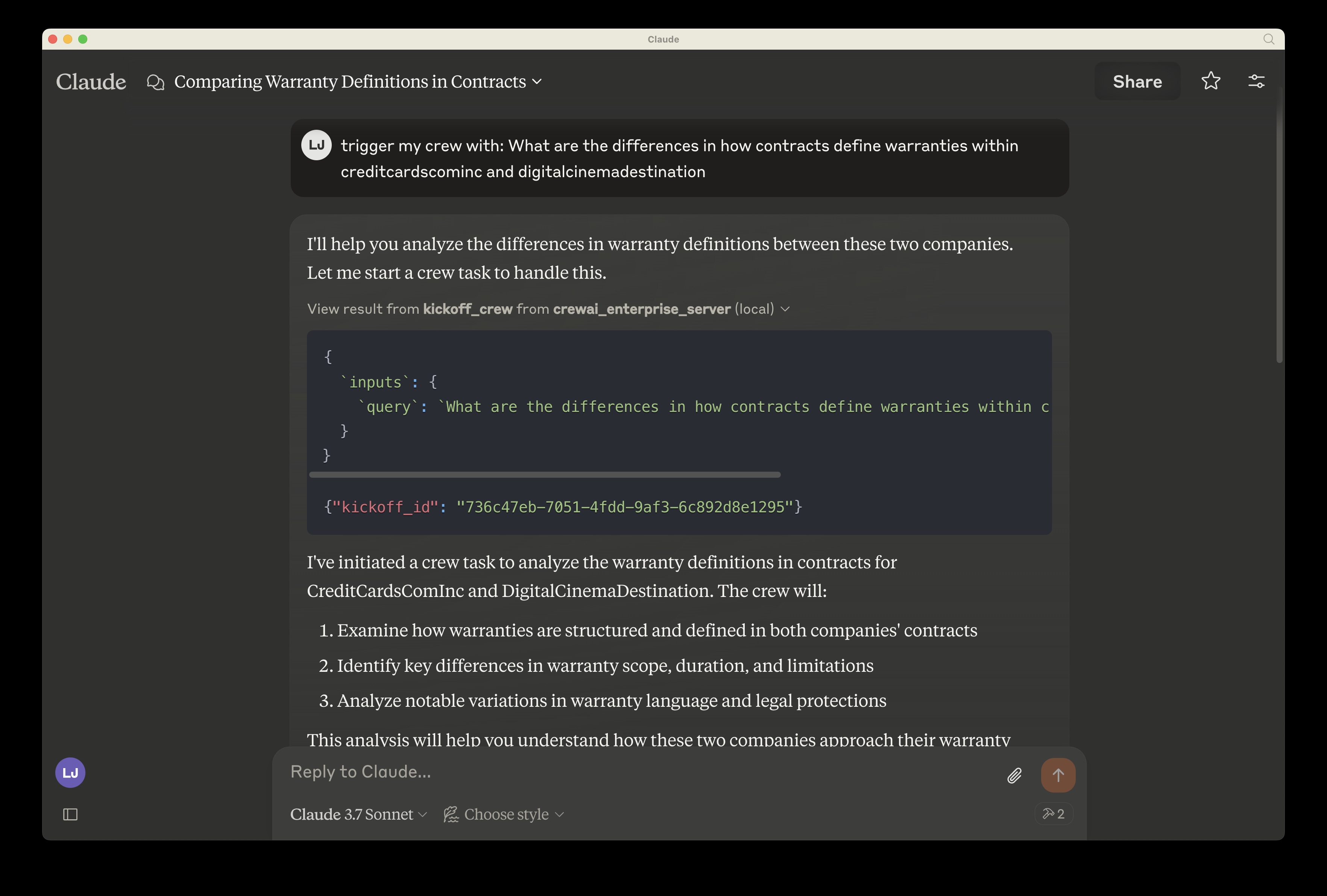
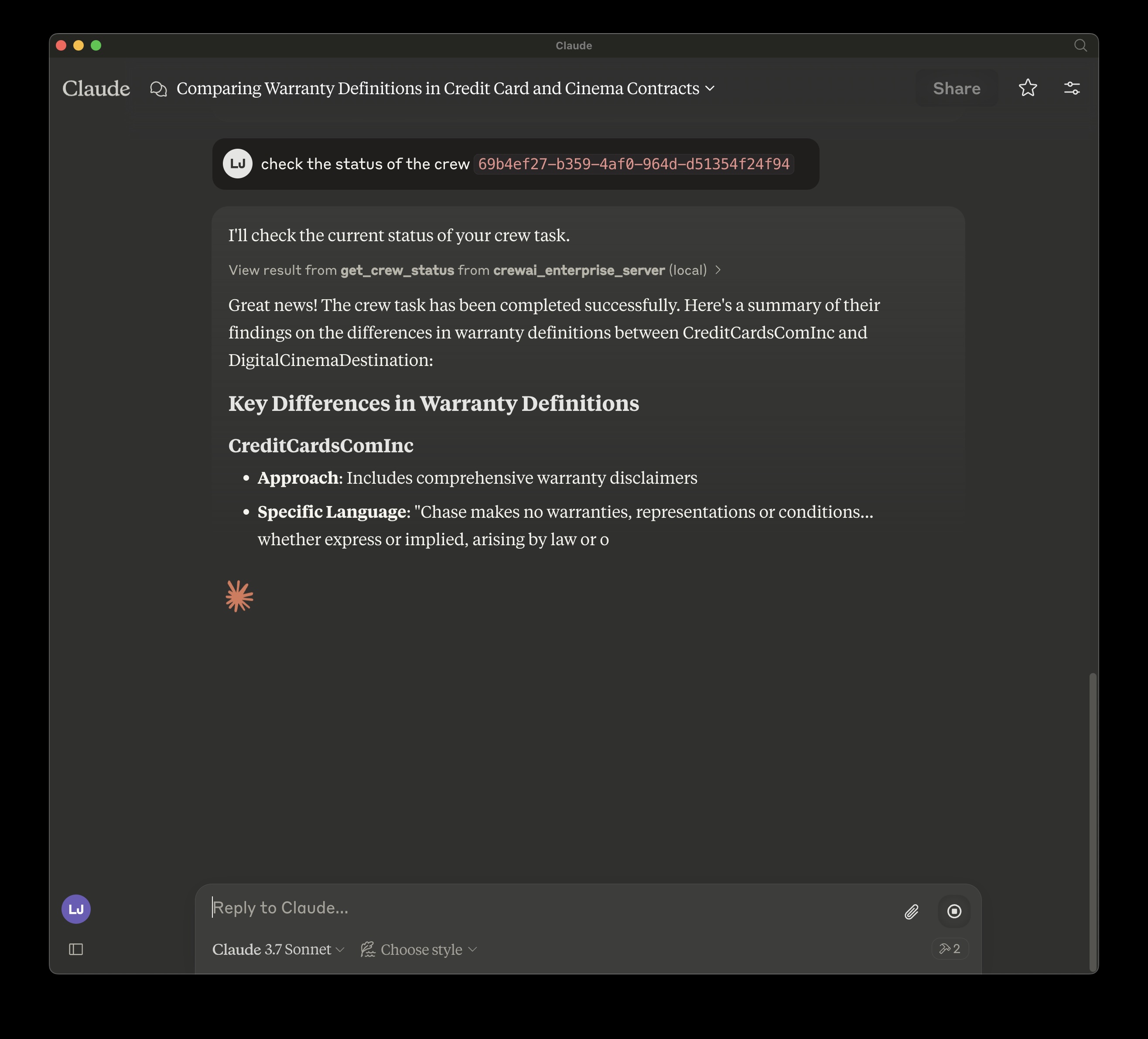
To use this MCP server with Claude Desktop, follow these steps:
1. Open Claude Desktop
2. Go to Settings > Developer Settings
3. Add a new MCP server with the configuration shown below
Locally, cloned repo:
Install mcp and mcp[cli] locally
json
{
  "mcpServers": {
    "crewai_enterprise_server": {
      "command": "uv",
      "args": [
        "run",
        "--with",
        "mcp[cli]",
        "mcp",
        "run",
        "",
        "/crewai_enterprise_server.py"
      ],
      "env": {
        "MCP_CREWAI_ENTERPRISE_SERVER_URL": "<>",
        "MCP_CREWAI_ENTERPRISE_BEARER_TOKEN": "<>"
      }
    }
  }
}
TODO: Added on PyPI:
Similar MCP
Based on tags & features
Trending MCP
Most active this week