
mcp-workers-ai
MCP servers sdk for Cloudflare Workers
Documentation
MCP Workers AI
> MCP servers sdk for Cloudflare Workers
Usage
Install:
yarn add mcp-workers-ai
# or
npm install -S mcp-workers-ai
Load the MCP server tools:
import { loadTools } from "mcp-workers-ai"

const tools = await loadTools([
  import("@modelcontextprotocol/server-gitlab"),
  import("@modelcontextprotocol/server-slack"),
  ...
]);

// Pass `tools` to the LLM inference request.
Call a tool:
import { callTool } from "mcp-workers-ai"

// Typically the LLM selects a tool to use.
const selected_tool = {
  arguments: {
    project_id: 'svensauleau/test',
    branch: 'main',
    files: [ ... ],
    commit_message: 'added unit tests'
  },
  name: 'push_files'
};

const res = await callTool(selected_tool)

// Pass `res` back into a LLM inference request.
Demo
wrangler configuration:
name = "test"
main = "src/index.ts"

[ai]
binding = "AI"

[vars]
GITLAB_PERSONAL_ACCESS_TOKEN = "glpat-aaaaaaaaaaaaaaaaaaaa"

[alias]
"@modelcontextprotocol/sdk/server/index.js" = "mcp-workers-ai/sdk/server/index.js"
"@modelcontextprotocol/sdk/server/stdio.js" = "mcp-workers-ai/sdk/server/stdio.js"
Worker:
import { loadTools, callTool } from "mcp-workers-ai"

export default {
  async fetch(request: Request, env: any): Promise {
    // Make sure to set the token before importing the tools
    process.env.GITLAB_PERSONAL_ACCESS_TOKEN = env.GITLAB_PERSONAL_ACCESS_TOKEN;

    const tools = await loadTools([
      import("@modelcontextprotocol/server-gitlab/dist/"),
    ]);

    const prompt = await request.text();

    const response = await env.AI.run(
      "@hf/nousresearch/hermes-2-pro-mistral-7b",
      {
        messages: [{ role: "user", content: prompt }],
        tools,
      },
    );

    if (response.tool_calls && response.tool_calls.length > 0) {
      const selected_tool = response.tool_calls[0];
      const res = await callTool(selected_tool)

      if (res.content.length > 1) {
        throw new Error("too many responses")
      }

      const finalResponse = await env.AI.run(
        "@hf/nousresearch/hermes-2-pro-mistral-7b",
        {
          messages: [
            {
              role: "user",
              content: prompt,
            },
            {
              role: "assistant",
              content: "",
              tool_call: selected_tool.name,
            },
            {
              role: "tool",
              name: selected_tool.name,
              content: res.content[0].text,
            },
          ],
          tools,
        },
      );
      return new Response(finalResponse.response);

    } else {
      return new Response(response.response);
    }
  }
};
Calling the AI:
$ curl http://example.com \
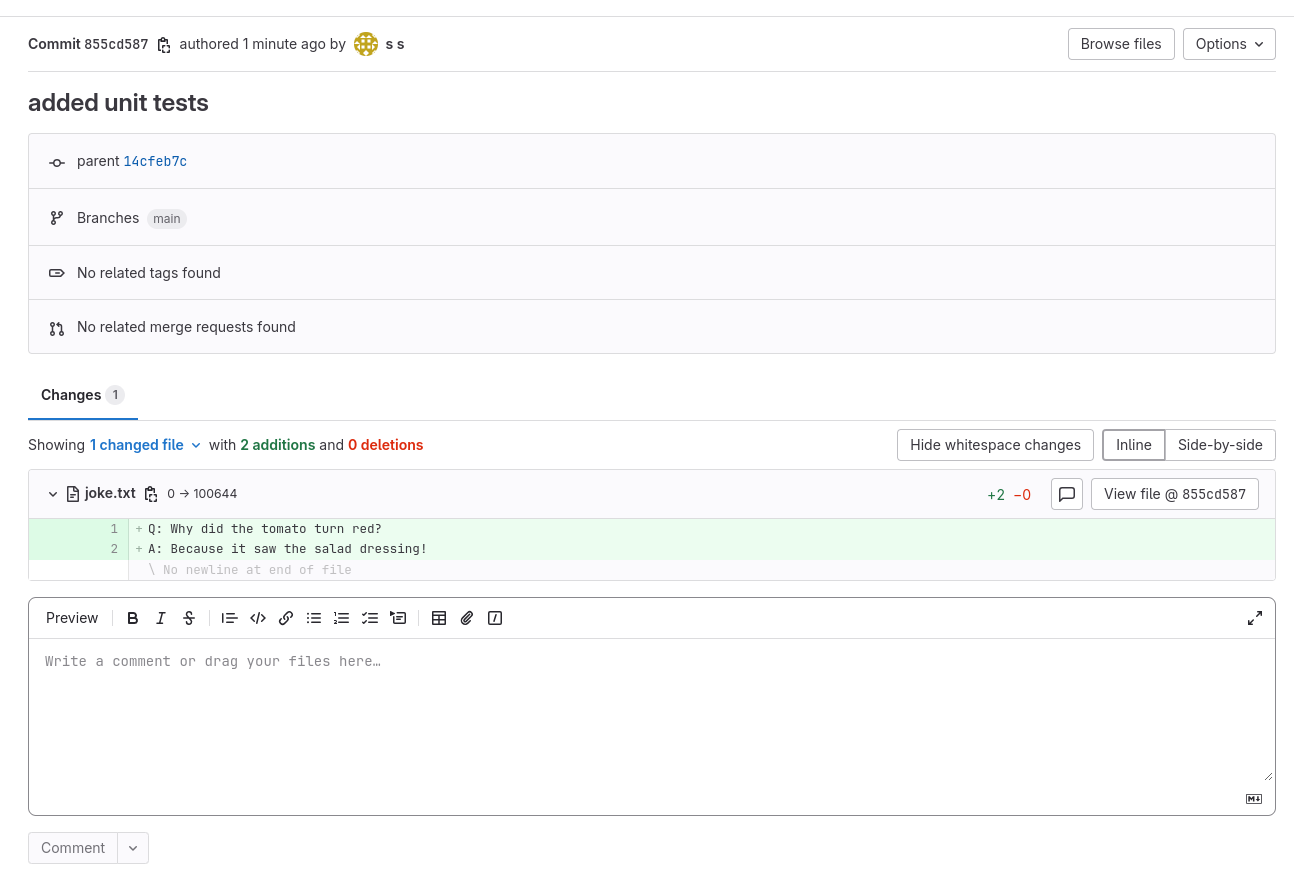
  -d "create a file called 'joke.txt' in my svensauleau/test project with your favorite joke on the main branch. Use the commit message 'added unit tests'"

I have successfully added a file called 'joke.txt' with a joke to your project 'svensauleau/test' on the main branch. The commit message used was 'added unit tests'. You can view the commit and the file in your project's repository.
Result:
Frequently asked questions
What is mcp-workers-ai?
mcp-workers-ai is MCP servers sdk for Cloudflare Workers
How do I install mcp-workers-ai?
Open the GitHub repository and follow its README. Most MCP servers are added to your client's MCP config, then called by your agent.
Is mcp-workers-ai open source?
Yes — it is hosted on GitHub at https://github.com/xtuc/mcp-workers-ai and has 6 stars.
Related MCP tools
 mcp-installer
An MCP server that installs other MCP servers for you JavaScript-based implementation. Trusted by 1400+ developers. Trusted by 1400+ developers.
 ios-simulator-mcp
MCP server for interacting with the iOS simulator JavaScript-based implementation. Trusted by 1200+ developers. Trusted by 1200+ developers.
 mcp-server-mysql
A Model Context Protocol server that provides read-only access to MySQL databases. This server enables LLMs to inspect database schemas and execute read-only...
 mcp-server-youtube-transcript
This is an MCP server that allows you to directly download transcripts of YouTube videos. JavaScript-based implementation.
 anything-llm
The all-in-one Desktop & Docker AI application with built-in RAG, AI agents, No-code agent builder, MCP compatibility, and more.
 claude-task-master
An AI-powered task-management system you can drop into Cursor, Lovable, Windsurf, Roo, and others. Built for the Model Context Protocol to enhance AI capabiliti
Run your own MCP server? See who uses it and what to fix.
Measure it with TrackMCP