
opet-mcp
Real-time OPET fuel prices via Model Context Protocol
Documentation
OPET Fuel Prices MCP Server
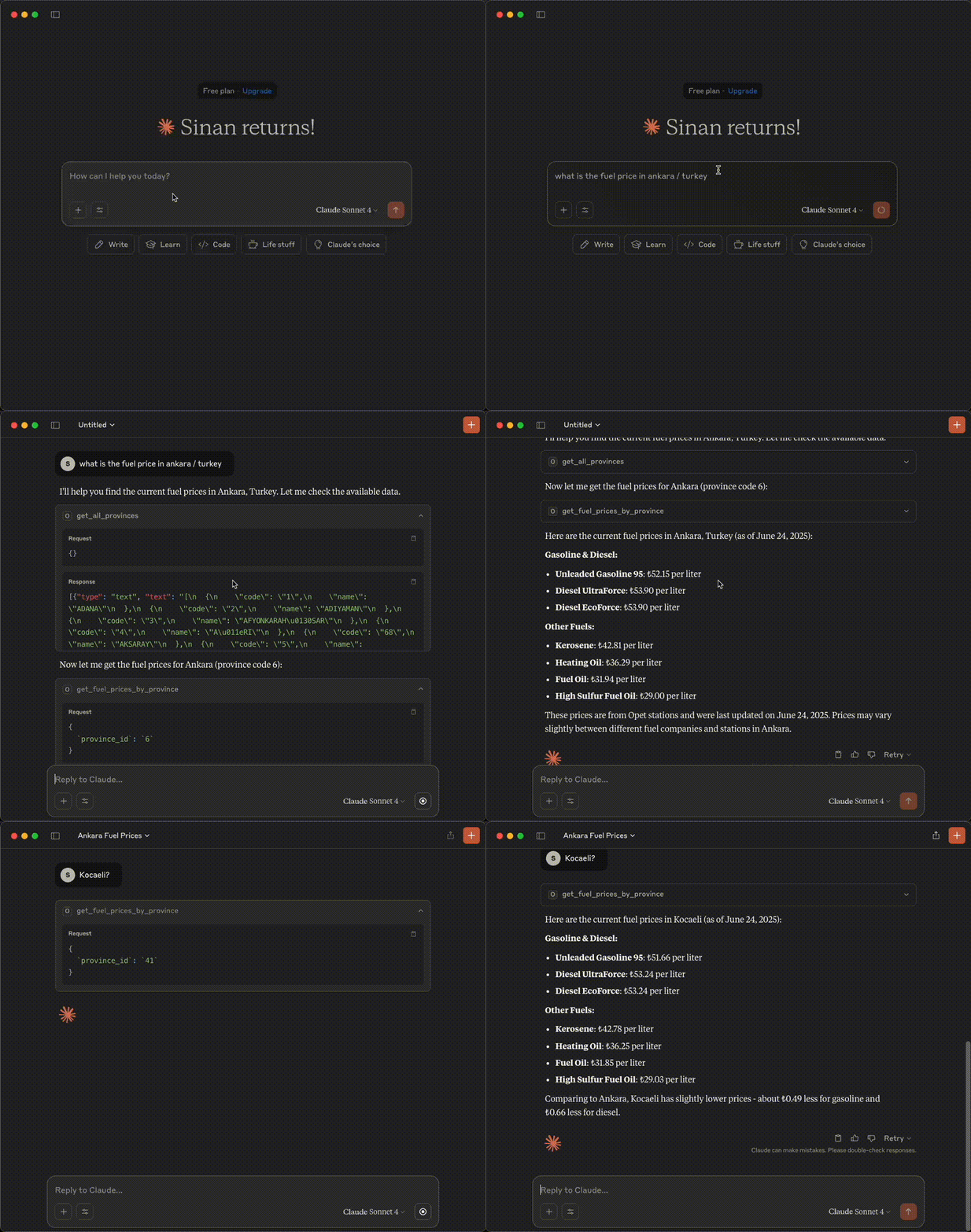
A Model Context Protocol (MCP) server that provides access to OPET fuel prices data through Claude AI.
Demo
Features
- Get all available provinces
- Fetch fuel prices for specific provinces
- Get last update timestamp
- Error handling with detailed messages
Prerequisites
Before using this MCP server, you need to set up the OPET API server first.
1. Install OPET Package
Install the OPET package from https://github.com/sinanerdinc/opet:
pip install opet2. Start OPET API Server
Start the API server using one of the following methods:
Option A: Using CLI
opet-cli --apiOption B: Using Docker
docker run -p 8000:8000 sinanerdinc/opet apiOption C: Using Docker with custom port
docker run -p 5050:8000 sinanerdinc/opet apiThe API server will be available at `http://localhost:8000` (or your custom port).
Installation
Prerequisites
- Python 3.12 or higher
- uv package manager (recommended) or pip
- OPET package installed and API server running
Setup
1. Clone the repository:
git clone
cd opet-mcp
2. Using uv
# Install uv if you don't have it
curl -LsSf https://astral.sh/uv/install.sh | sh

# Create virtual environment and install dependencies
uv venv -p 3.12
source .venv/bin/activate  # On Windows: .venv\Scripts\activate
uv sync
Configuration
Set the OPET API URL using environment variables. The URL should point to your running OPET API server:
# If using default port (8000)
export OPET_API_URL=http://localhost:8000

# If using custom port (e.g., 5050)
export OPET_API_URL=http://localhost:5050
Usage
Running the Server
Start the MCP server:
# With uv
uv run fastmcp run server.py

# With pip
fastmcp run server.py
Example Configuration
Option 1: Install the server to Claude with a custom name and API URL:
{
  "mcpServers": {
    "Opet Server": {
      "command": "uv",
      "args": [
        "run",
        "--with",
        "fastmcp",
        "fastmcp",
        "run",
        "/your_absolute_path/opet-mcp/server.py"
      ],
      "env": {
        "OPET_API_URL": "http://localhost:8000"
      }
    }
  }
}
Option 2: Installation Command
fastmcp install server.py --name "OPET Fuel Prices" \
  --env-var OPET_API_URL=http://localhost:8000
Available Tools
get_all_provinces()
Retrieves a list of all provinces where fuel prices are available.
get_fuel_prices_by_province(province_id)
Fetches current fuel prices for a specific province using its ID.
Parameters:
- `province_id` (str): The unique identifier of the province
get_last_update_time()
Gets the timestamp of when the fuel prices were last updated in the system.
License
This project is licensed under the MIT License - see the LICENSE file for details.
Frequently asked questions
What is opet-mcp?
opet-mcp is Real-time OPET fuel prices via Model Context Protocol
How do I install opet-mcp?
Open the GitHub repository and follow its README. Most MCP servers are added to your client's MCP config, then called by your agent.
Is opet-mcp open source?
Yes — it is hosted on GitHub at https://github.com/sinanerdinc/opet-mcp.
Related MCP tools
 cognee
Cognee is the open-source AI memory platform for agents. Give your AI agents persistent long-term memory across sessions with a self-hosted knowledge graph engine.
 skyvern
Automate browser based workflows with AI
 hindsight
Hindsight: Agent Memory That Learns
 watermarks-remover
A privacy-first app that strips AI watermarks from content you own.
 Qwen-Agent
Agent framework and applications built upon Qwen>=3.0, featuring Function Calling, MCP, Code Interpreter, RAG, Chrome extension, etc.
 pal-mcp-server
The power of Claude Code / GeminiCLI / CodexCLI + [Gemini / OpenAI / OpenRouter / Azure / Grok / Ollama / Custom Model / All Of The Above] working as one.
Run your own MCP server? See who uses it and what to fix.
Measure it with TrackMCP