
mcpproject
Weather Alerts
Documentation
MCP Server Beginner example
Project Overview
It is a Python application that provides real-time weather alerts for US states using the National Weather Service (NWS) API. It leverages the `mcp` framework (with FastMCP) and is designed for modern async Python workflows. The project is fully managed with uv for dependency management and task running.
Features
- Weather Alerts Tool: Fetches and formats active weather alerts for any US state.
- Echo Resource: Simple echo endpoint for testing.
- Async & Modern: Uses Python 3.12+ and async/await patterns.
- MCP Inspector: Visual tool to inspect and test your MCP tools and resources.
Project Structure
.
├── main.py                # Simple entry point (prints a message)
├── pyproject.toml         # Project metadata and dependencies
├── uv.lock                # Locked dependencies for reproducible installs
├── server/
│   └── weather.py         # Main server logic and weather tool/resource
├── .venv/                 # (optional) Virtual environment
├── .python-version        # Python version pin (3.12)
├── .gitignore             # Standard Python ignores
└── README.md              # Project documentation
Prerequisites
- Python 3.12+
- uv (install with `pip install uv` if not already installed)
Setup & Installation
1. Clone the repository:
git clone
   cd mcpproject
2. Install dependencies using uv:
uv pip install -r uv.lockOr, if you want to install from `pyproject.toml`:
uv pip installRunning the Project
1. Run the Main Script
To run the basic entry point:
uv run python main.py2. Develop & Test the Weather Tool
To start the MCP development server for the weather tool:
uv run mcp dev server/weather.pyThis will also open MCP Inspector in your browser—a visual tool to explore and test your MCP tools and resources interactively.
3. Install the Weather Tool
To install the weather tool for use as an MCP tool:
uv run mcp install server/weather.pyUsage Example
With the dev server running, you can use the MCP Inspector or an MCP-compatible client to call the `get_alerts` tool:
- Tool name: `get_alerts`
- Argument: Two-letter US state code (e.g., `CA`, `NY`)
Example (from CLI):
mcp call get_alerts --state=CAUsing with Claude Desktop
You can also use the weather alerts tool in Claude Desktop, as shown below:
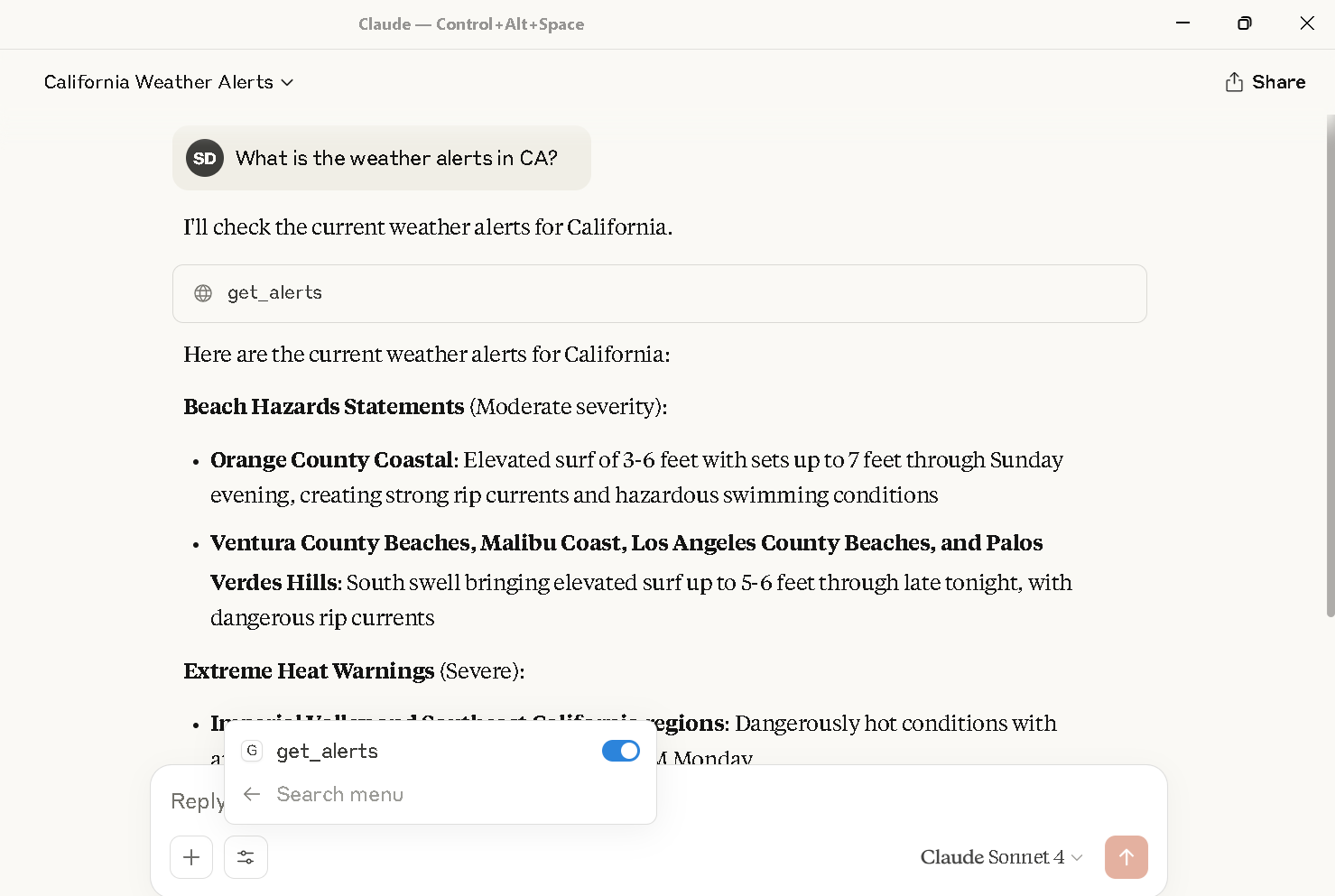
*Weather alerts for California displayed in Claude Desktop using the `get_alerts` tool.*
Claude Desktop Configuration
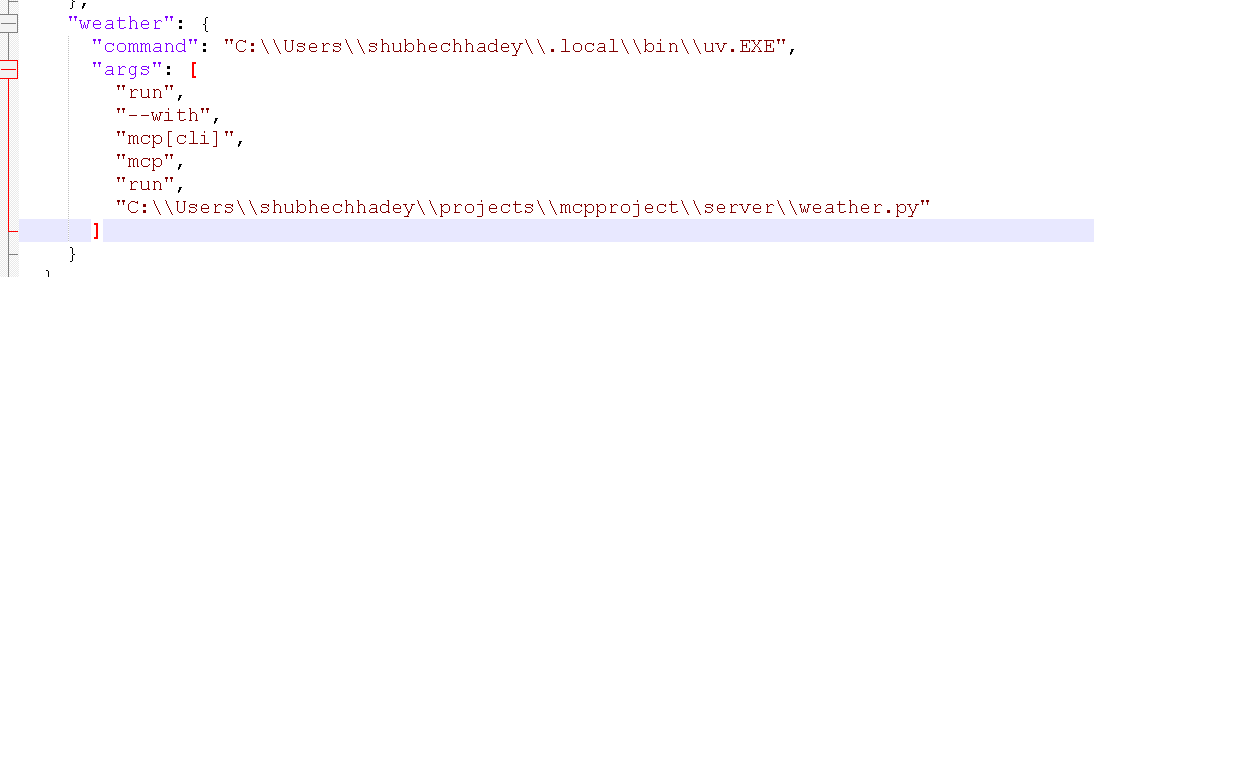
To call this MCP server from Claude Desktop, you need to update your `claude_desktop_config.json` file to include the server
For example:
{
  {
  "mcpServers": {
    "weather": {
      "command": "C:\\Users\\shubhechhadey\\.local\\bin\\uv.EXE",
      "args": [
        "run",
        "--with",
        "mcp[cli]",
        "mcp",
        "run",
        "C:\\Users\\shubhechhadey\\projects\\mcpproject\\server\\weather.py"
      ]
    }
  }
}
}
Notes
- All commands use `uv`
Frequently asked questions
What is mcpproject?
mcpproject is Weather Alerts
How do I install mcpproject?
Open the GitHub repository and follow its README. Most MCP servers are added to your client's MCP config, then called by your agent.
Is mcpproject open source?
Yes — it is hosted on GitHub at https://github.com/shubhechhadey/mcpproject and has 1 stars.
Related MCP tools
 cognee
Cognee is the open-source AI memory platform for agents. Give your AI agents persistent long-term memory across sessions with a self-hosted knowledge graph engine.
 skyvern
Automate browser based workflows with AI
 hindsight
Hindsight: Agent Memory That Learns
 watermarks-remover
A privacy-first app that strips AI watermarks from content you own.
 Qwen-Agent
Agent framework and applications built upon Qwen>=3.0, featuring Function Calling, MCP, Code Interpreter, RAG, Chrome extension, etc.
 pal-mcp-server
The power of Claude Code / GeminiCLI / CodexCLI + [Gemini / OpenAI / OpenRouter / Azure / Grok / Ollama / Custom Model / All Of The Above] working as one.
Run your own MCP server? See who uses it and what to fix.
Measure it with TrackMCP