
triggercmd-mcp-stdio
Local triggercmd mcp server for AI LLM tools
Documentation
triggercmd-mcp-stdio
Local stdio MCP server for TRIGGERcmd
Features
This MCP server provides both general command management tools and dynamic command-specific tools:
Base Tools
- `list_commands` - List all available TRIGGERcmd commands across your computers
- `run_command` - Run any specific command by computer and command name
Dynamic Command Tools
The server automatically creates individual MCP tools for each of your TRIGGERcmd commands that have an `mcpToolDescription` field set. These tools:
- Are named using the pattern `run_{computer}_{command}` (sanitized for MCP compatibility)
- Use the `mcpToolDescription` as the tool description for better AI understanding
- Accept optional parameters if the command supports them
- Provide a more intuitive interface than the generic `run_command` tool
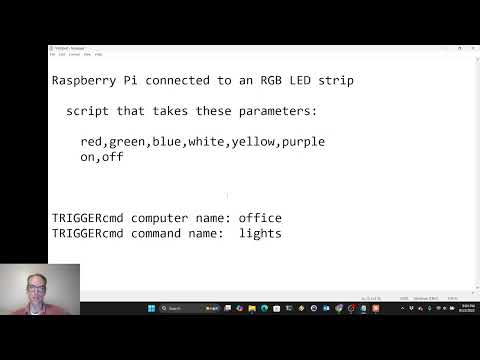
For example, if you have a command named "lights" on computer "office" with `mcpToolDescription` set to "Control the office lights - accepts colors (red, blue, green, white) or on/off", the server will automatically create a tool named `run_office_lights` with that description.
Setting mcpToolDescription
To enable dynamic tools for your commands:
1. Log into your TRIGGERcmd account
2. Edit the commands you want to expose as individual MCP tools
3. Set the `mcpToolDescription` field with a clear description of what the command does and how to use parameters
4. Restart the MCP server to pick up the changes
Authentication
If the TRIGGERCMD_TOKEN environment variable is set, it will use that, otherwise it will try to read the token from your ~/.TRIGGERcmdData/token.tkn file in your user's home directory.
AI prompt examples
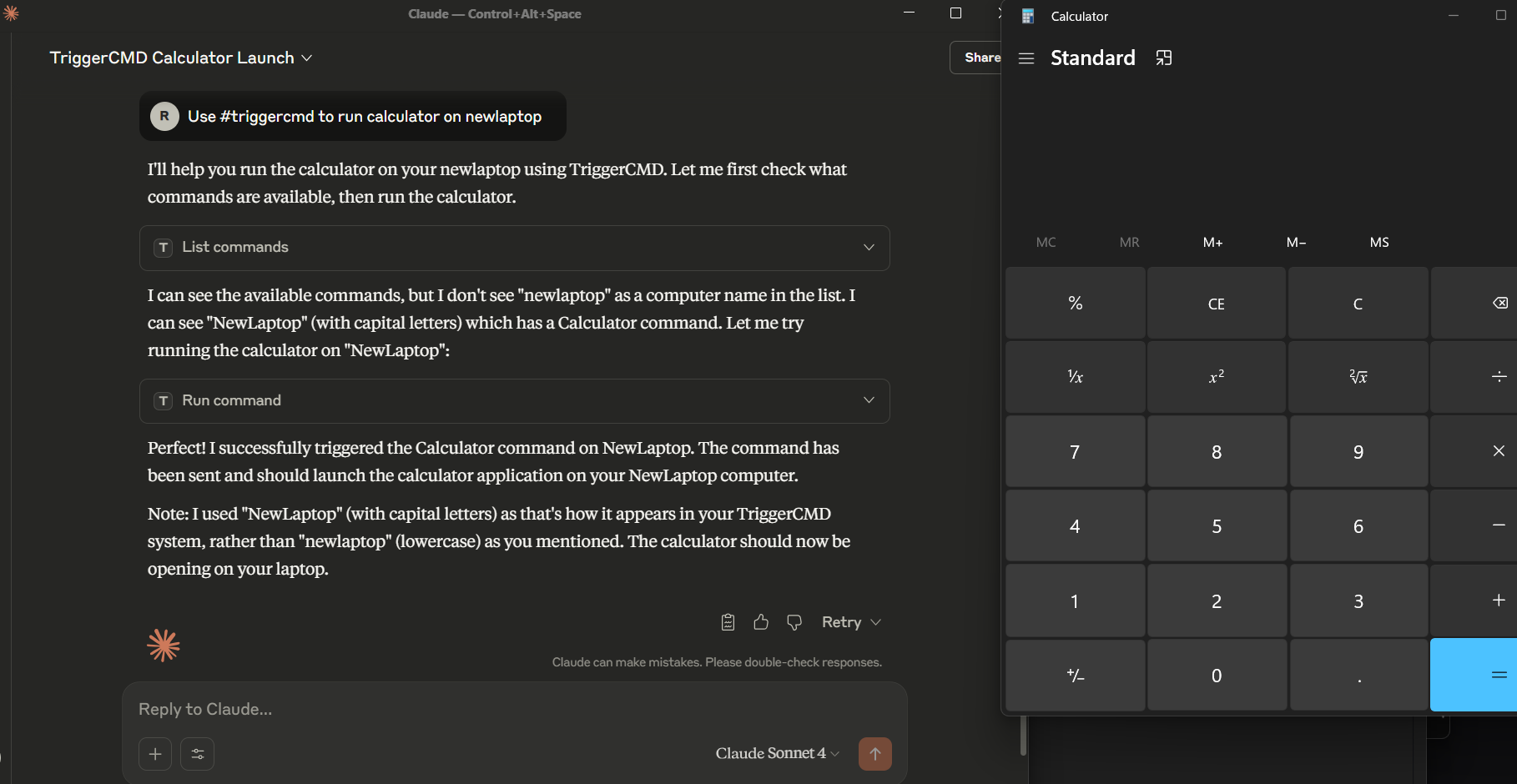
Use the #triggercmd mcp server to run notepad on laptop with parameter newnote.You can also tell the LLM what the command does, and how the parameters work before you run your command. For example:
Prompt 1: The parameter of the "lights" command on the "office" computer in the #triggercmd mcp server is used to specify what color (red, white, green, or blue) to make the lights in my office. It also accepts on or off to turn the lights on or off.

Prompt 2: Turn the lights in my office green.

Prompt 3: Turn the lights in my office off.
Usage
Option 1: Direct Binary
If using Claude Desktop, add an entry like this to your claude_desktop_config.json file:
{
  "mcpServers": {
    "triggercmd": {
      "command": "C:\\Users\\johndoe\\Downloads\\triggercmd-mcp-windows-amd64.exe"
    }
  }
}
If using VS Code, add an entry like this to your mcp.json file:
{
	"servers": {
		"triggercmd": {
			"type": "stdio",
			"command": "C:\\Users\\johndoe\\Downloads\\triggercmd-mcp-windows-amd64.exe"
		}
	}
}
Option 2: Docker Container
The server is also available as a Docker container. See the docker/README.md for detailed setup instructions.
Claude Desktop with Docker and mounted token file:
{
  "mcpServers": {
    "triggercmd": {
      "command": "docker",
      "args": [
        "run", "--rm", "-i",
        "-v", "/home/your_user/.TRIGGERcmdData/token.tkn:/home/triggercmd/.TRIGGERcmdData/token.tkn:ro",
        "triggercmd-mcp:latest"
      ]
    }
  }
}
VS Code with Docker and Environment Variable:
{
  "servers": {
    "triggercmd": {
      "type": "stdio",
      "command": "docker",
      "args": [
        "run", "--rm", "-i",
        "-e", "TRIGGERCMD_TOKEN=your-token-here",
        "triggercmd-mcp:latest"
      ]
    }
  }
}
Downloads
Mac:
Linux:
Windows:
NOTE: On Mac and Linux, you'll need to make the binary executable with a command like this:
chmod +x triggercmd-mcp-darwin-arm64Demo
Frequently asked questions
What is triggercmd-mcp-stdio?
triggercmd-mcp-stdio is Local triggercmd mcp server for AI LLM tools
How do I install triggercmd-mcp-stdio?
Open the GitHub repository and follow its README. Most MCP servers are added to your client's MCP config, then called by your agent.
Is triggercmd-mcp-stdio open source?
Yes — it is hosted on GitHub at https://github.com/rvmey/triggercmd-mcp-stdio.
Related MCP tools
 kubeshark
eBPF-powered network observability for Kubernetes. Indexes L4/L7 traffic with full K8s context, decrypts TLS without keys. Queryable by AI agents via MCP and humans via dashboard.
 go-whatsapp-web-multidevice
GOWA - WhatsApp REST API with support for UI, Multi Account, Webhooks, and MCP, and Chatwoot. Built with Golang for efficient memory use.
 radar
radarThe missing open-source Kubernetes UI with a built-in MCP server for AI agents. See what's broken, why, and what changed. Issues, Topology, event timeline, Helm, GitOps, live service traffic, and cluster audits - all in one Go binary.
 mcp-language-server
mcp-language-server gives MCP enabled clients access semantic tools like get definition, references, rename, and diagnostics.
 terraform-mcp-server
The Terraform MCP Server provides seamless integration with Terraform ecosystem, enabling advanced automation and interaction capabilities for Infrastructure as Code (IaC) development.
 matlab-mcp-server
Run MATLAB® using AI applications with the official MATLAB MCP Server from MathWorks®. This MCP server for MATLAB supports a wide range of coding agents like Claude Code® and Visual Studio® Code.
Run your own MCP server? See who uses it and what to fix.
Measure it with TrackMCP