
mcp-video-digest
MCP Server for transcribing videos via video links and summarizing video content
Documentation
MCP Video Digest (视频内容提取总结)
项目简介
MCP Video Digest 是一个视频内容处理服务,,能够从 YouTube、Bilibili、TikTok、Twitter... 视频中提取音频并转换为文本。该服务支持多个转录服务提供商,包括 Deepgram、Gladia、Speechmatics 和 AssemblyAI,可以根据配置的 API 密钥灵活选择使用。(第一个MCP练手的项目,主要熟悉MCP的开发和运行流程)
功能特点
- 支持超过1000个网站上的流媒体内容下载和音频提取
- 多个转录服务提供商支持:
- Deepgram
- Gladia
- Speechmatics
- AssemblyAI
- 灵活的服务选择机制,根据可用的 API 密钥自动选择服务
- 异步处理设计,提高并发性能
- 完整的错误处理和日志记录
- 支持说话人分离
- × 支持本地模型cpu/gpu加速处理
目录结构
.
├── src/                    # 源代码目录
│   ├── services/          # 服务实现目录
│   │   ├── download/      # 下载服务
│   │   └── transcription/ # 转录服务
│   ├── main.py           # 主程序逻辑
│   └── __init__.py       # 包初始化文件
├── config/                # 配置文件目录
├── test.py               # 测试脚本
├── run.py                # 服务启动脚本
├── pyproject.toml        # 项目配置和依赖管理
├── uv.lock               # UV 依赖锁定文件
└── .env                  # 环境变量配置
测试截图
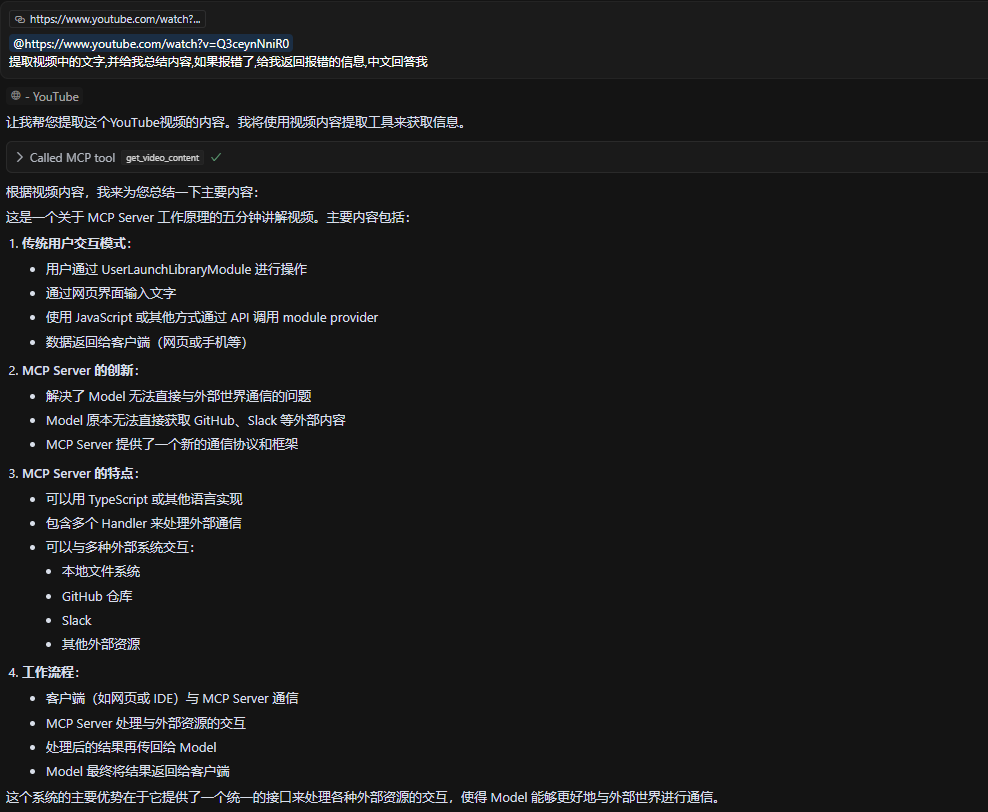
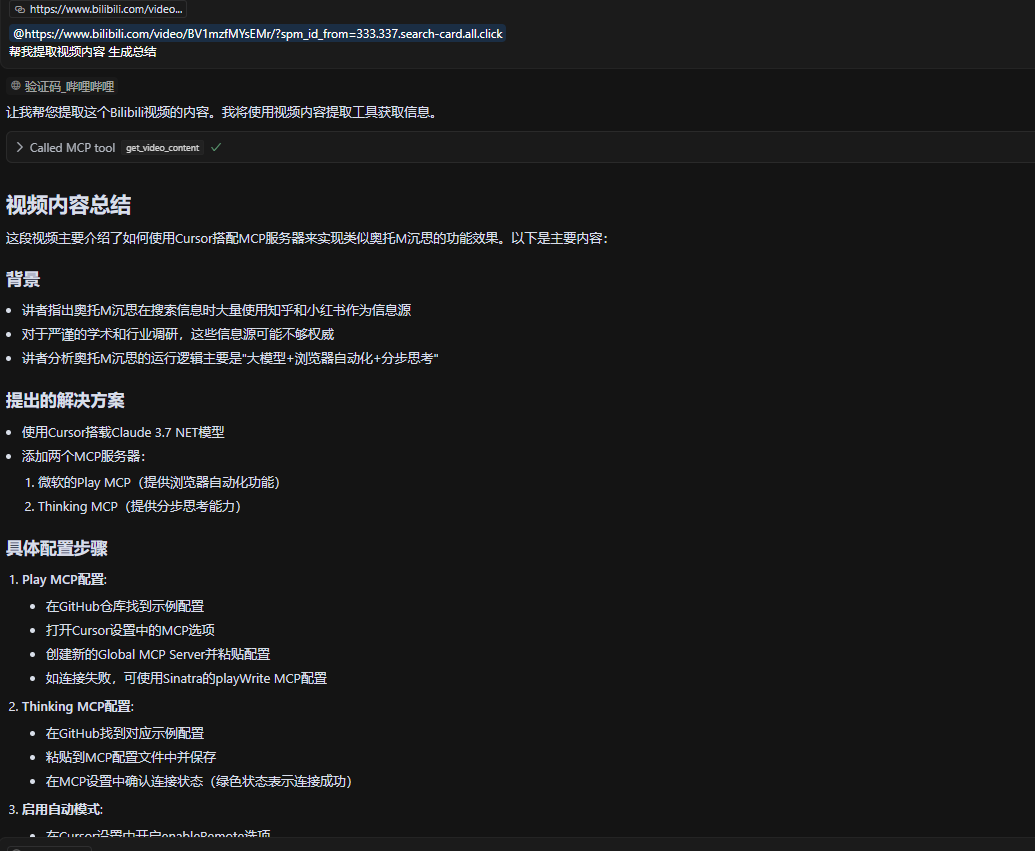
安装说明
1. 安装 uv 或使用 python
如果还没有安装 uv,可以使用以下命令安装:
curl -LsSf https://astral.sh/uv/install.sh | sh2. 克隆项目:
git clone https://github.com/R-lz/mcp-video-digest.git
cd mcp-video-digest
3. 创建并激活虚拟环境:
uv venv
source .venv/bin/activate  # Linux/Mac
# 或
.venv\Scripts\activate     # Windows
4. 安装依赖:
uv pip install -e .> speechmatics 在使用requests调试的时候出现了各种问题(不是speechmatics的问题, 是我菜),所以使用了speechmatics sdk
配置说明
1. 在项目根目录创建 `.env` 文件或者重命名`.env.example`,配置所需的 API 密钥:
mv .env.example .env

   # 修改
   DEEPGRAM_API_KEY=your_deepgram_key
   GLADIA_API_KEY=your_gladia_key
   SPEECHMATICS_API_KEY=your_speechmatics_key
   ASSEMBLYAI_API_KEY=your_assemblyai_key
注意:至少需要配置一个服务的 API 密钥
2. 服务优先级顺序:
使用方法
1. 启动服务:
uv run src/main.py或者使用调试模式:
UV_DEBUG=1 uv run src/main.py2. 调用服务:
from mcp.client import MCPClient

   async def process_video():
       client = MCPClient()
       result = await client.call(
           "get_video_content",
           url="https://www.youtube.com/watch?v=video_id"
       )
       print(result)
3. 客户端SSE为示例
{
    "mcpServers": {
      "video_digest": {
        "url": "http://:8000/sse"
    }
  }
}

# 当然可以在Client传递Key

"env": {
   "DEEPGRAM_API_KEY":"your_deepgram_key"
}
> STDIO方式修改启动命令即可:未验证和测试 MCP文档
测试
运行测试脚本:
uv run test.py
# 或
python test.py
测试脚本会:
- 验证环境变量配置
- 测试 YouTube 下载功能
- 测试各个转录服务
- 测试完整的视频处理流程
开发指南
1. 添加新的转录服务:
2. 自定义下载服务:
依赖管理
- 使用 `uv pip install package_name` 安装新依赖
- 使用 `uv pip freeze > requirements.txt` 导出依赖列表
- 使用 `pyproject.toml` 管理依赖,`uv.lock` 锁定依赖版本
错误处理
服务会处理以下情况:
- API 密钥缺失或无效
- 视频下载失败
- 音频转录失败
- 网络连接问题
- 服务限制和配额
注意事项
1. 确保有足够的磁盘空间用于临时文件
2. 注意各服务提供商的 API 使用限制
3. 建议使用 Python 3.11 或更高版本
4. 临时文件会自动清理
5. 使用 uv 可以获得更快的依赖安装速度和更好的依赖管理
6. YouTube下载可能需要身份验证,可以复制cookie到根目录下cookies.txt 使用插件快速生成 或者使用cookies-from-browser等其他认证方式, yt-dlp
STT Key申请及免费额度
- Speechmatics 每月免费8小时 - 定价
- Gladia 每月免费10小时 - 定价
- AssemblyAI 共50$免费额度 - 定价
- Deepgram 共200$的免费额度 - 定价
> 内容仅供参考
许可证
采用 MIT 许可证。
Frequently asked questions
What is mcp-video-digest?
mcp-video-digest is MCP Server for transcribing videos via video links and summarizing video content
How do I install mcp-video-digest?
Open the GitHub repository and follow its README. Most MCP servers are added to your client's MCP config, then called by your agent.
Is mcp-video-digest open source?
Yes — it is hosted on GitHub at https://github.com/ruezo/mcp-video-digest and has 29 stars.
Related MCP tools
 cognee
Cognee is the open-source AI memory platform for agents. Give your AI agents persistent long-term memory across sessions with a self-hosted knowledge graph engine.
 skyvern
Automate browser based workflows with AI
 hindsight
Hindsight: Agent Memory That Learns
 watermarks-remover
A privacy-first app that strips AI watermarks from content you own.
 Qwen-Agent
Agent framework and applications built upon Qwen>=3.0, featuring Function Calling, MCP, Code Interpreter, RAG, Chrome extension, etc.
 pal-mcp-server
The power of Claude Code / GeminiCLI / CodexCLI + [Gemini / OpenAI / OpenRouter / Azure / Grok / Ollama / Custom Model / All Of The Above] working as one.
Run your own MCP server? See who uses it and what to fix.
Measure it with TrackMCP