Rootly MCP server
Documentation
Rootly MCP Server



An MCP server for the Rootly API for Cursor, Windsurf, Claude, and other MCP clients.
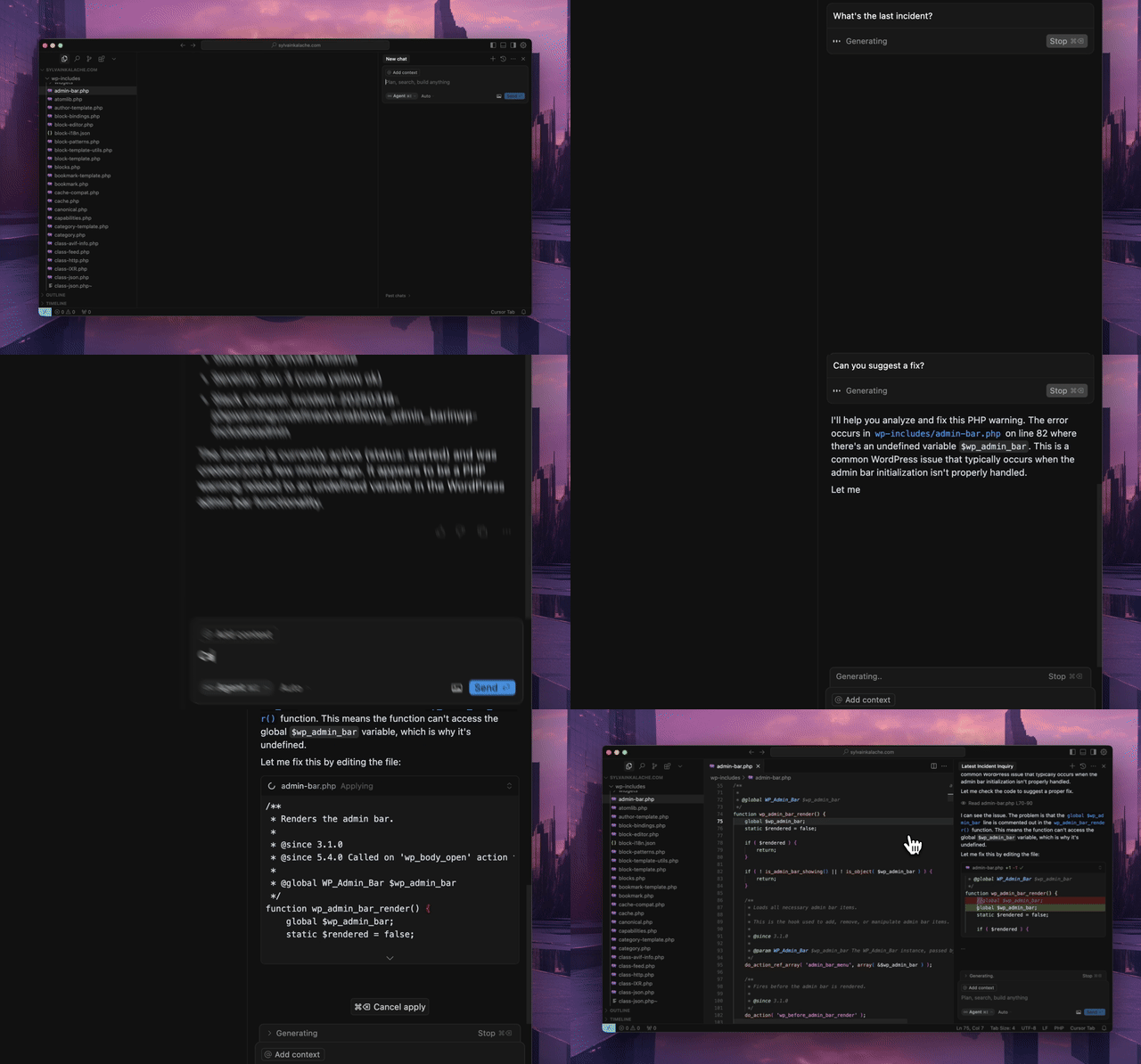
Quick Start
Use the hosted MCP server. No local installation required.
Hosted Transport Options
- Streamable HTTP (recommended):
https://mcp.rootly.com/mcp - SSE (stable alternative):
https://mcp.rootly.com/sse - Code Mode:
https://mcp.rootly.com/mcp-codemode
Hosted tool profiles:
- Full (default): use the URLs above as-is
- Slim (~70 tools): add
?tool_profile=slimto the hosted URL, for examplehttps://mcp.rootly.com/mcp?tool_profile=slim - Header alternative: send
X-Rootly-Tool-Profile: slim - Server-wide default: set
ROOTLY_MCP_HOSTED_TOOL_PROFILE=full|slim - Exact custom override: set
ROOTLY_MCP_ENABLED_TOOLS=...
General Remote Setup
With OAuth2 (recommended):
{
  "mcpServers": {
    "rootly": {
      "url": "https://mcp.rootly.com/mcp"
    }
  }
}
Your MCP client handles OAuth2 login automatically — a browser window opens for you to authenticate with Rootly. No API token needed.
With API Token:
{
  "mcpServers": {
    "rootly": {
      "url": "https://mcp.rootly.com/mcp",
      "headers": {
        "Authorization": "Bearer YOUR_ROOTLY_API_TOKEN"
      }
    }
  }
}
SSE (alternative):
{
  "mcpServers": {
    "rootly": {
      "url": "https://mcp.rootly.com/sse"
    }
  }
}
Code Mode:
{
  "mcpServers": {
    "rootly": {
      "url": "https://mcp.rootly.com/mcp-codemode"
    }
  }
}
Agent Setup
Claude Code
With OAuth2 (recommended):
claude mcp add --transport http rootly https://mcp.rootly.com/mcp

# Code Mode:
claude mcp add --transport http rootly-codemode https://mcp.rootly.com/mcp-codemode
With API Token:
claude mcp add --transport http rootly https://mcp.rootly.com/mcp \
  --header "Authorization: Bearer YOUR_ROOTLY_API_TOKEN"
Manual Configuration — Create .mcp.json in your project root:
{
  "mcpServers": {
    "rootly": {
      "type": "http",
      "url": "https://mcp.rootly.com/mcp"
    }
  }
}
Gemini CLI
Install the extension:
gemini extensions install https://github.com/rootlyhq/rootly-mcp-serverOr configure manually in ~/.gemini/settings.json:
{
  "mcpServers": {
    "rootly": {
      "command": "uvx",
      "args": ["--from", "rootly-mcp-server", "rootly-mcp-server"],
      "env": {
        "ROOTLY_API_TOKEN": ""
      }
    }
  }
}
Cursor
Add to .cursor/mcp.json or ~/.cursor/mcp.json:
With OAuth2 (recommended):
{
  "mcpServers": {
    "rootly": {
      "url": "https://mcp.rootly.com/mcp"
    }
  }
}
With API Token:
{
  "mcpServers": {
    "rootly": {
      "url": "https://mcp.rootly.com/mcp",
      "headers": {
        "Authorization": "Bearer "
      }
    }
  }
}
Windsurf
Add to ~/.codeium/windsurf/mcp_config.json:
With OAuth2 (recommended):
{
  "mcpServers": {
    "rootly": {
      "serverUrl": "https://mcp.rootly.com/mcp"
    }
  }
}
With API Token:
{
  "mcpServers": {
    "rootly": {
      "serverUrl": "https://mcp.rootly.com/mcp",
      "headers": {
        "Authorization": "Bearer "
      }
    }
  }
}
Codex
Add to ~/.codex/config.toml:
With OAuth2 (recommended):
[mcp_servers.rootly]
url = "https://mcp.rootly.com/mcp"
With API Token:
[mcp_servers.rootly]
url = "https://mcp.rootly.com/mcp"
bearer_token_env_var = "ROOTLY_API_TOKEN"
Claude Desktop
With OAuth2 (recommended):
Add to claude_desktop_config.json:
{
  "mcpServers": {
    "rootly": {
      "url": "https://mcp.rootly.com/mcp"
    }
  }
}
Claude Desktop handles OAuth2 login automatically.
With API Token (via mcp-remote):
{
  "mcpServers": {
    "rootly": {
      "command": "npx",
      "args": [
        "-y",
        "mcp-remote",
        "https://mcp.rootly.com/mcp",
        "--transport",
        "http",
        "--header",
        "Authorization: Bearer "
      ]
    }
  }
}
Rootly CLI
Standalone CLI for incidents, alerts, services, and on-call operations.
Install via Homebrew:
brew install rootlyhq/tap/rootly-cliOr via Go:
go install github.com/rootlyhq/rootly-cli/cmd/rootly@latestFor more details, see the Rootly CLI repository.
Alternative Installation (Local)
Run the MCP server locally if you do not want to use the hosted service.
Prerequisites
- Python 3.12 or higher
uvpackage manager
curl -LsSf https://astral.sh/uv/install.sh | shAPI Token Types
Choose the token type based on the access you need:
- Global API Key: Full access across the Rootly instance. Best for organization-wide visibility.
- Team API Key: Access limited to entities owned by that team.
- Personal API Key: Access matches the user who created it.
A Global API Key is recommended for organization-wide queries and for actions that modify data, especially when workflows may span multiple teams, schedules, or incidents.
With uv
{
  "mcpServers": {
    "rootly": {
      "command": "uv",
      "args": [
        "tool",
        "run",
        "--from",
        "rootly-mcp-server",
        "rootly-mcp-server"
      ],
      "env": {
        "ROOTLY_API_TOKEN": "",
        "ROOTLY_MCP_ENABLE_WRITE_TOOLS": "true"
      }
    }
  }
}
Self-Hosted Transport Options
Choose one transport per server process:
- Streamable HTTP endpoint path:
/mcp - SSE endpoint path:
/sse - Code Mode (experimental) endpoint path:
/mcp-codemodein hosted dual-transport mode
Hosted and self-hosted deployments now both expose the full tool surface by default.
- Hosted default: full surface
- Hosted slim profile: about 70 high-usage tools via
?tool_profile=slim - Self-hosted default: full surface
To restrict either deployment to read-only tools, start the server with --no-enable-write-tools or set ROOTLY_MCP_ENABLE_WRITE_TOOLS=false.
For hosted clients that want the smaller remote profile, append ?tool_profile=slim to the MCP URL or send X-Rootly-Tool-Profile: slim.
To override the hosted or self-hosted default profile entirely, set ROOTLY_MCP_ENABLED_TOOLS (or pass --enabled-tools) with a comma-separated allowlist of exact tool names. When that variable is set, it fully replaces the default selection.
To expose only a specific subset of MCP tools on a self-hosted deployment, set ROOTLY_MCP_ENABLED_TOOLS (or pass --enabled-tools) with a comma-separated allowlist of exact tool names, for example list_incidents,get_incident,get_server_version.
OpenAI Apps domain verification
Hosted deployments expose an unauthenticated domain-verification endpoint used by the OpenAI plugin directory:
- Endpoint:
GET /.well-known/openai-apps-challenge - Environment variable:
ROOTLY_OPENAI_APPS_CHALLENGE_TOKEN
Set ROOTLY_OPENAI_APPS_CHALLENGE_TOKEN to the token generated in the OpenAI submission portal. The endpoint returns that exact token as text/plain (with Cache-Control: no-store), and returns 404 when the variable is unset or empty. The token is read from the environment at request time — never hardcode or commit it. The route is served on both the dual-transport (--transport both) and profiled streamable-HTTP hosted deployments and is not subject to Bearer authentication.
To discover the exact tool names available under your current self-hosted configuration, run:
ROOTLY_API_TOKEN= \
uv run python -m rootly_mcp_server --list-tools
This prints the effective MCP tool names after applying your current settings, including ROOTLY_MCP_ENABLE_WRITE_TOOLS and ROOTLY_MCP_ENABLED_TOOLS.
Smoke-test a self-hosted allowlist:
ROOTLY_API_TOKEN= \
ROOTLY_MCP_ENABLED_TOOLS=list_incidents,get_incident,get_server_version \
uv run python -m rootly_mcp_server --transport streamable-http --log-level ERROR
Then connect an MCP client to http://127.0.0.1:8000/mcp and verify tools/list returns only:
get_server_version
get_incident
list_incidents
To include specific write tools for self-hosted testing, add both the write flag and the allowlist:
ROOTLY_API_TOKEN= \
ROOTLY_MCP_ENABLE_WRITE_TOOLS=true \
ROOTLY_MCP_ENABLED_TOOLS=create_incident,create_workflow_task,list_teams \
uv run python -m rootly_mcp_server --transport streamable-http --log-level ERROR
Example Docker run (Streamable HTTP):
docker run -p 8000:8000 \
  -e ROOTLY_TRANSPORT=streamable-http \
  -e ROOTLY_API_TOKEN= \
  -e ROOTLY_MCP_ENABLE_WRITE_TOOLS=true \
  rootly-mcp-server
Example Docker run (SSE):
docker run -p 8000:8000 \
  -e ROOTLY_TRANSPORT=sse \
  -e ROOTLY_API_TOKEN= \
  rootly-mcp-server
Example Docker run (Dual transport + Code Mode):
docker run -p 8000:8000 \
  -e ROOTLY_TRANSPORT=both \
  -e ROOTLY_API_TOKEN= \
  rootly-mcp-server
Workflow-Focused Tool Subsets
The full hosted and self-hosted surface exposes 200+ tools. If you want tighter workflow-specific subsets, use ROOTLY_MCP_ENABLED_TOOLS:
🚨 Incident Response (25 tools)
*Essential tools for emergency responders and incident commanders*
ROOTLY_MCP_ENABLED_TOOLS="list_incidents,get_incident,create_incident,update_incident,search_incidents,find_related_incidents,suggest_solutions,create_incident_action_item,list_incident_action_items,update_incident_form_field_selection,list_teams,get_current_user,list_services,list_severities,get_alert,list_alerts,get_alert_by_short_id,list_escalation_policies,get_escalation_policy,list_on_call_roles,list_schedules,get_schedule_shifts,get_oncall_handoff_summary,get_shift_incidents,list_endpoints"📅 On-Call Management (35 tools)
*For schedule coordinators and on-call managers*
ROOTLY_MCP_ENABLED_TOOLS="list_schedules,get_schedule,update_schedule,get_schedule_shifts,list_shifts,create_schedule_rotation,update_schedule_rotation,list_schedule_rotations,get_schedule_rotation,list_schedule_rotation_users,update_schedule_rotation_user,create_on_call_shadow,update_on_call_shadow,list_on_call_shadows,create_override_shift,update_override_shift,list_override_shifts,list_on_call_roles,update_on_call_role,get_oncall_schedule_summary,get_oncall_shift_metrics,check_oncall_health_risk,check_responder_availability,create_override_recommendation,list_teams,get_team,list_users,get_user,get_current_user,list_escalation_policies,update_escalation_policy,list_escalation_paths,update_escalation_path,list_escalation_levels"📊 Monitoring & Alerting (40 tools)
*For platform teams setting up observability*
ROOTLY_MCP_ENABLED_TOOLS="list_alerts,get_alert,get_alert_by_short_id,create_alert_group,update_alert_group,list_alert_groups,create_alert_routing_rule,update_alert_routing_rule,list_alert_routing_rules,list_alert_events,get_alert_event,update_alert_event,create_heartbeat,update_heartbeat,list_heartbeats,get_heartbeat,create_pulse,update_pulse,list_pulses,get_pulse,create_dashboard,update_dashboard,list_dashboards,get_dashboard,create_dashboard_panel,update_dashboard_panel,list_status_pages,get_status_page,update_status_page,list_status_page_templates,get_status_page_template,list_communications_templates,update_communications_template,create_live_call_router,update_live_call_router,list_services,list_teams,get_current_user,list_environments,list_severities,list_endpoints"📋 Post-Incident Analysis (30 tools)
*For SREs doing retrospectives and process improvement*
ROOTLY_MCP_ENABLED_TOOLS="get_incident,update_incident,find_related_incidents,suggest_solutions,list_incident_action_items,create_incident_action_item,update_incident_form_field_selection,create_post_incident_review,update_post_incident_review,list_post_incident_reviews,get_post_incident_review,create_retrospective_step,update_retrospective_step,list_retrospective_steps,create_retrospective_process,update_retrospective_process,list_retrospective_processes,create_playbook,update_playbook,list_playbooks,get_playbook,create_playbook_task,update_playbook_task,list_causes,get_cause,update_cause,list_incident_types,get_incident_type,update_incident_type,get_current_user"📈 Analytics & Reporting (15 tools)
*For leadership and metrics teams (read-only focus)*
ROOTLY_MCP_ENABLED_TOOLS="list_incidents,search_incidents,collect_incidents,list_teams,list_services,list_schedules,get_oncall_shift_metrics,get_shift_incidents,list_dashboards,get_dashboard,list_alerts,list_heartbeats,list_pulses,get_current_user,list_endpoints"Multiple MCP Instances for Different Teams
You can run multiple MCP instances with different tool subsets:
{
  "mcpServers": {
    "rootly-incident-response": {
      "command": "uvx", "args": ["--from", "rootly-mcp-server", "rootly-mcp-server"],
      "env": {
        "ROOTLY_API_TOKEN": "",
        "ROOTLY_MCP_ENABLED_TOOLS": "list_incidents,get_incident,create_incident,find_related_incidents,suggest_solutions..."
      }
    },
    "rootly-oncall-management": {
      "command": "uvx", "args": ["--from", "rootly-mcp-server", "rootly-mcp-server"],
      "env": {
        "ROOTLY_API_TOKEN": "",
        "ROOTLY_MCP_ENABLED_TOOLS": "list_schedules,update_schedule,create_override_shift,get_oncall_shift_metrics..."
      }
    }
  }
}
With uvx
{
  "mcpServers": {
    "rootly": {
      "command": "uvx",
      "args": [
        "--from",
        "rootly-mcp-server",
        "rootly-mcp-server"
      ],
      "env": {
        "ROOTLY_API_TOKEN": ""
      }
    }
  }
}
Features
- Dynamic Tool Generation: Automatically creates MCP resources from Rootly's OpenAPI (Swagger) specification
- Smart Pagination: Uses bounded pagination and compact incident responses to prevent context window overflow
- API Filtering: Limits exposed API endpoints for security and performance
- Intelligent Incident Analysis: Smart tools that analyze historical incident data
- **
find_related_incidents**: Uses TF-IDF similarity analysis to find historically similar incidents - **
suggest_solutions**: Mines past incident resolutions to recommend actionable solutions - MCP Resources: Exposes incidents, teams, on-call status, and workflow guides as structured resources for AI context
- Intelligent Pattern Recognition: Automatically identifies services, error types, and resolution patterns
- On-Call Health Integration: Detects workload health risk in scheduled responders
Supported Tools
The default tool surface depends on deployment profile:
- Hosted default: about 218 tools
- Hosted slim profile: about 70 tools
- Self-hosted default: about 218 tools
Custom Agentic Tools
check_oncall_health_riskcheck_responder_availabilitycollect_incidentscreate_incident- create a new incident with a scoped set of fields for agent workflowscreate_override_recommendationfind_related_incidentsget_incident- retrieve a single incident for direct verification, including PIR-related fieldsget_alert_by_short_idget_oncall_handoff_summaryget_oncall_schedule_summaryget_oncall_shift_metricsget_server_versionget_shift_incidentslist_endpointslist_incidentslist_shiftssearch_incidentssuggest_solutionsupdate_incident- scoped incident update tool forsummaryandretrospective_progress_status
OpenAPI-Generated Tools
Tool naming: all tools use
snake_case. The historicalcamelCasenames(e.g.
getScheduleShifts,listIncidents) are no longer advertised in
tools/list, but remain callable as hidden aliases — they are transparentlyrouted to their
snake_casecanonical. Update configs andROOTLY_MCP_ENABLED_TOOLSallowlists to the
snake_casenames; legacy camelCase allowlist entries areauto-canonicalized.
list_workflow_runs
create_incident_action_item
create_incident_form_field_selection
create_workflow_task
get_alert
get_alert_event
get_alert_group
get_alert_routing_rule
get_alert_source
get_alert_urgency
get_catalog
get_catalog_entity
get_cause
get_current_user
get_custom_form
get_environment
get_escalation_level
get_escalation_path
get_escalation_policy
get_form_field
get_form_field_option
get_functionality
get_functionality_incidents_chart
get_functionality_uptime_chart
get_incident_action_items
get_incident_form_field_selection
get_incident_type
get_on_call_role
get_on_call_shadow
get_override_shift
get_schedule
get_schedule_rotation
get_schedule_shifts
get_service
get_service_incidents_chart
get_service_uptime_chart
get_severity
get_status_page
get_status_page_template
get_team
get_team_incidents_chart
get_user
get_workflow
get_workflow_form_field_condition
get_workflow_group
get_workflow_task
list_alert_events
list_alert_groups
list_alert_routing_rules
list_alert_sources
list_alert_urgencies
list_alerts
list_all_incident_action_items
list_catalog_entities
list_catalogs
list_causes
list_custom_forms
list_environments
list_escalation_levels
list_escalation_levels_paths
list_escalation_paths
list_escalation_policies
list_form_field_options
list_form_fields
list_functionalities
list_incident_action_items
list_incident_alerts
list_incident_form_field_selections
list_incident_types
list_on_call_roles
list_on_call_shadows
list_override_shifts
list_schedule_rotation_active_days
list_schedule_rotation_users
list_schedule_rotations
list_schedules
list_services
list_severities
list_shifts
list_status_page_templates
list_status_pages
list_teams
list_users
list_workflow_form_field_conditions
list_workflow_groups
list_workflows
list_workflow_tasks
update_environment
update_escalation_level
update_escalation_path
update_escalation_policy
update_functionality
update_incident_type
update_on_call_role
update_on_call_shadow
update_override_shift
update_schedule
update_schedule_rotation
update_service
update_severity
update_team
update_workflow
update_incident_form_field_selection
update_workflow_task
Major Expansion: This version includes 50+ new endpoints covering communications, dashboards, playbooks, post-incident reviews, monitoring, and advanced form management - while carefully excluding security-sensitive operations like API key management, user creation/deletion, role management, and webhook configuration.
Delete operations remain disabled in the default tool surface.
On-Call Health Integration
Integrates with On-Call Health to detect workload health risk in scheduled responders.
Setup
Set the ONCALLHEALTH_API_KEY environment variable:
{
  "mcpServers": {
    "rootly": {
      "command": "uvx",
      "args": ["--from", "rootly-mcp-server", "rootly-mcp-server"],
      "env": {
        "ROOTLY_API_TOKEN": "your_rootly_token",
        "ONCALLHEALTH_API_KEY": "och_live_your_key"
      }
    }
  }
}
Usage
check_oncall_health_risk(
    start_date="2026-02-09",
    end_date="2026-02-15"
)
Returns at-risk users who are scheduled, recommended safe replacements, and action summaries.
Example Skills
Pre-built Claude Code skills:
🚨 Rootly Incident Responder
This skill:
- Analyzes production incidents with full context
- Finds similar historical incidents using ML-based similarity matching
- Suggests solutions based on past successful resolutions
- Coordinates with on-call teams across timezones
- Correlates incidents with recent code changes and deployments
- Creates action items and remediation plans
- Provides confidence scores and time estimates
Quick Start:
# Copy the skill to your project
mkdir -p .claude/skills
cp examples/skills/rootly-incident-responder.md .claude/skills/

# Then in Claude Code, invoke it:
# @rootly-incident-responder analyze incident #12345
It demonstrates a full incident response workflow using Rootly tools and GitHub context.
On-Call Shift Metrics
Get on-call shift metrics for any time period, grouped by user, team, or schedule. Includes primary/secondary role tracking, shift counts, hours, and days on-call.
get_oncall_shift_metrics(
    start_date="2025-10-01",
    end_date="2025-10-31",
    group_by="user"
)
On-Call Handoff Summary
Complete handoff: current/next on-call + incidents during shifts.
# All on-call (any timezone)
get_oncall_handoff_summary(
    team_ids="team-1,team-2",
    timezone="America/Los_Angeles"
)

# Regional filter - only show APAC on-call during APAC business hours
get_oncall_handoff_summary(
    timezone="Asia/Tokyo",
    filter_by_region=True
)
Regional filtering shows only people on-call during business hours (9am-5pm) in the specified timezone.
Returns: schedules with current_oncall, next_oncall, and shift_incidents
MCP Resources for Context
AI agents can access these resources for situational awareness:
- **
incident://{incident_id}** - Detailed incident information for specific incidents - **
team://{team_id}** - Team details including name, color, and metadata - **
rootly://incidents** - List of recent incidents for quick reference - **
rootly://oncall-status** - Current on-call status across all schedules (critical for incident response) - **
rootly://workflow-guide** - Step-by-step workflow guidance for common operations
Example usage: *"Check the current on-call status"* → AI reads rootly://oncall-status resource
Shift Incidents
Incidents during a time period, with filtering by severity/status/tags.
get_shift_incidents(
    start_time="2025-10-20T09:00:00Z",
    end_time="2025-10-20T17:00:00Z",
    severity="critical",  # optional
    status="resolved",    # optional
    tags="database,api"   # optional
)
Returns: incidents list + summary (counts, avg resolution time, grouping)
Contributing
See CONTRIBUTING.md for developer setup and guidelines.
Play with it on Postman
About Rootly AI Labs
This project was developed by Rootly AI Labs, where we're building the future of system reliability and operational excellence. As an open-source incubator, we share ideas, experiment, and rapidly prototype solutions that benefit the entire community.

Similar MCP
Based on tags & features
Trending MCP
Most active this week