
bunq-hackathon-agents-6.0
AI Agents to support sustainable spending on Bunq using MCP servers
Documentation
🌍 Sustainable Spending Dashboard
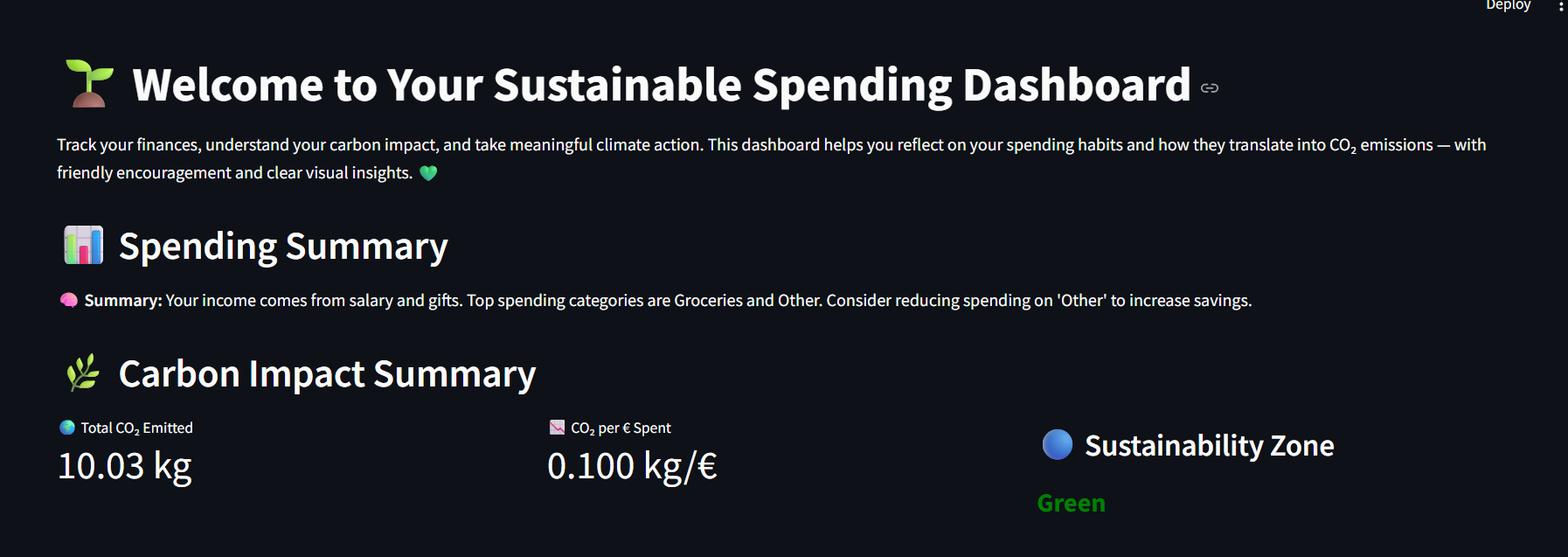
An AI-powered dashboard that analyzes your spending habits, estimates your carbon footprint, and encourages climate-friendly financial decisions — built with Streamlit, LLMs, and Bunq.
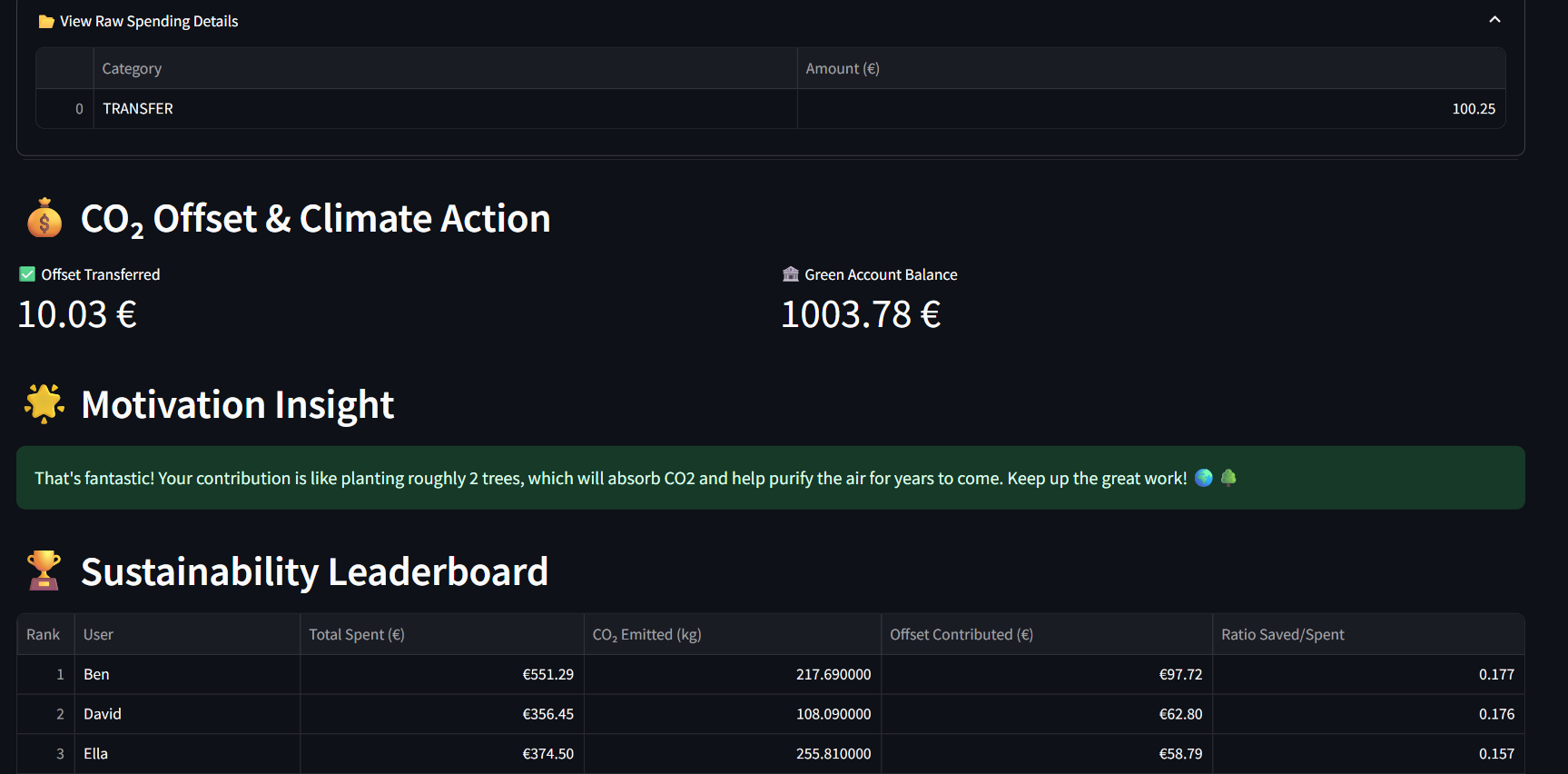
The Dashboard looks like this(cool right!)
💡 What It Does
This dashboard connects financial data with climate awareness using the power of LLMs. It helps you:
- Understand where your money goes 💸
- See how your spending impacts the planet 🌱
- Take climate action via automated CO₂ offset transfers ♻️
- Compete (gently!) with others in a sustainability leaderboard 🏆
🧠 Powered By
| Technology | Role |
|---|---|
| `Streamlit` | Dashboard UI & interactivity |
| `pydantic_ai` | Agent orchestration + LLM I/O |
| `Gemini` / `OpenAI` | Spending & CO₂ reasoning |
| `Bunq SDK` | Carbon offset transfers |
| `Pandas`, `Matplotlib` | Data processing & charts |
📂 Project Structure
.
├── src/
|   |- dashboard.py # Streamlit dashboard
|   |- bunq_agents.py # Pydantic agents & logic
|   |- mcp_ # MCP servers
|   |- utils/wrapper.py  Bunq integration wrapper
├── data/
│ └── transactions.csv # Sample transactions
├── requirements.txt
└── README.md
✨ Features
✅ Classify spending into intuitive categories
✅ Calculate total CO₂ emissions and CO₂ per € spent
✅ Assign a sustainability zone (Green / Yellow / Red)
✅ Visualize insights in a modern, intuitive dashboard
✅ Transfer offset amounts to a Bunq green account 💚
✅ Display motivational messages like “you planted 3 trees!” 🌳
✅ See how you compare on a gamified leaderboard 🏆
🛠 Setup Instructions
1. Clone the Repo
git clone https://github.com/your-username/bunq-hackathon-agents-6.0.git
cd bunq-hackathon-agents-6.0
2. Create a Virtual Environment
python -m venv venv
source venv/bin/activate  # On Windows: venv\Scripts\activate
3. Install Requirements
pip install -r requirements.txt4. Add a .env File
Create a .env file in the root folder with:
BUNQ_API_KEY=your_bunq_api_key_here5. 🚀 Run the App
streamlit run dashboard.py🌟 Example Insights
🌿 You just offset 25 kg of CO₂ — that’s like planting 1.2 trees!
💬 Most of your spending goes to groceries and travel. Try biking more often to reduce your footprint.
🏦 You transferred €40 to your green account. Nice work!
🏆 Leaderboard Logic
Users are ranked by their Offset Amount / Spend Ratio.
The current user is highlighted in light orange for visibility:
The higher the ratio, the better you're doing for the planet 🌎
✅ Sustainability Zone Logic
🟢 Green: CO₂ per € 0.6 → Consider more eco-friendly habits
Your zone is displayed as a dynamic badge in the app.
Created with 💚 during the Bunq Hackathon.
Frequently asked questions
What is bunq-hackathon-agents-6.0?
bunq-hackathon-agents-6.0 is AI Agents to support sustainable spending on Bunq using MCP servers
How do I install bunq-hackathon-agents-6.0?
Open the GitHub repository and follow its README. Most MCP servers are added to your client's MCP config, then called by your agent.
Is bunq-hackathon-agents-6.0 open source?
Yes — it is hosted on GitHub at https://github.com/Rohit8y/bunq-hackathon-agents-6.0.
Related MCP tools
 openhands
🙌 OpenHands: Code Less, Make More for the Model Context Protocol. Enhance AI assistants with powerful integrations. Python-based implementation.
 mem0
mem0Universal memory layer for AI Agents; Announcing OpenMemory MCP - local and secure memory management. Python-based implementation.
 chatgpt-on-wechat
基于大模型搭建的聊天机器人,同时支持 微信公众号、企业微信应用、飞书、钉钉 等接入,可选择ChatGPT/Claude/DeepSeek/文心一言/讯飞星火/通义千问/ Gemini/GLM-4/Kimi/LinkAI,能处理文本、语音和图片,访问操作系统和互联网,支持基于自有知识库进行定制企业智能客服。
 gpt-researcher
An LLM agent that conducts deep research (local and web) on any given topic and generates a long report with citations. Built for the Model Context Protocol to
 fastmcp
🚀 The fast, Pythonic way to build MCP servers and clients Trusted by 19900+ developers. Trusted by 19900+ developers. Trusted by 19900+ developers.
 maxkb
maxkb🔥 MaxKB is an open-source platform for building enterprise-grade agents. MaxKB 是强大易用的开源企业级智能体平台。 for the Model Context Protocol. Enhance AI assistants with po
Run your own MCP server? See who uses it and what to fix.
Measure it with TrackMCP