
mcp-delete
A Model Context Protocol (MCP) server that provides file deletion capabilities for AI assistants. Supports both relative and absolute paths with smart path resolution, making it easy for AI assistants to safely delete files when needed.
Documentation
@qpd-v/mcp-delete
A Model Context Protocol (MCP) server that provides file deletion capabilities. This server allows AI assistants to safely delete files when needed, with support for both relative and absolute paths.
Features
- Delete files using relative or absolute paths
- Smart path resolution that tries multiple potential paths
- Clear error messages with detailed path resolution information
- Safe file existence checks before deletion
- Works with Claude and other MCP-compatible AI assistants
Examples
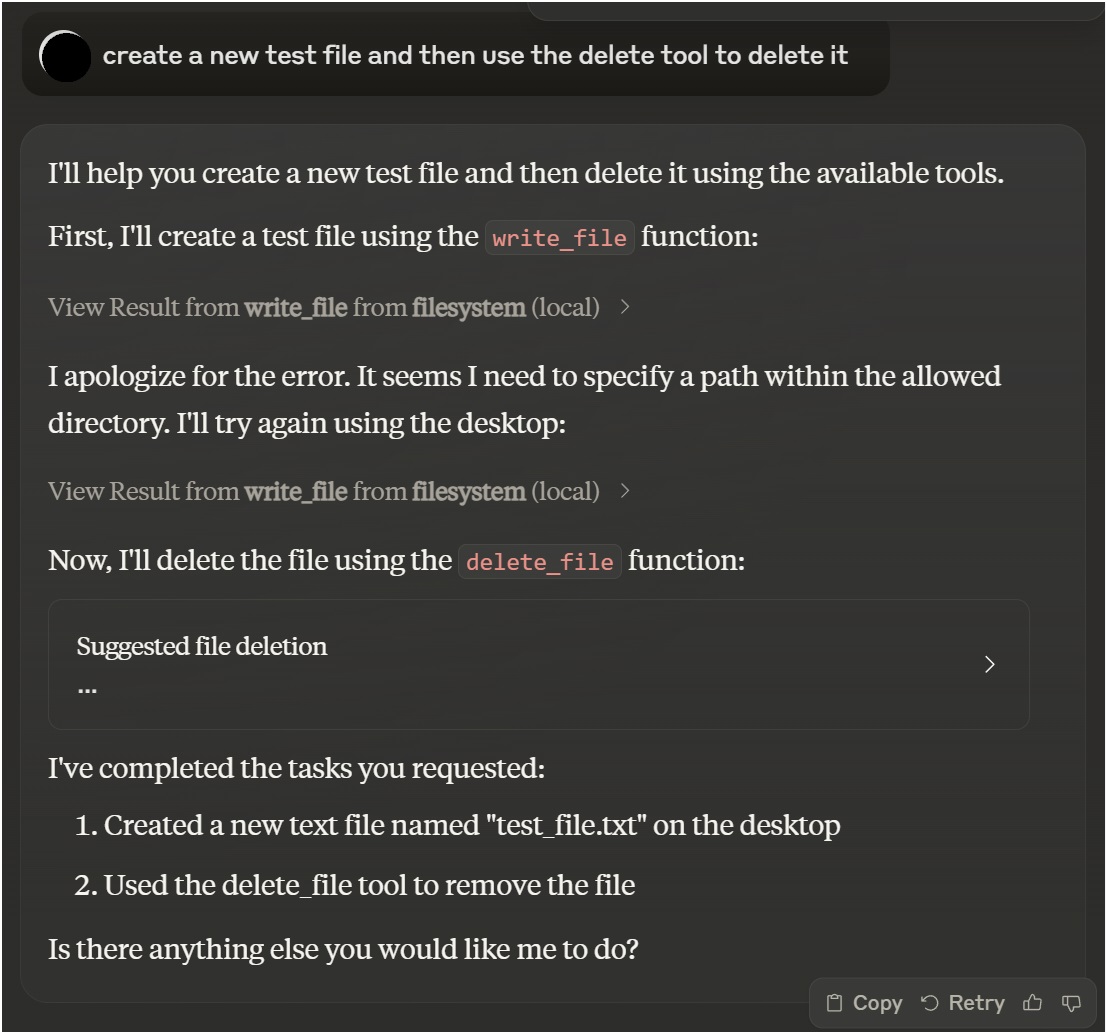
Using with Claude Desktop
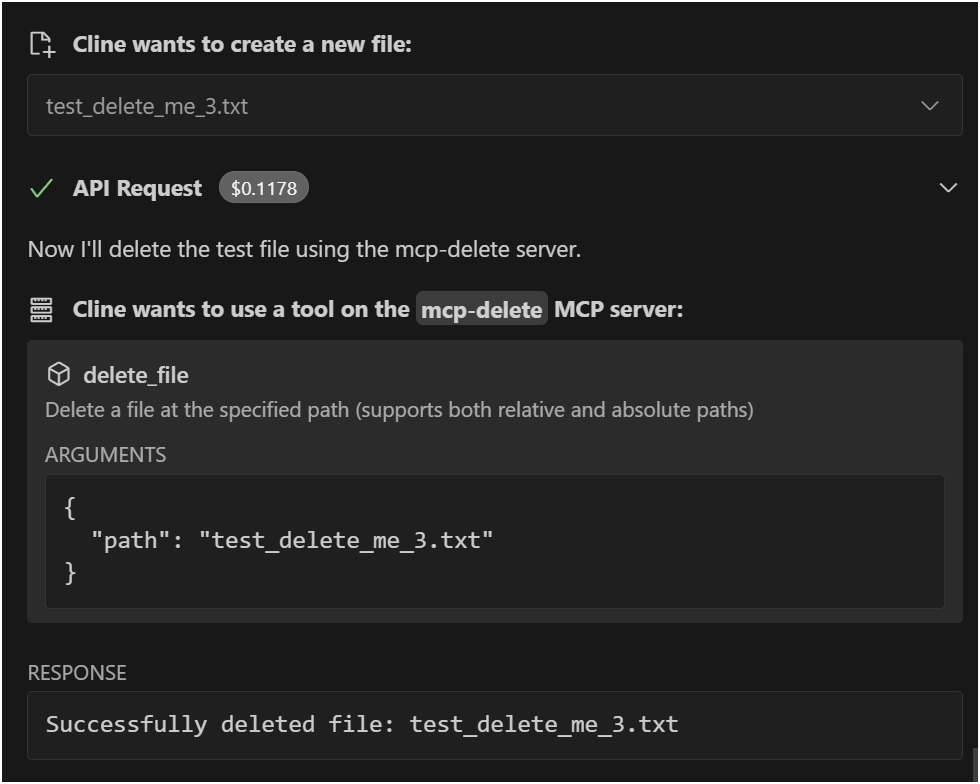
Using with VSCode Roo Cline Extension
Installation
Installing via Smithery
To install File Deletion for Claude Desktop automatically via Smithery:
npx -y @smithery/cli install @qpd-v/mcp-delete --client claudeManual Installation
npx @qpd-v/mcp-deleteOr install globally:
npm install -g @qpd-v/mcp-deleteConfiguration
Claude Desktop
Add the server configuration to your Claude Desktop config file:
Windows:
// %APPDATA%/Claude/claude_desktop_config.json
{
  "mcpServers": {
    "mcp-delete": {
      "command": "npx",
      "args": ["@qpd-v/mcp-delete"]
    }
  }
}
MacOS:
// ~/Library/Application Support/Claude/claude_desktop_config.json
{
  "mcpServers": {
    "mcp-delete": {
      "command": "npx",
      "args": ["@qpd-v/mcp-delete"]
    }
  }
}
}
VSCode Extension
Add the server configuration to your Cline settings:
Windows:
// %APPDATA%/Code/User/globalStorage/rooveterinaryinc.roo-cline/settings/cline_mcp_settings.json
{
  "mcpServers": {
    "mcp-delete": {
      "command": "npx",
      "args": ["@qpd-v/mcp-delete"]
    }
  }
}
MacOS:
// ~/Library/Application Support/Code/User/globalStorage/rooveterinaryinc.roo-cline/settings/cline_mcp_settings.json
{
  "mcpServers": {
    "mcp-delete": {
      "command": "npx",
      "args": ["@qpd-v/mcp-delete"]
    }
  }
}
}
Available Tools
delete_file
Deletes a file at the specified path.
Parameters:
- `path` (string, required): Path to the file to delete (relative to working directory or absolute)
Example usage in Claude:
You can ask me to delete a file like this:
"Please delete the file example.txt"

I will use the delete_file tool to safely remove the file.
Path Resolution
The server intelligently handles path resolution by trying multiple approaches:
1. The exact path as provided
2. Path relative to the current working directory
3. Path relative to a specified base directory
This makes it more user-friendly as files can be referenced by relative paths and the server will attempt to locate them correctly.
Development
Clone the repository:
git clone https://github.com/qpd-v/mcp-delete.git
cd mcp-delete
Install dependencies:
npm installBuild the server:
npm run buildFor development with auto-rebuild:
npm run watchDebugging
Since MCP servers communicate over stdio, debugging can be challenging. Use the MCP Inspector for debugging:
npm run inspectorThis will provide a URL to access debugging tools in your browser.
License
MIT
Author
qpd-v
Frequently asked questions
What is mcp-delete?
mcp-delete is A Model Context Protocol (MCP) server that provides file deletion capabilities for AI assistants. Supports both relative and absolute paths with smart path resolution, making it easy for AI assistants to safely delete files when needed.
How do I install mcp-delete?
Open the GitHub repository and follow its README. Most MCP servers are added to your client's MCP config, then called by your agent.
Is mcp-delete open source?
Yes — it is hosted on GitHub at https://github.com/qpd-v/mcp-delete and has 1 stars.
Related MCP tools
 anything-llm
The all-in-one Desktop & Docker AI application with built-in RAG, AI agents, No-code agent builder, MCP compatibility, and more.
 claude-task-master
An AI-powered task-management system you can drop into Cursor, Lovable, Windsurf, Roo, and others. Built for the Model Context Protocol to enhance AI capabiliti
 fay
fayFay是一个帮助数字人(2.5d、3d、移动、pc、网页)或大语言模型(openai兼容、deepseek)连通业务系统的mcp框架。 JavaScript-based implementation. Trusted by 12000+ developers.
 cursor-talk-to-figma-mcp
CTTF: MCP integration between Cursor and Figma, allowing Cursor Agentic AI to communicate with Figma for reading designs and modifying them programmatically.
 firecrawl-mcp-server
🔥 Official Firecrawl MCP Server - Adds powerful web scraping and search to Cursor, Claude and any other LLM clients. JavaScript-based implementation.
 desktopcommandermcp
This is MCP server for Claude that gives it terminal control, file system search and diff file editing capabilities JavaScript-based implementation.
Run your own MCP server? See who uses it and what to fix.
Measure it with TrackMCP