
jmeter-mcp-server
✨ JMeter Meets AI Workflows: Introducing the JMeter MCP Server! 🤯
Documentation
🚀 JMeter MCP Server
This is a Model Context Protocol (MCP) server that allows executing JMeter tests through MCP-compatible clients and analyzing test results.
> [!IMPORTANT]
> 📢 Looking for an AI Assistant inside JMeter? 🚀
> Check out Feather Wand
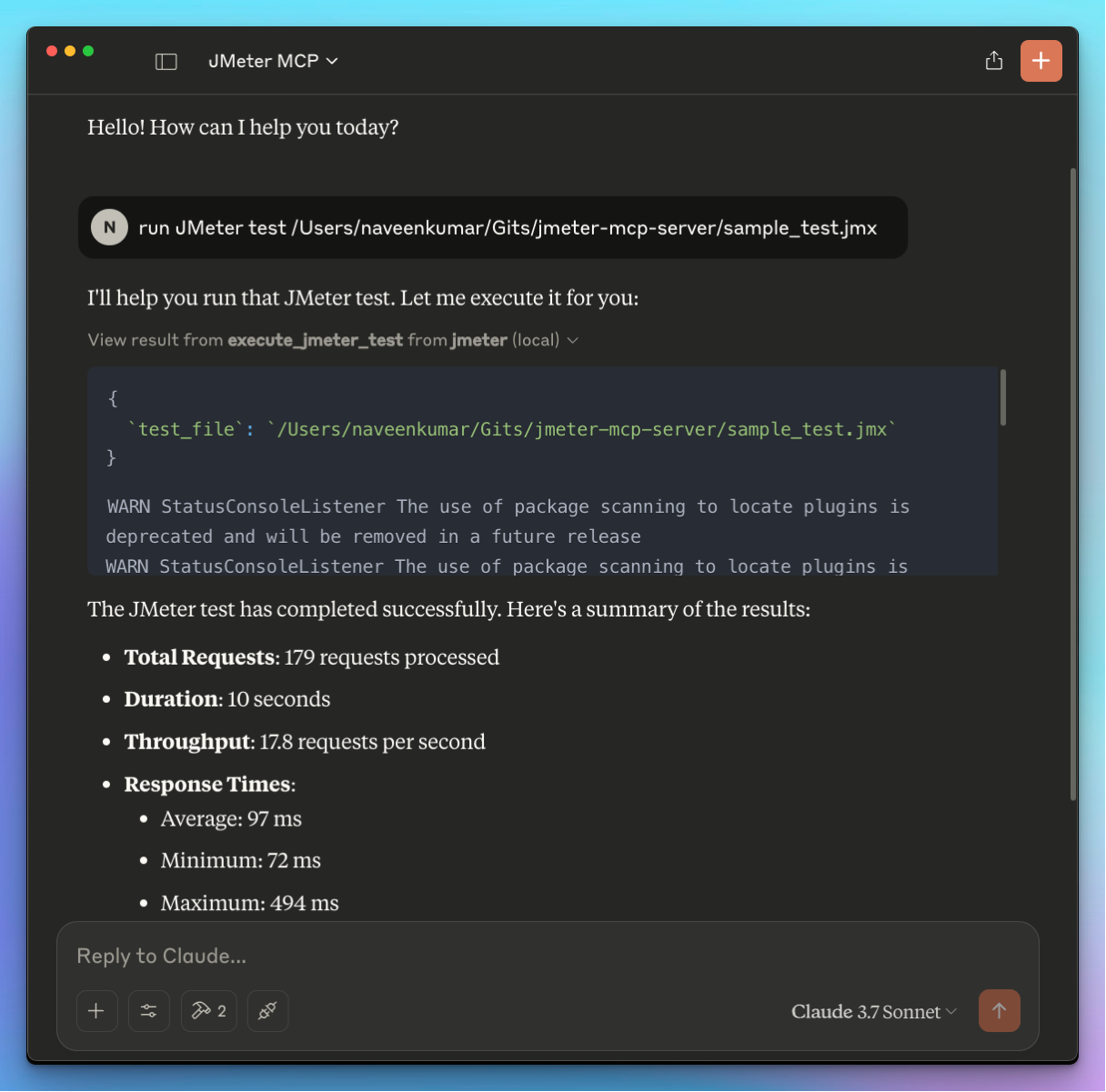
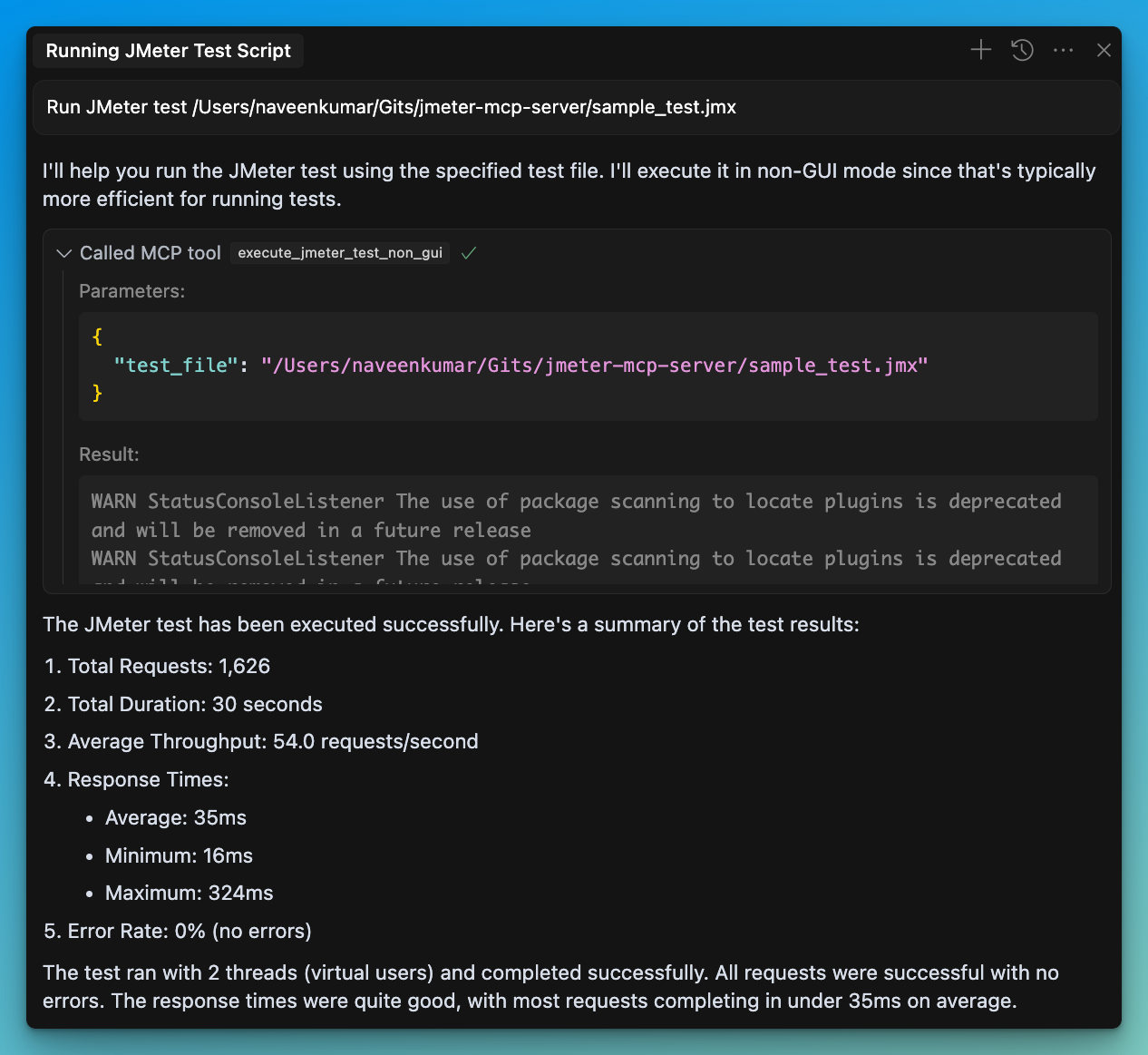
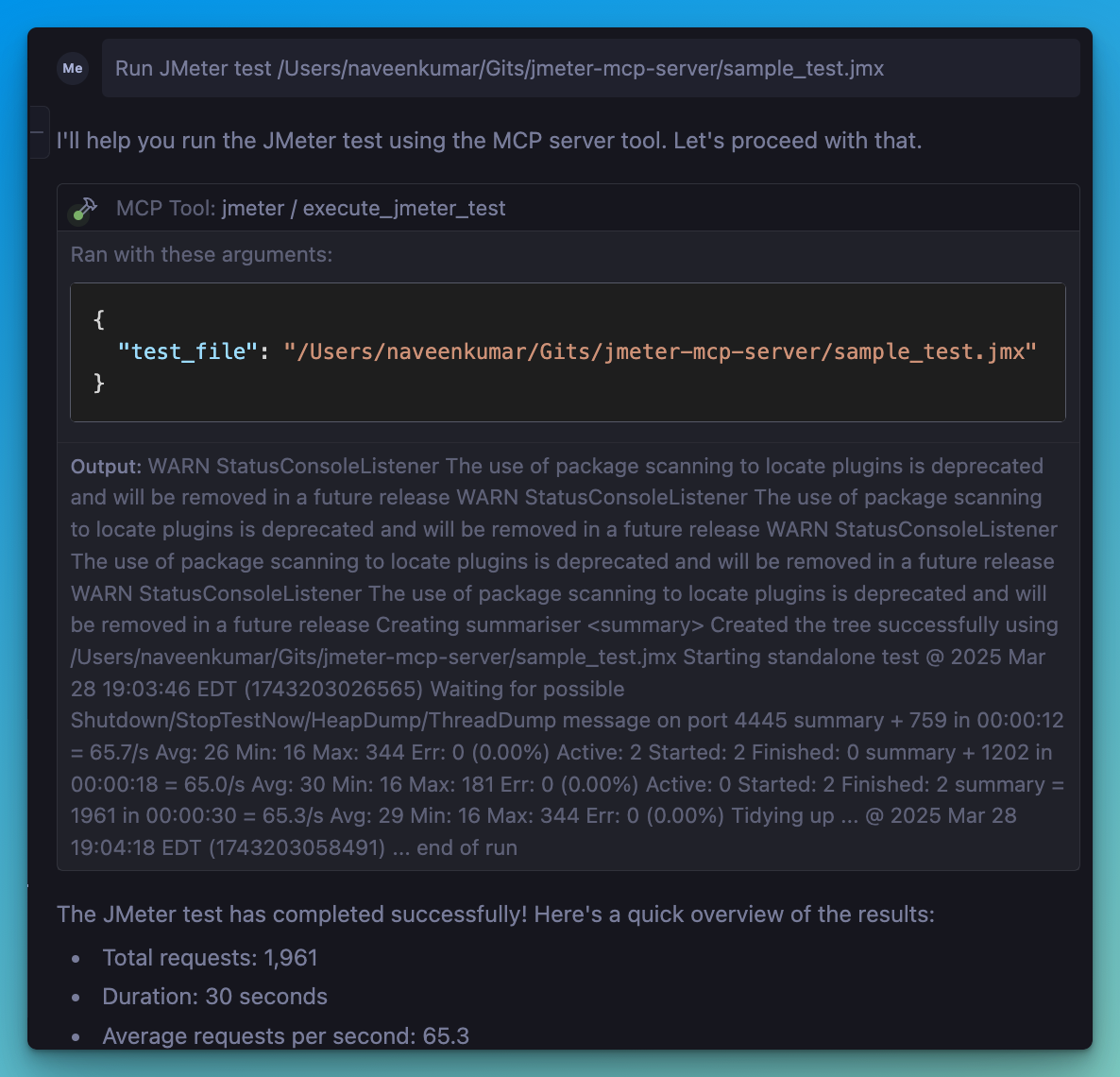
📋 Features
JMeter Execution
- 📊 Execute JMeter tests in non-GUI mode
- 🖥️ Launch JMeter in GUI mode
- 📝 Capture and return execution output
- 📊 Generate JMeter report dashboard
Test Results Analysis
- 📈 Parse and analyze JMeter test results (JTL files)
- 📊 Calculate comprehensive performance metrics
- 🔍 Identify performance bottlenecks automatically
- 💡 Generate actionable insights and recommendations
- 📊 Create visualizations of test results
- 📑 Generate HTML reports with analysis results
🛠️ Installation
Local Installation
1. Install `uv`:
2. Ensure JMeter is installed on your system and accessible via the command line.
⚠️ Important: Make sure JMeter is executable. You can do this by running:
chmod +x /path/to/jmeter/bin/jmeter3. Install required Python dependencies:
pip install numpy matplotlib4. Configure the `.env` file, refer to the `.env.example` file for details.
# JMeter Configuration
JMETER_HOME=/path/to/apache-jmeter-5.6.3
JMETER_BIN=${JMETER_HOME}/bin/jmeter

# Optional: JMeter Java options
JMETER_JAVA_OPTS="-Xms1g -Xmx2g"
💻 MCP Usage
1. Connect to the server using an MCP-compatible client (e.g., Claude Desktop, Cursor, Windsurf)
2. Send a prompt to the server:
Run JMeter test /path/to/test.jmx3. MCP compatible client will use the available tools:
JMeter Execution Tools
- 🖥️ `execute_jmeter_test`: Launches JMeter in GUI mode, but doesn't execute test as per the JMeter design
- 🚀 `execute_jmeter_test_non_gui`: Execute a JMeter test in non-GUI mode (default mode for better performance)
Test Results Analysis Tools
- 📊 `analyze_jmeter_results`: Analyze JMeter test results and provide a summary of key metrics and insights
- 🔍 `identify_performance_bottlenecks`: Identify performance bottlenecks in JMeter test results
- 💡 `get_performance_insights`: Get insights and recommendations for improving performance
- 📈 `generate_visualization`: Generate visualizations of JMeter test results
🏗️ MCP Configuration
Add the following configuration to your MCP client config:
{
    "mcpServers": {
      "jmeter": {
        "command": "/path/to/uv",
        "args": [
          "--directory",
          "/path/to/jmeter-mcp-server",
          "run",
          "jmeter_server.py"
        ]
      }
    }
}
✨ Use Cases
Test Execution
- Run JMeter tests in non-GUI mode for better performance
- Launch JMeter in GUI mode for test development
- Generate JMeter report dashboards
Test Results Analysis
- Analyze JTL files to understand performance characteristics
- Identify performance bottlenecks and their severity
- Get actionable recommendations for performance improvements
- Generate visualizations for better understanding of results
- Create comprehensive HTML reports for sharing with stakeholders
🛑 Error Handling
The server will:
- Validate that the test file exists
- Check that the file has a .jmx extension
- Validate that JTL files exist and have valid formats
- Capture and return any execution or analysis errors
📊 Test Results Analyzer
The Test Results Analyzer is a powerful feature that helps you understand your JMeter test results better. It consists of several components:
Parser Module
- Supports both XML and CSV JTL formats
- Efficiently processes large files with streaming parsers
- Validates file formats and handles errors gracefully
Metrics Calculator
- Calculates overall performance metrics (average, median, percentiles)
- Provides endpoint-specific metrics for detailed analysis
- Generates time series metrics to track performance over time
- Compares metrics with benchmarks for context
Bottleneck Analyzer
- Identifies slow endpoints based on response times
- Detects error-prone endpoints with high error rates
- Finds response time anomalies and outliers
- Analyzes the impact of concurrency on performance
Insights Generator
- Provides specific recommendations for addressing bottlenecks
- Analyzes error patterns and suggests solutions
- Generates insights on scaling behavior and capacity limits
- Prioritizes recommendations based on potential impact
Visualization Engine
- Creates time series graphs showing performance over time
- Generates distribution graphs for response time analysis
- Produces endpoint comparison charts for identifying issues
- Creates comprehensive HTML reports with all analysis results
📝 Example Usage
# Run a JMeter test and generate a results file
Run JMeter test sample_test.jmx in non-GUI mode and save results to results.jtl

# Analyze the results
Analyze the JMeter test results in results.jtl and provide detailed insights

# Identify bottlenecks
What are the performance bottlenecks in the results.jtl file?

# Get recommendations
What recommendations do you have for improving performance based on results.jtl?

# Generate visualizations
Create a time series graph of response times from results.jtlFrequently asked questions
What is jmeter-mcp-server?
jmeter-mcp-server is ✨ JMeter Meets AI Workflows: Introducing the JMeter MCP Server! 🤯
How do I install jmeter-mcp-server?
Open the GitHub repository and follow its README. Most MCP servers are added to your client's MCP config, then called by your agent.
Is jmeter-mcp-server open source?
Yes — it is hosted on GitHub at https://github.com/QAInsights/jmeter-mcp-server and has 47 stars.
Related MCP tools
 chatgpt-on-wechat
基于大模型搭建的聊天机器人,同时支持 微信公众号、企业微信应用、飞书、钉钉 等接入,可选择ChatGPT/Claude/DeepSeek/文心一言/讯飞星火/通义千问/ Gemini/GLM-4/Kimi/LinkAI,能处理文本、语音和图片,访问操作系统和互联网,支持基于自有知识库进行定制企业智能客服。
 gpt-researcher
An LLM agent that conducts deep research (local and web) on any given topic and generates a long report with citations. Built for the Model Context Protocol to
 fastmcp
🚀 The fast, Pythonic way to build MCP servers and clients Trusted by 19900+ developers. Trusted by 19900+ developers. Trusted by 19900+ developers.
 fastapi_mcp
Expose your FastAPI endpoints as Model Context Protocol (MCP) tools, with Auth! Python-based implementation. Trusted by 11000+ developers.
 upsonic
Agent Framework For Fintech for the Model Context Protocol. Enhance AI assistants with powerful integrations. Python-based implementation.
 mcp-agent
Build effective agents using Model Context Protocol and simple workflow patterns Python-based implementation. Trusted by 7600+ developers.
Run your own MCP server? See who uses it and what to fix.
Measure it with TrackMCP