
any-chat-completions-mcp
MCP Server for using any LLM as a Tool JavaScript-based implementation.
Documentation
any-chat-completions-mcp MCP Server
Integrate Claude with Any OpenAI SDK Compatible Chat Completion API - OpenAI, Perplexity, Groq, xAI, PyroPrompts and more.
This implements the Model Context Protocol Server. Learn more: https://modelcontextprotocol.io
This is a TypeScript-based MCP server that implements an implementation into any OpenAI SDK Compatible Chat Completions API.
It has one tool, `chat` which relays a question to a configured AI Chat Provider.
Development
Install dependencies:
npm installBuild the server:
npm run buildFor development with auto-rebuild:
npm run watchInstallation
To add OpenAI to Claude Desktop, add the server config:
On MacOS: `~/Library/Application Support/Claude/claude_desktop_config.json`
On Windows: `%APPDATA%/Claude/claude_desktop_config.json`
You can use it via `npx` in your Claude Desktop configuration like this:
{
  "mcpServers": {
    "chat-openai": {
      "command": "npx",
      "args": [
        "@pyroprompts/any-chat-completions-mcp"
      ],
      "env": {
        "AI_CHAT_KEY": "OPENAI_KEY",
        "AI_CHAT_NAME": "OpenAI",
        "AI_CHAT_MODEL": "gpt-4o",
        "AI_CHAT_BASE_URL": "https://api.openai.com/v1"
      }
    }
  }
}
Or, if you clone the repo, you can build and use in your Claude Desktop configuration like this:
{
  "mcpServers": {
    "chat-openai": {
      "command": "node",
      "args": [
        "/path/to/any-chat-completions-mcp/build/index.js"
      ],
      "env": {
        "AI_CHAT_KEY": "OPENAI_KEY",
        "AI_CHAT_NAME": "OpenAI",
        "AI_CHAT_MODEL": "gpt-4o",
        "AI_CHAT_BASE_URL": "https://api.openai.com/v1"
      }
    }
  }
}
You can add multiple providers by referencing the same MCP server multiple times, but with different env arguments:
{
  "mcpServers": {
    "chat-pyroprompts": {
      "command": "node",
      "args": [
        "/path/to/any-chat-completions-mcp/build/index.js"
      ],
      "env": {
        "AI_CHAT_KEY": "PYROPROMPTS_KEY",
        "AI_CHAT_NAME": "PyroPrompts",
        "AI_CHAT_MODEL": "ash",
        "AI_CHAT_BASE_URL": "https://api.pyroprompts.com/openaiv1"
      }
    },
    "chat-perplexity": {
      "command": "node",
      "args": [
        "/path/to/any-chat-completions-mcp/build/index.js"
      ],
      "env": {
        "AI_CHAT_KEY": "PERPLEXITY_KEY",
        "AI_CHAT_NAME": "Perplexity",
        "AI_CHAT_MODEL": "sonar",
        "AI_CHAT_BASE_URL": "https://api.perplexity.ai"
      }
    },
    "chat-openai": {
      "command": "node",
      "args": [
        "/path/to/any-chat-completions-mcp/build/index.js"
      ],
      "env": {
        "AI_CHAT_KEY": "OPENAI_KEY",
        "AI_CHAT_NAME": "OpenAI",
        "AI_CHAT_MODEL": "gpt-4o",
        "AI_CHAT_BASE_URL": "https://api.openai.com/v1"
      }
    }
  }
}
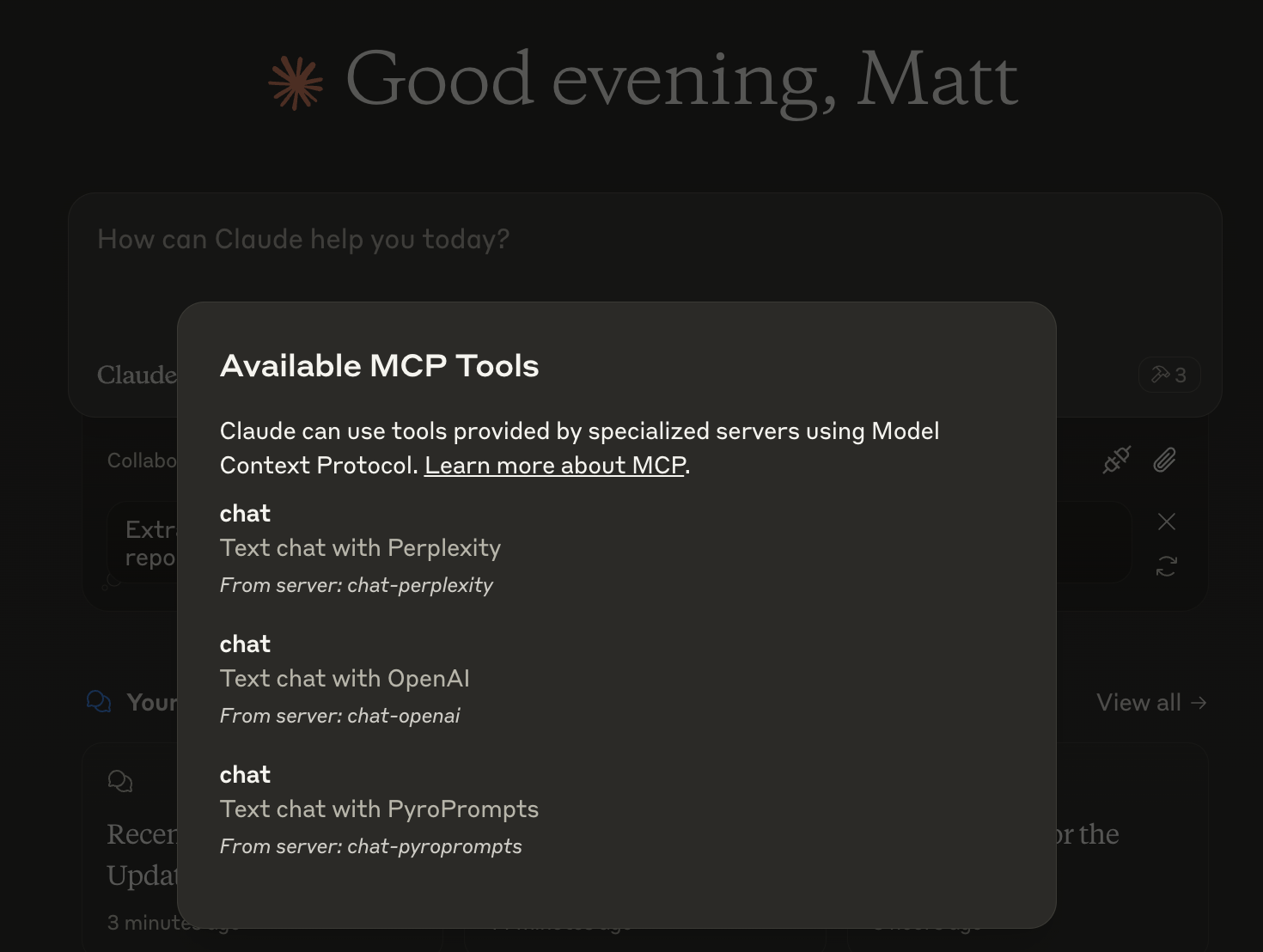
With these three, you'll see a tool for each in the Claude Desktop Home:
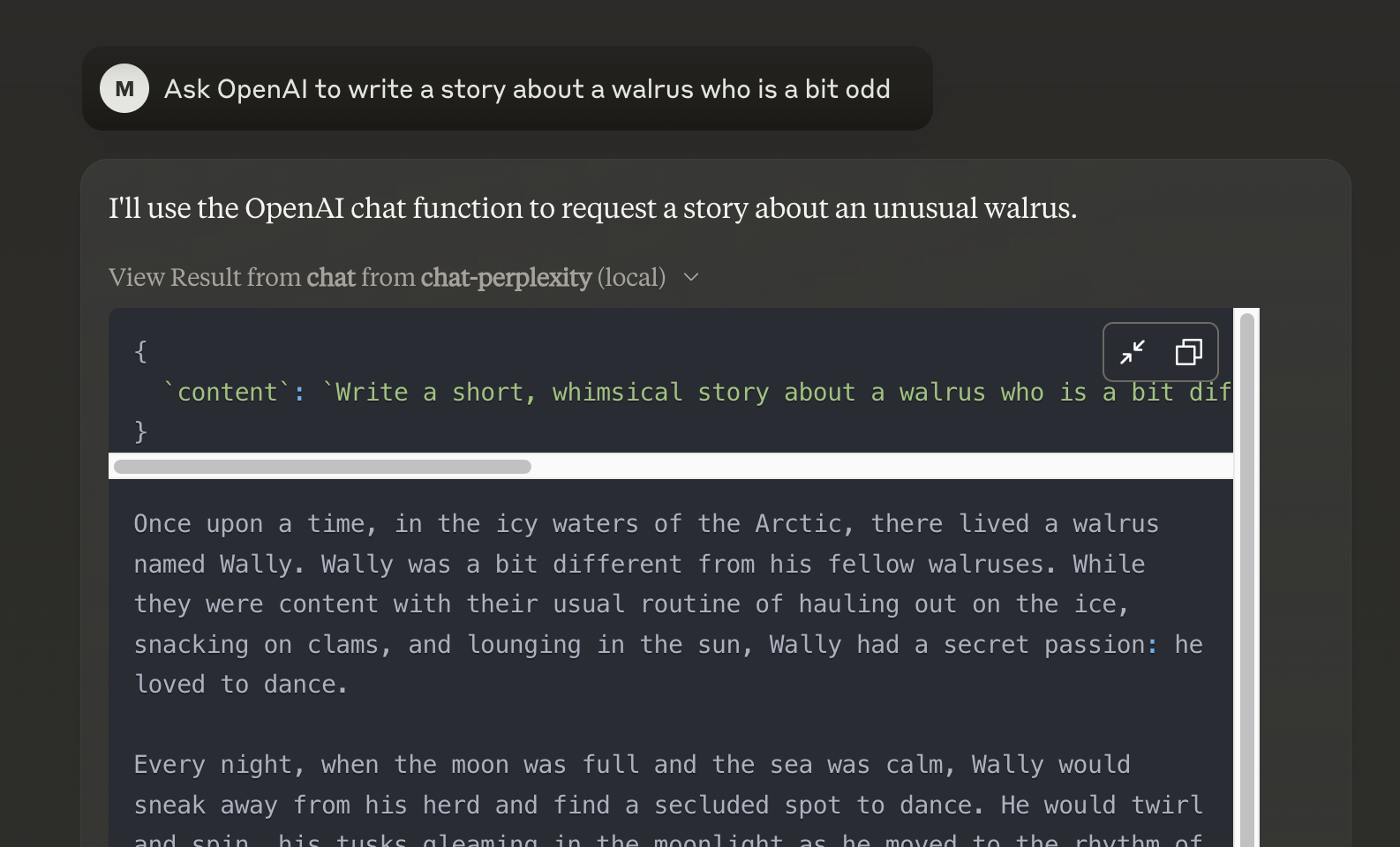
And then you can chat with other LLMs and it shows in chat like this:
Or, configure in LibreChat like:
chat-perplexity:
    type: stdio
    command: npx
    args:
      - -y
      - @pyroprompts/any-chat-completions-mcp
    env:
      AI_CHAT_KEY: "pplx-012345679"
      AI_CHAT_NAME: Perplexity
      AI_CHAT_MODEL: sonar
      AI_CHAT_BASE_URL: "https://api.perplexity.ai"
      PATH: '/usr/local/bin:/usr/bin:/bin'
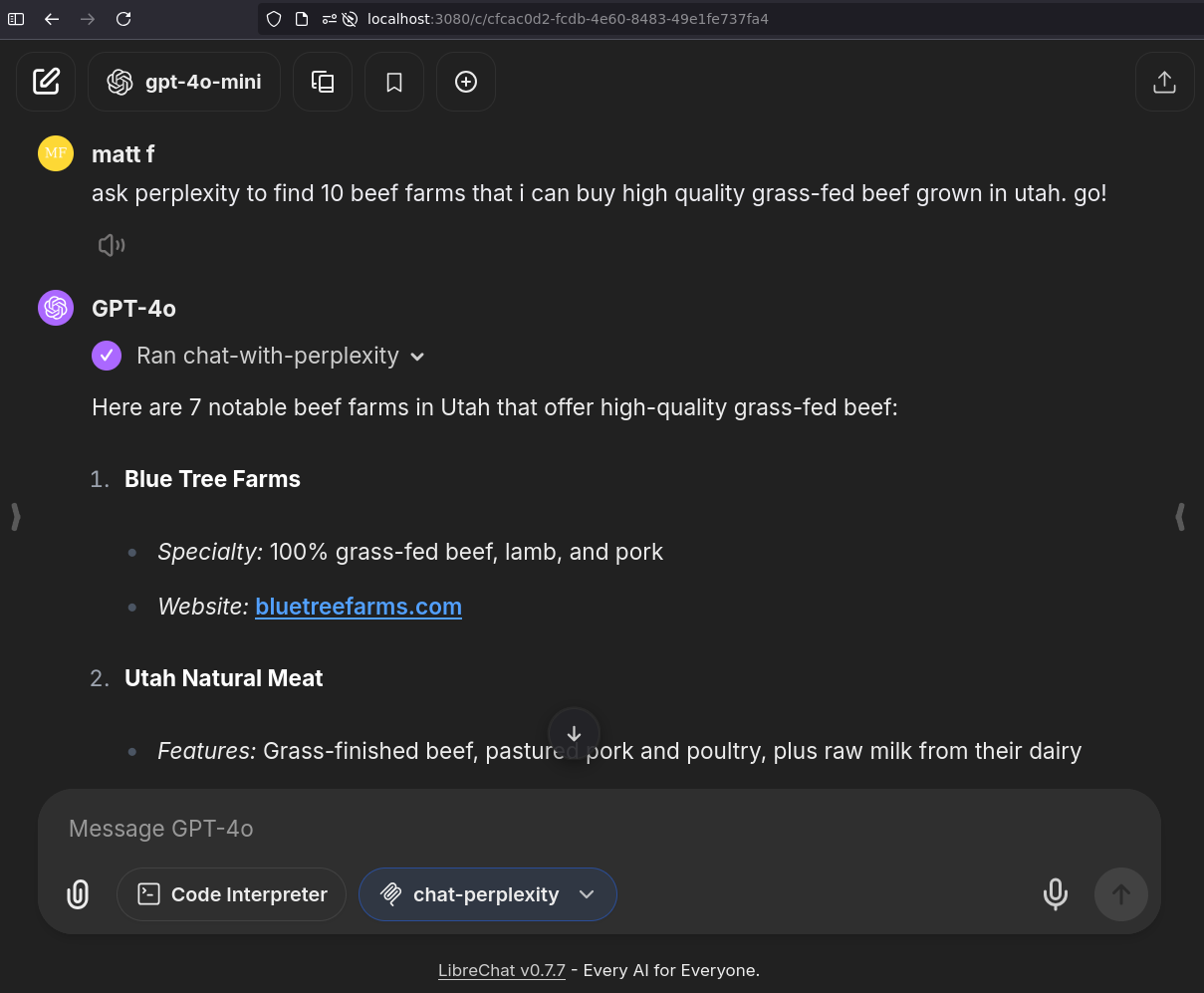
And it shows in LibreChat:
Installing via Smithery
To install Any OpenAI Compatible API Integrations for Claude Desktop automatically via Smithery:
npx -y @smithery/cli install any-chat-completions-mcp-server --client claudeDebugging
Since MCP servers communicate over stdio, debugging can be challenging. We recommend using the MCP Inspector, which is available as a package script:
npm run inspectorThe Inspector will provide a URL to access debugging tools in your browser.
Acknowledgements
- Obviously the modelcontextprotocol and Anthropic team for the MCP Specification and integration into Claude Desktop. https://modelcontextprotocol.io/introduction
- PyroPrompts for sponsoring this project. Use code `CLAUDEANYCHAT` for 20 free automation credits on Pyroprompts.
Frequently asked questions
What is any-chat-completions-mcp?
any-chat-completions-mcp is MCP Server for using any LLM as a Tool JavaScript-based implementation.
How do I install any-chat-completions-mcp?
Open the GitHub repository and follow its README. Most MCP servers are added to your client's MCP config, then called by your agent.
Is any-chat-completions-mcp open source?
Yes — it is hosted on GitHub at https://github.com/pyroprompts/any-chat-completions-mcp and has 141 stars.
Related MCP tools
 firecrawl-mcp-server
🔥 Official Firecrawl MCP Server - Adds powerful web scraping and search to Cursor, Claude and any other LLM clients. JavaScript-based implementation.
 mcp-jetbrains
A model context protocol server to work with JetBrains IDEs: IntelliJ, PyCharm, WebStorm, etc. Also, works with Android Studio
 linear-mcp-server
A server that integrates Linear's project management system with the Model Context Protocol (MCP) to allow LLMs to interact with Linear.
 anything-llm
The all-in-one Desktop & Docker AI application with built-in RAG, AI agents, No-code agent builder, MCP compatibility, and more.
 cursor-talk-to-figma-mcp
CTTF: MCP integration between Cursor and Figma, allowing Cursor Agentic AI to communicate with Figma for reading designs and modifying them programmatically.
 desktopcommandermcp
This is MCP server for Claude that gives it terminal control, file system search and diff file editing capabilities JavaScript-based implementation.
Run your own MCP server? See who uses it and what to fix.
Measure it with TrackMCP