
iterm-mcp
A Model Context Protocol server that executes commands in the current iTerm session - useful for REPL and CLI assistance
Documentation
iterm-mcp
A Model Context Protocol server that provides access to your iTerm session.
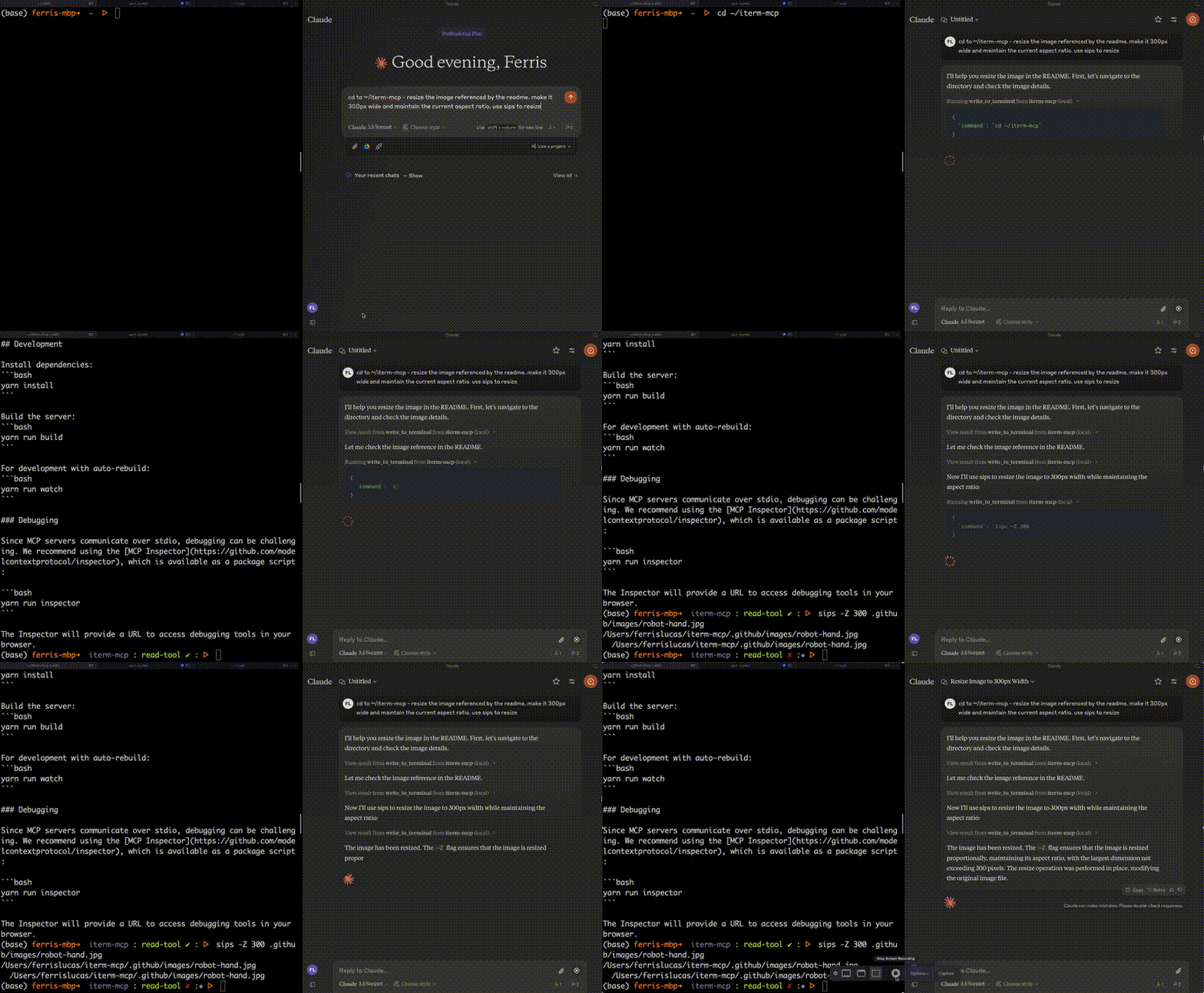
Features
Efficient Token Use: iterm-mcp gives the model the ability to inspect only the output that the model is interested in. The model typically only wants to see the last few lines of output even for long running commands.
Natural Integration: You share iTerm with the model. You can ask questions about what's on the screen, or delegate a task to the model and watch as it performs each step.
Full Terminal Control and REPL support: The model can start and interact with REPL's as well as send control characters like ctrl-c, ctrl-z, etc.
Easy on the Dependencies: iterm-mcp is built with minimal dependencies and is designed to be easy to add to Claude Desktop and other MCP clients. It should just work.
Safety Considerations
- The user is responsible for using the tool safely.
- No built-in restrictions: iterm-mcp makes no attempt to evaluate the safety of commands that are executed.
- Models can behave in unexpected ways. The user is expected to monitor activity and abort when appropriate.
- For multi-step tasks, you may need to interrupt the model if it goes off track. Start with smaller, focused tasks until you're familiar with how the model behaves.
Tools
- `write_to_terminal` - Writes to the active iTerm terminal, often used to run a command. Returns the number of lines of output produced by the command.
- `read_terminal_output` - Reads the requested number of lines from the active iTerm terminal.
- `send_control_character` - Sends a control character to the active iTerm terminal.
Requirements
- iTerm2 must be running
- Node version 18 or greater
Installation
1. Clone the Repository:
git clone https://github.com/pashpashpash/iterm-mcp.git
   cd iterm-mcp
2. Install Dependencies:
yarn install3. Build the Project:
yarn run build4. Configure Claude Desktop:
Add the server config to:
- On macOS: `~/Library/Application Support/Claude/claude_desktop_config.json`
- On Windows: `%APPDATA%/Claude/claude_desktop_config.json`
{
  "mcpServers": {
    "iterm-mcp": {
      "command": "node",
      "args": ["path/to/build/index.js"]
    }
  }
}
Note: Replace "path/to/build/index.js" with the actual path to your built index.js file.
Development
For development with auto-rebuild:
yarn run watchDebugging
Since MCP servers communicate over stdio, debugging can be challenging. We recommend using the MCP Inspector:
cd path/to/iterm-mcp
yarn run inspector
yarn debug
The Inspector will provide a URL to access debugging tools in your browser.
View logs with:
tail -n 20 -f ~/Library/Logs/Claude/mcp*.logLicense
Licensed under MIT - see LICENSE file.
Note: This is a fork of the original iterm-mcp repository.
Frequently asked questions
What is iterm-mcp?
iterm-mcp is A Model Context Protocol server that executes commands in the current iTerm session - useful for REPL and CLI assistance
How do I install iterm-mcp?
Open the GitHub repository and follow its README. Most MCP servers are added to your client's MCP config, then called by your agent.
Is iterm-mcp open source?
Yes — it is hosted on GitHub at https://github.com/pashpashpash/iterm-mcp and has 17 stars.
Related MCP tools
 servers
Model Context Protocol Servers
 n8n-mcp
A MCP for Claude Desktop / Claude Code / Windsurf / Cursor to build n8n workflows for you
 Figma-Context-MCP
MCP server to provide Figma layout information to AI coding agents like Cursor
 butterbase
Open-source backend-as-a-service. Postgres, auth, storage, functions, AI gateway, MCP.
 supermemory-mcp
Your memories are in ChatGPT... But nowhere else. Universal Memory MCP makes your memories available to every single LLM. No logins or paywall. One command to set it up.
 mcp-server-kubernetes
MCP Server for kubernetes management commands
Run your own MCP server? See who uses it and what to fix.
Measure it with TrackMCP