
balldontlie-mcp
An MCP Server implementation that integrates the Balldontlie API, to provide information about players, teams and games for the NBA, NFL and MLB
Documentation
Balldontlie MCP Server

An MCP Server implementation that integrates the Balldontlie API, to provide information about players, teams and games for the NBA, NFL and MLB.
Tools
- get_teams
- get_players
- get_games
- get_game
Prompts
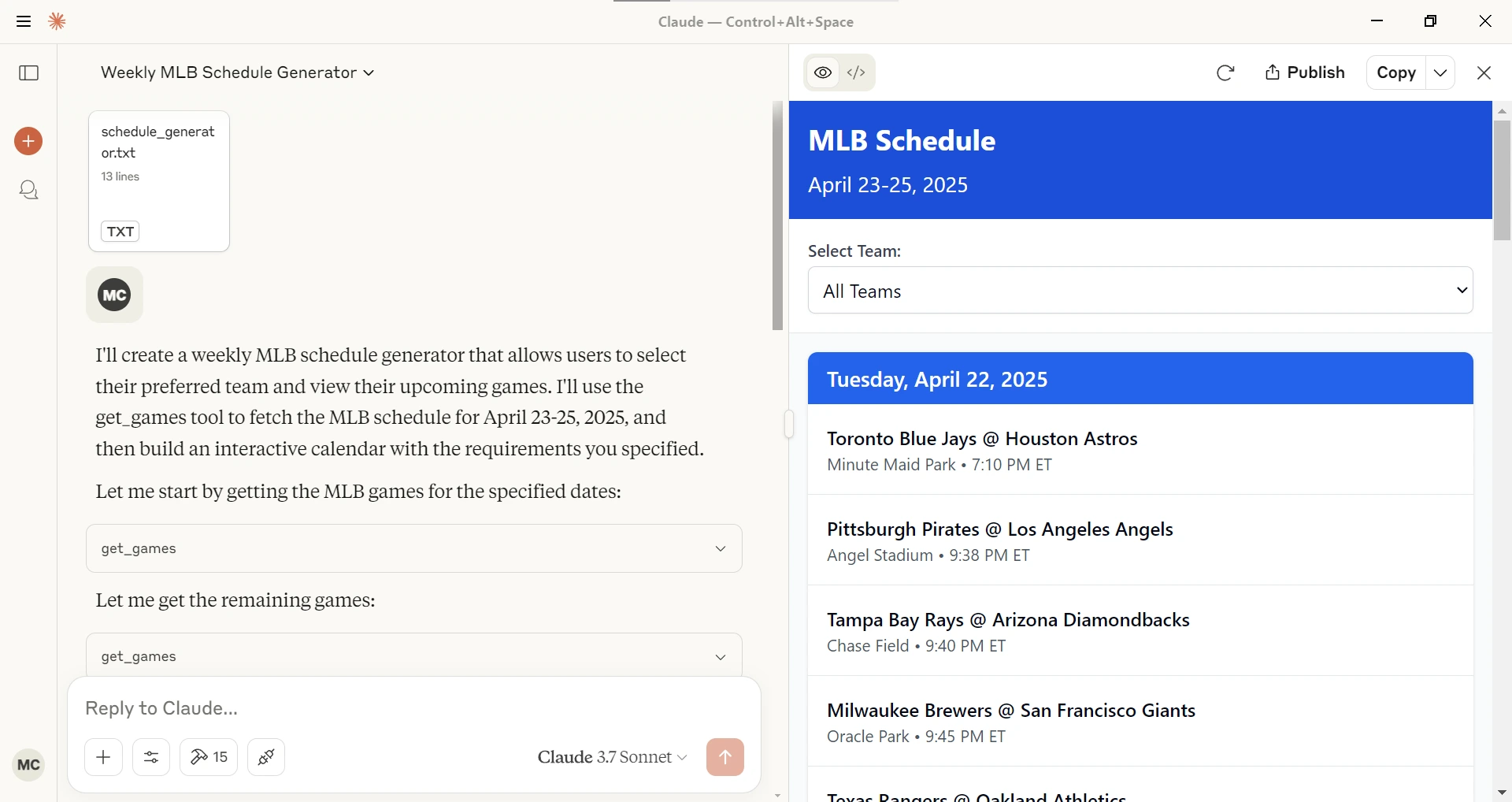
- schedule_generator
Given a league (NBA, MLB, NFL), a starting date and ending date generates an interactive schedule in Claude Desktop.
Sample queries
With this MCP Server installed you can ask Claude or other LLM questions like the following.
Show me today's baseball games.
Can you find football players with the last name Purdy?
How many NBA players have the last name Ming?
Configuration
Getting an API Key
1. Sign up for account at Balldontlie.io
2. The free plan is enough for this MCP Server
Installing using Desktop Extension (DXT)
1. Download the `dxt` file from the Releases
2. Open it with Claude Desktop
or
Go to File -> Settings -> Extensions and drag the .DXT file to the window to install it
Installing via Smithery
To install balldontlie-mcp for Claude Desktop automatically via Smithery:
npx -y @smithery/cli install @mikechao/balldontlie-mcp --client claudeUsage with Claude Desktop
Add this to your `claude_desktop_config.json`:
{
  "mcp-servers": {
    "balldontlie": {
      "command": "npx",
      "args": [
        "-y",
        "balldontlie-mcp"
      ],
      "env": {
        "BALLDONTLIE_API_KEY": "YOUR API KEY HERE"
      }
    }
  }
}
Usage with LibreChat
mcpServers:
  balldontlie:
    command: sh
    args:
      - -c
      - BALLDONTLIE_API_KEY=your-api-key-here npx -y balldontlie-mcp
License
This MCP server is licensed under the MIT License. This means you are free to use, modify, and distribute the software, subject to the terms and conditions of the MIT License. For more details, please see the LICENSE file in the project repository.
Disclaimer
This library is not officially associated with balldontlie.io. It is a third-party implementation of the balldontlie api with a MCP Server.
Hosted deployment
A hosted deployment is available on Fronteir AI.
Frequently asked questions
What is balldontlie-mcp?
balldontlie-mcp is An MCP Server implementation that integrates the Balldontlie API, to provide information about players, teams and games for the NBA, NFL and MLB
How do I install balldontlie-mcp?
Open the GitHub repository and follow its README. Most MCP servers are added to your client's MCP config, then called by your agent.
Is balldontlie-mcp open source?
Yes — it is hosted on GitHub at https://github.com/mikechao/balldontlie-mcp and has 17 stars.
Related MCP tools
 firecrawl-mcp-server
🔥 Official Firecrawl MCP Server - Adds powerful web scraping and search to Cursor, Claude and any other LLM clients. JavaScript-based implementation.
 linear-mcp-server
A server that integrates Linear's project management system with the Model Context Protocol (MCP) to allow LLMs to interact with Linear.
 cursor-talk-to-figma-mcp
CTTF: MCP integration between Cursor and Figma, allowing Cursor Agentic AI to communicate with Figma for reading designs and modifying them programmatically.
 mcp-jetbrains
A model context protocol server to work with JetBrains IDEs: IntelliJ, PyCharm, WebStorm, etc. Also, works with Android Studio
 mcphub.nvim
An MCP client for Neovim that seamlessly integrates MCP servers into your editing workflow with an intuitive interface for managing, testing, and using MCP s...
 mcp-bridge
A middleware to provide an openAI compatible endpoint that can call MCP tools Python-based implementation. Trusted by 800+ developers.
Run your own MCP server? See who uses it and what to fix.
Measure it with TrackMCP