
mcp-manager-gui
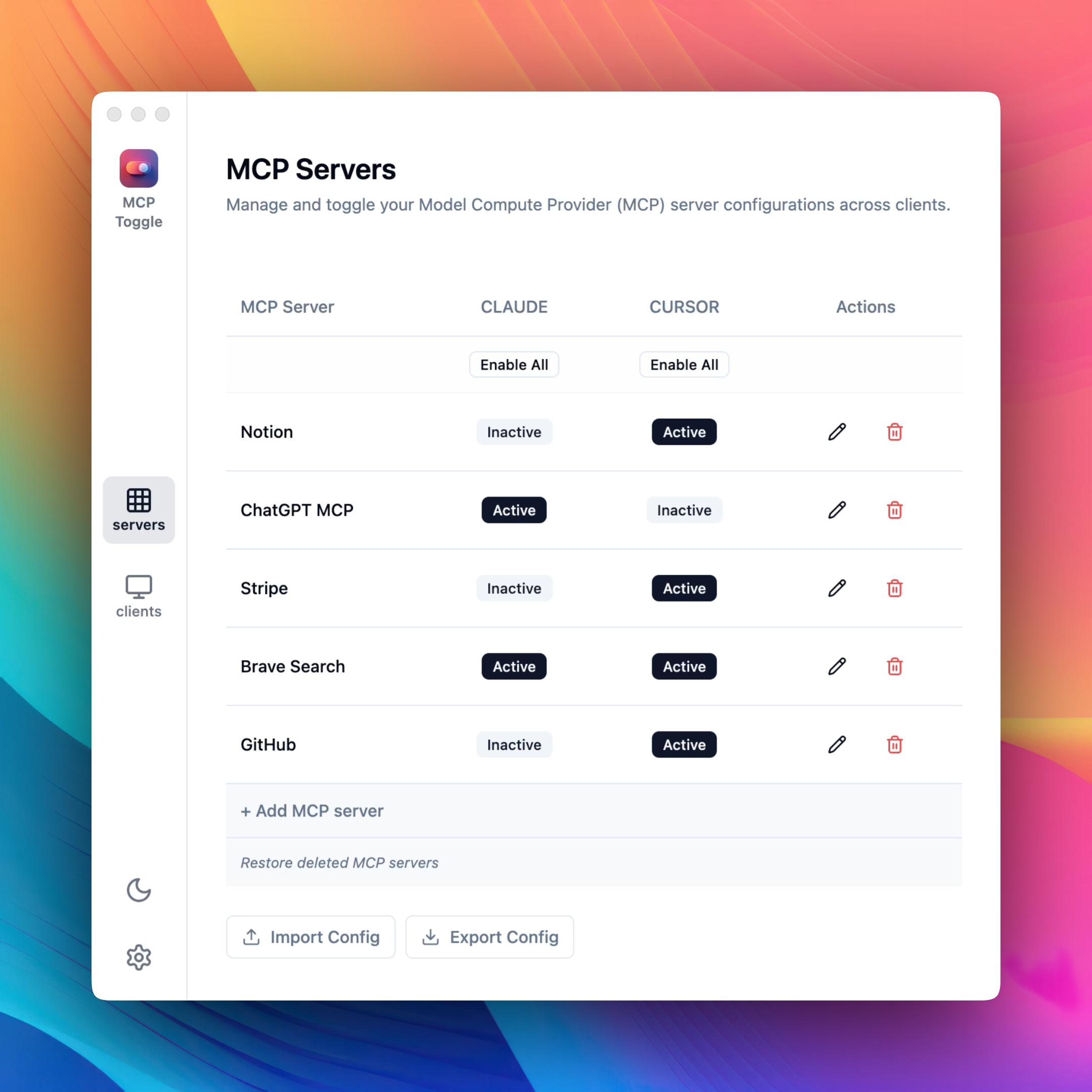
MCP Toggle is a simple GUI tool to help you manage MCP servers across clients seamlessly.
Documentation
MCP Server Manager
A simple utility for managing MCP server configurations across MCP client applications.
Key Features
- Unified Management: Control all your MCP servers from a single interface
- One-Click Activation: Enable or disable MCPs for Claude or Cursor with simple toggles
- Auto-Discovery: Automatically imports existing MCP configurations
- Ease of Use: Clean, intuitive interface designed for productivity
Download
Download MCP Server Manager from our website.
How It Works
1. Add any client by specifying the JSON path to its config.
2. Add new server configurations directly through the form without manual JSON edits.
3. Enable or disable MCPs for each application with one click.
4. Export and import MCP configs to test and switch setups effortlessly.
Issues and Feature Requests
This repository is used to track issues and feature requests for MCP Server Manager.
Privacy
MCP Server Manager is a local utility that runs entirely on your machine. It does not collect any data or communicate with any external servers.
Frequently asked questions
What is mcp-manager-gui?
mcp-manager-gui is MCP Toggle is a simple GUI tool to help you manage MCP servers across clients seamlessly.
How do I install mcp-manager-gui?
Open the GitHub repository and follow its README. Most MCP servers are added to your client's MCP config, then called by your agent.
Is mcp-manager-gui open source?
Yes — it is hosted on GitHub at https://github.com/gabrielbacha/MCP-Manager-GUI and has 11 stars.
Related MCP tools
 mcp-client-for-ollama
A text-based user interface (TUI) client for interacting with MCP servers using Ollama. Features include multi-server, dynamic model switching, streaming res...
 activepieces
AI Agents & MCPs & AI Workflow Automation • (~400 MCP servers for AI agents) • AI Automation / AI Agent with MCPs • AI Workflows & AI Agents • MCPs for AI Ag...
 MCPJungle
Self-hosted MCP Gateway and Registry for AI agents Go-based implementation. Trusted by 600+ developers. Trusted by 600+ developers.
 mcp-use
Mcp-use is the easiest way to interact with mcp servers with custom agents TypeScript-based implementation. Trusted by 8100+ developers.
 mcp-agent
Build effective agents using Model Context Protocol and simple workflow patterns Python-based implementation. Trusted by 7600+ developers.
 cursor-talk-to-figma-mcp
CTTF: MCP integration between Cursor and Figma, allowing Cursor Agentic AI to communicate with Figma for reading designs and modifying them programmatically.
Run your own MCP server? See who uses it and what to fix.
Measure it with TrackMCP