
mcp-server-code-runner
Code Runner MCP Server TypeScript-based implementation.
Documentation
Code Runner MCP Server


MCP Server for running code snippet and show the result.
It supports running multiple programming languages: JavaScript, PHP, Python, Perl, Perl 6, Ruby, Go, Lua, Groovy, PowerShell, BAT/CMD, BASH/SH, F# Script, C# Script, VBScript, TypeScript, CoffeeScript, Scala, Swift, Julia, Crystal, OCaml Script, R, AppleScript, Elixir, Clojure, Racket, Scheme, AutoHotkey, AutoIt, Kotlin Script, Dart, Haskell, Ni, Lisp, Kit, V, SCSS, Sass. Full list could be seen here in constants.ts.
Setup
npx for VS Code
Install the Code Runner MCP server in VS Code using below buttons:

Alternatively, you can add configuration in `settings.json`:
{
  "mcp": {
    "inputs": [],
    "servers": {
      "mcp-server-code-runner": {
        "command": "npx",
        "args": [
          "-y",
          "mcp-server-code-runner@latest"
        ],
      }
    }
  }
}
npx for Claude Desktop
Configuration in `claude_desktop_config.json`:
{
  "mcpServers": {
    "mcp-server-code-runner": {
      "command": "npx",
      "args": [
        "-y",
        "mcp-server-code-runner@latest"
      ],
    }
  }
}
Docker
Use VS Code as example. Install the Code Runner MCP server in VS Code using below buttons:

Alternatively, you can add configuration in `settings.json`:
{
  "mcp": {
    "inputs": [],
    "servers": {
      "mcp-server-code-runner": {
        "command": "docker",
        "args": [
          "run",
          "--rm",
          "-i",
          "formulahendry/mcp-server-code-runner"
        ]
      }
    }
  }
}
npx issue on Widnows
On Windows, MCP servers may fail to connect with `npx`.
You could try below two workarounds:
use bunx
1. Install Bun.
2. In configuration, change `npx` with `bunx`.
use cmd
Below is VS Code configuration in `settings.json`:
{
  "mcp": {
    "inputs": [],
    "servers": {
      "mcp-server-code-runner": {
        "command": "cmd",
        "args": [
          "/c",
          "npx",
          "-y",
          "mcp-server-code-runner@latest"
        ],
      }
    }
  }
}
Run with Streamable HTTP Transport
npm install -g mcp-server-code-runner@latest
mcp-server-code-runner --transport http
Usage
Before using Code Runner MCP Server, please make sure interpreter or compiler of the programming language you want to run is set in `PATH` environment variable.
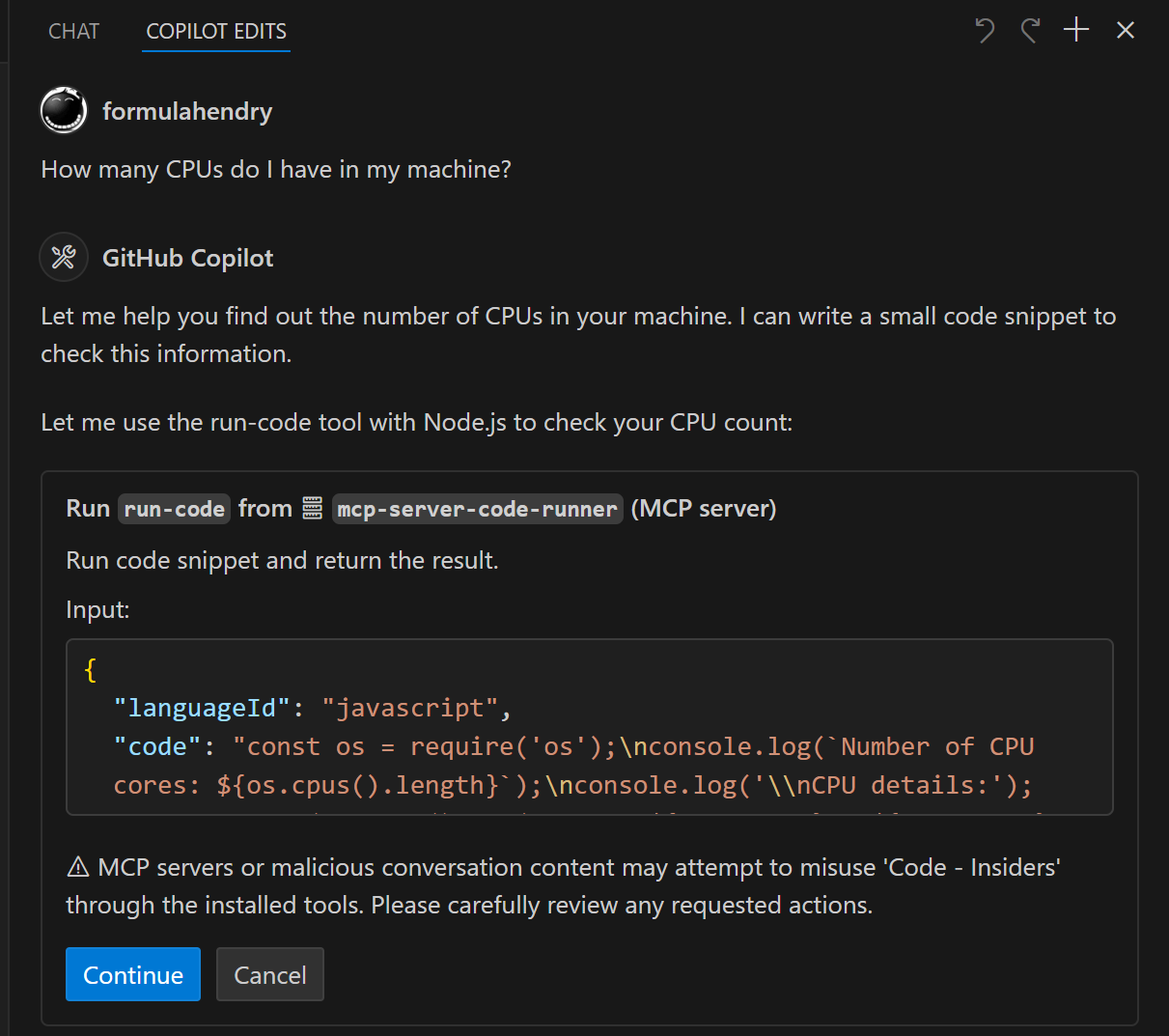
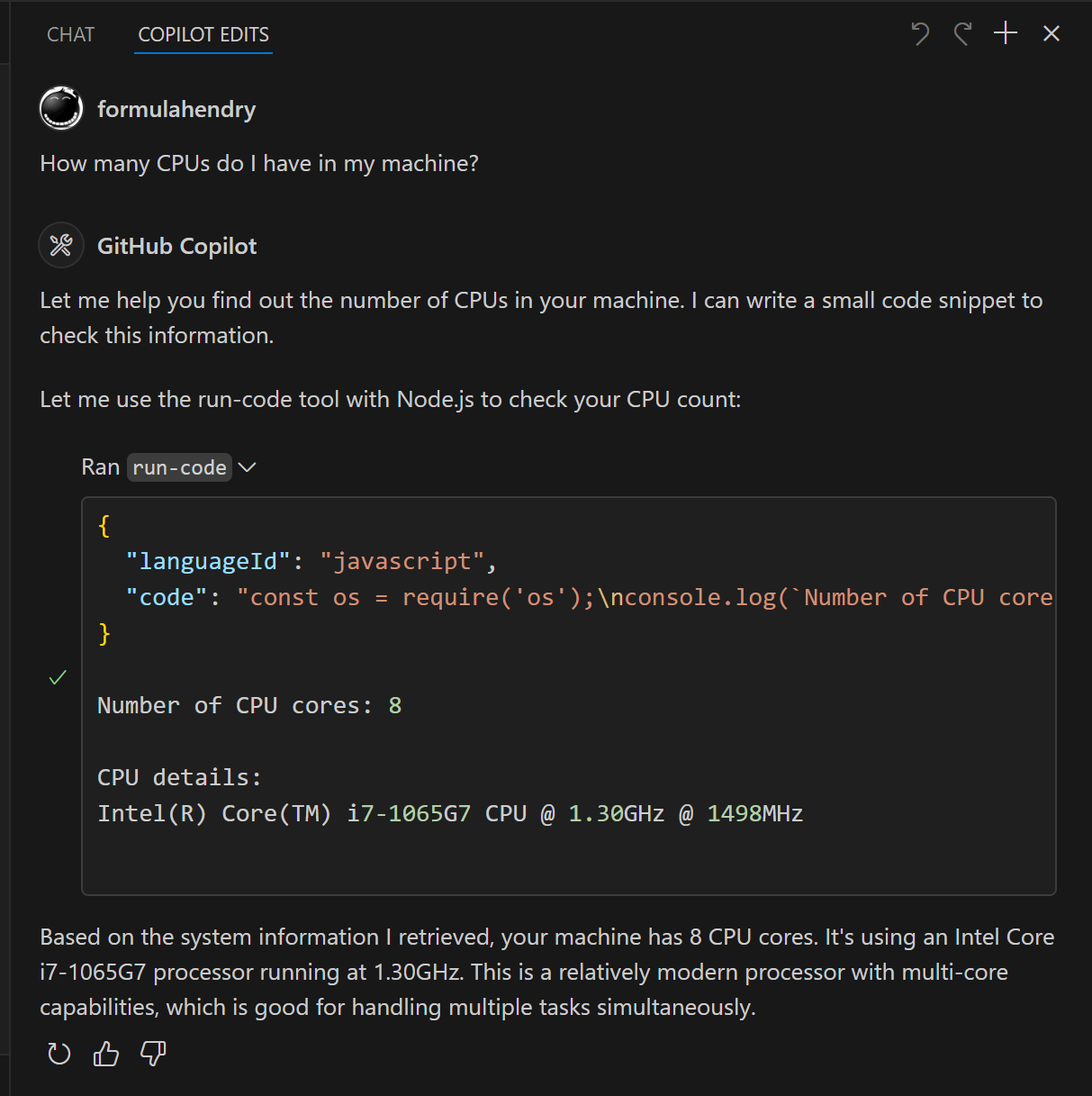
Try below prompts in the application which has configured Code Runner MCP Server:
- `Run the JavaScript Code: console.log(5+6)`
- `Where is temporary folder in my OS? Use run-code tool`
- `How many CPUs do I have in my machine? Use run-code tool`
Build your own MCP Server
Want to build your own MCP Server? Try Yeoman Generator for MCP Server to create your MCP Server project!
Frequently asked questions
What is mcp-server-code-runner?
mcp-server-code-runner is Code Runner MCP Server TypeScript-based implementation.
How do I install mcp-server-code-runner?
Open the GitHub repository and follow its README. Most MCP servers are added to your client's MCP config, then called by your agent.
Is mcp-server-code-runner open source?
Yes — it is hosted on GitHub at https://github.com/formulahendry/mcp-server-code-runner and has 221 stars.
Related MCP tools
 awesome-cursor-mpc-server
Example of an MCP server with custom tools that can be called directly from cursor TypeScript-based implementation.
 xcode-mcp-server
MCP Server implementation for Xcode integration TypeScript-based implementation.
 playwright-mcp
Playwright MCP server TypeScript-based implementation. Trusted by 22000+ developers. Trusted by 22000+ developers. Trusted by 22000+ developers.
 notion-mcp-server
Official Notion MCP Server TypeScript-based implementation. Trusted by 3400+ developers. Trusted by 3400+ developers. Trusted by 3400+ developers.
 mcpso
mcpsoDirectory for Awesome MCP Servers TypeScript-based implementation. Trusted by 1900+ developers. Trusted by 1900+ developers.
 unla
unla🧩 MCP Gateway - A lightweight gateway service that instantly transforms existing MCP Servers and APIs into MCP servers with zero code changes.
Run your own MCP server? See who uses it and what to fix.
Measure it with TrackMCP