MCP server for project scaffolding agent
Documentation
Forge MCP Server



A Model Context Protocol (MCP) server for the Forge project scaffolding agent. This server acts as a bridge between Large Language Models (LLMs) and the Forge API, enabling AI assistants to scaffold new projects based on user requirements.
Overview
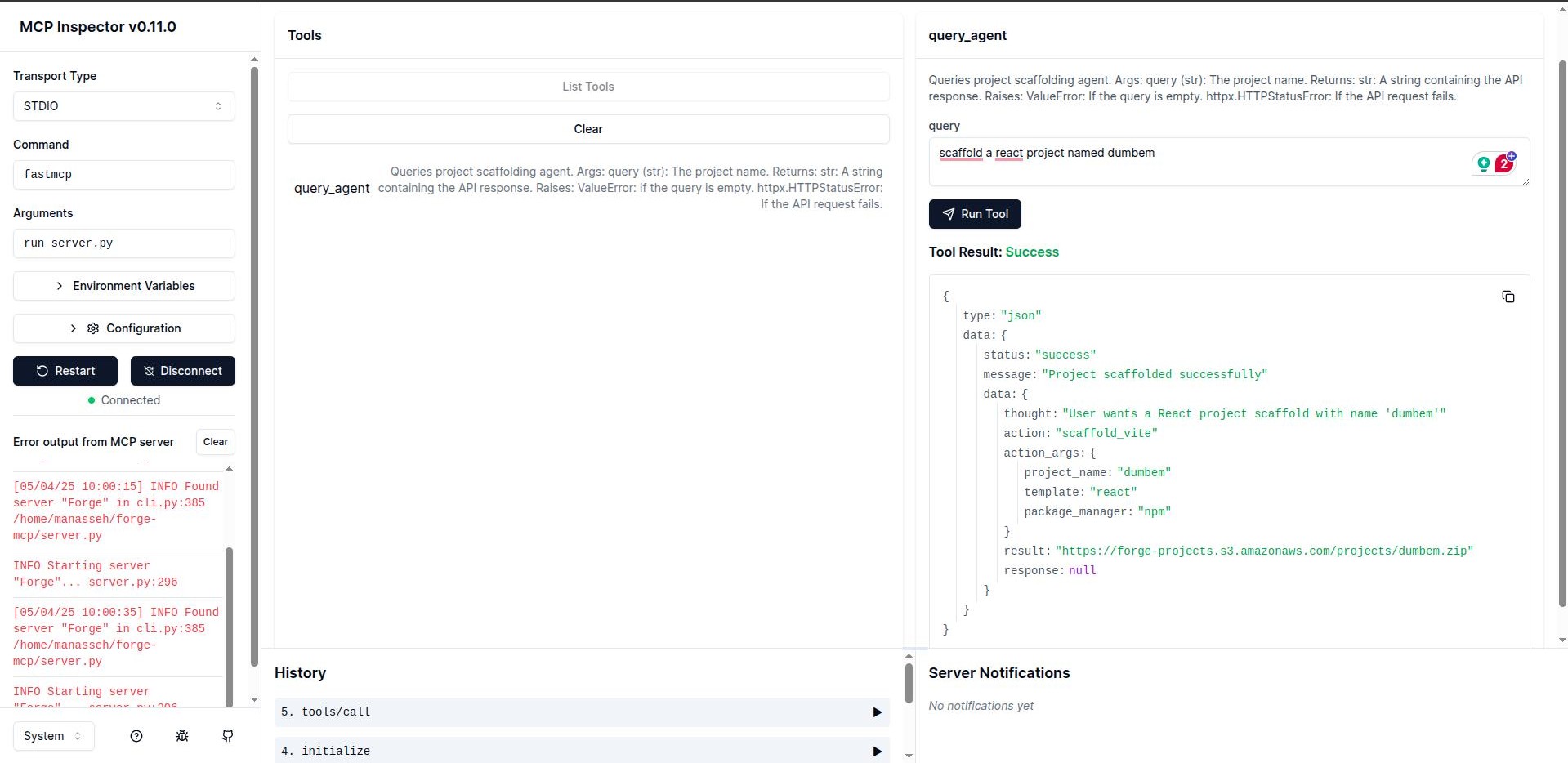
Forge MCP Server uses the FastMCP framework to create tools that LLMs can use to interact with the Forge project scaffolding API. This allows AI assistants to generate project structures, boilerplate code, and configurations based on natural language descriptions.
Features
- Easy integration with LLMs using the Model Context Protocol
- Connection to the Forge project scaffolding API
- Simple query interface for project generation
- Error handling and timeout management
Prerequisites
- Python 3.13+
- Pipenv
Installation
Clone the repository:
git clone https://github.com/believemanasseh/forge-mcp.git
cd forge-mcp
Install dependencies:
pipenv --python 3.13
source .venv/bin/activate
pipenv install
Development
Running the Server
fastmcp dev server.pyThe server uses stdio for communication by default, making it compatible with various LLM integration frameworks.
API Reference
query_agent
Sends request queries to the Forge API and returns the results.
Parameters:
query(string): Natural language description of the project to scaffold
Returns:
- JSON response from the Forge API
Example:
query_agent("Create a Django project named deet.")Integration with MCP Hosts
Integrating Cursor or Windsurf
Update your configuration files at:
- Cursor:
~/.cursor/mcp.jsonor.cursor/mcp.json - Windsurf:
~/.codeium/windsurf/mcp_config.json
{
    "mcpServers": {
        "forge-mcp": {
            "command": "pipenv",
            "args": ["run", "fastmcp", "run", "server.py"],
            "transport": "stdio"
        }
    }
}
Integrating Claude Desktop
In Claude Desktop, go to Settings > Developer > Edit Config. Replace the configuration with:
{
    "mcpServers": {
        "forge-mcp": {
            "command": "pipenv",
            "args": [
                "run",
                "fastmcp",
                "run",
                "server.py"
            ],
            "cwd": "/path/to/your/forge-mcp"
        }
    }
}
*Note: Replace /path/to/your/forge-mcp with the absolute path to your cloned forge-mcp directory.*
Integrating VSCode
Update the VSCode workspace configuration file at .vscode/mcp.json:
{
    "servers": {
        "forge-mcp": {
            "type": "stdio",
            "command": "pipenv",
            "args": ["run", "fastmcp", "run", "server.py"],
        }
    }
}
Contributing
We welcome contributions to the Forge MCP Server project! Here's how you can contribute:
1. Fork the repository - Create your own fork of the project
2. Create a feature branch - git checkout -b feature/your-feature-name
3. Commit your changes - Make sure to write clear commit messages
4. Push to your branch - git push origin feature/your-feature-name
5. Open a pull request - Describe the changes you've made and why they should be included
Development Guidelines
- Follow PEP 8 style guidelines for Python code
- Write docstrings for all functions, classes, and methods
- Add appropriate unit tests for new features
- Update documentation to reflect any changes
License
Similar MCP
Based on tags & features
Trending MCP
Most active this week