MCP Server of DevTo
Documentation
Dev.to MCP Server
This repository contains a Model Context Protocol server implementation for Dev.to that allows AI assistants to access and interact with Dev.to content.
What is MCP?
The Model Context Protocol (MCP) is a standard for enabling AI assistants to interface with external services, tools, and data sources. This server implements the MCP specification to provide access to Dev.to content. To know more about MCP, Check this video
Features
- Fetch latest and trending articles from Dev.to
- Search for articles by various criteria
- Get detailed information about specific articles
- Get Detailed information about a User.
- Access articles by tag or username
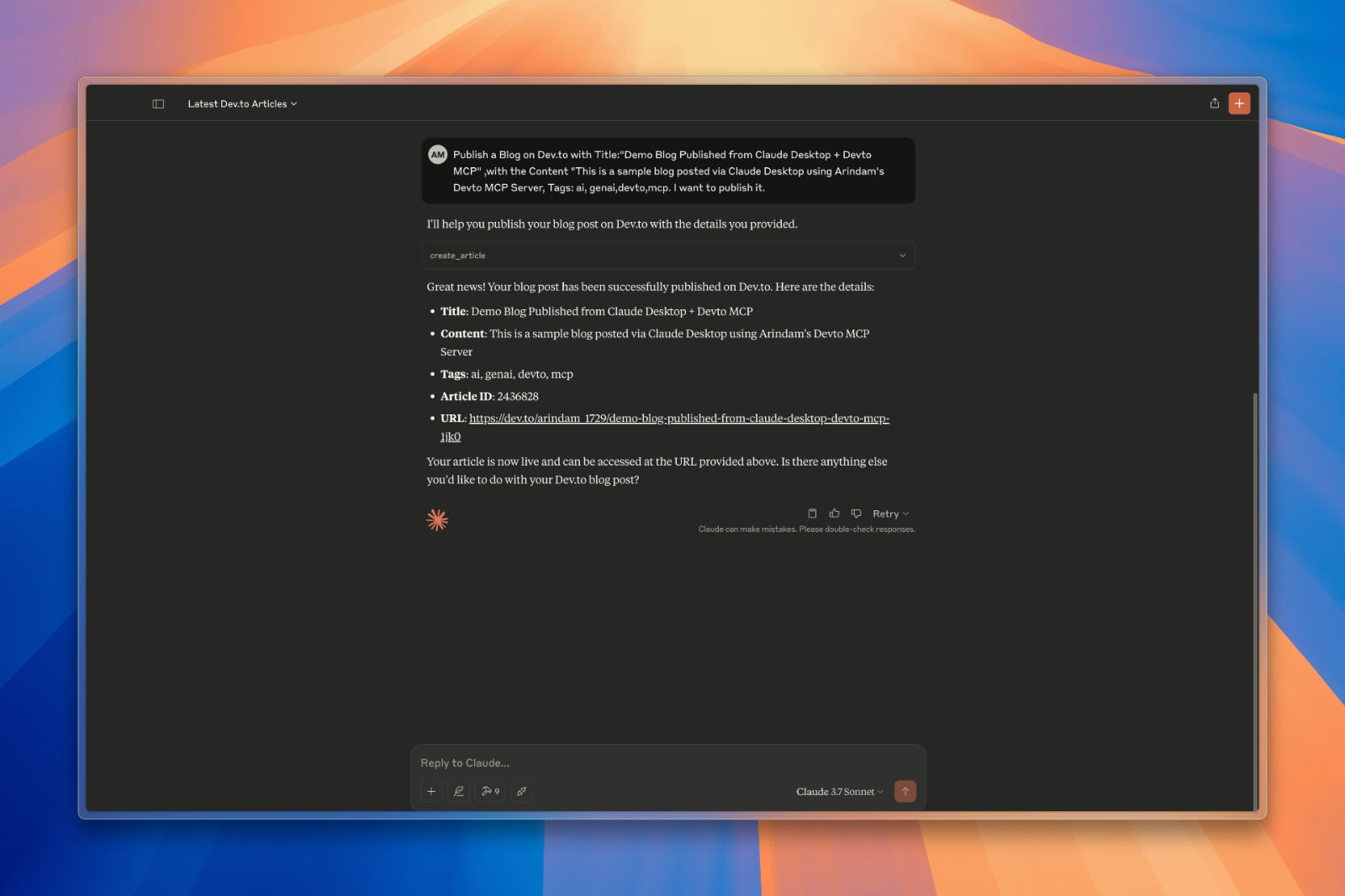
- Create and publish new articles to Dev.to
- Update existing articles
- Caching mechanism to improve performance and reduce API calls
Installation
1. Clone this repository
git clone https://github.com/Arindam200/devto-mcp.git
cd devto-mcp
2. Connect to the MCP server
Copy the below json with the appropriate {{PATH}} values:
{
    "mcpServers": {
      "devto": {
        "command": "{{PATH_TO_UV}}", // Run `which uv` and place the output here
        "args": [
                  "--directory",
                  "{{PATH_TO_SRC}}",// cd into the repo, run `pwd` and enter the output here
                  "run",
                  "server.py"
        ],
        "env": {
          "DEV_TO_API_KEY":"Your Dev.to API Key" // Get it from https://dev.to/settings/extensions.
        }
      }
    }
   }
You can obtain a Dev.to API key from your Dev.to settings page.
For Claude, save this as claude_desktop_config.json in your Claude Desktop configuration directory at:
~/Library/Application Support/Claude/claude_desktop_config.json For Cursor, save this as mcp.json in your Cursor configuration directory at:
~/.cursor/mcp.json3. Restart Claude Desktop / Cursor
Open Claude Desktop and you should now see Devto as an available integration.
Or restart Cursor.
Available Tools
The server provides the following tools:
get_latest_articles()- Get the latest articles from Dev.toget_top_articles()- Get the most popular articles from Dev.toget_articles_by_tag(tag)- Get articles by tagget_article_by_id(id)- Get a specific article by IDsearch_articles(query, page=1)- Search for articles by keywords in title/descriptionget_article_details(article_id)- Get full content and metadata for a specific articleget_articles_by_username(username)- Get articles written by a specific authorcreate_article(title, body_markdown, tags, published)- Create and publish a new articleupdate_article(article_id, title, body_markdown, tags, published)- Update an existing article
Example Queries
Here are some examples of what you can ask an AI assistant connected to this server:
- "Find articles about Python on Dev.to"
- "Show me the latest Dev.to articles"
- "Get details for article 1234"
- "What articles has user 'ben' written?"
- "Search for articles about machine learning"
- "Create a new article titled 'Getting Started with Python'"
- "Update my article with ID 5678 to fix a typo in the content"
Authentication
The server requires a Dev.to API key for certain operations, particularly for creating and updating articles. The API key should be set as an environment variable DEV_TO_API_KEY.
Contributing
Contributions are welcome! Please feel free to submit a Pull Request.
License
This project is licensed under the MIT License - see the LICENSE file for details.
Similar MCP
Based on tags & features
Trending MCP
Most active this week