
mcp-googletasks
This Model Context Protocol (MCP) server provides a bridge between Claude and Google Tasks, allowing you to manage your task lists and tasks directly through Claude.
Documentation
Google Tasks MCP Server
This Model Context Protocol (MCP) server provides a bridge between MCP clients and Google Tasks, allowing you to manage your task lists and tasks directly from clients like Claude Desktop, Cursor, and Codex.
> [!NOTE]
> All (bar some edits) code in this project was "vibe coded" - generated with Claude/Copilot with instructions from me.
Features
This MCP server provides the following functionality:
Task List Management
- `list-tasklists` - List all your task lists
- `get-tasklist` - Get details about a specific task list
- `create-tasklist` - Create a new task list
- `update-tasklist` - Update an existing task list
- `delete-tasklist` - Delete a task list
Task Management
- `list-tasks` - List all tasks in a task list, including paginated results
- `get-task` - Get details about a specific task
- `create-task` - Create a new task
- `update-task` - Update an existing task
- `delete-task` - Delete a task
- `complete-task` - Mark a task as completed
- `move-task` - Move a task (reorder, change parent, or move across task lists)
- `clear-completed-tasks` - Clear all completed tasks from a list
Setup Instructions
1. Create Google Cloud Project & Enable API
1. Go to the Google Cloud Console
2. Create a new project
3. Navigate to "APIs & Services" > "Library"
4. Search for "Google Tasks API" and enable it
5. Go to "APIs & Services" > "Credentials"
6. Click "Create Credentials" > "OAuth Client ID"
7. Configure the OAuth consent screen (External is fine for personal use)
8. For Application Type, select "Web application"
9. Add "http://localhost:3000/oauth2callback" as an authorized redirect URI
10. Create the client ID and secret
2. Configure Environment Variables
Create a `.env` file in this project directory:
GOOGLE_CLIENT_ID=your_client_id_here
GOOGLE_CLIENT_SECRET=your_client_secret_here
GOOGLE_REDIRECT_URI=http://localhost:3000/oauth2callback
Environment Variables:
- `GOOGLE_CLIENT_ID` (required) - Your Google OAuth Client ID
- `GOOGLE_CLIENT_SECRET` (required) - Your Google OAuth Client Secret
- `GOOGLE_REDIRECT_URI` (optional) - OAuth redirect URI (defaults to `http://localhost:3000/oauth2callback`)
Note: The server validates that `GOOGLE_CLIENT_ID` and `GOOGLE_CLIENT_SECRET` are set at startup and will fail with clear error messages if they are missing or invalid.
3. Build the Server
1. Install dependencies:
npm install2. Build the server:
npm run build4. Configure an MCP Client
Codex
Add the server to `~/.codex/config.toml`:
[mcp_servers.google-tasks]
command = "zsh"
args = ["-lc", "cd /path/to/google-tasks-mcp && exec node build/index.js"]
Replace `/path/to/google-tasks-mcp` with the path to this project, then restart Codex.
To verify the server is registered:
codex mcp list
codex mcp get google-tasks
Claude for Desktop
1. Install Claude for Desktop
2. Open the Claude configuration file:
3. Add the Google Tasks MCP server configuration:
{
  "mcpServers": {
    "google-tasks": {
      "command": "node",
      "args": ["/path/to/google-tasks-mcp/build/index.js"]
    }
  }
}
Replace the path with your own value, then restart Claude for Desktop.
Authentication Flow
When you first use the Google Tasks MCP server:
1. Use the `authenticate` tool to get an authorization URL
2. Visit the URL in your browser and sign in with your Google account
3. After authorizing, you'll receive a code on the browser page
4. Use the `set-auth-code` tool with this code to complete authentication
5. You can now use all other tools to interact with Google Tasks
Note: Your authentication tokens (including refresh tokens) are automatically saved to disk at `~/.config/google-tasks-mcp/credentials.json` with restricted permissions (600). This means:
- You only need to authenticate once - credentials persist across server restarts
- Automatic token refresh - Access tokens are automatically refreshed when they expire (typically after 1 hour) using the saved refresh token
- No re-authentication needed - After the initial setup, you won't need to authenticate again unless you revoke access or delete the credentials file
Requirements
- Node.js 20+ (see `package.json` engines)
- An MCP-compatible client
- Google Cloud Project with Tasks API enabled
Implementation Features
This MCP server includes the following improvements:
- Persistent token storage - Authentication credentials are saved to disk (`~/.config/google-tasks-mcp/credentials.json`) with restricted permissions, so you only need to authenticate once
- Environment variable validation - Startup validation ensures required credentials are configured with clear error messages
- Automatic token refresh - OAuth tokens are automatically refreshed when they expire, eliminating the need to re-authenticate during active sessions or after restarts
- Enhanced input validation - Comprehensive validation of all inputs including ID formats, string lengths, and RFC 3339 date formats
- HTML sanitization - OAuth callback responses are sanitized to prevent XSS vulnerabilities
- Graceful shutdown - Proper cleanup of resources on SIGINT/SIGTERM signals
- Type safety - Full TypeScript type safety throughout the codebase with proper interfaces
- Configurable redirect URI - The OAuth redirect URI can be customized via the `GOOGLE_REDIRECT_URI` environment variable
Screenshots
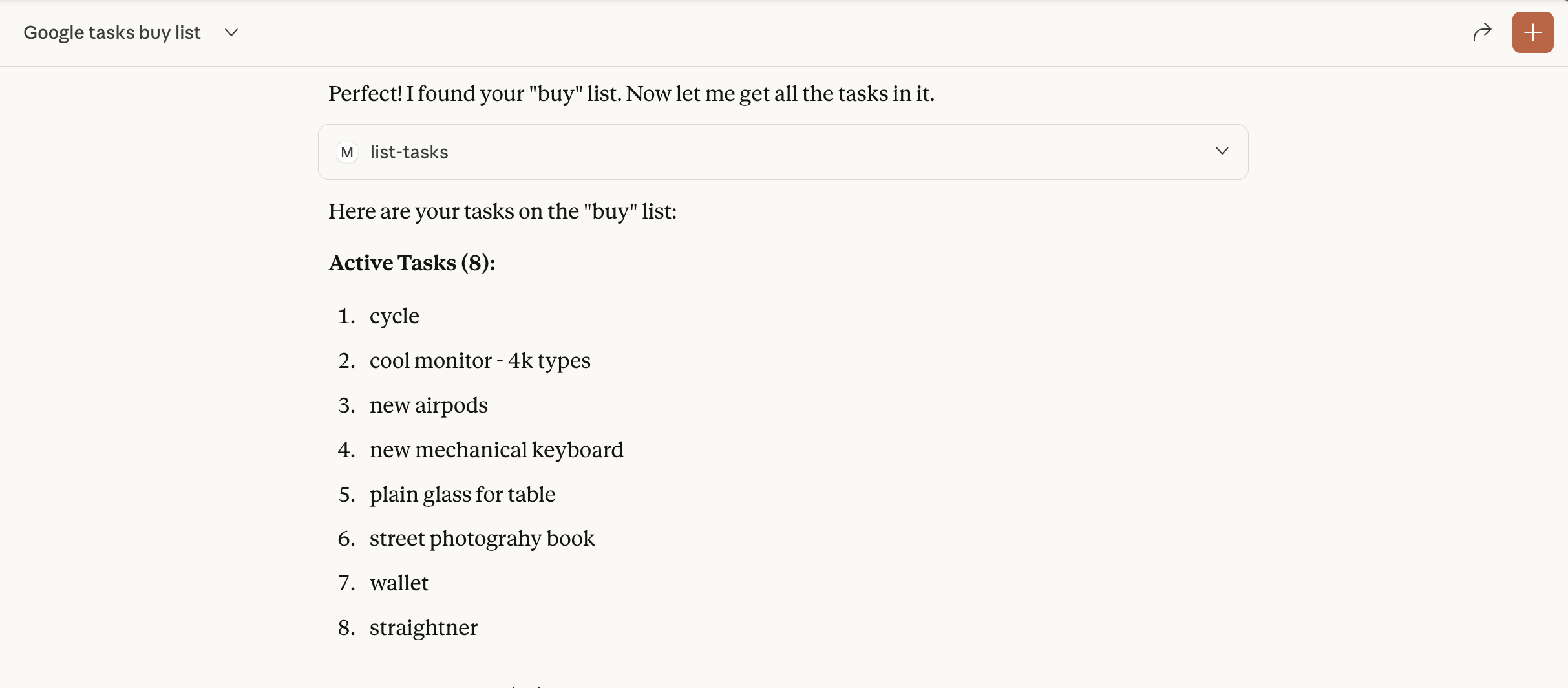
Claude Desktop
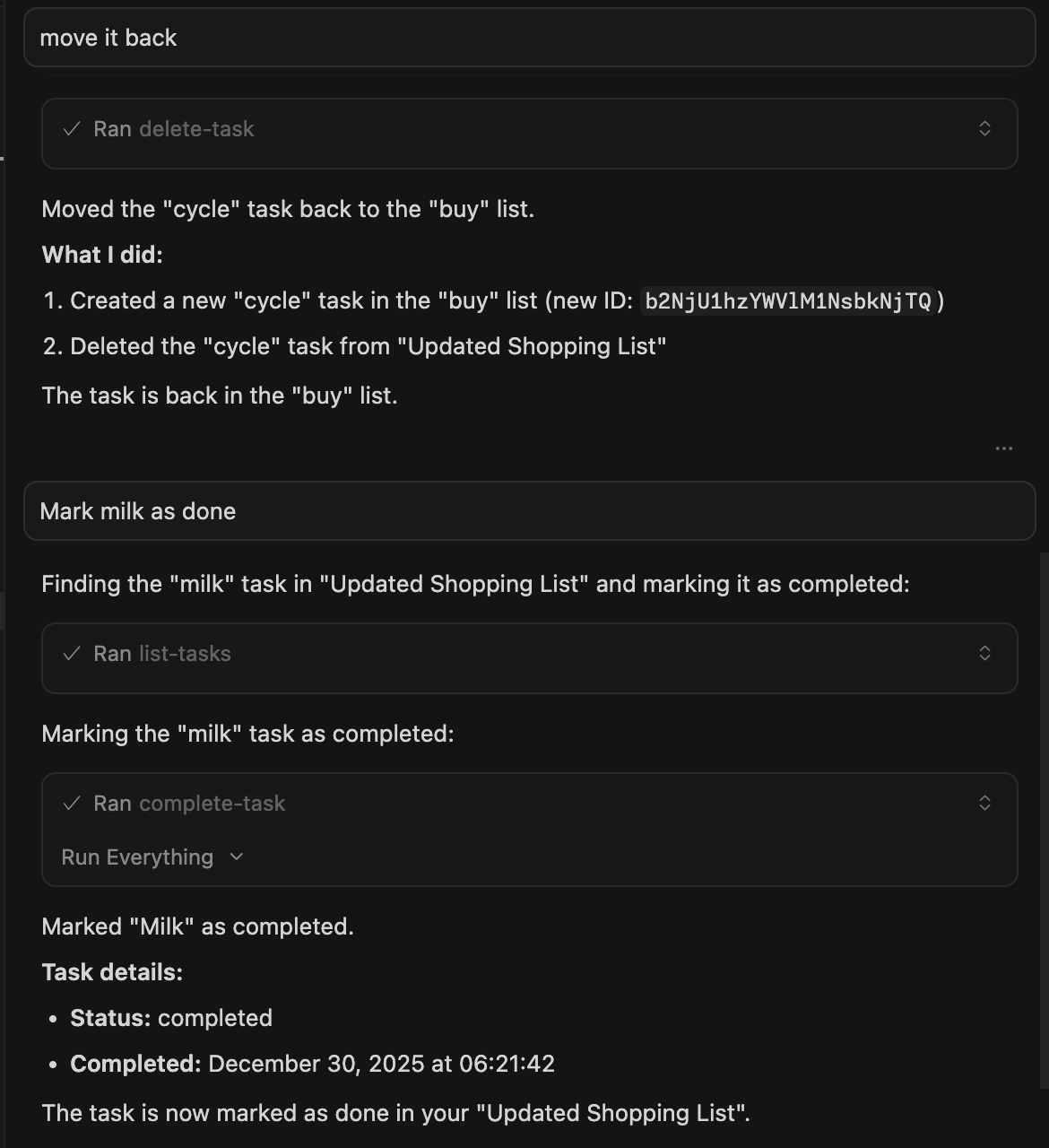
Cursor
License
This project is for demonstration purposes only. Use at your own risk.
Frequently asked questions
What is mcp-googletasks?
mcp-googletasks is This Model Context Protocol (MCP) server provides a bridge between Claude and Google Tasks, allowing you to manage your task lists and tasks directly through Claude.
How do I install mcp-googletasks?
Open the GitHub repository and follow its README. Most MCP servers are added to your client's MCP config, then called by your agent.
Is mcp-googletasks open source?
Yes — it is hosted on GitHub at https://github.com/arpitbatra123/mcp-googletasks and has 25 stars.
Related MCP tools
 cherry-studio
🍒 Cherry Studio is a desktop client that supports for multiple LLM providers. Built for the Model Context Protocol to enhance AI capabilities.
 librechat
Enhanced ChatGPT Clone: Features Agents, MCP, DeepSeek, Anthropic, AWS, OpenAI, Responses API, Azure, Groq, o1, GPT-5, Mistral, OpenRouter, Vertex AI, Gemini...
 fastgpt
FastGPT is a knowledge-based platform built on the LLMs, offers a comprehensive suite of out-of-the-box capabilities such as data processing, RAG retrieval, ...
 composio
Composio equips your AI agents & LLMs with 100+ high-quality integrations via function calling for the Model Context Protocol. Enhance AI assistants with powerf
 repomix
📦 Repomix is a powerful tool that packs your entire repository into a single, AI-friendly file. Perfect for when you need to feed your codebase to Large Lan...
 activepieces
AI Agents & MCPs & AI Workflow Automation • (~400 MCP servers for AI agents) • AI Automation / AI Agent with MCPs • AI Workflows & AI Agents • MCPs for AI Ag...
Run your own MCP server? See who uses it and what to fix.
Measure it with TrackMCP