
fastapi-multi-server-mcp
A comprehensive FastAPI application that hosts multiple MCP servers, each providing access to different public APIs and services.(Multi server MCP)
Documentation
Multi-Server MCP FastAPI Project
A comprehensive FastAPI application that hosts multiple Model Context Protocol (MCP) servers, each providing access to different public APIs and services.
Work Demo
🚀 Features
This project includes 5 different MCP servers:
- Weather Server – OpenWeatherMap API integration for weather data
- News Server – NewsAPI integration for latest news articles
- Currency Server – Exchange rates and currency conversion
- Quote Server – Inspirational quotes and random facts
📋 Prerequisites
- Python 3.13+
- UV package manager
- API keys for external services (see Configuration section)
📁 Project Structure
fastapi-multi-server-mcp/
├── main.py                 # FastAPI application entry point
├── requirements.txt        # Python dependencies
├── pyproject.toml         # UV project configuration
├── .env.example           # Environment variables template
├── README.md              # This file
├── servers/               # MCP servers directory
│   ├── __init__.py
│   ├── weather_server.py  # Weather API MCP server
│   ├── news_server.py     # News API MCP server
│   ├── currency_server.py # Currency API MCP server
│   └── quote_server.py    # Quotes API MCP server
├── utils/                 # Utility modules
│   ├── __init__.py
│   ├── api_clients.py     # HTTP client utilities
│   └── config.py          # Configuration management
├── tests/                 # Test suite
│   ├── __init__.py
│   ├── test_weather.py
│   ├── test_news.py
│   ├── test_currency.py
│   └── test_quote.py
└── docs/                  # Documentation
    ├── api_reference.md
    └── deployment.md
🛠️ Installation
Using UV (Recommended)
# Clone the repository
git clone
cd fastapi-multi-server-mcp

# Create virtual environment and install dependencies
uv venv
source .venv/bin/activate  # On Windows: .venv\Scripts\activate
uv pip install -r requirements.txt
Using pip
pip install -r requirements.txt🔧 Configuration
Create a `.env` file in the root directory with your API keys:
# Weather API (OpenWeatherMap)
OPENWEATHER_API_KEY=your_openweather_api_key

# News API
NEWS_API_KEY=your_news_api_key

# Exchange Rates API
EXCHANGE_RATES_API_KEY=your_exchange_rates_api_key

# Server Configuration
PORT=10000
HOST=0.0.0.0
Getting API Keys
- OpenWeatherMap: Register at openweathermap.org
- NewsAPI: Get free API key at newsapi.org
- Exchange Rates: Register at exchangerate-api.com
- Quote API: Get free API key at quotesapi.com
🏃♂️ Running the Application
Development
# Using UV
uv run uvicorn main:app --reload --host 0.0.0.0 --port 10000 --reload

# Using `npx` to debug the running application,
npx @modelcontextprotocol/inspector uv run uvicorn main:app
To connect specific server to inspector,
Set,
1. Transport Type: `StreamableHTTP`
2. URLs:
- for news: http://localhost:10000/news/mcp/
- for weather: http://localhost:10000/weather/mcp/
- for currency: http://localhost:10000/currency/mcp/
- for quotes: http://localhost:10000/quotes/mcp/
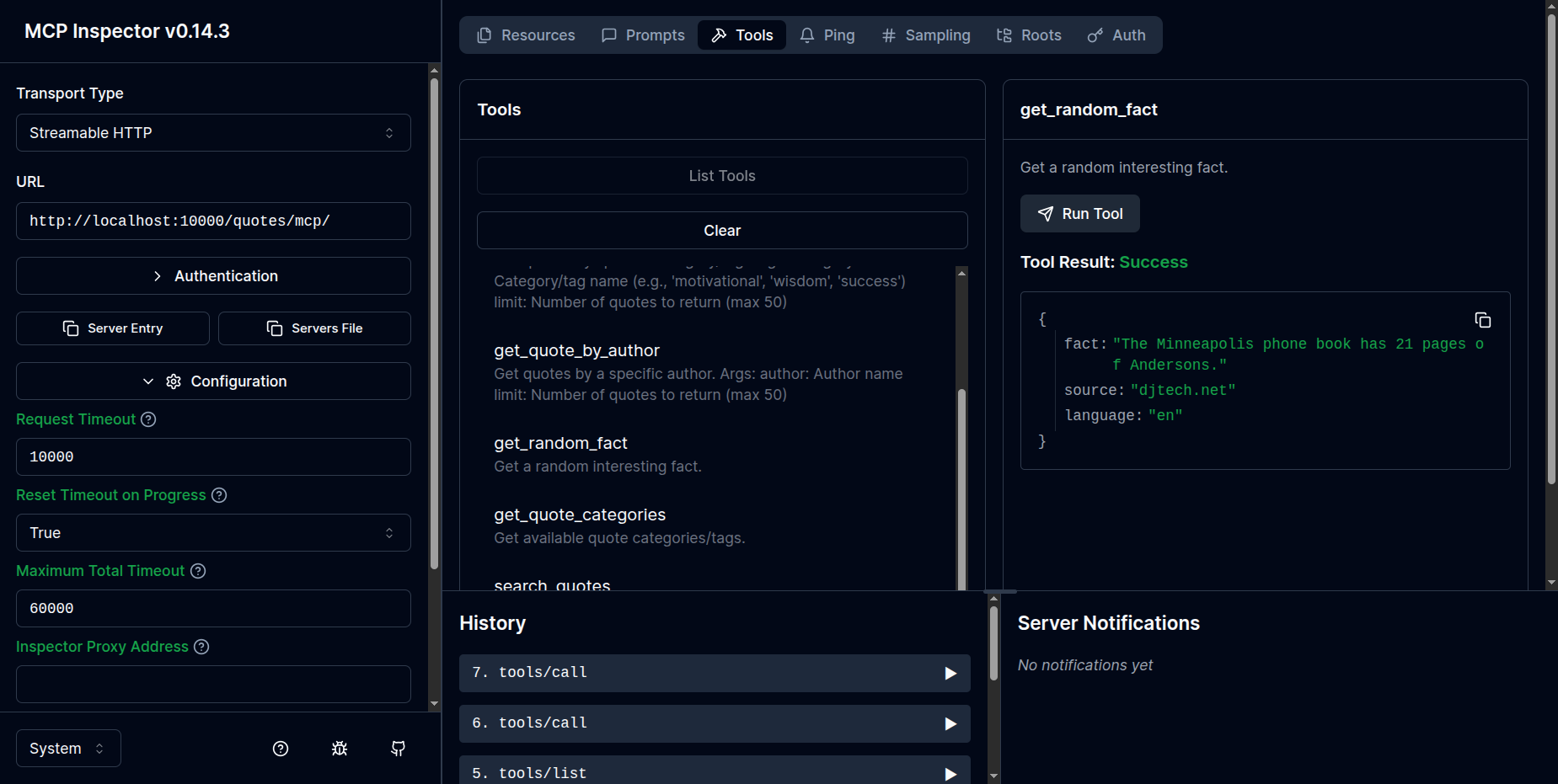
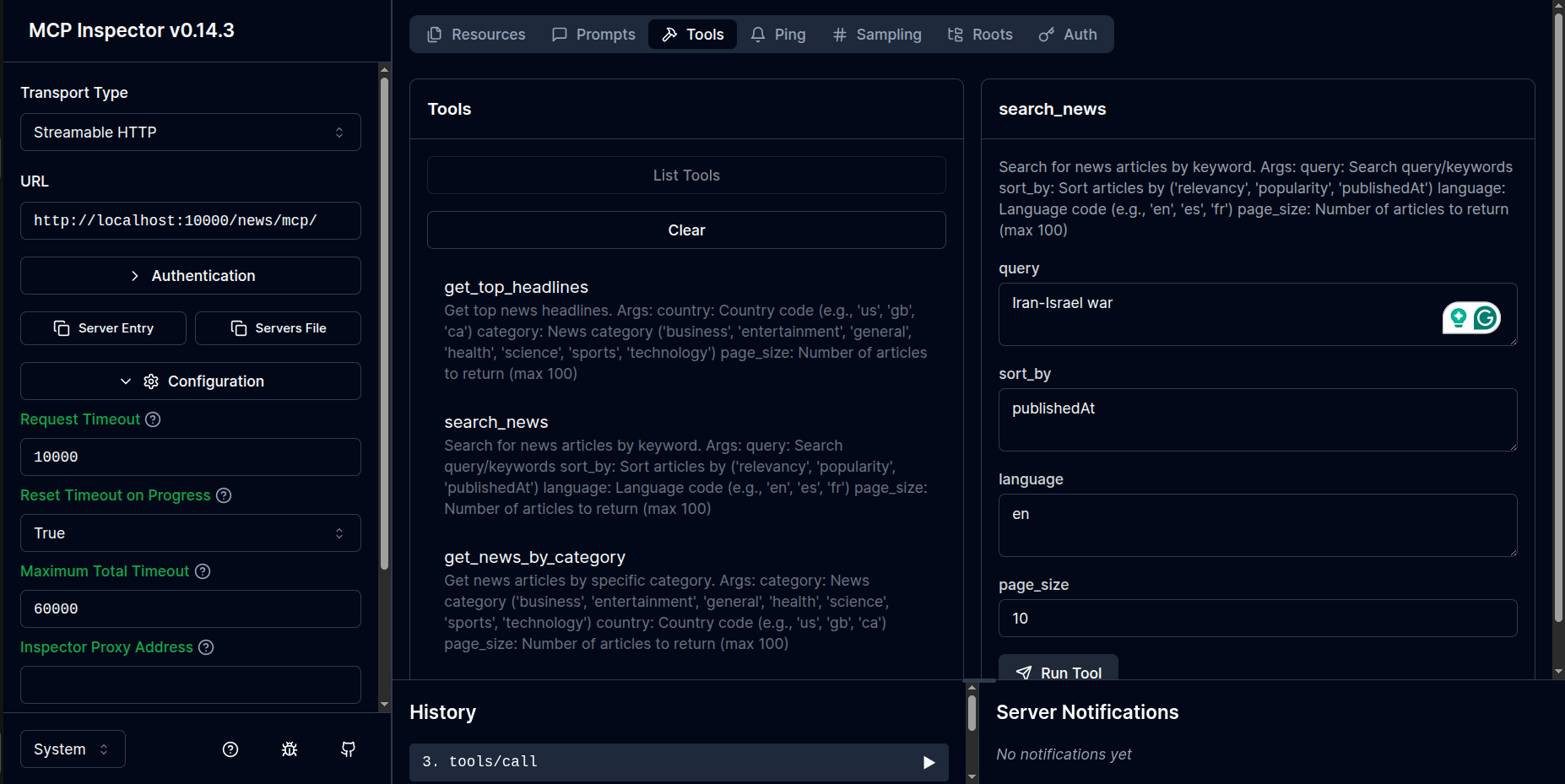
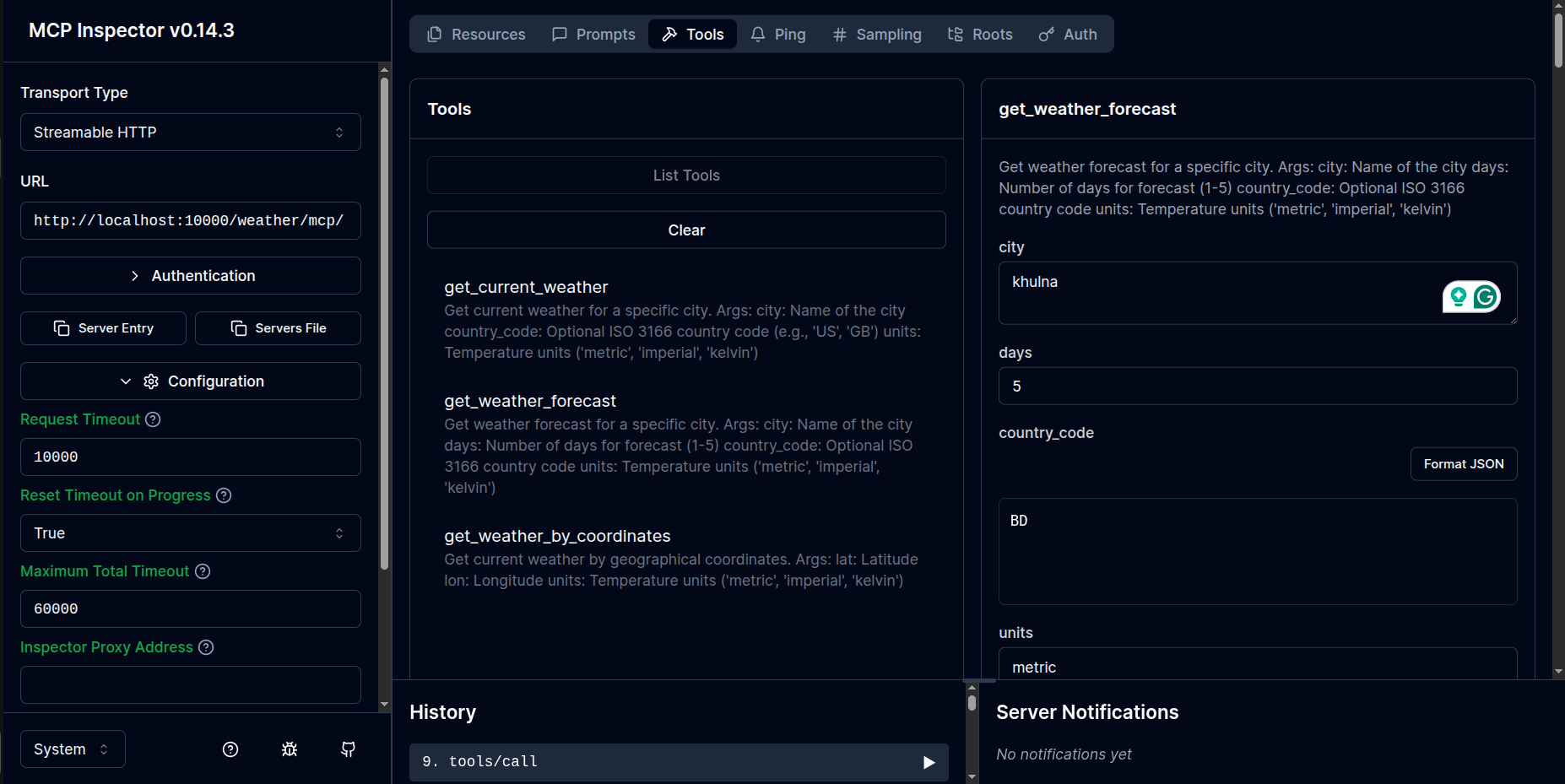
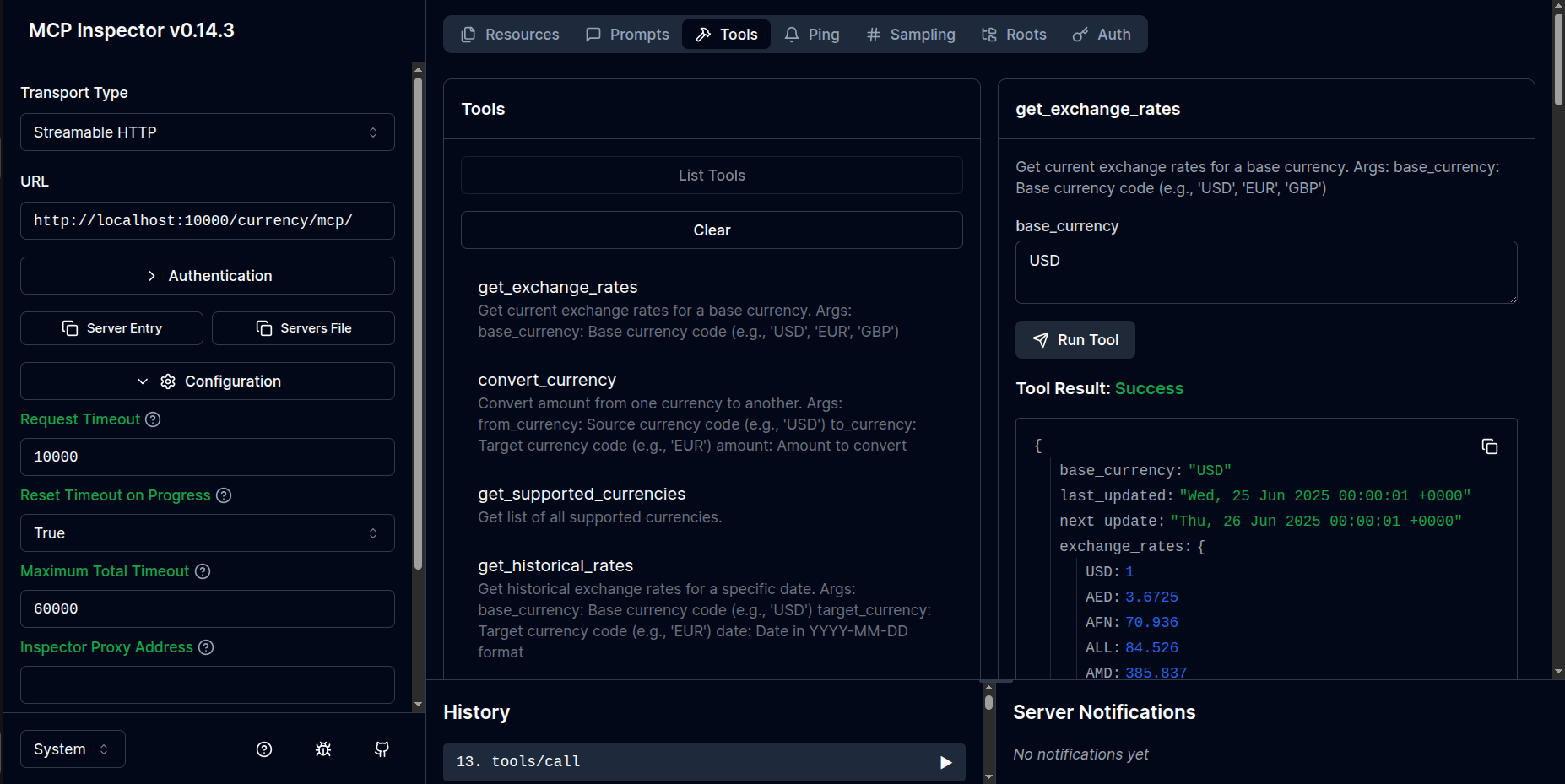
3. Click connect, it will open inspector window like this:
Quotes server:
News server:
Weather server:
Currency server:
As of June 2025, Windsurf and Cursor supports two transport types for MCP servers: `stdio` and `/sse`, but not `StreamableHTTP`. So using `stdio` or `/sse` as transport type is recommended. But with inspector, you can connect to the MCP server running on FastAPI with any transport type.
Production
# Using Gunicorn
gunicorn main:app -w 4 -k uvicorn.workers.UvicornWorker --bind 0.0.0.0:10000
📚 API Endpoints
Once running everything successfully,
Your FastAPI server will be available at: http://localhost:10000, docs at http://localhost:10000/docs
and your MCP servers will be available at:
- Weather Server: http://localhost:10000/weather
- News Server: http://localhost:10000/news
- Currency Server: http://localhost:10000/currency
- Quote Server: http://localhost:10000/quotes
🧪 Testing
# Run all tests
pytest

# Run with coverage
pytest --cov=.

# Run specific server tests
pytest tests/test_weather.py
🛠️ Available Tools by Server
🖼️ Click to see the tool details
Weather Server (/weather)
get_current_weather - Get current weather for a city
get_weather_forecast - Get 5-day weather forecast
get_weather_by_coordinates - Get weather by latitude/longitude
News Server (/news)
get_top_headlines - Get top news headlines
search_news - Search news articles by keyword
get_news_by_category - Get news by category (business, tech, sports, etc.)
Currency Server (/currency)
get_exchange_rates - Get current exchange rates
convert_currency - Convert between currencies
get_supported_currencies - List all supported currencies
Quote Server (/quotes)
get_random_quote - Get a random inspirational quote
get_quote_by_category - Get quotes by category
get_random_fact - Get a random interesting fact
🚀 Deployment
Docker
You can deploy this project using Docker. Example `Dockerfile` is included:
FROM python:3.11-slim
WORKDIR /app
COPY requirements.txt .
RUN pip install -r requirements.txt
COPY . .
EXPOSE 10000
CMD ["uvicorn", "main:app", "--host", "0.0.0.0", "--port", "10000"]
Environment Variables for Production
PORT=10000
HOST=0.0.0.0
LOG_LEVEL=info
WORKERS=4
📝 License
This project is licensed under the MIT License - see the LICENSE.md file for details.
📚 Support & Documentation
- Check the documentation in the `docs/` directory
- Review the test files for usage examples
🔄 Updates and Roadmap
- Add WebSocket support for real-time data
- Implement caching for API responses
- Add rate limiting and authentication
- Create web dashboard for monitoring
- Add more API integrations (Spotify, Twitter, etc.)
Frequently asked questions
What is fastapi-multi-server-mcp?
fastapi-multi-server-mcp is A comprehensive FastAPI application that hosts multiple MCP servers, each providing access to different public APIs and services.(Multi server MCP)
How do I install fastapi-multi-server-mcp?
Open the GitHub repository and follow its README. Most MCP servers are added to your client's MCP config, then called by your agent.
Is fastapi-multi-server-mcp open source?
Yes — it is hosted on GitHub at https://github.com/AlwaysSany/fastapi-multi-server-mcp and has 3 stars.
Related MCP tools
 fastapi_mcp
Expose your FastAPI endpoints as Model Context Protocol (MCP) tools, with Auth! Python-based implementation. Trusted by 11000+ developers.
 jcodemunch-mcp
Cut AI token costs 95%+ on code exploration. The leading MCP server for precise, symbol-level GitHub code retrieval via tree-sitter AST. Works with Claude Code, Cursor & any MCP client. 313B+ tokens saved.
 projectmem
Open-source coding agent memory. Records issues, attempts, fixes and decisions, then warns your agent before it repeats an approach that already failed. Native MCP server for Claude Code, Cursor, Antigravity and Codex. 100% local, no cloud, no telemetry. MIT.
 OpenOSINT
AI-powered OSINT agent with interactive REPL, MCP server, and CLI. 19 tools. Works with Claude, GPT-4, or local models. For authorized security research only.
 mcp-server-qdrant
An official Qdrant Model Context Protocol (MCP) server implementation Python-based implementation. Trusted by 1000+ developers.
 Unity-MCP
AI Skills, MCP Tools, and CLI for Unity Engine. Full AI develop and test loop. Use cli for quick setup. Efficient token usage, advanced tools. Any C# method may be turned into a tool by a single line. Works with Claude Code, Gemini, Copilot, Cursor and any other absolutely for free.
Run your own MCP server? See who uses it and what to fix.
Measure it with TrackMCP