A MCP client that enables Mistral AI models to autonomously execute complex tasks across web and local environments through standardized agentic capabilities.
Documentation
Mistr. Agent
An autonomous MCP client for Mistral AI models with Model Context Protocol (MCP) integration, enabling AI-driven task execution across local and web environments.
Overview
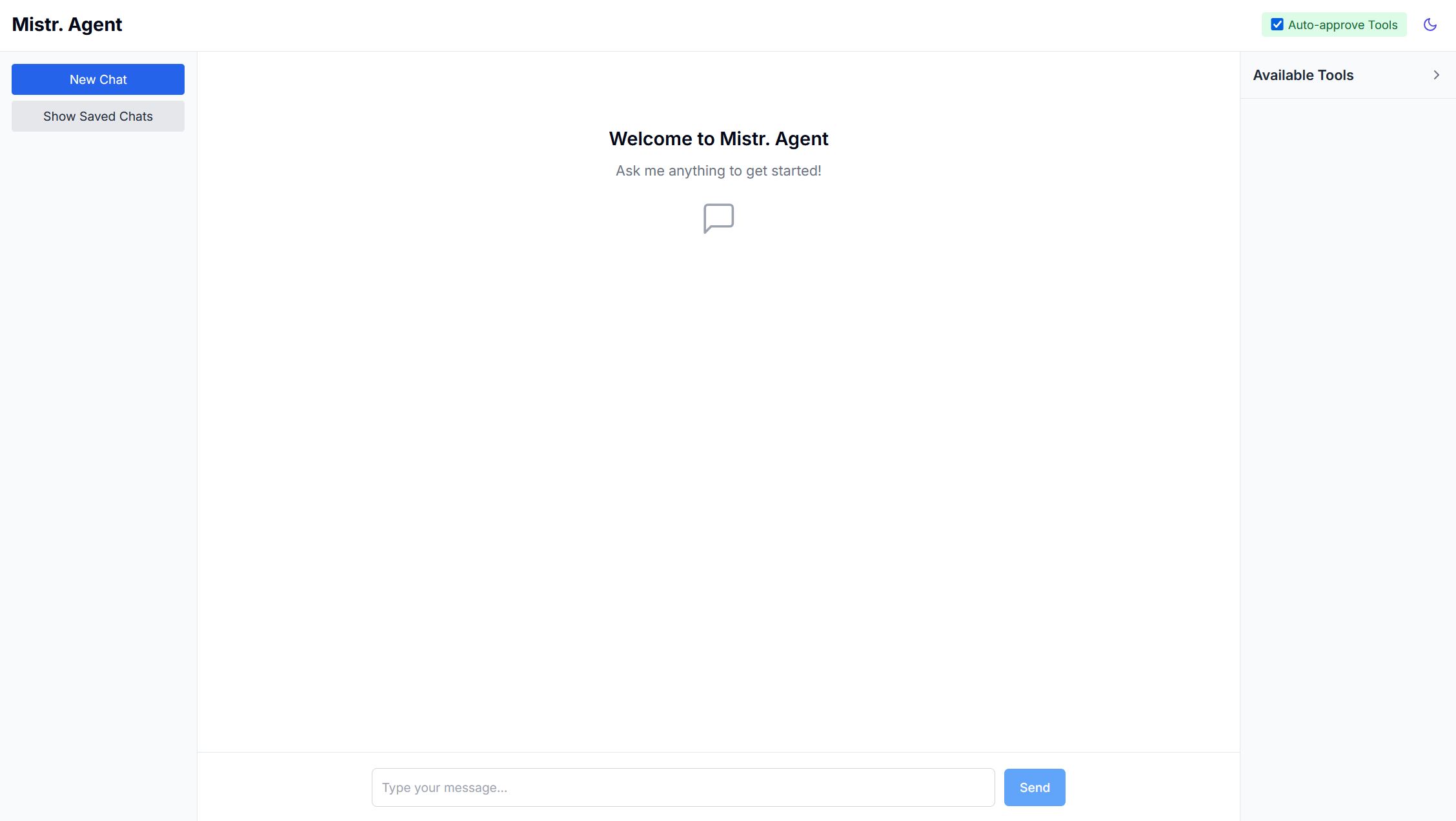
The Agentic MCP Client provides a modern interface that connects Mistral language models with real-world capabilities through the Model Context Protocol (MCP). It enables the LLM to autonomously perform tasks by orchestrating multiple tools across different environments - from searching the web to manipulating local files and executing system commands.
Unlike basic chat interfaces, this agent can maintain context across multi-step operations, self-correct when encountering errors, and provide security mechanisms for controlling tool access - creating truly agentic AI experiences with practical real-world applications.
Screenshots
Tool Call Integration
Dark Mode Interface
Chat History Interface
Tool List Dropdown
Core Capabilities
🧠 Autonomous Task Execution
- Multi-turn, multi-tool task completion with context maintenance
- Self-correction of tool usage when parameters are incorrect
- Sophisticated error handling with detailed feedback
- Tool state management across conversation turns
🛠️ Tool Integration Framework
- Dynamic loading of MCP servers and their capabilities
- Automatic tool discovery and capability negotiation
- Intelligent tool routing across multiple servers
- Enhanced tool descriptions with parameter validation
🔒 Security & Control
- Human-in-the-loop approval for sensitive operations
- Rate limiting for tool access
- Detection of potentially dangerous operations
- Detailed audit logging for all tool usage
💻 System Integration
- Terminal command execution and process management
- Local filesystem operations (read, write, list, search, edit)
- File content analysis and manipulation
- Cross-platform compatibility
🌐 External Services
- Web search via Perplexity AI integration
- Expandable to other API services through MCP
- Weather information retrieval
- Capability to add custom service integrations
System Requirements
- Internet Connection: Required for API access to Mistral models and Perplexity search
- Node.js: v16.x or higher
- RAM: 4GB minimum (8GB recommended)
- Storage: 500MB for installation
The application can run locally with smaller models like Mistral 8B if you have access to them.
Supported Models
All Mistral chat models are supported. The application has been tested and verified with:
- Mistral 8B
- Mistral Large
You can configure your preferred model in the settings.
Architecture Overview
The Agentic MCP Client implements a modular architecture:
- MCP Adapter: Core orchestration layer connecting Mistral models to MCP servers
- Server Manager: Handles connections to multiple tool servers with capability negotiation
- Tool Manager: Registers and validates tools with enhanced schema information
- Security Manager: Controls tool access with approval workflows and validation
- Modern UI: React/Next.js interface with conversation management
Installation
From GitHub
1. Clone the repository
git clone https://github.com/itisaevalex/mistr-agent.git
   cd mistr-agent
2. Install dependencies
npm install3. Configure your API keys
# Create a .env.local file
   cp .env.example .env.local
   # Edit the file with your API keys
4. Start the development server
npm run dev5. Access the application
Open http://localhost:3000 in your browser
MCP Server Configuration
The agent connects to Model Context Protocol (MCP) servers to extend its capabilities. These servers are configured in the mcp-config.json file:
Pre-Configured MCP Servers
1. Perplexity Search Server
Provides web search capabilities using Perplexity AI's API:
"perplexity-direct": {
  "type": "stdio",
  "name": "PerplexityDirect",
  "command": "uvx",
  "args": ["perplexity-mcp"],
  "env": {
    "PERPLEXITY_API_KEY": "your_perplexity_api_key_here",
    "PERPLEXITY_MODEL": "sonar"
  },
  "cwd": "/path/to/perplexity-mcp",
  "description": "Web search using Perplexity AI"
}
2. Desktop Commander Server
Provides local system access with terminal and filesystem operations:
"desktop-commander": {
  "type": "stdio",
  "name": "DesktopCommander",
  "command": "npx",
  "args": [
    "-y",
    "@wonderwhy-er/desktop-commander"
  ],
  "description": "Provides terminal, filesystem, and editing tools"
}
Adding Custom MCP Servers
You can extend the agent's capabilities by adding your own MCP-compatible servers:
1. Install or set up the server process
2. Add a new entry to the servers object in mcp-config.json
3. Restart the development server
Example Use Cases
The Agentic MCP Client excels at complex tasks spanning multiple tools:
- Research Assistant: Search the web for information, compile findings into local files, and generate summaries
- Code Helper: Search through local repositories, analyze code, execute tests, and explain results
- System Administrator: Monitor processes, execute commands, and manage files with natural language
- Content Creator: Research topics online and use the findings to create structured documents
Advanced Configuration
Tool Approval Workflow
The agent provides a UI toggle for "Auto Approve" which can be configured to:
- Manual Mode: Present tool calls to the user for approval before execution
- Auto Mode: Execute tool calls automatically without user confirmation
This allows granular control over which operations require human oversight.
Adding New Capabilities
To extend the agent's capabilities:
1. Install additional MCP servers that provide the desired tools
2. Update your mcp-config.json to include the new servers
3. For custom tools, implement a new MCP server following the protocol specification
The project has been tested with the following MCP servers:
- https://github.com/jsonallen/perplexity-mcp
- https://github.com/wonderwhy-er/DesktopCommanderMCP
Contributing
Contributions are welcome! Key areas for improvement include:
- Additional MCP server integrations
- Enhanced security policies
- Improved tool orchestration
- UI enhancements for better visualization of tool operations
- Comprehensive testing across different environments
License
This project is licensed under the MIT License - see the LICENSE file for details.
Similar MCP
Based on tags & features
Trending MCP
Most active this week