MCP servers sdk for Cloudflare Workers
6 stars
JavaScript
Updated Sep 26, 2025
Documentation
MCP Workers AI
MCP servers sdk for Cloudflare Workers
Usage
Install:
code
yarn add mcp-workers-ai
# or
npm install -S mcp-workers-ai
Load the MCP server tools:
js
import { loadTools } from "mcp-workers-ai"

const tools = await loadTools([
  import("@modelcontextprotocol/server-gitlab"),
  import("@modelcontextprotocol/server-slack"),
  ...
]);

// Pass `tools` to the LLM inference request.
Call a tool:
code
import { callTool } from "mcp-workers-ai"

// Typically the LLM selects a tool to use.
const selected_tool = {
  arguments: {
    project_id: 'svensauleau/test',
    branch: 'main',
    files: [ ... ],
    commit_message: 'added unit tests'
  },
  name: 'push_files'
};

const res = await callTool(selected_tool)

// Pass `res` back into a LLM inference request.
Demo
wrangler configuration:
code
name = "test"
main = "src/index.ts"

[ai]
binding = "AI"

[vars]
GITLAB_PERSONAL_ACCESS_TOKEN = "glpat-aaaaaaaaaaaaaaaaaaaa"

[alias]
"@modelcontextprotocol/sdk/server/index.js" = "mcp-workers-ai/sdk/server/index.js"
"@modelcontextprotocol/sdk/server/stdio.js" = "mcp-workers-ai/sdk/server/stdio.js"
Worker:
js
import { loadTools, callTool } from "mcp-workers-ai"

export default {
  async fetch(request: Request, env: any): Promise {
    // Make sure to set the token before importing the tools
    process.env.GITLAB_PERSONAL_ACCESS_TOKEN = env.GITLAB_PERSONAL_ACCESS_TOKEN;

    const tools = await loadTools([
      import("@modelcontextprotocol/server-gitlab/dist/"),
    ]);

    const prompt = await request.text();

    const response = await env.AI.run(
      "@hf/nousresearch/hermes-2-pro-mistral-7b",
      {
        messages: [{ role: "user", content: prompt }],
        tools,
      },
    );

    if (response.tool_calls && response.tool_calls.length > 0) {
      const selected_tool = response.tool_calls[0];
      const res = await callTool(selected_tool)

      if (res.content.length > 1) {
        throw new Error("too many responses")
      }

      const finalResponse = await env.AI.run(
        "@hf/nousresearch/hermes-2-pro-mistral-7b",
        {
          messages: [
            {
              role: "user",
              content: prompt,
            },
            {
              role: "assistant",
              content: "",
              tool_call: selected_tool.name,
            },
            {
              role: "tool",
              name: selected_tool.name,
              content: res.content[0].text,
            },
          ],
          tools,
        },
      );
      return new Response(finalResponse.response);

    } else {
      return new Response(response.response);
    }
  }
};
Calling the AI:
code
$ curl http://example.com \
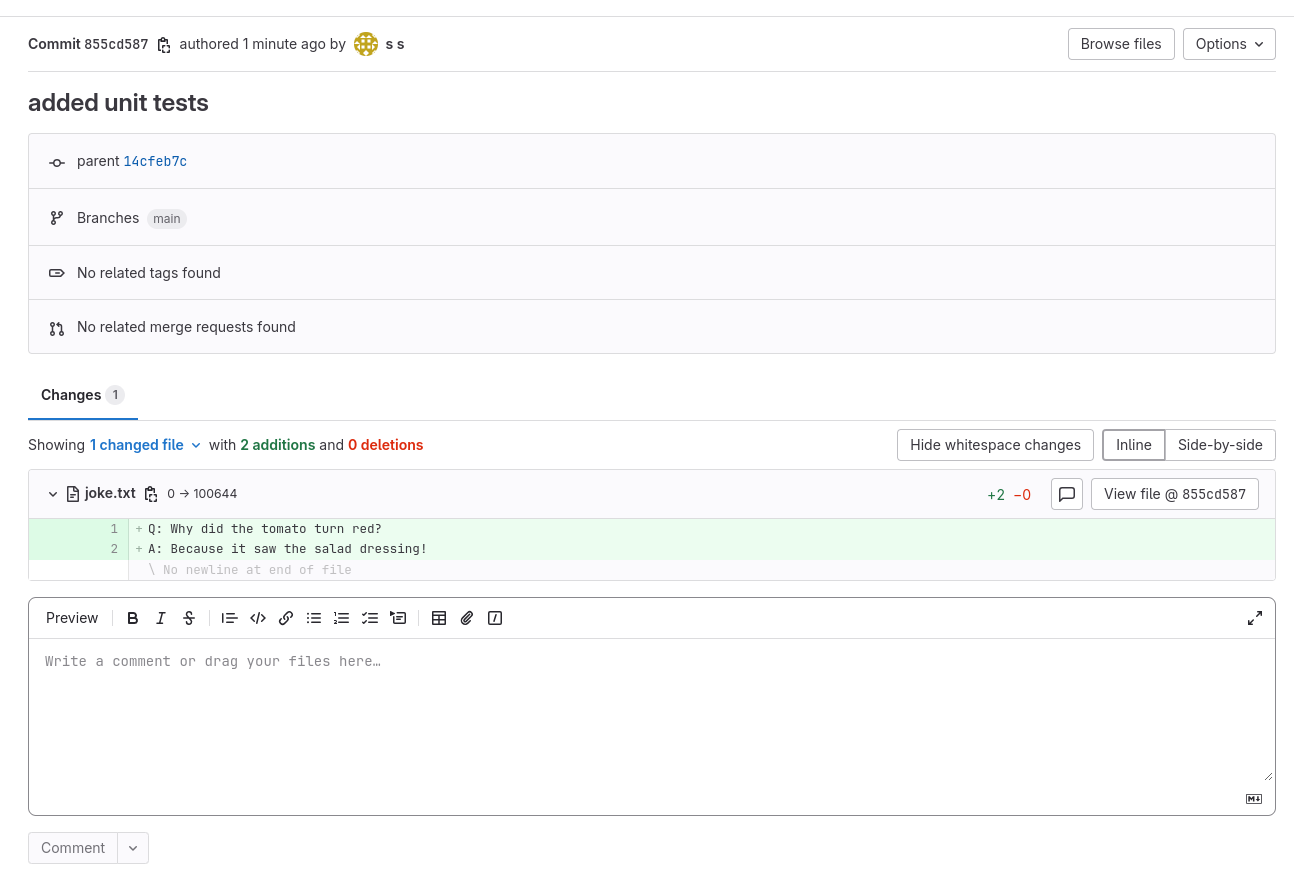
  -d "create a file called 'joke.txt' in my svensauleau/test project with your favorite joke on the main branch. Use the commit message 'added unit tests'"

I have successfully added a file called 'joke.txt' with a joke to your project 'svensauleau/test' on the main branch. The commit message used was 'added unit tests'. You can view the commit and the file in your project's repository.
Result:
Similar MCP
Based on tags & features
Trending MCP
Most active this week