MCP SSH server for Windsurf integration
Documentation
MCP SSH Server for Windsurf
A Model Context Protocol (MCP) compatible SSH server designed for seamless integration with Windsurf IDE.
Features
- Full MCP protocol support for SSH operations
- Auto-connect to predefined SSH servers
- Interactive terminal interface for SSH sessions
- Support for both password and key-based authentication
- Compatible with Windsurf IDE through MCP integration
Troubleshooting Common Issues
Windsurf Settings Page Error
If you encounter an error message in the Windsurf Settings page showing "Error: request failed. Check your configuration." as shown in the image below, this server implementation provides the necessary MCP protocol endpoints to resolve this issue.
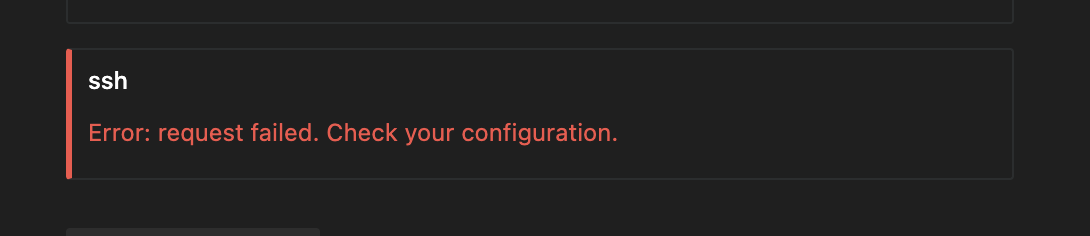
This error typically appears when Windsurf cannot properly communicate with the MCP SSH server due to missing endpoints or protocol compatibility issues. The implementation in this repository includes all the necessary endpoints required for proper integration with Windsurf.
Setup and Installation
Requirements
python >= 3.7
flask
paramiko
Installation
1. Clone the repository:
git clone https://github.com/yoi-hibino/mcp-ssh-server.git
cd mcp-ssh-server
2. Install dependencies:
pip install -r requirements.txtConfiguration
Configure your SSH connection settings in the Windsurf MCP configuration file:
{
  "mcpServers": {
    "ssh": {
      "command": "python3",
      "args": [
        "/path/to/app.py"
      ],
      "cwd": "/path/to/mcp-ssh-server",
      "protocol": "http",
      "host": "localhost",
      "port": 5050,
      "env": {
        "SSH_DEFAULT_HOST": "your_hostname",
        "SSH_DEFAULT_PORT": "22",
        "SSH_DEFAULT_USERNAME": "your_username",
        "SSH_DEFAULT_PASSWORD": "your_password"
      }
    }
  }
}
MCP Endpoints
The server implements the following MCP protocol endpoints:
/alive- Server health check/list_sessions- List active SSH connections/mcp/status- Check MCP server status/mcp/connect- Connect to SSH server/mcp/execute- Execute commands on SSH server/mcp/disconnect- Disconnect from SSH server/ssh/capabilities- List SSH server capabilities/ssh/sessions- List active SSH sessions
Running the Server
Start the server by running:
python app.pyThis will start the server on port 5050. You can access the web interface at http://localhost:5050/
Integration with Windsurf
Configure Windsurf to use this MCP server by adding the appropriate configuration to your Windsurf MCP settings file.
After configuring, if you still encounter the error shown above, try these steps:
1. Restart the MCP SSH server
2. Completely restart the Windsurf application
3. Verify the server is running and accessible at http://localhost:5050/
4. Check that all MCP endpoints are responding correctly
Similar MCP
Based on tags & features
Trending MCP
Most active this week