MCP Server for vanMoof bikes
Documentation
🚲VanMoof MCP Server
The VanMoof MCP Server implements the MCP specification to create a seamless connection between AI agents and key VanMoof services like VanMoof customer data, including bike details, VanMoof rider cities, rider preferences and weekly rides.
🎯 Overview
✨ What can you do with the VanMoof MCP Server?
The VanMoof MCP Server supercharges your agents with VanMoof rider context. Here are some cool prompts you can try:
🔍 Explore your customer data
- "Give me my VanMoof bike details, please."
- "What is the name of my VanMoof's bike?"
- "What is the frame number of my VanMoof's bike?"
- "What is the color of my VanMoof's bike?"
🏙️ Cities Rides
- "In which cities in the world are VanMoof rides tracked?"
- "Create a table of the cities in the Netherlands where VanMoof rides are tracked with longitude and latitude columns"
"Retrieves a list of cities in the Netherlands where VanMoof rides are tracked and formats them into a table with columns for longitude and latitude."
⚙️ Your rider preferences
- "Get my VanMoof's rider preferences"
- "Which city is configured in my VanMoof's rider preference?"
🚲 Explore your VanMoof's rides
- "Give me my weekly ride stats for 2025-03-25 on my VanMoof"
- "What was my top speed on my VanMoof's bike?"
- "What was my longest ride on my VanMoof's bike?"
- "What are the city statistics of today's week?"
- "What are the world's bike statistics of today's week?"
- "Compare the world statistics with the city statistics. What can you conclude?"
- "Compare my weekly VanMoof ride statistics with the city and world bike statistics. Store the results in markdown table for the comparison."
🛠️ Currently Supported Tools
- get_customer_data: Retrieves customer data from the VanMoof autenticated user
- get_vanmoof_cities: Retrieves a list of city data from the VanMoof API.
- get_rider_preferences: Retrieves rider preferences from the VanMoof autenticated user.
- get_rides_summary: Retrieves total rides summary from the VanMoof autenticated user.
- get_rides_for_week(date_in_week: str = ""): Retrieves rides for a specific week from the VanMoof autenticated user.
- get_city_rides_thisweek: Retrieves total city rides summary from VanMoof riders in this week.
- get_world_rides_thisweek: Retrieves total world rides summary from VanMoof riders in this week.
🔌 Getting Started
Install Python
The VanMoof MCP Server requires Python. If you have not it installed, follow the instructions here.
Install uv
Also install uv. This an extremely fast Python package and project manager, written in Rust. Follow the instruction here to install uv.
Clone MCP-SERVER-VANMOOF Github Repository.
run below command in your terminal:
git clone https://github.com/stefanstranger/mcp-server-vanmoofTest and debug VanMoof MCP Server
The MCP inspector is a developer tool for testing and debugging MCP servers.
Before local debugging and testing configure the .env file with your VanMoof credentials.
Rename the .env-example file to .env and configure your VanMoof credentials.
Run the following to test and debug the VanMoof MCP Server:
mcp dev c:\github\mcp-server-vanmoof\server.pyConfigure the following arguments:
run --with mcp[cli] --with requests --with tzlocal mcp run c://github//mcp-server-vanmoof//server.py
And the Environment Arguments for VANMOOF_USERNAME and VANMOOF_PASSWORD in the Webbrowser after you have started the MCP inspector.
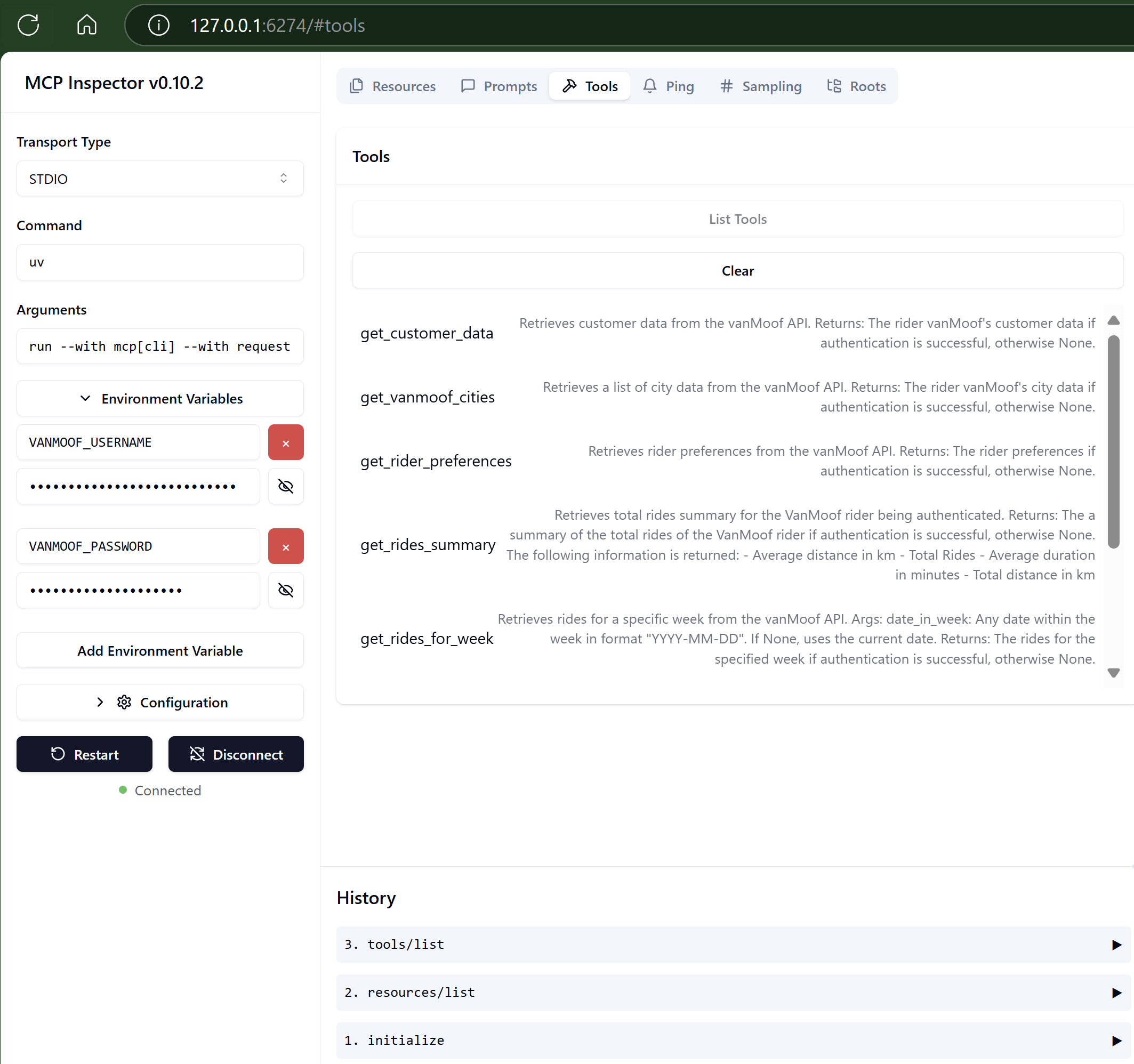
Launching MCP Inspector
There are two ways to launch MCP Inspector:
- Launch with MCP CLI
- Launch with npx @modelcontextprotocol/inspector
If you install the SDK with the cli option like uv add "mcp[cli]", you can use the MCP CLI. To start MCP Inspector, run mcp dev.
If you want to use the npx to launch the MCP Inspector run, after you have started your Python environment in your host.:
npx @modelcontextprotocol/inspector uv run --with mcp[cli] --with requests --with tzlocal mcp run c://github//mcp-server-vanmoof//server.py -e VANMOOF_USERNAME=john.doe@outlook.com -e VANMOOF_PASSWORD=[very secret password]🔧 Setup
Usage with Claude Desktop
Add the following to your claude_desktop_config.json file:
{
  "mcpServers": {
    "mcp-server-vanmoof": {
            "type": "stdio",
            "command": "uv",
            "args": [
              "run",
              "--with",
              "mcp[cli]",
              "--with",
              "requests",
              "--with",
              "tzlocal",
              "mcp",
              "run",
              "C:\\Github\\mcp-server-vanmoof\\server.py"
            ],
            "env": {
              "VANMOOF_USERNAME": "john.doe@outlook.com",
              "VANMOOF_PASSWORD": "[VanMoof user account password]"
            }
        }
  }
}
🛡️ Security Note
Your VanMoof credentials are stored as plain text in the MCP Client configurations. Don't share these with others!!
References
Similar MCP
Based on tags & features
Trending MCP
Most active this week