Track MCP LogoTrack MCP

The world's largest repository of Model Context Protocol servers. Discover, explore, and submit MCP tools.

Product

  • Categories
  • Top MCP
  • New & Updated
  • Submit MCP

Company

  • About

Legal

  • Privacy Policy
  • Terms of Service
  • Cookie Policy

© 2026 TrackMCP. All rights reserved.

Built with ❤️ by Krishna Goyal

    Mcp Server Mlflow

    MCP server for accessing prompts stored in MLflow Prompt Registry

    2 stars
    TypeScript
    Updated Jul 21, 2025

    Table of Contents

    • Tools
    • Setup
    • 1: Install MLflow and Start Prompt Registry
    • 2: Create a prompt template in MLflow
    • 3: Build MCP Server
    • 4: Add the server to Claude Desktop

    Table of Contents

    • Tools
    • Setup
    • 1: Install MLflow and Start Prompt Registry
    • 2: Create a prompt template in MLflow
    • 3: Build MCP Server
    • 4: Add the server to Claude Desktop

    Documentation

    MLflow Prompt Registry MCP Server

    Model Context Protocol (MCP) Server for MLflow Prompt Registry, enabling access to prompt templates managed in MLflow.

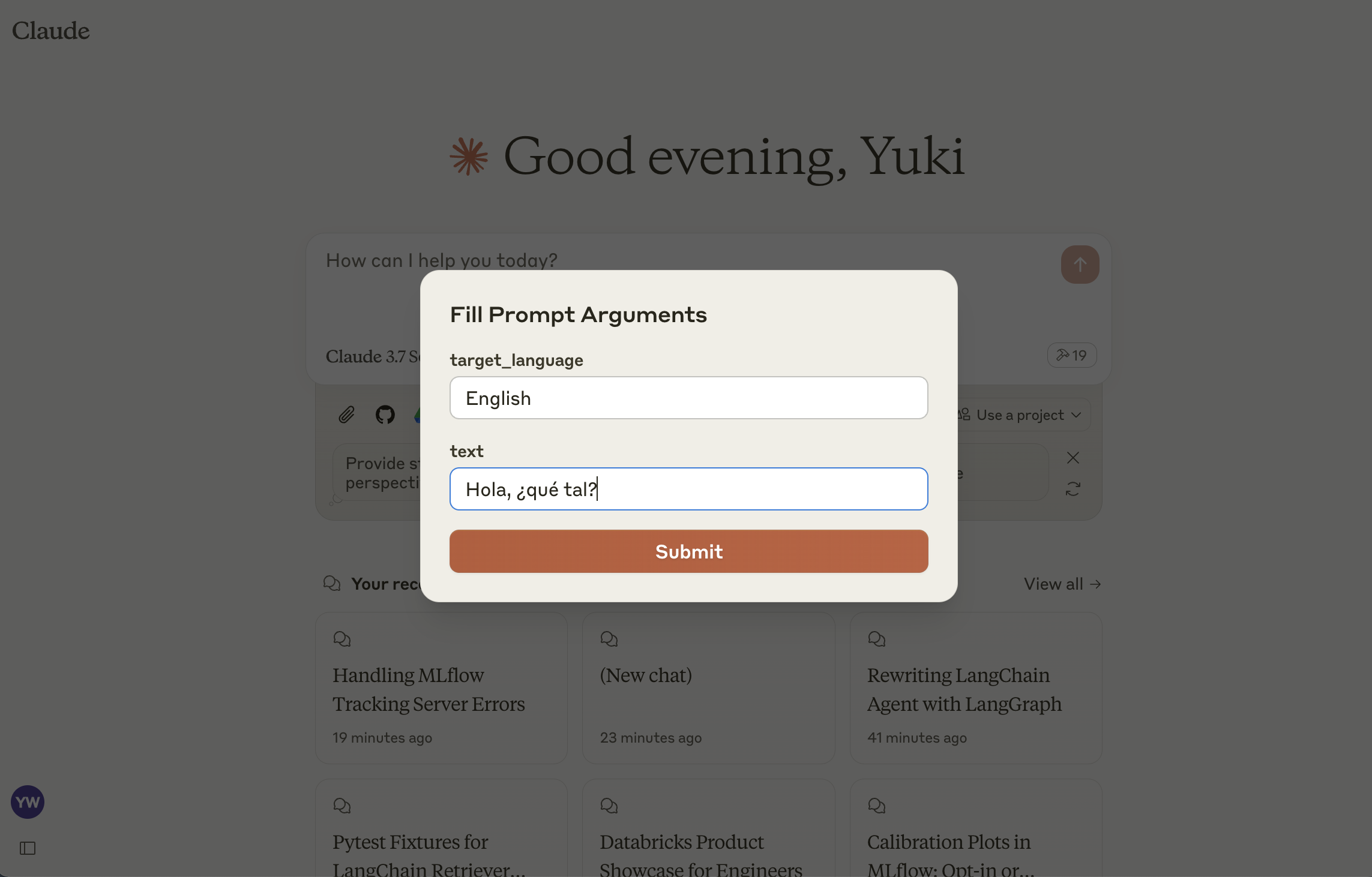
    This server implements the MCP Prompts specification for discovering and using prompt templates from MLflow Prompt Registry. The primary use case is to load prompt templates from MLflow in Claude Desktop, allowing users to instruct Claude conveniently for repetitive tasks or common workflows.
    Tools

    • list-prompts
    • List available prompts
    • Inputs:
    • cursor (optional string): Cursor for pagination
    • filter (optional string): Filter for prompts
    • Returns: List of prompt objects
    • get-prompt
    • Retrieve and compile a specific prompt
    • Inputs:
    • name (string): Name of the prompt to retrieve
    • arguments (optional object): JSON object with prompt variables
    • Returns: Compiled prompt object

    Setup

    1: Install MLflow and Start Prompt Registry

    Install and start an MLflow server if you haven't already to host the Prompt Registry:

    bash
    pip install mlflow>=2.21.1
    mlflow server --port 5000

    2: Create a prompt template in MLflow

    If you haven't already, create a prompt template in MLflow following this guide.

    3: Build MCP Server

    bash
    npm install
    npm run build

    4: Add the server to Claude Desktop

    Configure Claude for Desktop by editing claude_desktop_config.json:

    json
    {
      "mcpServers": {
        "mlflow": {
          "command": "node",
          "args": ["/dist/index.js"],
          "env": {
            "MLFLOW_TRACKING_URI": "http://localhost:5000"
          }
        }
      }
    }

    Make sure to replace the MLFLOW_TRACKING_URI with your actual MLflow server address.

    Similar MCP

    Based on tags & features

    • GL

      Glm Mcp Server

      TypeScript·
      3
    • NS

      Ns Private Access Mcp

      TypeScript·
      3
    • MC

      Mcp Wave

      TypeScript00
    • OP

      Openai Gpt Image Mcp

      TypeScript·
      75

    Trending MCP

    Most active this week

    • PL

      Playwright Mcp

      TypeScript·
      22.1k
    • SE

      Serena

      Python·
      14.5k
    • MC

      Mcp Playwright

      TypeScript·
      4.9k
    • MC

      Mcp Server Cloudflare

      TypeScript·
      3.0k
    View All MCP Servers

    Similar MCP

    Based on tags & features

    • GL

      Glm Mcp Server

      TypeScript·
      3
    • NS

      Ns Private Access Mcp

      TypeScript·
      3
    • MC

      Mcp Wave

      TypeScript00
    • OP

      Openai Gpt Image Mcp

      TypeScript·
      75

    Trending MCP

    Most active this week

    • PL

      Playwright Mcp

      TypeScript·
      22.1k
    • SE

      Serena

      Python·
      14.5k
    • MC

      Mcp Playwright

      TypeScript·
      4.9k
    • MC

      Mcp Server Cloudflare

      TypeScript·
      3.0k