Documentation
Rememberizer Vector Store MCP Server
A Model Context Protocol server for LLMs to interact with Rememberizer Vector Store.
Components
Resources
The server provides access to your Vector Store's documents in Rememberizer.
Tools
1. rememberizer_vectordb_search
- Search for documents in your Vector Store by semantic similarity
- Input:
q(string): Up to a 400-word sentence to find semantically similar chunks of knowledgen(integer, optional): Number of similar documents to return (default: 5)
2. rememberizer_vectordb_agentic_search
- Search for documents in your Vector Store by semantic similarity with LLM Agents augmentation
- Input:
query(string): Up to a 400-word sentence to find semantically similar chunks of knowledge. This query can be augmented by our LLM Agents for better results.n_chunks(integer, optional): Number of similar documents to return (default: 5)user_context(string, optional): The additional context for the query. You might need to summarize the conversation up to this point for better context-awared results (default: None)
3. rememberizer_vectordb_list_documents
- Retrieves a paginated list of all documents
- Input:
page(integer, optional): Page number for pagination, starts at 1 (default: 1)page_size(integer, optional): Number of documents per page, range 1-1000 (default: 100)- Returns: List of documents
4. rememberizer_vectordb_information
- Get information of your Vector Store
- Input: None required
- Returns: Vector Store information details
5. rememberizer_vectordb_create_document
- Create a new document for your Vector Store
- Input:
text(string): The content of the documentdocument_name(integer, optional): A name for the document
6. rememberizer_vectordb_delete_document
- Delete a document from your Vector Store
- Input:
document_id(integer): The ID of the document you want to delete
7. rememberizer_vectordb_modify_document
- Change the name of your Vector Store document
- Input:
document_id(integer): The ID of the document you want to modify
Installation
Manual Installation: Use uvx command to install the Rememberizer Vector Store MCP Server.
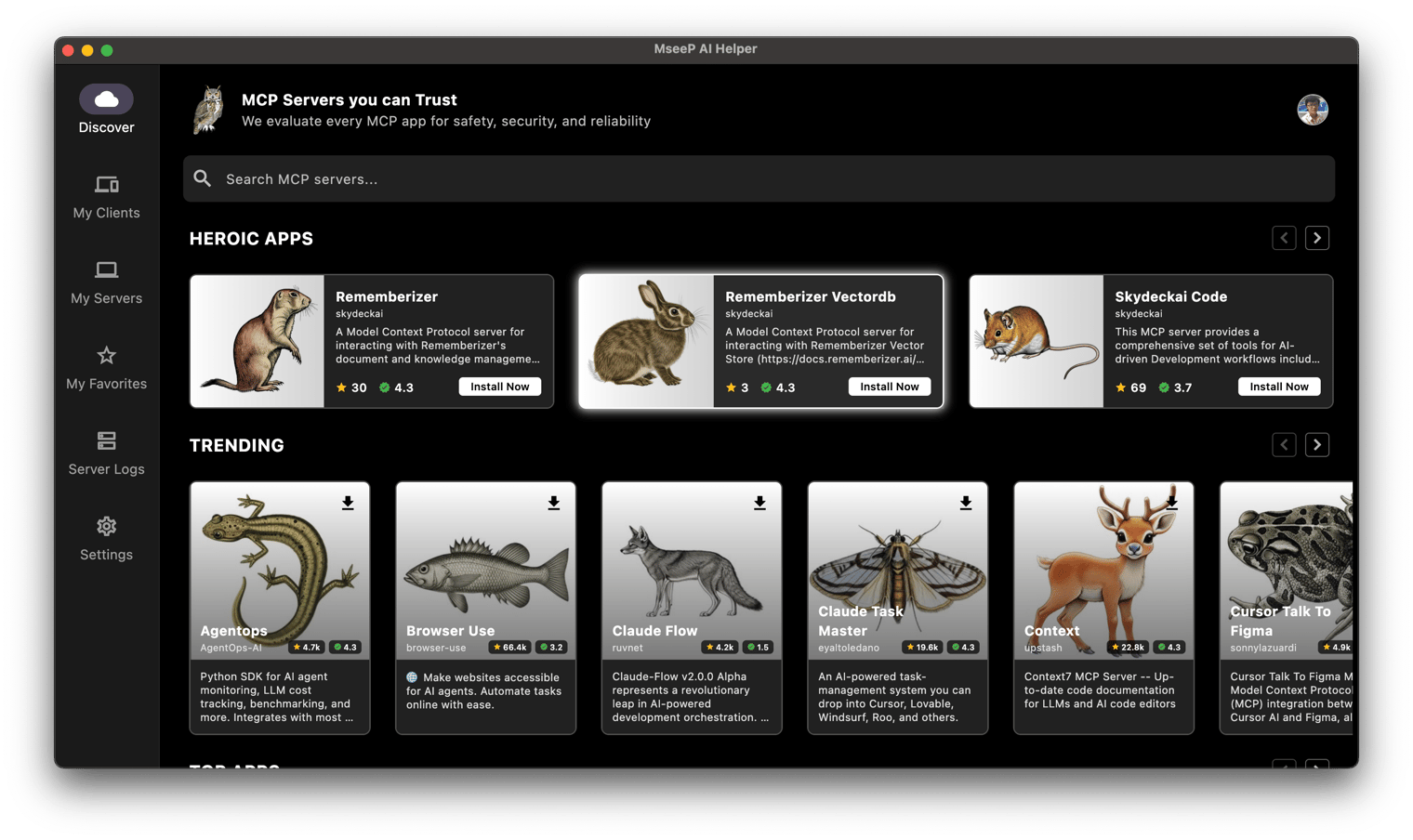
uvx mcp-rememberizer-vectordbVia MseeP AI Helper App: If you have MseeP AI Helper app installed, you can search for "Rememberizer VectorDb" and install the mcp-rememberizer-vectordb.
Configuration
Environment Variables
The following environment variables are required:
-
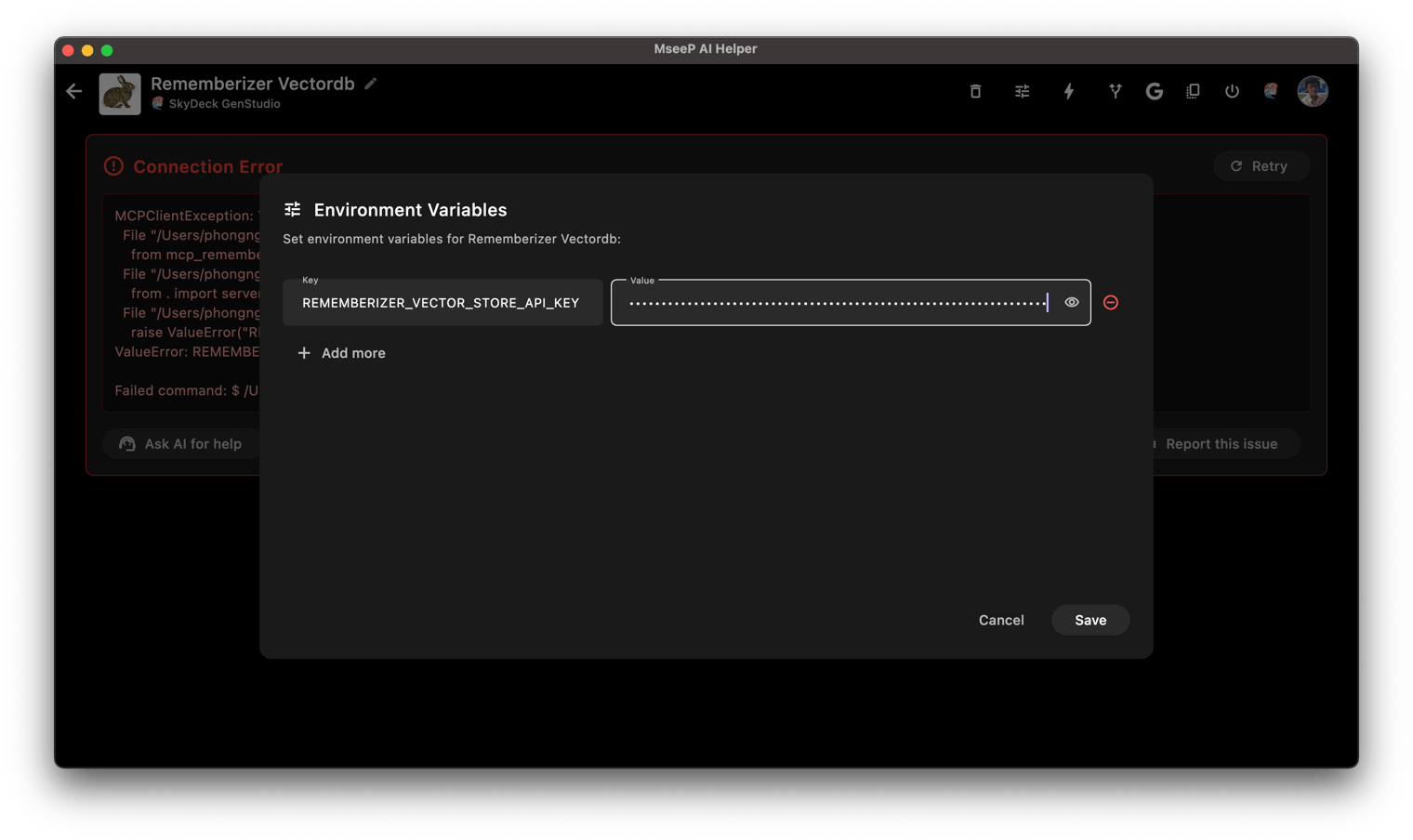
REMEMBERIZER_VECTOR_STORE_API_KEY: Your Rememberizer Vector Store API token
You can register an API key by create your own Vector Store in Rememberizer.
Usage with Claude Desktop
Add this to your claude_desktop_config.json:
"mcpServers": {
  "rememberizer": {
      "command": "uvx",
      "args": ["mcp-rememberizer-vectordb"],
      "env": {
        "REMEMBERIZER_VECTOR_STORE_API_KEY": "your_rememberizer_api_token"
      }
    },
}
Usage with MseeP AI Helper App
Add the env REMEMBERIZER_VECTOR_STORE_API_KEY to mcp-rememberizer-vectordb.
License
This MCP server is licensed under the Apache License 2.0.
Similar MCP
Based on tags & features
Trending MCP
Most active this week