Learn MCP by building from Scarch
Documentation
Model Context Protocol (MCP) Implementation
This project implements the Model Context Protocol (MCP) for building AI tools. It provides a modular framework that can be used to create MCP-compatible servers and clients.
---
🔍 What is Model Context Protocol (MCP)?
The Model Context Protocol (MCP) is an open protocol that enables AI assistants to interact with external tools and data sources.
Key Features
- List available tools and their capabilities
- Call tools with parameters
- Handle errors in a consistent way
- Process tool results in a standardized format
📚 For a detailed overview, see MCP Notes.
---
✨ Features
| Category | Features |
|---|---|
| Core | ✅ JSON-RPC 2.0 message handling✅ Protocol initialization✅ Capability negotiation |
| Tools | ✅ Tool registration with JSON Schema✅ Tool invocation and validation✅ Standardized error handling |
| Transport | ✅ STDIO support✅ HTTP+SSE Support |
| Testing | ✅ Test clients |
---
📁 Project Structure
src/
├── core/           # Core MCP server implementation
├── transports/     # Transport layer implementations (stdio, HTTP+SSE)
├── tools/          # Tool definitions and handlers
├── examples/       # Example servers and clients
│   └── public/     # Static files for HTTP server
└── index.js        # Main entry point for the library
---
🚀 Getting Started
Prerequisites
- Node.js 20.x or later
- npm or pnpm
Installation
# Clone the repository
git clone https://github.com/AshikNesin/learn-mcp-by-building
cd learn-mcp-by-building

# Install dependencies
npm install
# or
pnpm install
---
🏃♂️ Running the Examples
STDIO Server and Client
Run the STDIO server:
npm run server:stdio
# or
node src/examples/stdio-server.js
Test with the STDIO client:
npm run client:stdio
# or
node src/examples/stdio-client.js
Run both together to see a complete test:
npm run test:stdio
# or
node src/examples/stdio-client.js | node src/examples/stdio-server.js
HTTP+SSE Server and Client
Run the HTTP+SSE server:
npm run server:sse
# or
node src/examples/http-sse-server.js --port 5000
Available options:
--port: Port to listen on (default: 5000)--host: Host to bind to (default: localhost)--path: Endpoint path (default: /sse)--cors: Enable CORS (default: true)--serve-static: Serve static files from src/examples/public (default: true)
Test with the HTTP+SSE client:
npm run client:sse
# or
node src/examples/http-sse-client.js --server http://localhost:5000/sse
Once running, you can also access the web-based client interface in your browser at http://localhost:5000:
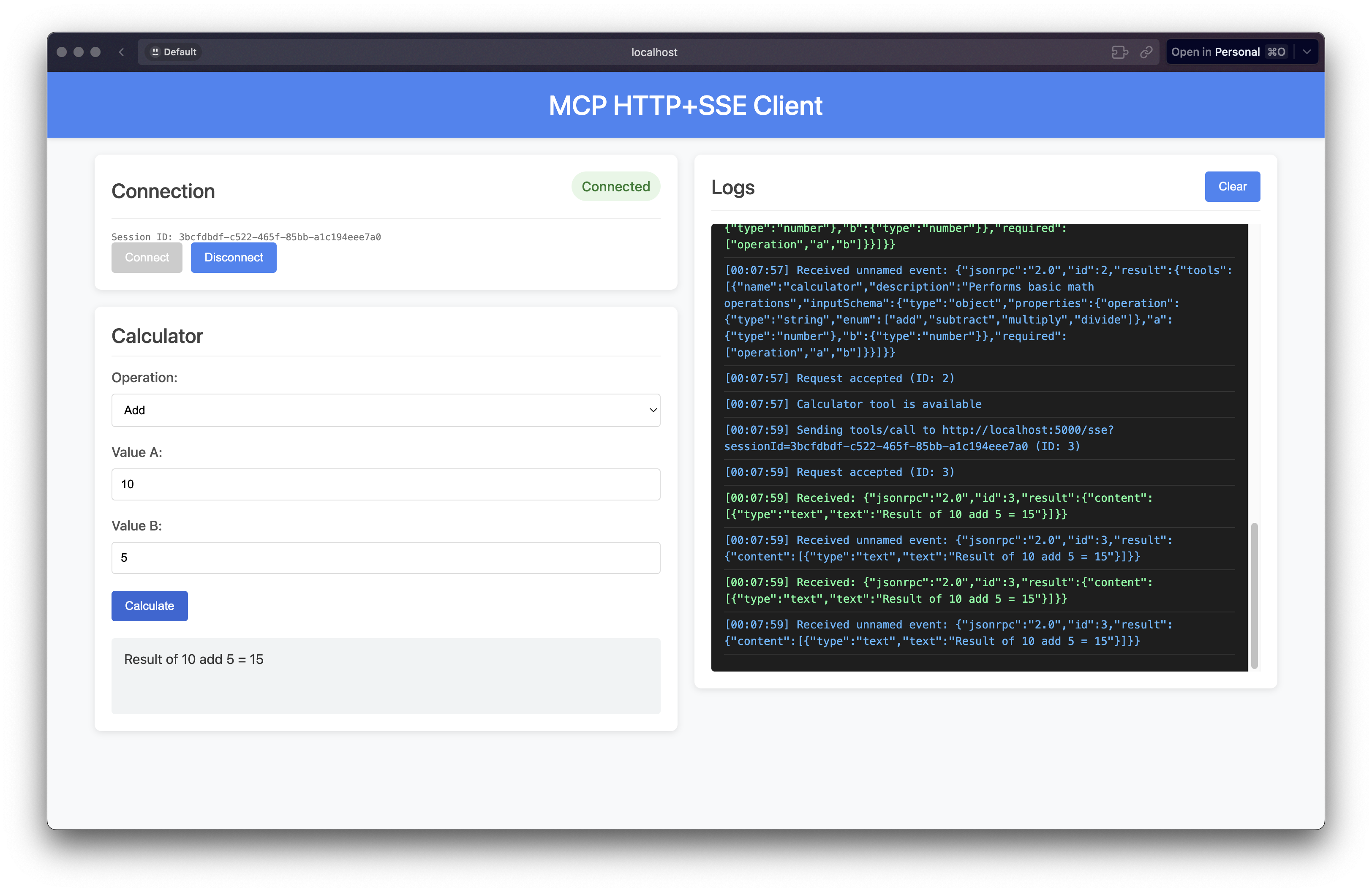
The interface provides a user-friendly way to interact with the MCP server, with a side-by-side layout showing the calculator controls and real-time logs.
🔍 Using the MCP Inspector
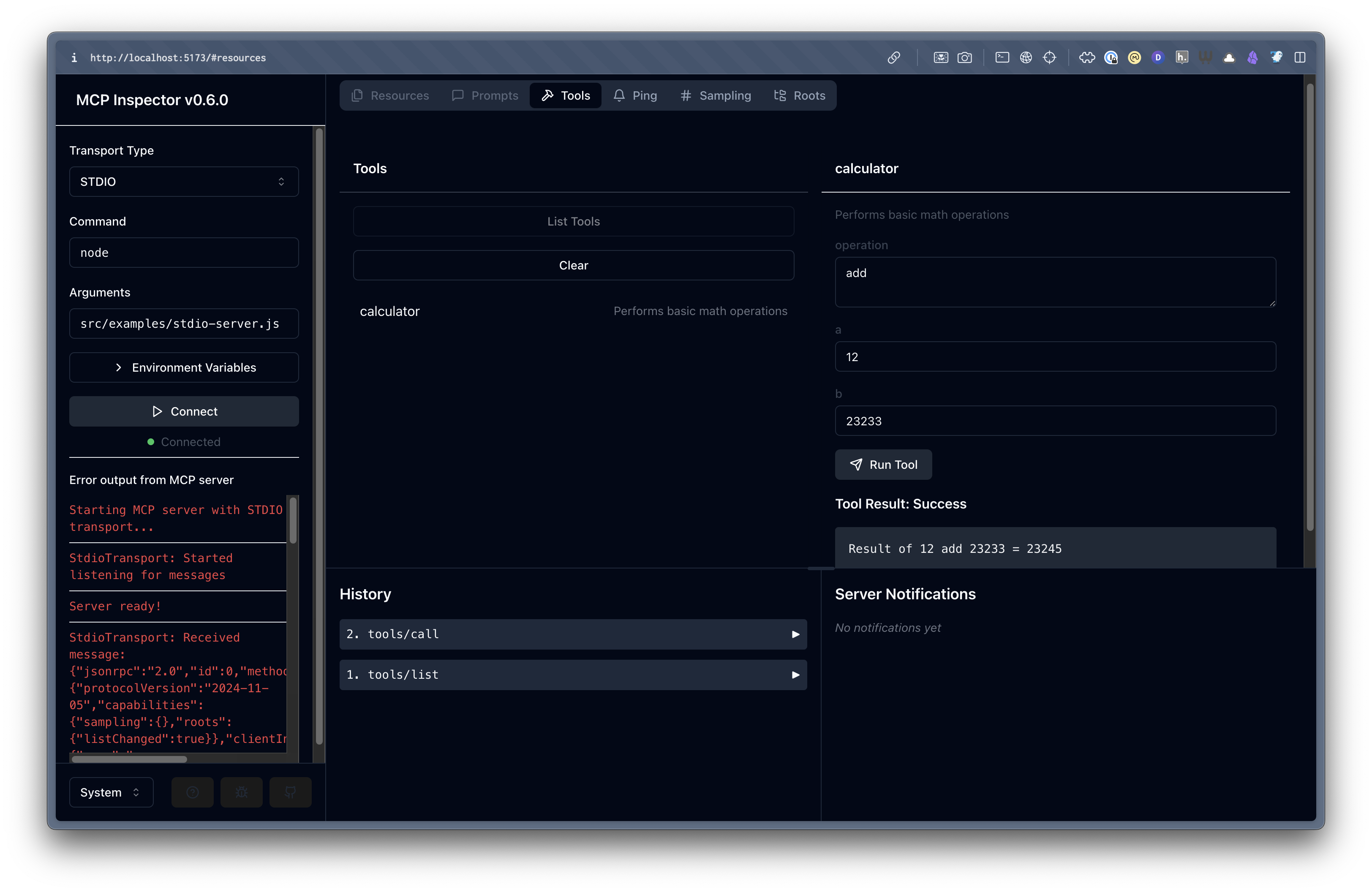
You can use the official MCP Inspector to debug the server:
npm run debugThe MCP Inspector provides a visual interface for monitoring and debugging MCP servers:
---
🧮 Calculator Tool
Operations
- ➕ add
- ➖ subtract
- ✖️ multiply
- ➗ divide
Parameters
operation- Operation typea- First operandb- Second operand
Error Handling
- Division by zero
- Invalid operations
- Type validation
- Missing parameters
---
🧑💻 Developing with the MCP Framework
Creating a New Server
import { McpServer } from '../core/index.js';
import { StdioTransport } from '../transports/index.js';
import { calculatorToolDefinition, handleCalculatorTool } from '../tools/index.js';

// Create server instance
const server = new McpServer(
  { name: 'my-server', version: '1.0.0' },
  { capabilities: { tools: { listChanged: true } } }
);

// Register tool handlers
server.setRequestHandler('tools/list', () => ({ tools: [calculatorToolDefinition] }));
server.setRequestHandler('tools/call', async (params) => {
  if (params.name === 'calculator') {
    return handleCalculatorTool(params.arguments);
  }
  throw new Error(`Tool ${params.name} not found`);
});

// Start the server
const transport = new StdioTransport();
server.connect(transport)
  .then(() => console.error('Server ready!'));
Creating a New Tool
1. Create a new file in src/tools/:
// src/tools/my-tool.js
export const myToolDefinition = {
  name: 'my-tool',
  description: 'Description of my tool',
  inputSchema: {
    type: 'object',
    properties: {
      // Define parameters
    },
    required: []
  }
};

export async function handleMyTool(args) {
  // Implement tool logic
  return {
    content: [
      {
        type: 'text',
        text: 'Result from my tool'
      }
    ]
  };
}
2. Export the tool in src/tools/index.js:
export * from './my-tool.js';---
🛠️ Protocol Features
- ✅ Capability negotiation
- ✅ Tool list change notifications
- ✅ Standardized error handling
- ✅ JSON Schema validation
- ✅ Structured tool results
- ✅ Transport layer abstraction
---
📚 External Resources
---
📝 License
Similar MCP
Based on tags & features
Trending MCP
Most active this week