Track MCP LogoTrack MCP

The world's largest repository of Model Context Protocol servers. Discover, explore, and submit MCP tools.

Product

  • Categories
  • Top MCP
  • New & Updated
  • Submit MCP

Company

  • About

Legal

  • Privacy Policy
  • Terms of Service
  • Cookie Policy

© 2026 TrackMCP. All rights reserved.

Built with ❤️ by Krishna Goyal

    Homebrew Age Mcp Server

    Apache AGE MCP Server

    1 stars
    Python
    Updated Oct 31, 2025

    Table of Contents

    • Table of Contents
    • Prerequisites
    • Install
    • Usage with Claude
    • Usage with Visual Studio Code
    • Write Operations
    • Release Notes
    • 0.2.42 Release
    • 0.2.41 Release
    • 0.2.40 Release
    • 0.2.39 Release
    • 0.2.38 Release
    • 0.2.37 Release
    • 0.2.36 Release
    • 0.2.35 Release
    • 0.2.34 Release
    • 0.2.32 Release
    • 0.2.31 Release
    • 0.2.30 Release
    • 0.2.29 Release
    • 0.2.28 Release
    • 0.2.27 Release
    • 0.2.26 Release
    • 0.2.25 Release
    • 0.2.24 Release
    • 0.2.23 Release
    • 0.2.22 Release
    • 0.2.21 Release
    • 0.2.20 Release
    • 0.2.19 Release
    • 0.2.18 Release
    • 0.2.17 Release
    • 0.2.16 Release
    • 0.2.15 Release
    • 0.2.14 Release
    • 0.2.13 Release
    • 0.2.12 Release
    • 0.2.11 Release
    • 0.2.10 Release
    • 0.2.9 Release
    • 0.2.8 Release
    • 0.2.7 Release
    • 0.2.6 Release
    • 0.2.5 Release
    • 0.2.4 Release
    • 0.2.3 Release
    • 0.2.2 Release
    • 0.2.1 Release
    • 0.2.0 Release
    • 0.1.8 Release
    • 0.1.7 Release
    • 0.1.6 Release
    • 0.1.5 Release
    • 0.1.4 Release
    • 0.1.3 Release
    • 0.1.2 Release
    • 0.1.1 Release
    • 0.1.0a1 Release
    • For More Information
    • License

    Table of Contents

    • Table of Contents
    • Prerequisites
    • Install
    • Usage with Claude
    • Usage with Visual Studio Code
    • Write Operations
    • Release Notes
    • 0.2.42 Release
    • 0.2.41 Release
    • 0.2.40 Release
    • 0.2.39 Release
    • 0.2.38 Release
    • 0.2.37 Release
    • 0.2.36 Release
    • 0.2.35 Release
    • 0.2.34 Release
    • 0.2.32 Release
    • 0.2.31 Release
    • 0.2.30 Release
    • 0.2.29 Release
    • 0.2.28 Release
    • 0.2.27 Release
    • 0.2.26 Release
    • 0.2.25 Release
    • 0.2.24 Release
    • 0.2.23 Release
    • 0.2.22 Release
    • 0.2.21 Release
    • 0.2.20 Release
    • 0.2.19 Release
    • 0.2.18 Release
    • 0.2.17 Release
    • 0.2.16 Release
    • 0.2.15 Release
    • 0.2.14 Release
    • 0.2.13 Release
    • 0.2.12 Release
    • 0.2.11 Release
    • 0.2.10 Release
    • 0.2.9 Release
    • 0.2.8 Release
    • 0.2.7 Release
    • 0.2.6 Release
    • 0.2.5 Release
    • 0.2.4 Release
    • 0.2.3 Release
    • 0.2.2 Release
    • 0.2.1 Release
    • 0.2.0 Release
    • 0.1.8 Release
    • 0.1.7 Release
    • 0.1.6 Release
    • 0.1.5 Release
    • 0.1.4 Release
    • 0.1.3 Release
    • 0.1.2 Release
    • 0.1.1 Release
    • 0.1.0a1 Release
    • For More Information
    • License

    Documentation

    AGE-MCP-Server

    License

    Python

    Apache AGE MCP Server

    Apache AGE™ is a PostgreSQL Graph database compatible with PostgreSQL's distributed assets and leverages graph data structures to analyze and use relationships and patterns in data.

    Azure Database for PostgreSQL is a managed database service that is based on the open-source Postgres database engine.

    Introducing support for Graph data in Azure Database for PostgreSQL (Preview).

    Table of Contents

    • Prerequisites
    • Install
    • Usage with Claude
    • Usage with Visual Studio Code Insiders
    • Write Operations
    • Release Notes
    • For More Information
    • License

    Prerequisites

    • Python 3.13 and above
    • This module runs on psycopg
    • Enable the Apache AGE extension in your Azure Database for PostgreSQL instance. Login Azure Portal, go to 'server parameters' blade, and check 'AGE" on within 'azure.extensions' and 'shared_preload_libraries' parameters. See, above blog post for more information.
    • Load the AGE extension in your PostgreSQL database.
    sql
    CREATE EXTENSION IF NOT EXISTS age CASCADE;
    • Claude

    Download from Claude Desktop Client or,

    bash
    brew install claude
    • Visual Studio Code Insiders

    Download from Visual Studio Code or,

    bash
    brew intall visual-studio-code

    Install

    • with brew
    bash
    brew tap rioriost/age-mcp-server
    brew install age-mcp-server
    • with uv
    bash
    uv init your_project
    cd your_project
    uv venv
    source .venv/bin/activate
    uv add age-mcp-server
    • with python venv on macOS / Linux
    bash
    mkdir your_project
    cd your_project
    python3 -m venv .venv
    source .venv/bin/activate
    python3 -m pip install age-mcp-server
    • with python venv on Windows
    bash
    mkdir your_project
    cd your_project
    python -m venv venv
    .\venv\Scripts\activate
    python -m pip install age-mcp-server

    Usage with Claude

    • on macOS

    claude_desktop_config.json is located in ~/Library/Application Support/Claude/.

    • on Windows

    You need to create a new claude_desktop_config.json under %APPDATA%\Claude.

    • Homebrew on macOS

    Homebrew installs age-mcp-server into $PATH.

    json
    {
      "mcpServers": {
        "age-manager": {
          "command": "age-mcp-server",
          "args": [
            "--pg-con-str",
            "host=your_server.postgres.database.azure.com port=5432 dbname=postgres user=your_username password=your_password",
          ]
        }
      }
    }
    • uv / Pyhon venv

    On macOS:

    json
    {
      "mcpServers": {
        "age-manager": {
          "command": "/Users/your_username/.local/bin/uv",
          "args": [
            "--directory",
            "/path/to/your_project",
            "run",
            "age-mcp-server",
            "--pg-con-str",
            "host=your_server.postgres.database.azure.com port=5432 dbname=postgres user=your_username password=your_password",
          ]
        }
      }
    }

    On Windows:

    json
    {
      "mcpServers": {
        "age-manager": {
          "command": "C:\\Users\\USER\\.local\\bin\\uv.exe",
          "args": [
            "--directory",
            "C:\\path\\to\\your_project",
            "run",
            "age-mcp-server",
            "--pg-con-str",
            "host=your_server.postgres.database.azure.com port=5432 dbname=postgres user=your_username password=your_password",
          ]
        }
      }
    }

    If you need to hide the password or to use Entra ID, you can set --pg-con-str as follows.

    code
    {
      "mcpServers": {
        "age-manager": {
            ...
            "--pg-con-str",
            "host=your_server.postgres.database.azure.com port=5432 dbname=postgres user=your_username",
            ...
          ]
        }
      }
    }

    And, you need to set PGPASSWORD env variable, or to install Azure CLI and sign into Azure with your Azure account.

    After saving claude_desktop_config.json, start Claude Desktop Client.
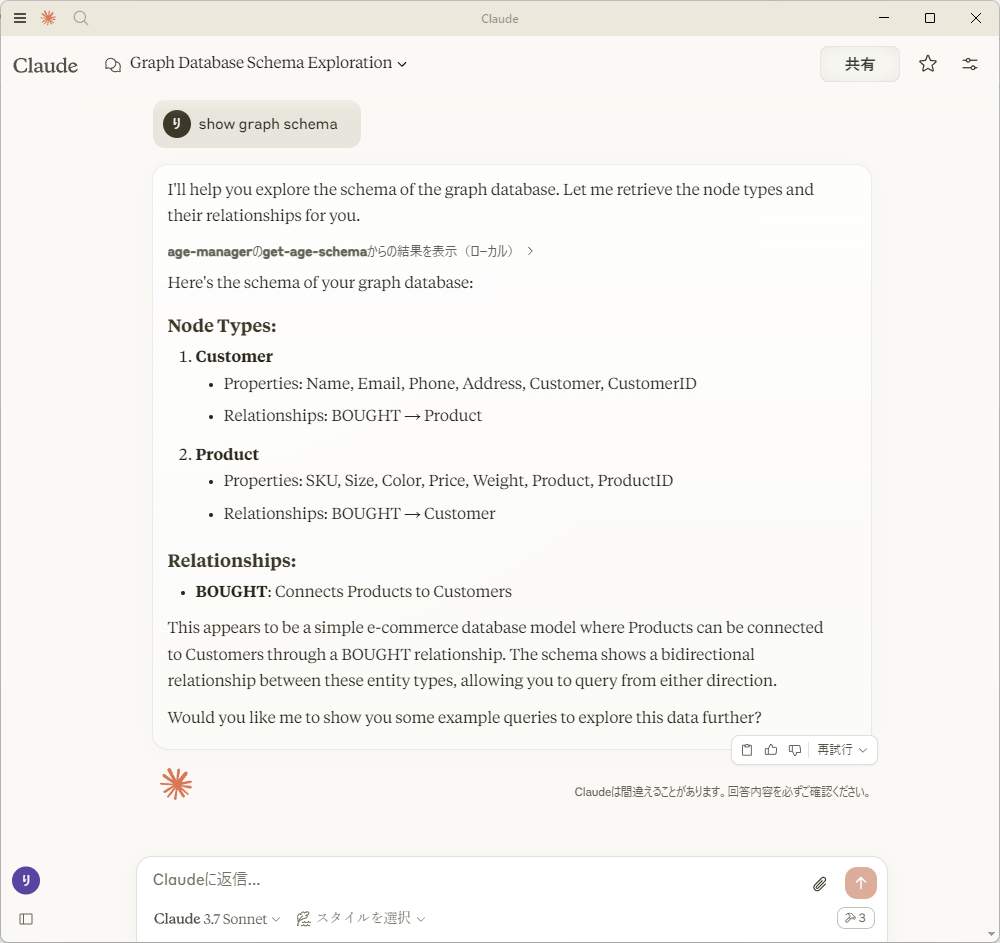
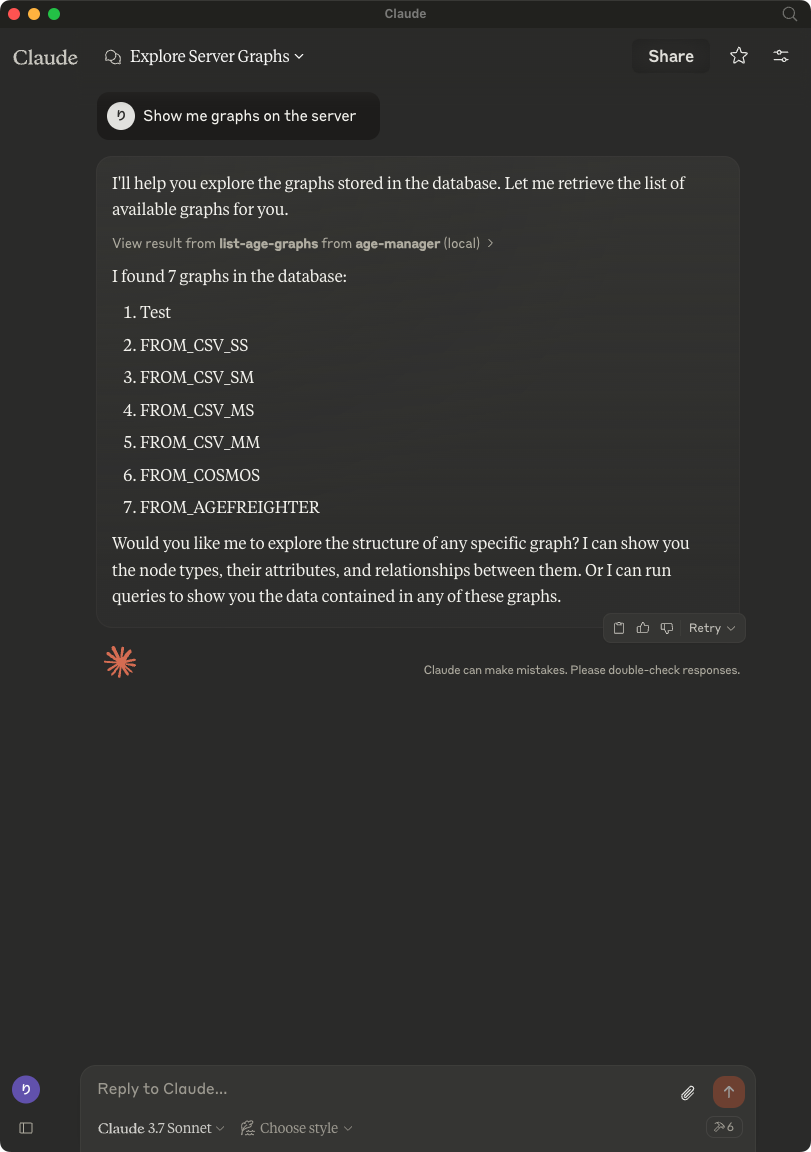
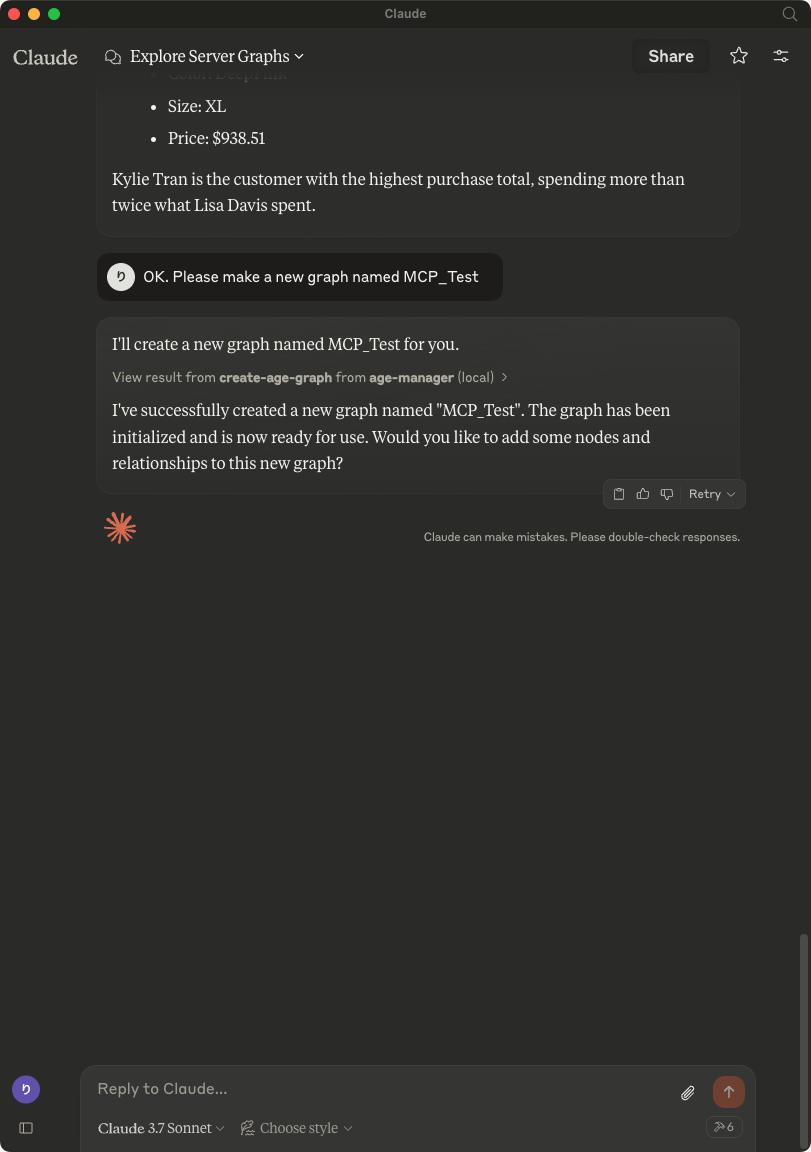
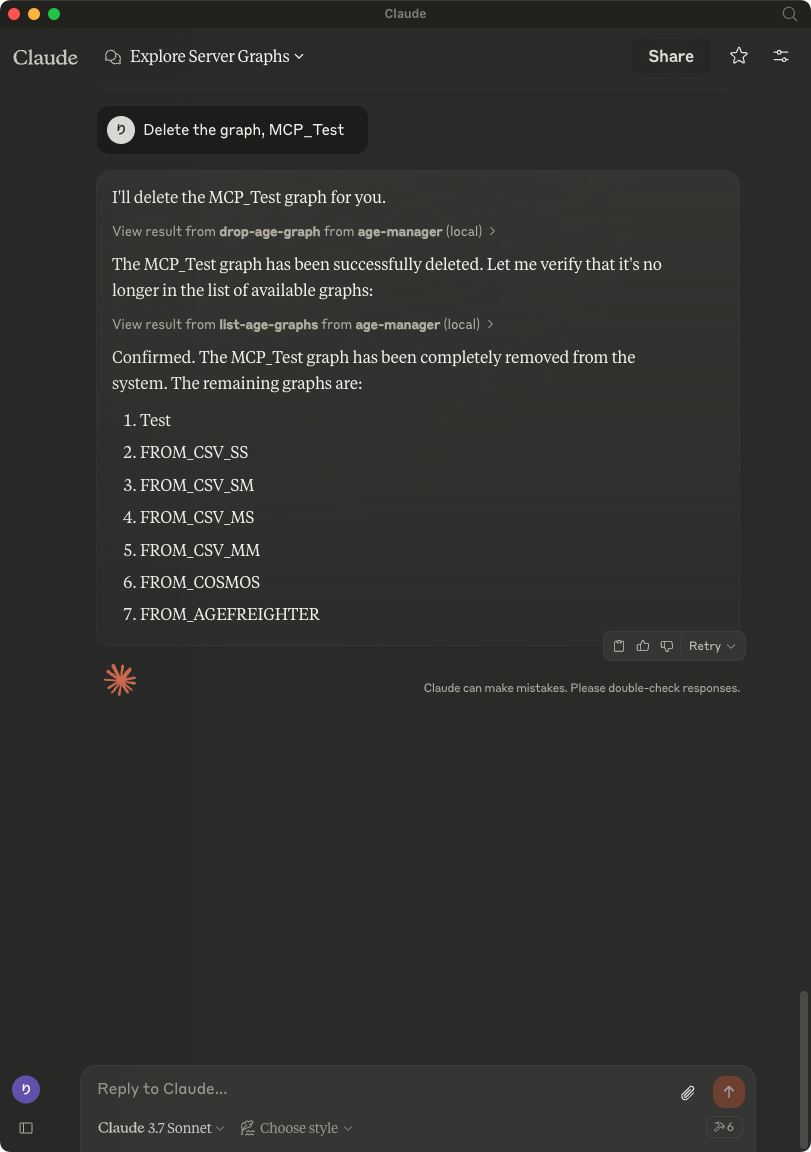
    Show me graphs on the server

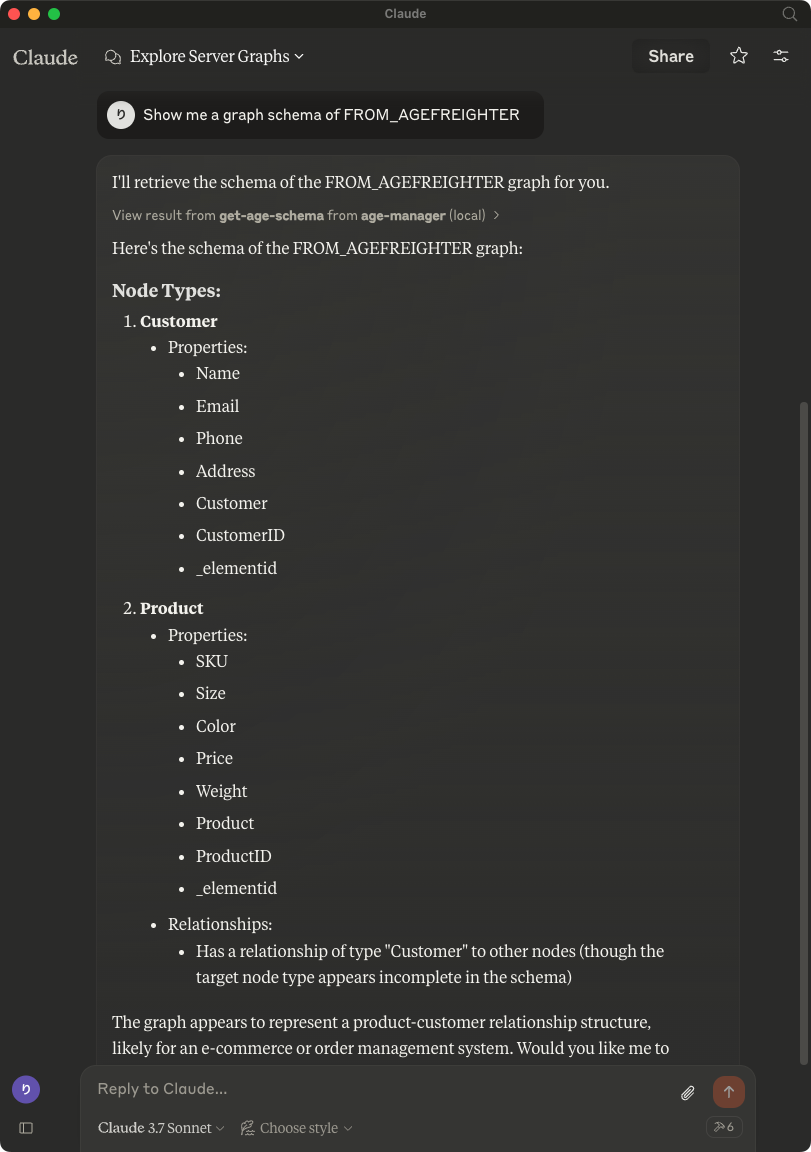
    Show me a graph schema of FROM_AGEFREIGHTER

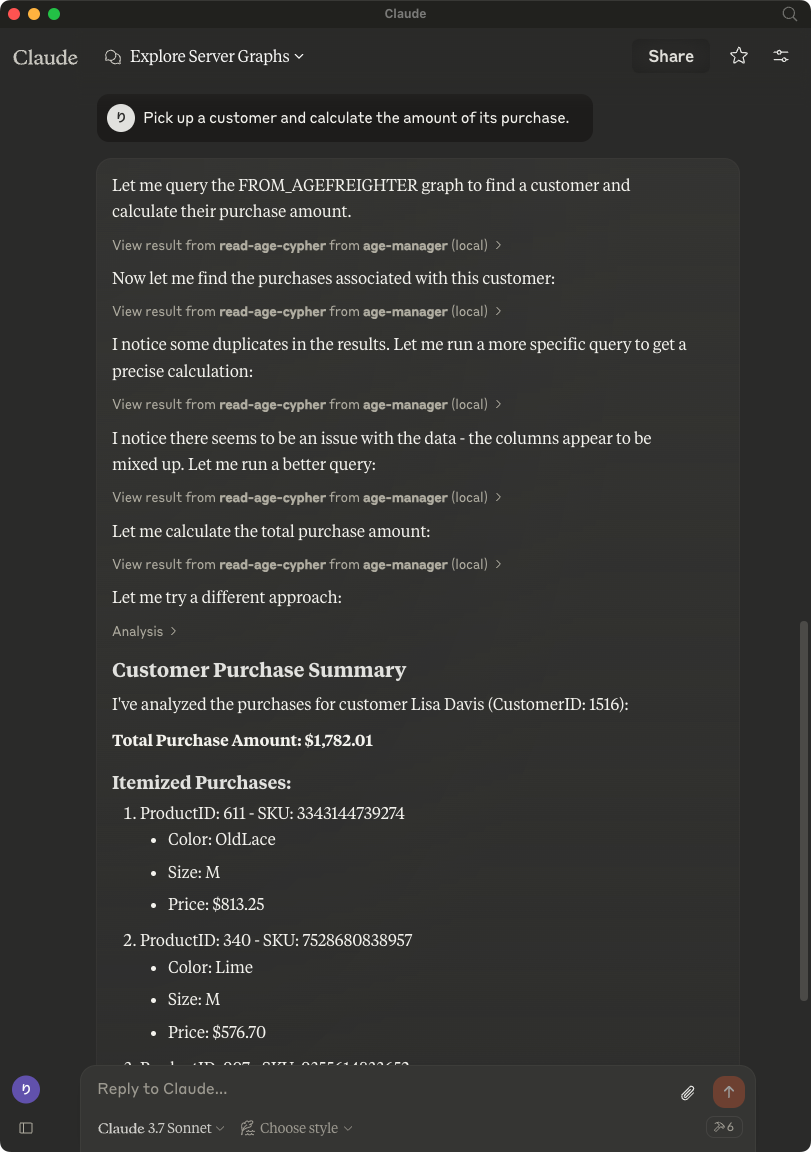
    Pick up a customer and calculate the amount of its purchase.

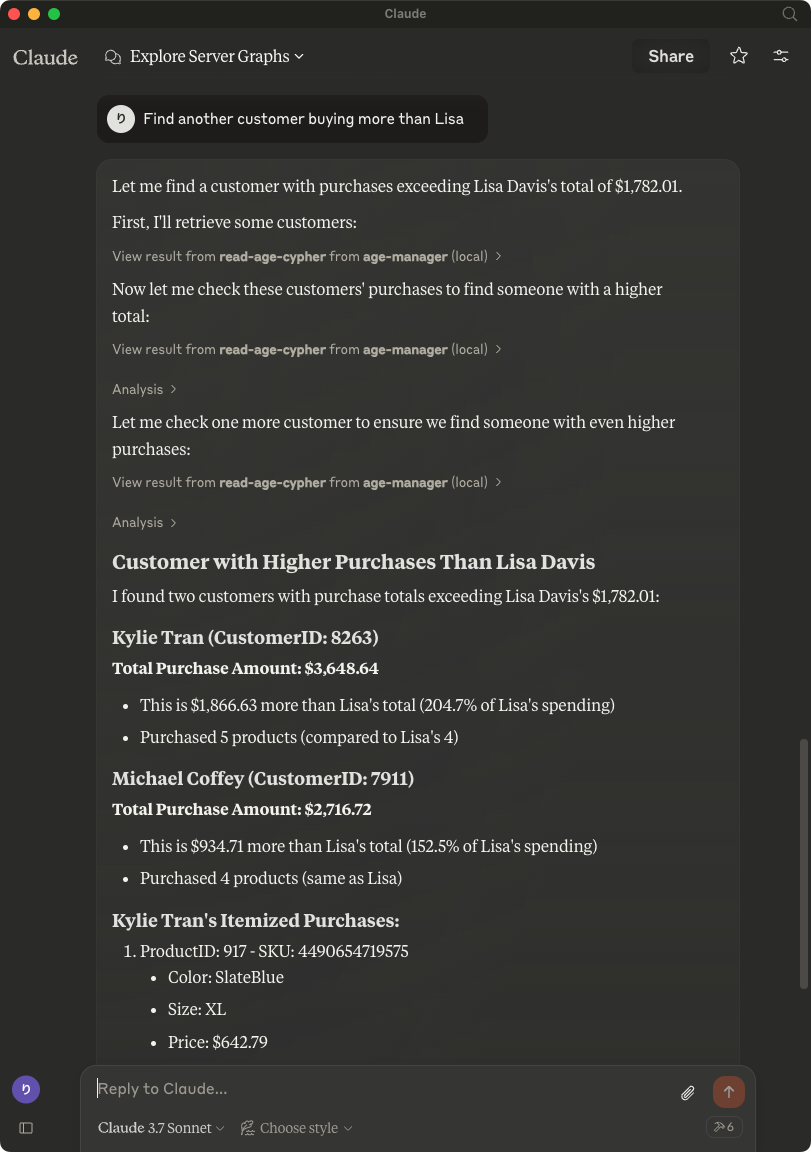
    Find another customer buying more than Lisa

    OK. Please make a new graph named MCP_Test

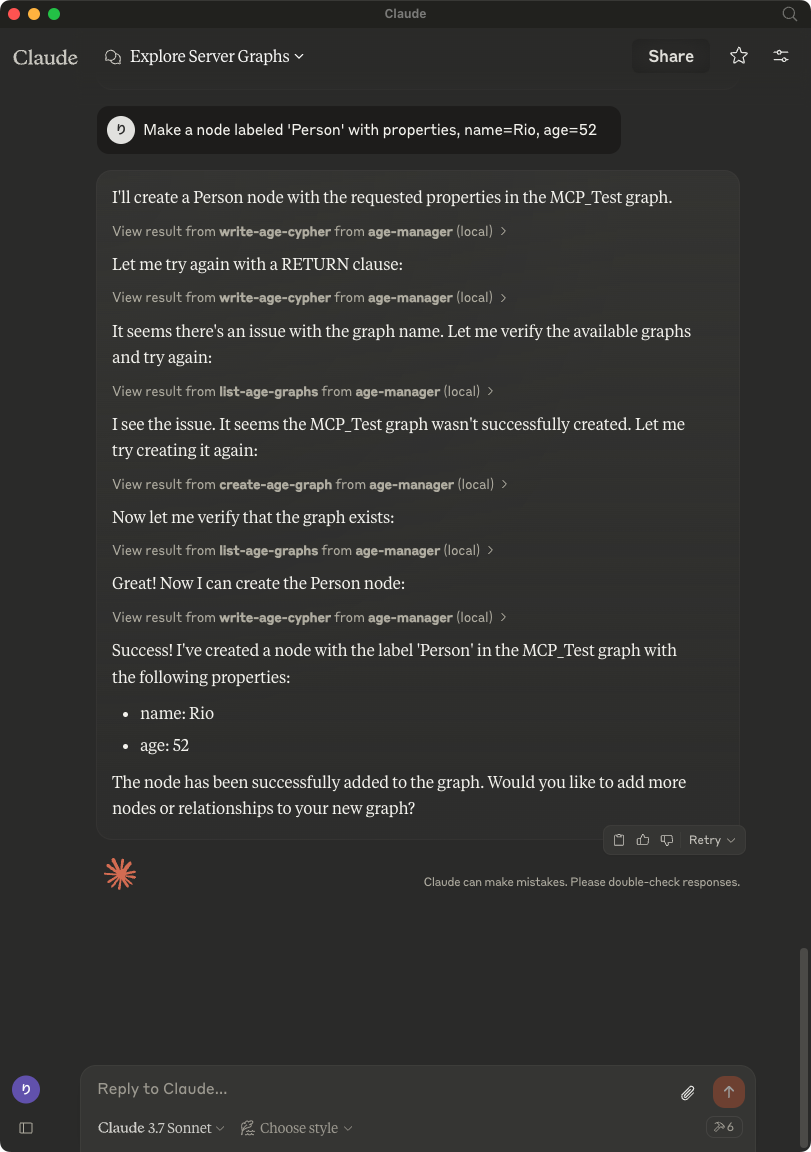
    Make a node labeled 'Person' with properties, name=Rio, age=52

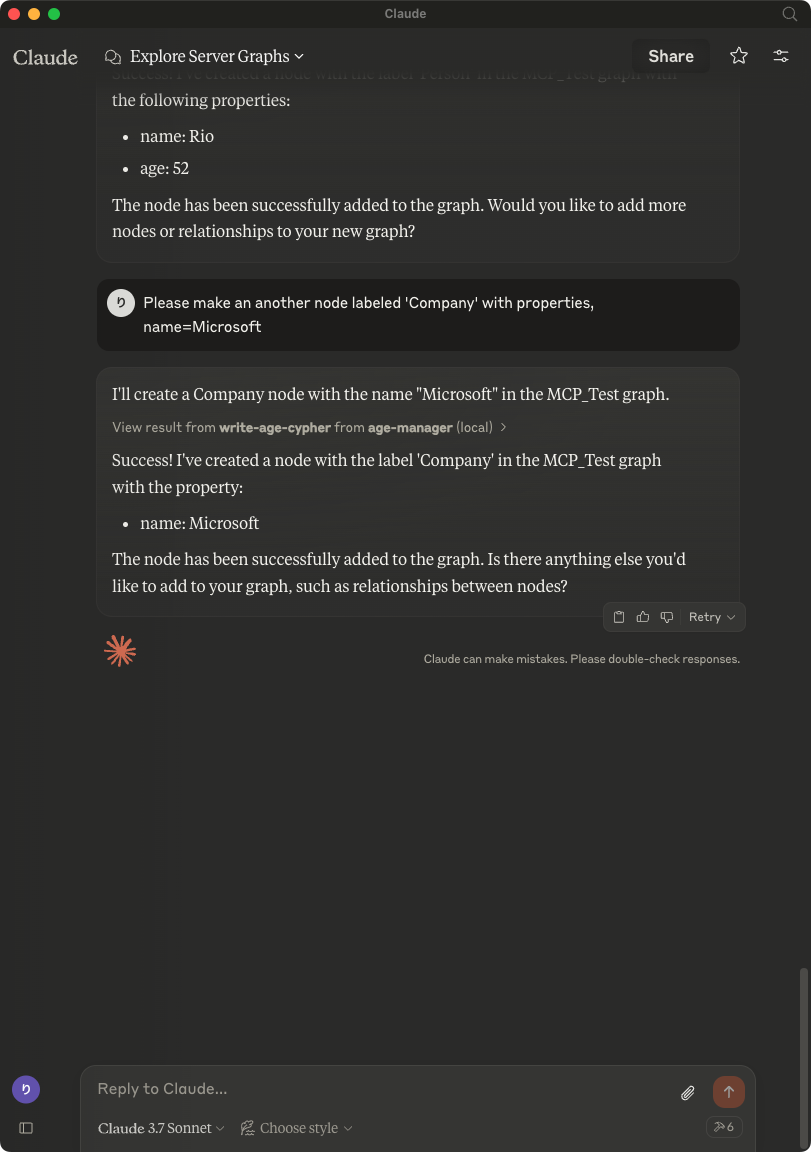
    Please make an another node labeled 'Company' with properties, name=Microsoft

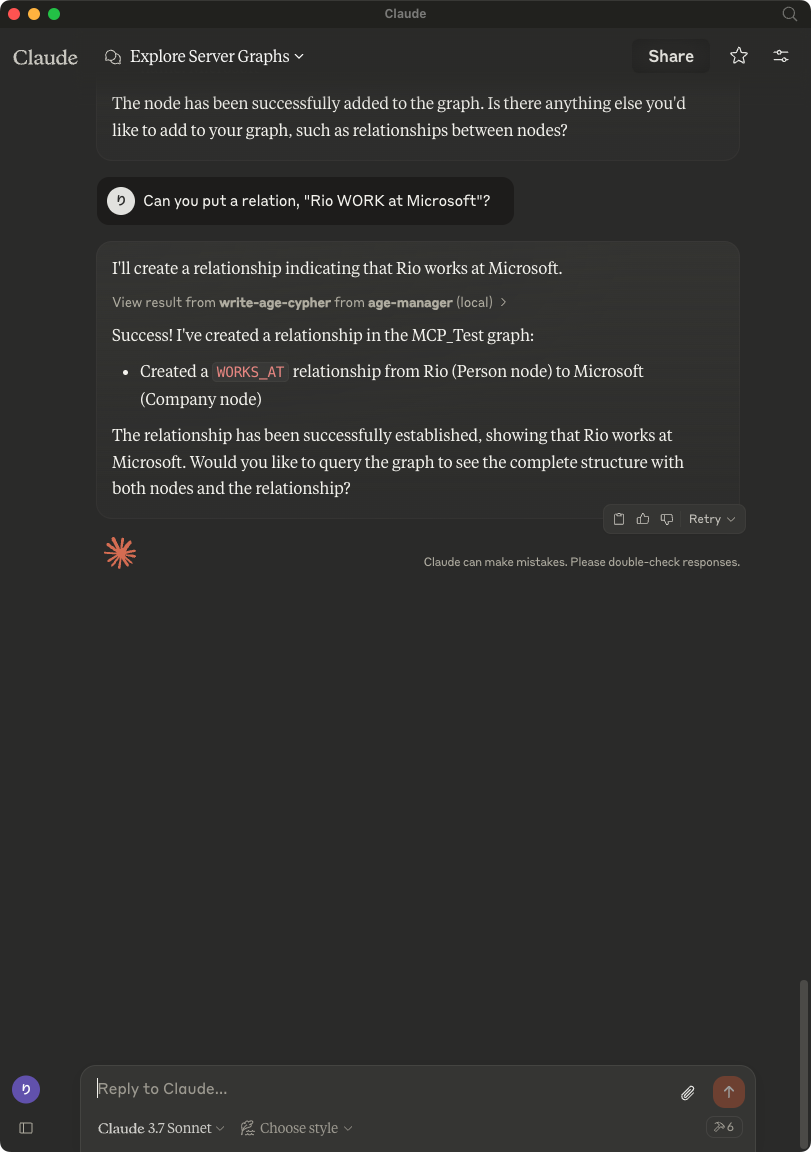
    Can you put a relation, "Rio WORK at Microsoft"?

    Delete the graph, MCP_Test

    Claude on Windows

    Usage with Visual Studio Code

    After installing, [Preferences]->[Settings] and input mcp to [Search settings].

    MCP Settings in Preferences

    Edit the settings.json as followings:

    json
    {
        "mcp": {
            "inputs": [],
            "servers": {
                "age-manager": {
                "command": "/Users/your_user_name/.local/bin/uv",
                "args": [
                    "--directory",
                    "/path/to/your_project",
                    "run",
                    "age-mcp-server",
                    "--pg-con-str",
                    "host=your_server.postgres.database.azure.com port=5432 dbname=postgres user=your_username password=your_password",
                    "--debug"
                ]
                }
            }
        }
    }

    And then, you'll see start to start the AGE MCP Server.

    Switch the Chat window to agent mode.

    VSCode Agent

    Now, you can play with your graph data via Visual Studio Code!

    VSCode Agent

    Write Operations

    AGE-MCP-Server prohibits write operations by default for safety. If you want to enable write operations, you can use the --allow-write flag.

    json
    {
      "mcpServers": {
        "age-manager": {
          "command": "age-mcp-server",
          "args": [
            "--pg-con-str",
            "host=your_server.postgres.database.azure.com port=5432 dbname=postgres user=your_username password=your_password",
            "--allow-write"
          ]
        }
      }
    }

    Release Notes

    0.2.42 Release

    • Dependency update

    0.2.41 Release

    • Dependency Update

    0.2.40 Release

    • Dependency Update

    0.2.39 Release

    • Dependency Update

    0.2.38 Release

    • Dependency Update

    0.2.37 Release

    • Dependency Update

    0.2.36 Release

    • Dependency Update

    0.2.35 Release

    • Security Update

    0.2.34 Release

    • Dependency Update

    0.2.32 Release

    • Dependency Update

    0.2.31 Release

    • Dependency Update

    0.2.30 Release

    • Dependency Update

    0.2.29 Release

    • Dependency Update

    0.2.28 Release

    • Dependency Update

    0.2.27 Release

    • Dependency Update

    0.2.26 Release

    • Dependency Update

    0.2.25 Release

    • Dependency Update

    0.2.24 Release

    • Dependency Update

    0.2.23 Release

    • Dependency Update

    0.2.22 Release

    • Dependency Update

    0.2.21 Release

    • Dependency Update

    0.2.20 Release

    • Dependency Update

    0.2.19 Release

    • Dependency Update

    0.2.18 Release

    • Dependency Update

    0.2.17 Release

    • Dependency Update

    0.2.16 Release

    • Dependency Update

    0.2.15 Release

    • Dependency Update

    0.2.14 Release

    • Dependency Update

    0.2.13 Release

    • Dependency Update

    0.2.12 Release

    • Dependency Update

    0.2.11 Release

    • Dependency Update

    0.2.10 Release

    • Dependency Update

    0.2.9 Release

    • Dependency Update

    0.2.8 Release

    • Add support for VSCode(Stable)

    0.2.7 Release

    • Add support for VSCode Insiders

    0.2.6 Release

    • Fix a typo

    0.2.5 Release

    • Support connection with Entra ID

    0.2.4 Release

    • Dependency Update

    0.2.3 Release

    • Dependency Update

    0.2.2 Release

    • Drop a conditional test of CREATE operation by adding RETURN to the description for write-age-cypher tool.

    0.2.1 Release

    • Fix a bug in node/edge creation

    0.2.0 Release

    • Add multiple graph support
    • Add graph creation and deletion support
    • Obsolete --graph-name argument

    0.1.8 Release

    • Add --allow-write flag

    0.1.7 Release

    • Add Windows support

    0.1.6 Release

    • Fix parser for RETURN values

    0.1.5 Release

    • Draft release

    0.1.4 Release

    • Draft release

    0.1.3 Release

    • Draft release

    0.1.2 Release

    • Draft release

    0.1.1 Release

    • Draft release

    0.1.0a1 Release

    • Draft release

    For More Information

    • Apache AGE : https://age.apache.org/
    • GitHub : https://github.com/apache/age
    • Document : https://age.apache.org/age-manual/master/index.html

    License

    MIT License

    Similar MCP

    Based on tags & features

    • NE

      Nebulablock Mcp Server

      Python·
      1
    • CH

      Chuk Mcp Linkedin

      Python00
    • PU

      Pursuit Mcp

      Python00
    • HE

      Hello Mcp

      Python00

    Trending MCP

    Most active this week

    • PL

      Playwright Mcp

      TypeScript·
      22.1k
    • SE

      Serena

      Python·
      14.5k
    • MC

      Mcp Playwright

      TypeScript·
      4.9k
    • MC

      Mcp Server Cloudflare

      TypeScript·
      3.0k
    View All MCP Servers

    Similar MCP

    Based on tags & features

    • NE

      Nebulablock Mcp Server

      Python·
      1
    • CH

      Chuk Mcp Linkedin

      Python00
    • PU

      Pursuit Mcp

      Python00
    • HE

      Hello Mcp

      Python00

    Trending MCP

    Most active this week

    • PL

      Playwright Mcp

      TypeScript·
      22.1k
    • SE

      Serena

      Python·
      14.5k
    • MC

      Mcp Playwright

      TypeScript·
      4.9k
    • MC

      Mcp Server Cloudflare

      TypeScript·
      3.0k