Demostrate simple mcp server with typescript.
Documentation
Hello World MCP Server
Welcome to the Hello World MCP Server! This project demonstrates how to set up a server using the Model Context Protocol (MCP) SDK. It includes tools, prompts, and endpoints for handling server-sent events (SSE) and messages.
This project is part of the blog post: Building a TypeScript MCP Server: A Guide for Integrating Existing Services. Visit the blog to learn more about the concepts and implementation details behind this project.
---
Features
- MCP Integration: Uses the MCP SDK to create a server with tools and prompts.
- Express Framework: Handles HTTP endpoints for SSE and message communication.
- Environment Configuration: Uses
.envfiles for easy configuration. - TypeScript Support: Fully typed codebase for better developer experience.
---
Prerequisites
Before you begin, ensure you have the following installed:
1. Node.js (v16 or higher) - Download here
2. npm (comes with Node.js) or yarn
---
Getting Started
Follow these steps to set up and run the project:
1. Clone the Repository
If you haven't already, clone the repository to your local machine:
git clone https://github.com/your-username/hello-world-mcp-server.git
cd hello-world-mcp-server
2. Install Dependencies
Install the required dependencies using npm or yarn:
npm installor
yarn install3. Configure Environment Variables
The project uses a .env file to configure the server's port. A sample .env.example file is provided.
1. Copy the .env.example file to .env:
cp .env.example .env2. Open the .env file and update the PORT variable if needed. The default is 4000.
PORT=40004. Build the Project
Compile the TypeScript code into JavaScript:
npm run buildThis will generate the compiled files in the dist directory.
5. Run the Server
Start the server in production mode:
npm startAlternatively, for development mode with live reloading, use:
npm run dev---
Testing the Server
1. Using the MCP Inspector
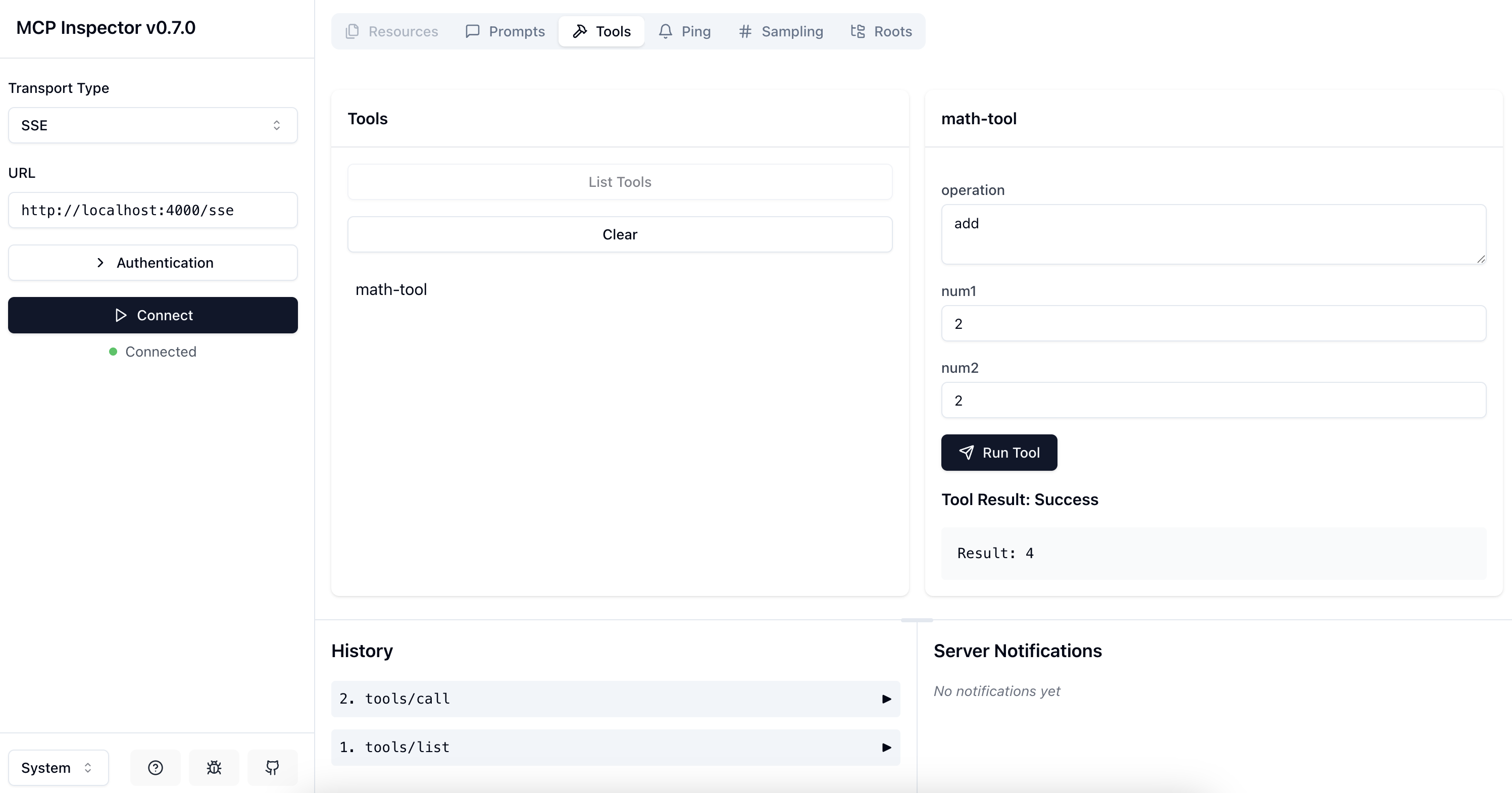
The MCP Inspector is a tool to test and inspect your MCP server. You can use it to verify that your tools and prompts are registered correctly.
Run the following command to inspect your server:
npx @modelcontextprotocol/inspector ./dist/server.jsThis will open an interactive interface where you can test the tools and prompts registered in your server like below.
---
Project Structure
Here’s an overview of the project structure:
hello-world-mcp-server/
├── src/
│   ├── server.ts                     # Main server entry point
│   ├── modules/
│   │   ├── tools.ts                  # Registers MCP tools
│   │   ├── prompts.ts                # Registers MCP prompts
│   │   └── transports.ts             # Handles SSE and message endpoints
├── .env                              # Environment variables
├── .env.example                      # Example environment variables
├── package.json                      # Project metadata and scripts
├── tsconfig.json                     # TypeScript configuration
└── README.md                         # Project documentation
---
Troubleshooting
Common Issues
1. Port Already in Use: If you see an error about the port being in use, update the PORT variable in the .env file.
2. TypeScript Errors: Ensure you’ve installed all dependencies and are using the correct Node.js version.
Debugging
Use the following command to debug the server:
npm run devThis will start the server with live reloading and detailed logs.
---
Related Projects
- Ollama Pydantic Project: A counter project implementing an LLM agent that utilizes the tools developed in this project. Learn more about it in the blog post: Integrating MCP Server with a Local LLM Chatbot.
---
Contributing
Contributions are welcome! Feel free to open issues or submit pull requests.
---
License
This project is licensed under the MIT License. See the LICENSE file for details.
Similar MCP
Based on tags & features
Trending MCP
Most active this week