MCP Server for Colors
2 stars
C#
Updated Jul 15, 2025
Documentation
ColorsMCP - Model Context Protocol (MCP) Server
Overview
This is a Model Context Protocol (MCP) server implementation built with .NET 9.0.
This can be used to access knowledge about Colors.
More information [https://markharrison.io/doc-mcp]()
Different projects are provided to support:
- STDIO
- Http Streamable - Docker Image
- Http Streamable with OAuth authentication/authorization - Docker Image
- SSE - Azure Function App
Example
text
I need a palette of four colors from the blue family - plus black ...
   please add to colors.html so I can inspect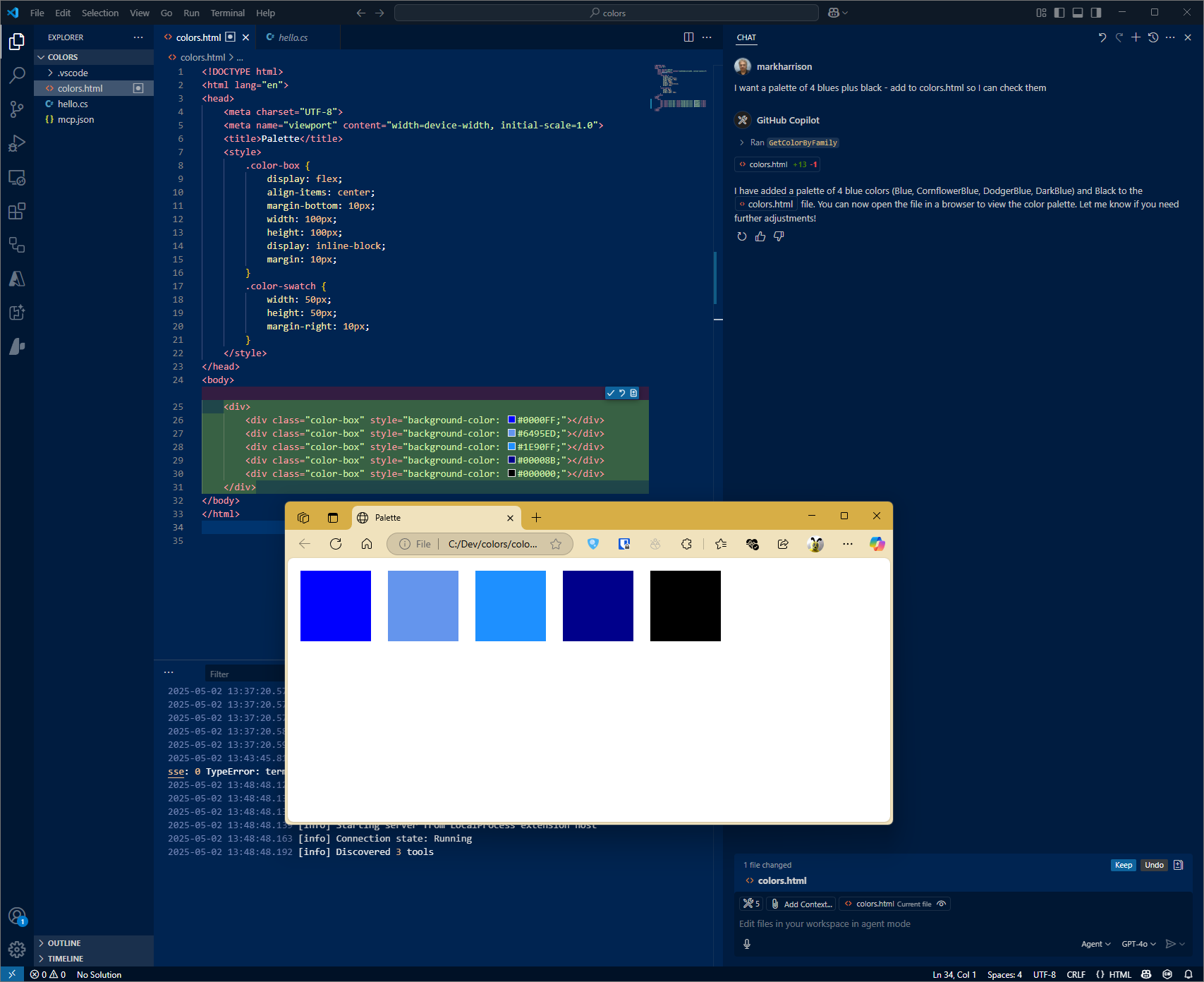
Configuration STDIO
VSCode config
Filename: .vscode\mcp.json
JSON
{
    "servers": {
        "colorsserver": {
            "type": "stdio",
            "command": "dotnet",
            "args": [
                "run",
                "--project",
                "c:/dev/ColorsMCP/ColorsMCP/ColorsMCP.csproj"
            ]
        }
    }
}
Configuration HTTP - Docker
Build Docker file
code
cd
docker build -f colorsmcp-http/Dockerfile -t colorsmcp-http:latest .
docker images
Run Docker file
code
docker run -p 3000:8080 -p 3001:8081 -d colorsmcp-http:latestVSCode config
Filename: .vscode\mcp.json
JSON
{
    "servers": {
        "colorsserver": {
            "type": "http",
            "url": "http://localhost:3000"
        }
    }
}
Configuration SSE - Azure Function App
Azure Functions
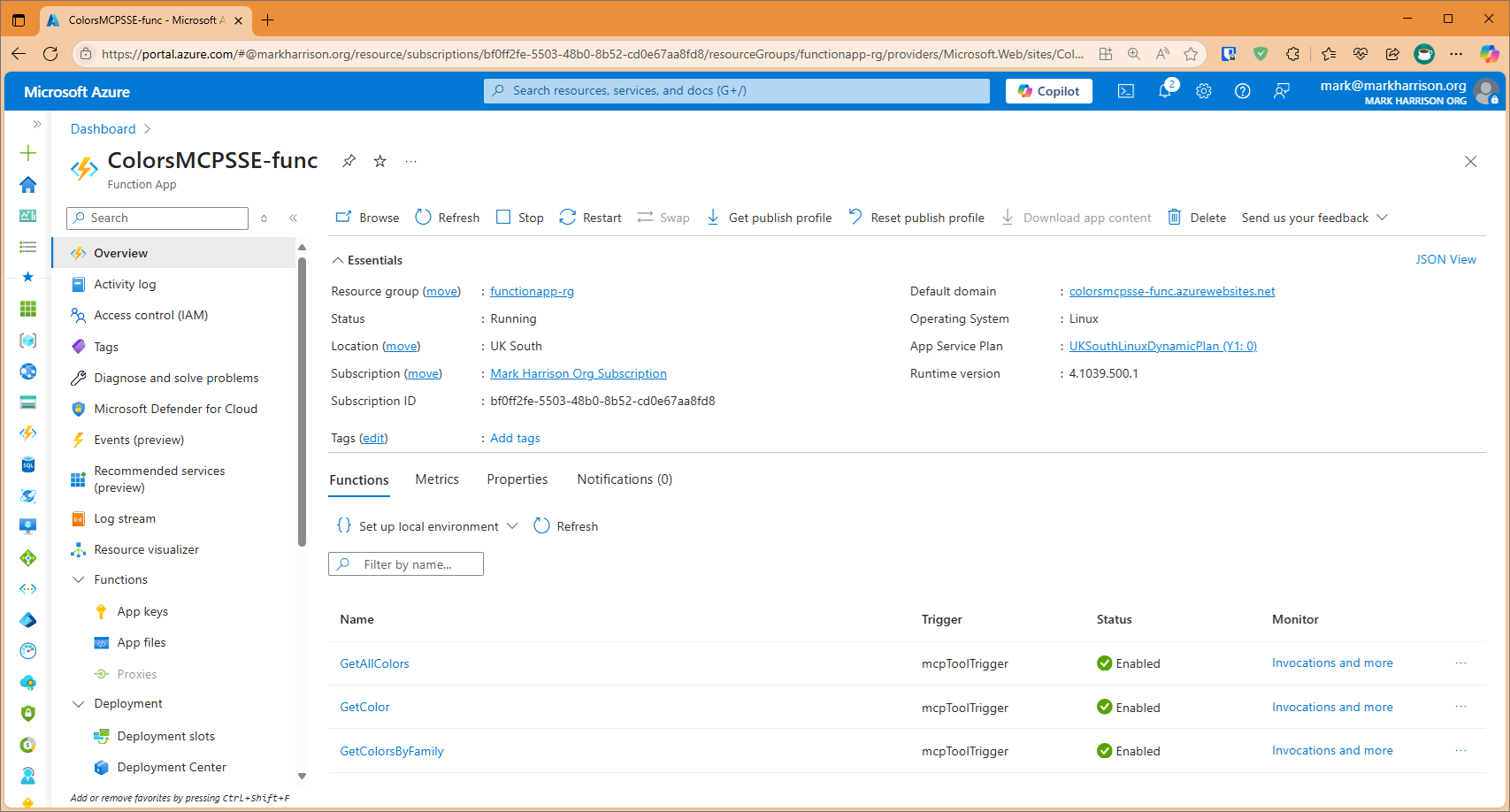
There is a project to build an Azure Function App.
Note that the Url of the MCP Server will be http://xxxxx.azurewebsites.net/runtime/webhooks/mcp/sse.
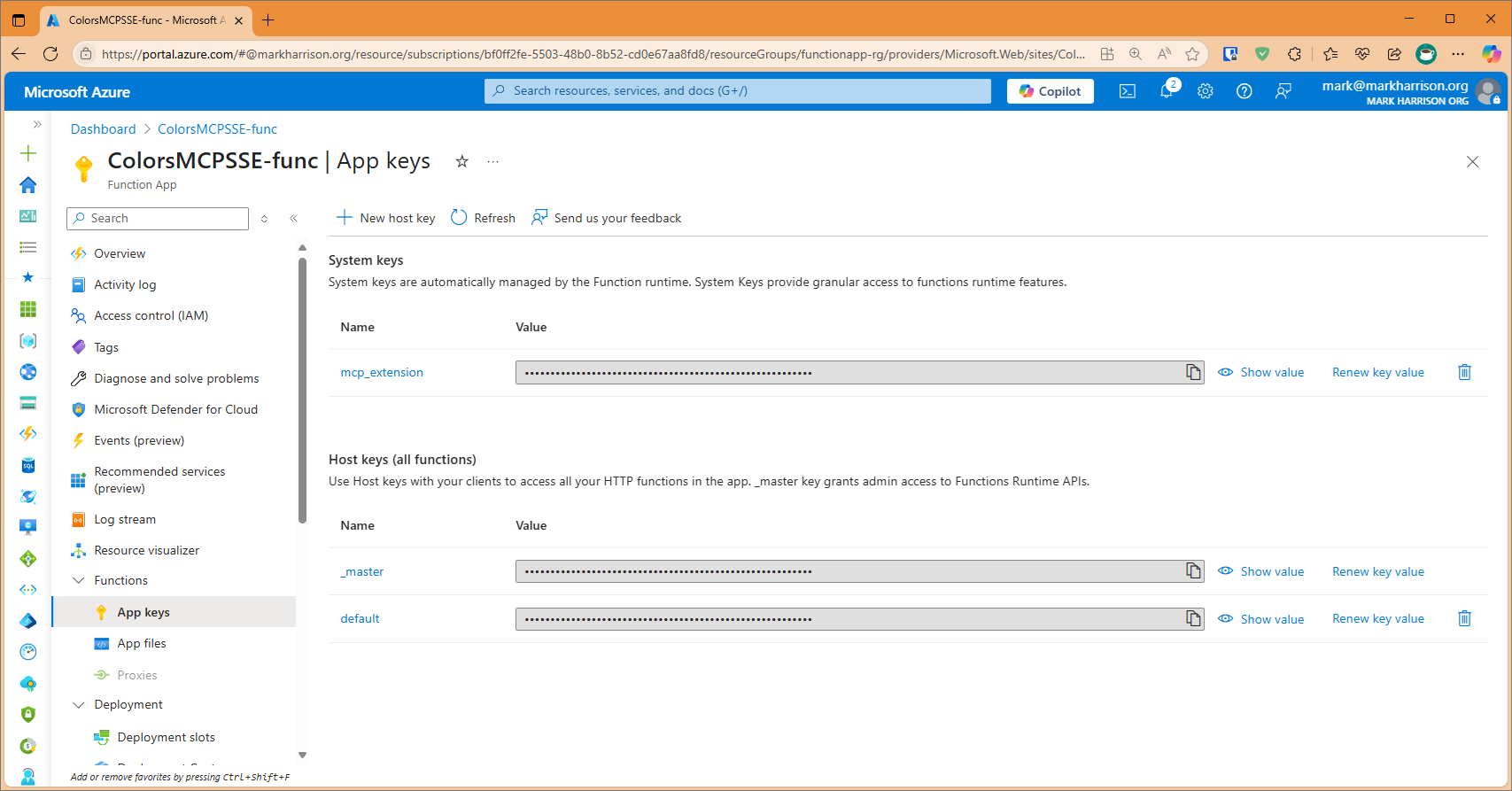
In addition a key is needed. This is located on Function App | Keys blade and is callled mcp_extension.
The header for this key is called x-functions-key.
VSCode config
The VS Code config would look like:
JSON
{
    "servers": {
        "colorsserver": {
            "type": "sse",
            "url": "https://xxxxx.azurewebsites.net//runtime/webhooks/mcp/sse",
            "headers": {
                "x-functions-key": "key"
            }
        }
    }
}
Test
code
$env:DANGEROUSLY_OMIT_AUTH = 'true'
npx @modelcontextprotocol/inspector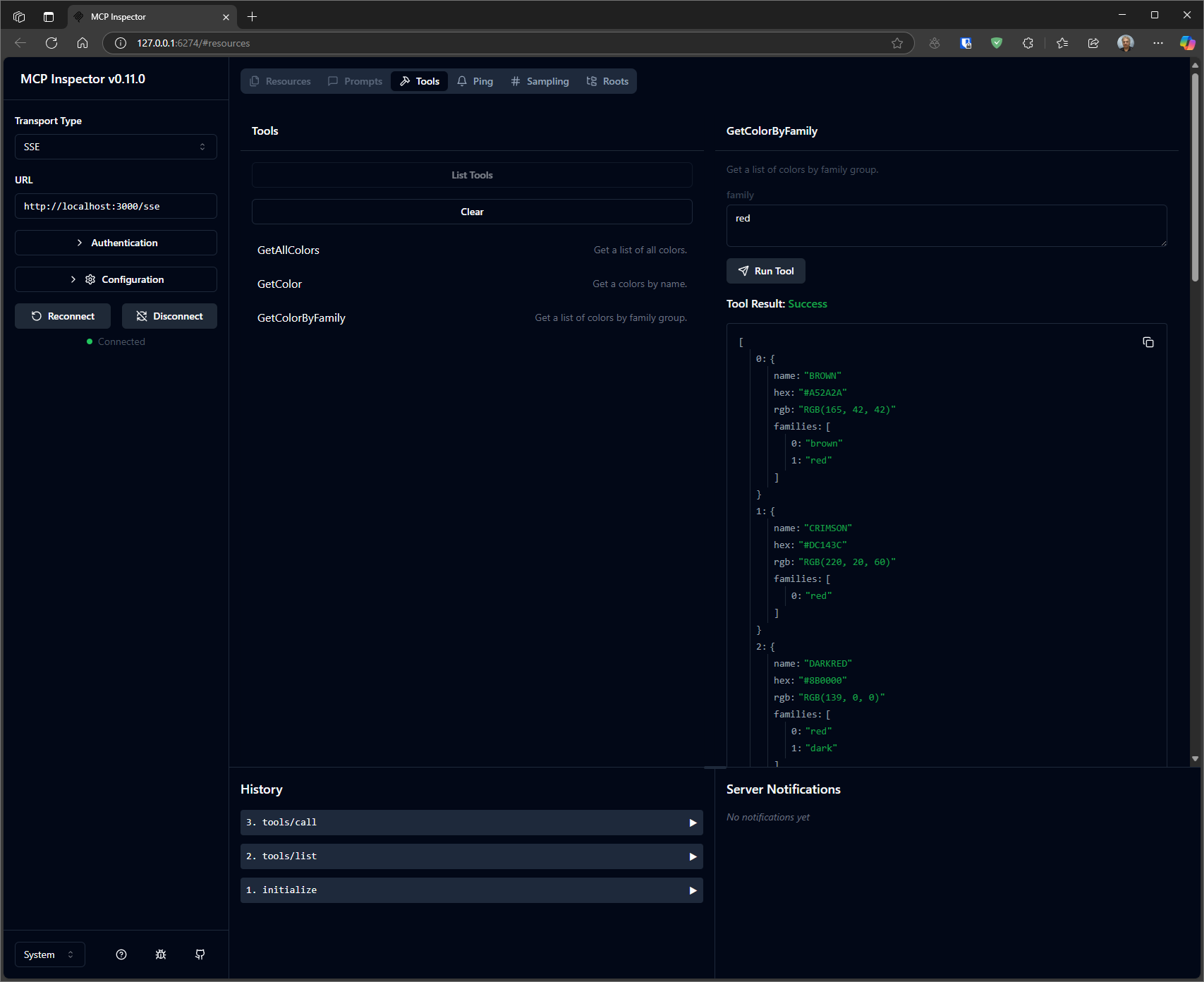
Similar MCP
Based on tags & features
Trending MCP
Most active this week