MCP server for generating beautiful code screenshots directly from Claude
Documentation
Code Screenshot Generator MCP
MCP server for generating beautiful code screenshots directly from Claude




Overview
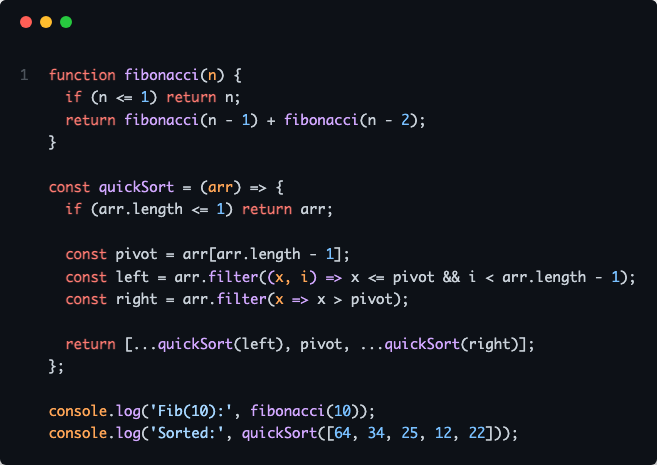
A Model Context Protocol (MCP) server that enables Claude to generate syntax-highlighted code screenshots with professional themes. Supports direct file reading, line selection, git diff visualization, and batch processing.
Features
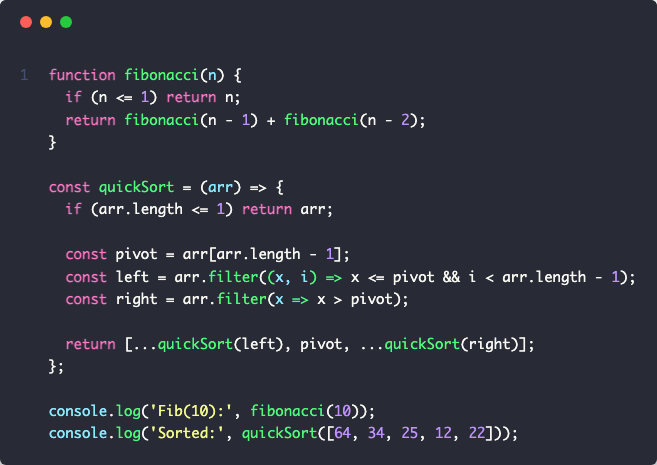
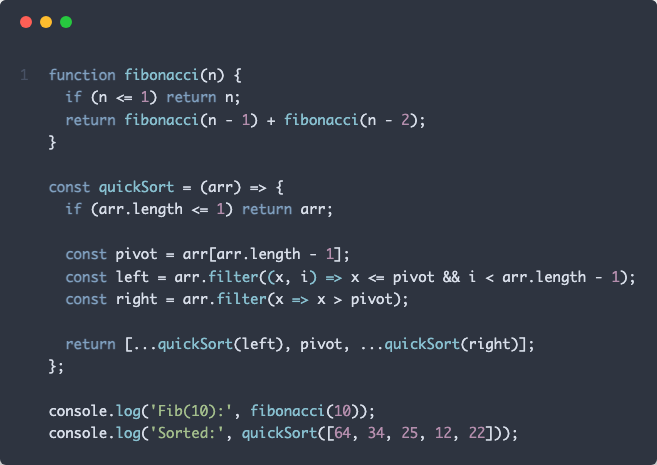
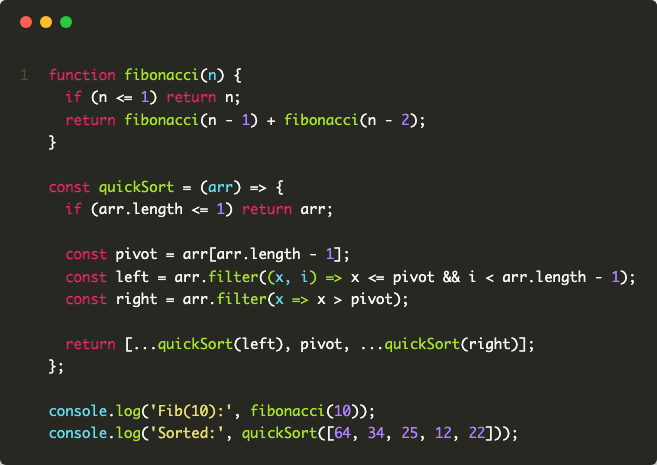
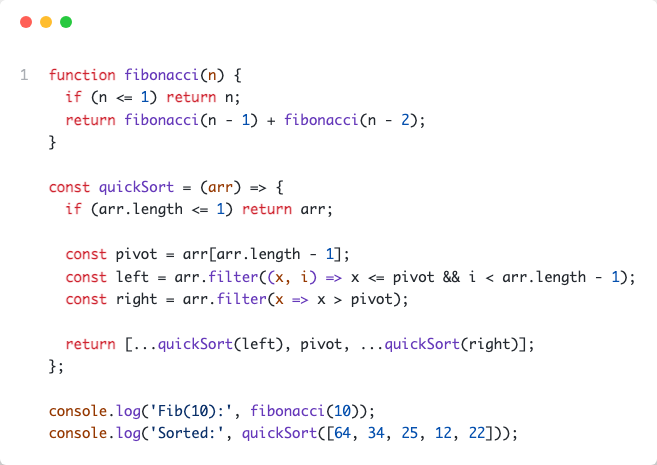
- 5 Professional Themes: Dracula, Nord, Monokai, GitHub Light, GitHub Dark
- File Integration: Screenshot code directly from file paths with line range selection
- Git Diff Support: Visualize staged or unstaged changes
- Batch Processing: Process multiple files simultaneously
- Auto Language Detection: Supports 20+ programming languages
- Native Claude Integration: Works with Claude Desktop and Claude Code
Installation
Prerequisites
npm install -g code-screenshot-mcpConfiguration
Quick Setup (Claude Code):
claude mcp add code-screenshot-mcpManual Setup (Claude Desktop):
Add to your Claude configuration file at ~/Library/Application Support/Claude/claude_desktop_config.json:
{
  "mcpServers": {
    "code-screenshot": {
      "command": "code-screenshot-mcp"
    }
  }
}
Restart Claude Desktop after configuration.
Development Setup
git clone https://github.com/MoussaabBadla/code-screenshot-mcp.git
cd code-screenshot-mcp
npm install
npm run build
Quick Start
Basic Screenshot
"Generate a code screenshot of this TypeScript function with Nord theme:

function fibonacci(n: number): number {
  if (n <= 1) return n;
  return fibonacci(n-1) + fibonacci(n-2);
}
"
From File
"Screenshot src/index.ts with Dracula theme"Specific Lines
"Screenshot lines 20-45 of src/generator.ts with Monokai theme"Git Diff
"Screenshot my git diff with GitHub Dark theme"Batch Processing
"Screenshot src/index.ts, src/generator.ts, and src/templates.ts"Available Themes
dracula- Dark purple theme (default)nord- Arctic blue-tinted thememonokai- Classic dark themegithub-light- Clean light themegithub-dark- GitHub's dark theme
API Reference
generate_code_screenshot
Generate a screenshot from code string.
Parameters:
code(string, required) - Source code to screenshotlanguage(string, required) - Programming language identifiertheme(string, optional) - Color theme (default: "dracula")
Returns: PNG image with base64 encoding
screenshot_from_file
Screenshot code from file path with automatic language detection.
Parameters:
filePath(string, required) - Path to source filestartLine(number, optional) - Start line number (1-indexed)endLine(number, optional) - End line numbertheme(string, optional) - Color theme (default: "dracula")
Supported Extensions:
.js, .jsx, .ts, .tsx, .py, .rb, .go, .rs, .java, .c, .cpp, .cs, .php, .swift, .kt, .sql, .sh, .yml, .yaml, .json, .xml, .html, .css, .scss, .md
Returns: PNG image with base64 encoding
screenshot_git_diff
Generate screenshot of git diff output.
Parameters:
filePath(string, optional) - Specific file to diff (shows all if omitted)staged(boolean, optional) - Show staged changes instead of unstagedtheme(string, optional) - Color theme (default: "dracula")
Returns: PNG image with base64 encoding
batch_screenshot
Process multiple files in a single operation.
Parameters:
filePaths(string[], required) - Array of file pathstheme(string, optional) - Theme applied to all screenshots (default: "dracula")
Returns: Array of PNG images with success/failure status
Examples
Dracula Theme
Nord Theme
Monokai Theme
GitHub Light Theme
GitHub Dark Theme
Contributing
Contributions are welcome. Please follow these steps:
1. Fork the repository
2. Create a feature branch: git checkout -b feature/your-feature
3. Commit changes: git commit -m 'Add your feature'
4. Push to branch: git push origin feature/your-feature
5. Submit a pull request
License
MIT License - Copyright (c) 2025 Moussaab Badla
See LICENSE file for details.
Acknowledgments
Built with Model Context Protocol, Playwright, and Highlight.js.
---
Repository: github.com/MoussaabBadla/code-screenshot-mcp
Similar MCP
Based on tags & features
Trending MCP
Most active this week