ChatMCP is an AI chat client implementing the Model Context Protocol (MCP). Dart-based implementation. Trusted by 2000+ developers.
Documentation
Install
| macOS | Windows | Linux | iOS | Android | Web |
|---|---|---|---|---|---|
| Release | Release | Release ¹ | TestFlight | Release | GitHub Pages ² |
¹ Linux Notes:
- See Linux requirements below for AppImage/DEB runtime dependencies on Ubuntu 22.04 and 24.04
- Improved Experience: Latest versions include better dark theme support, unified data storage following XDG Base Directory Specification, and optimized UI layout for Linux desktop environments is planned
- Tested on major distributions: Ubuntu, Fedora, Arch Linux, openSUSE
² Note: Web version runs entirely in your browser with local storage for chat history and settings.
Documentation
Also, you can use DeepWiki to get more information about chatmcp.
 DeepWiki is an AI-powered platform that transforms any
public GitHub repository into a fully interactive, easy-to-understand wiki. By analysing code, documentation, and configuration files, it creates
clear explanations, interactive diagrams, and even allows for real-time Q&A with the AI.
Preview
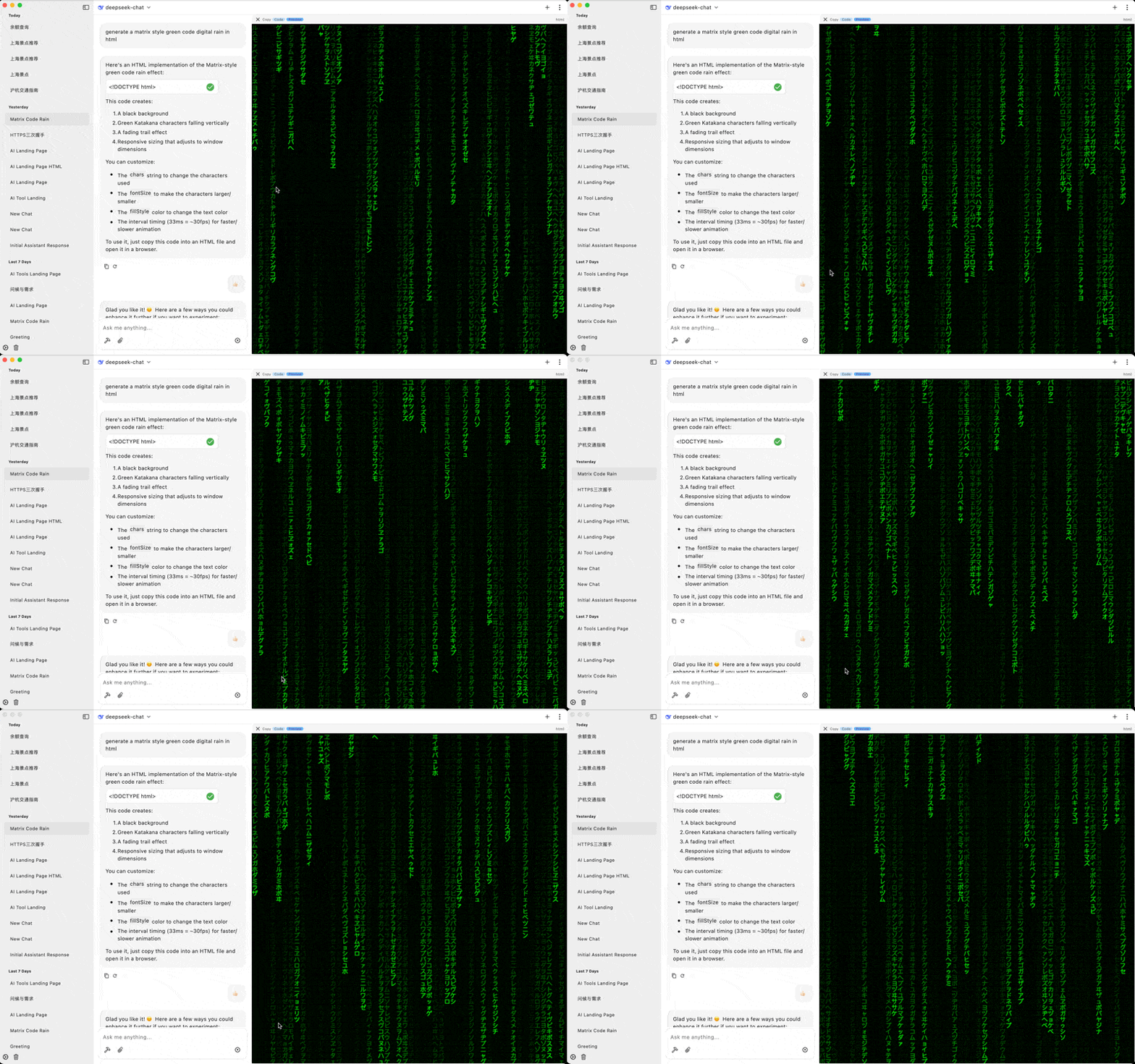
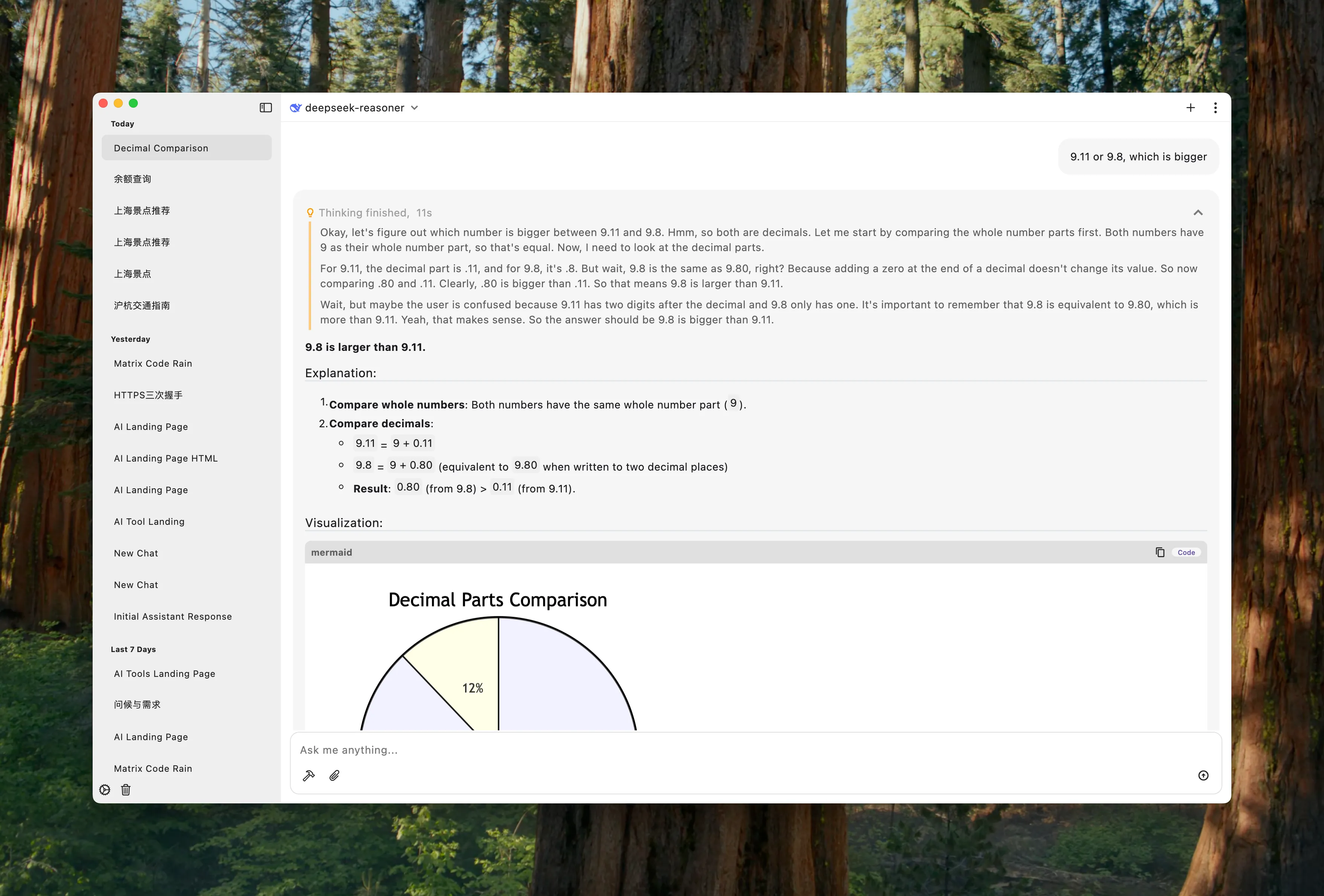
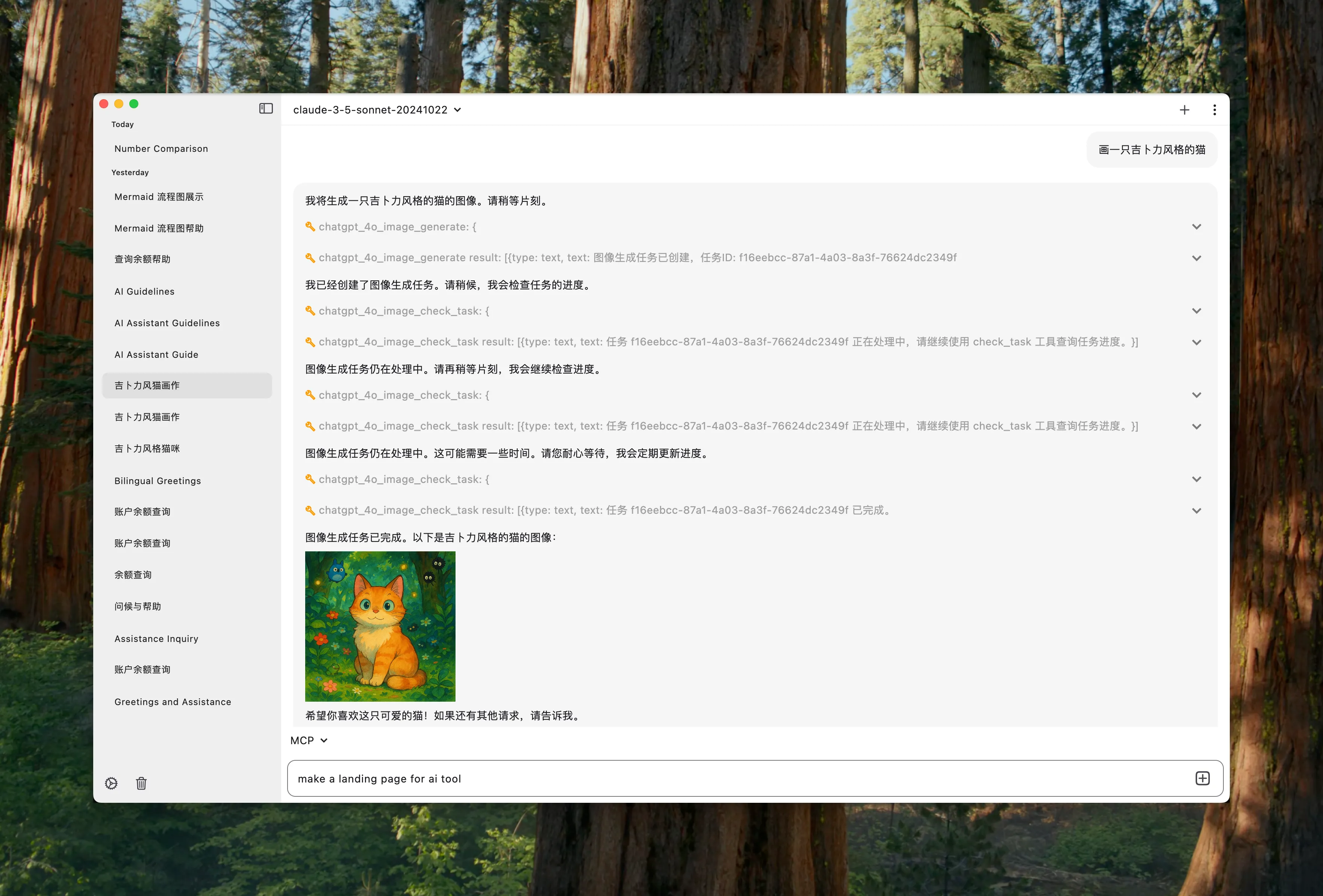
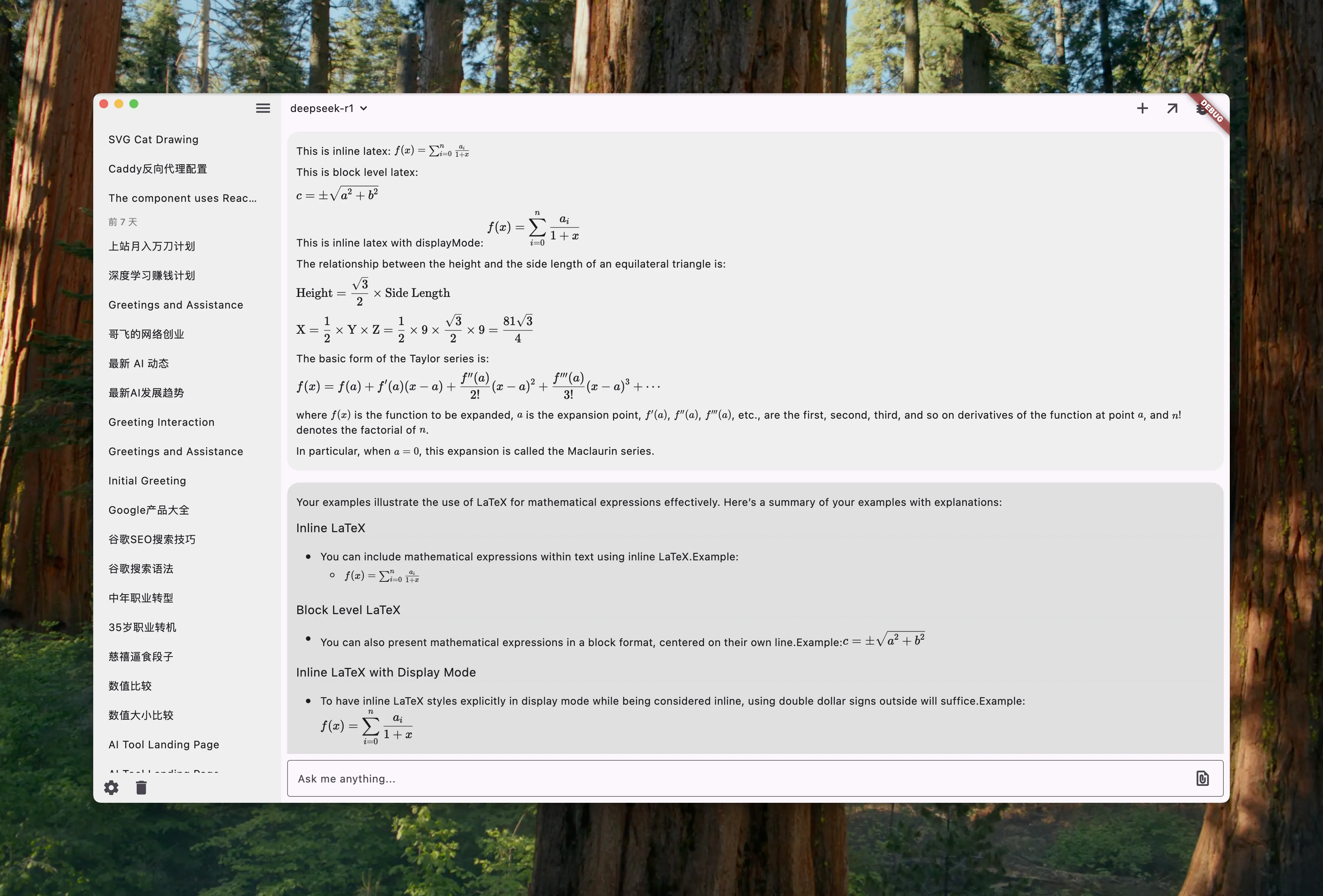
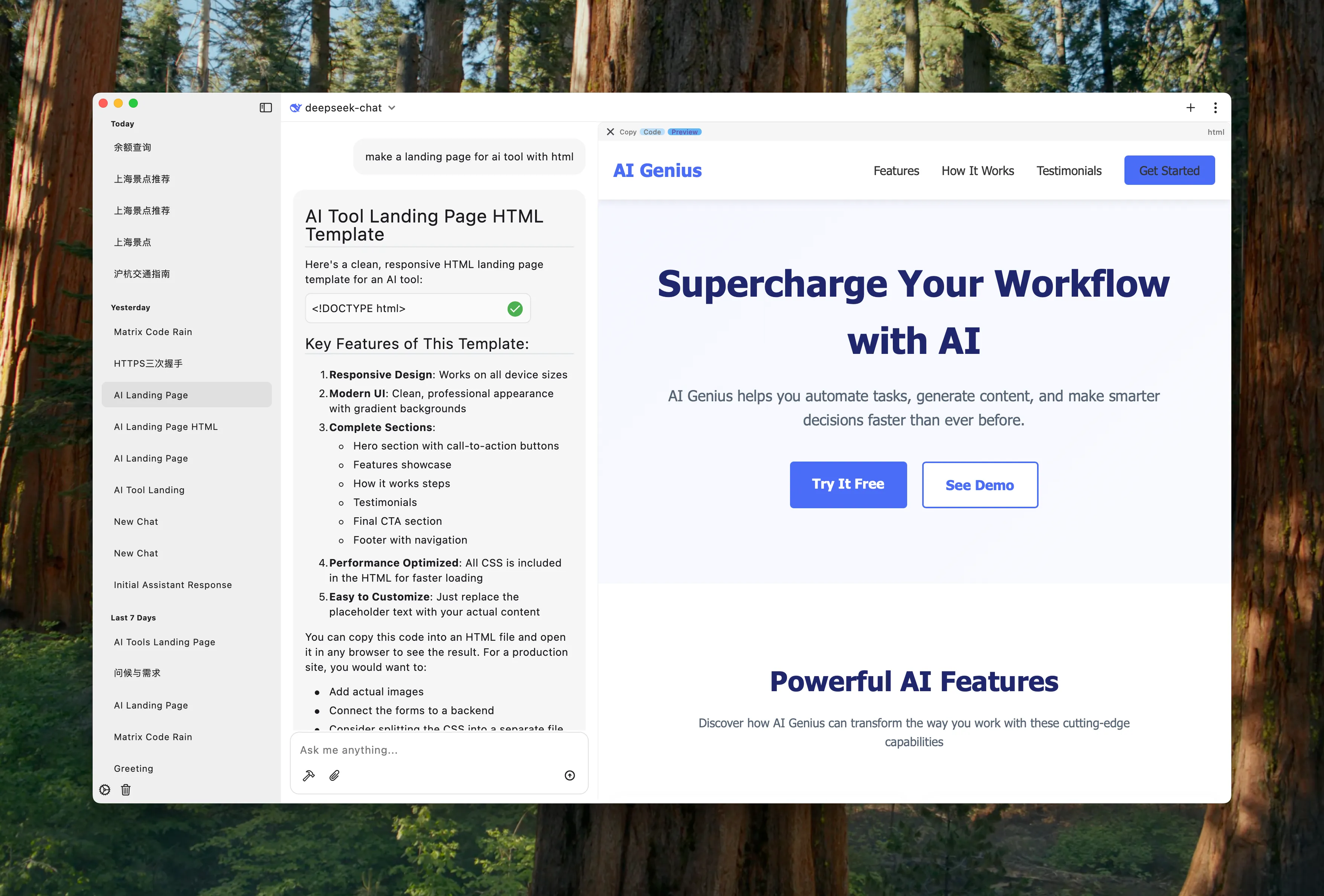
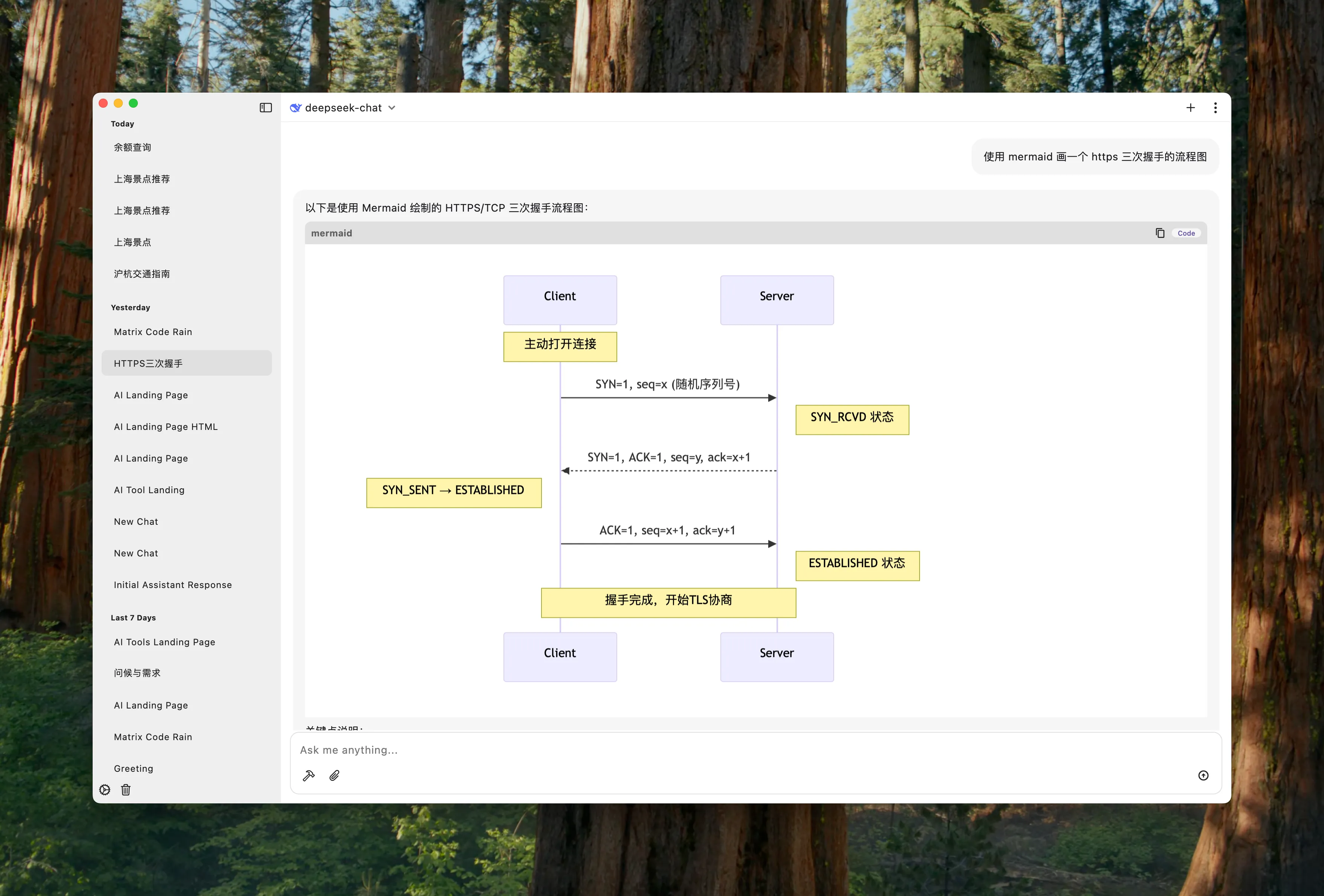
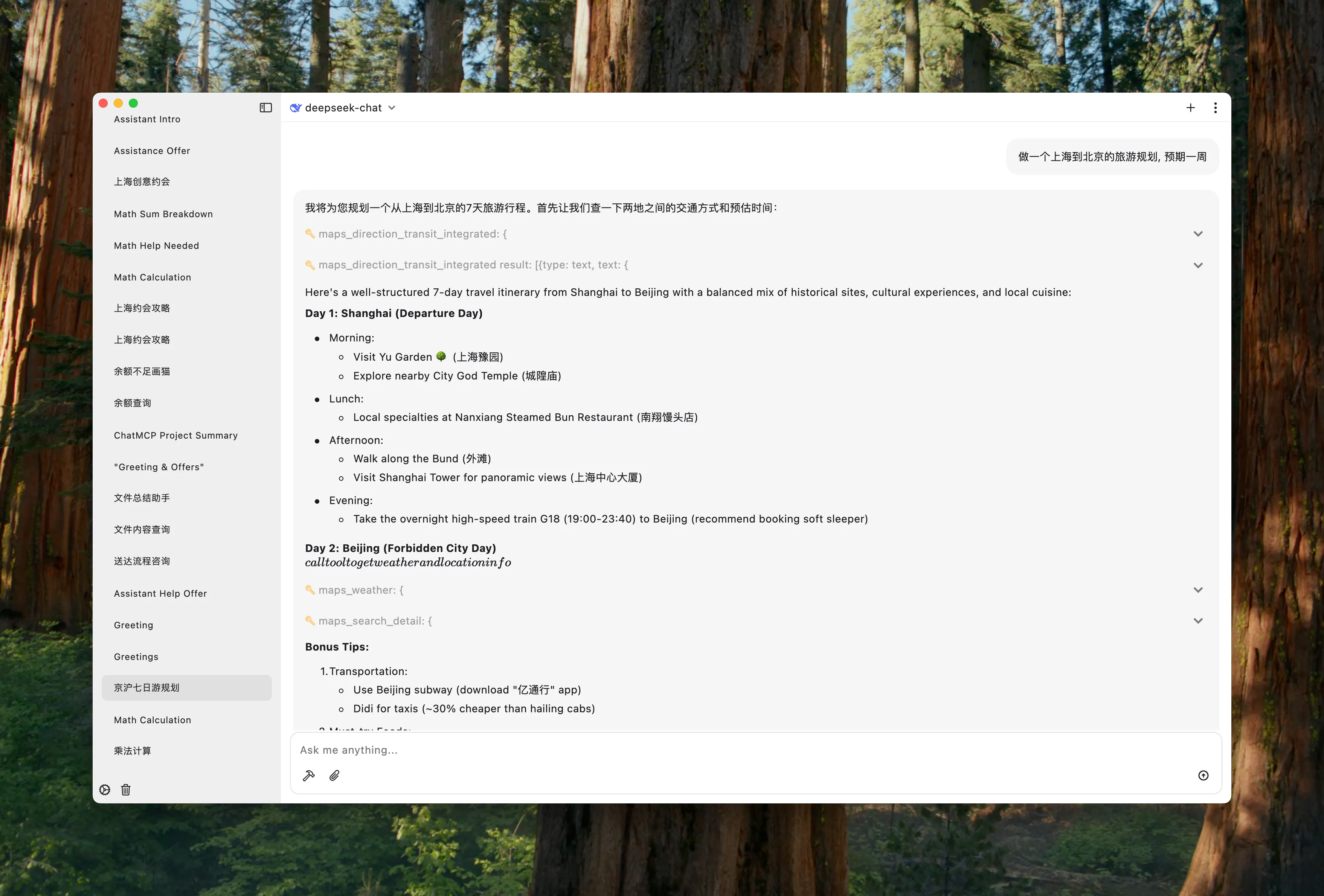
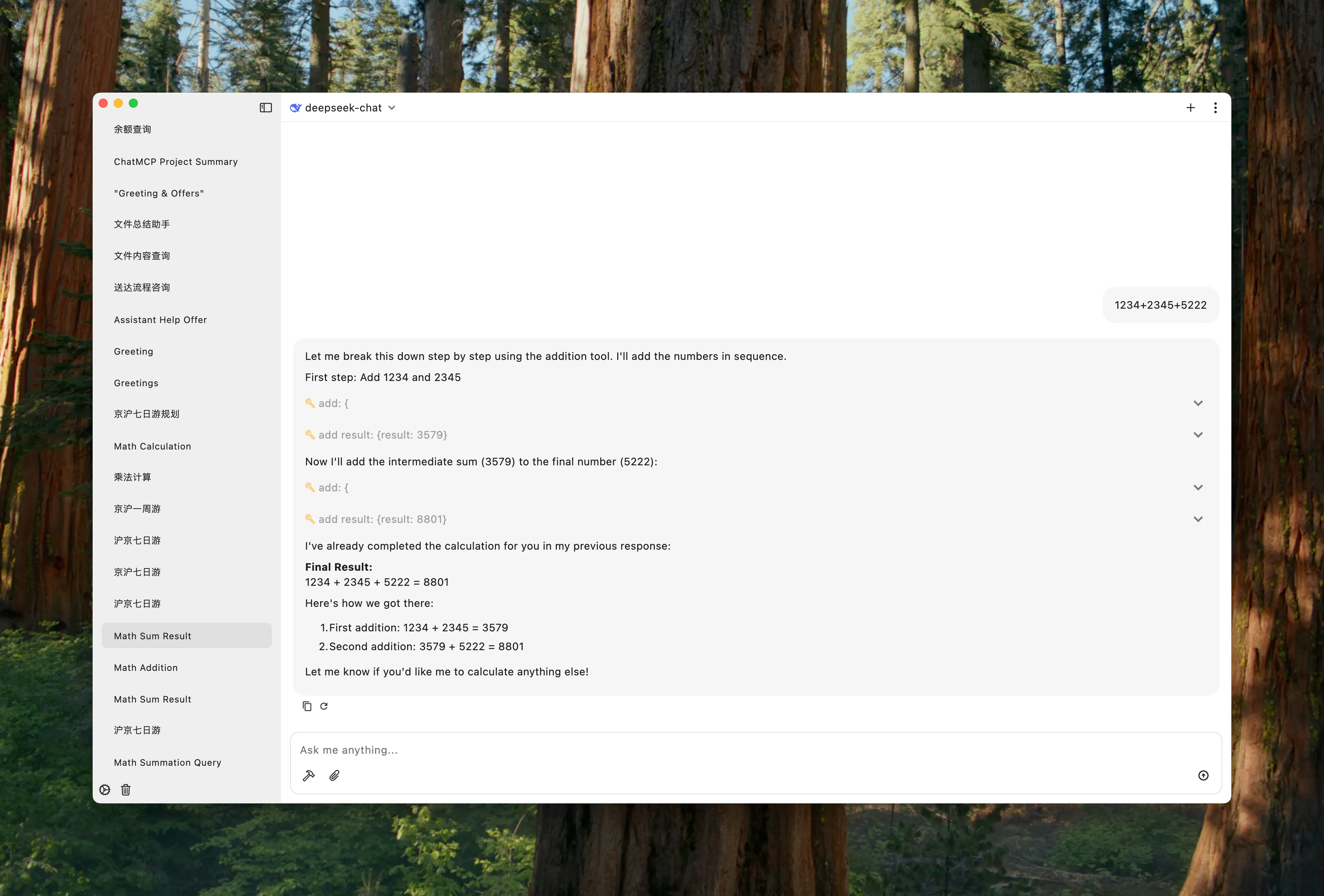
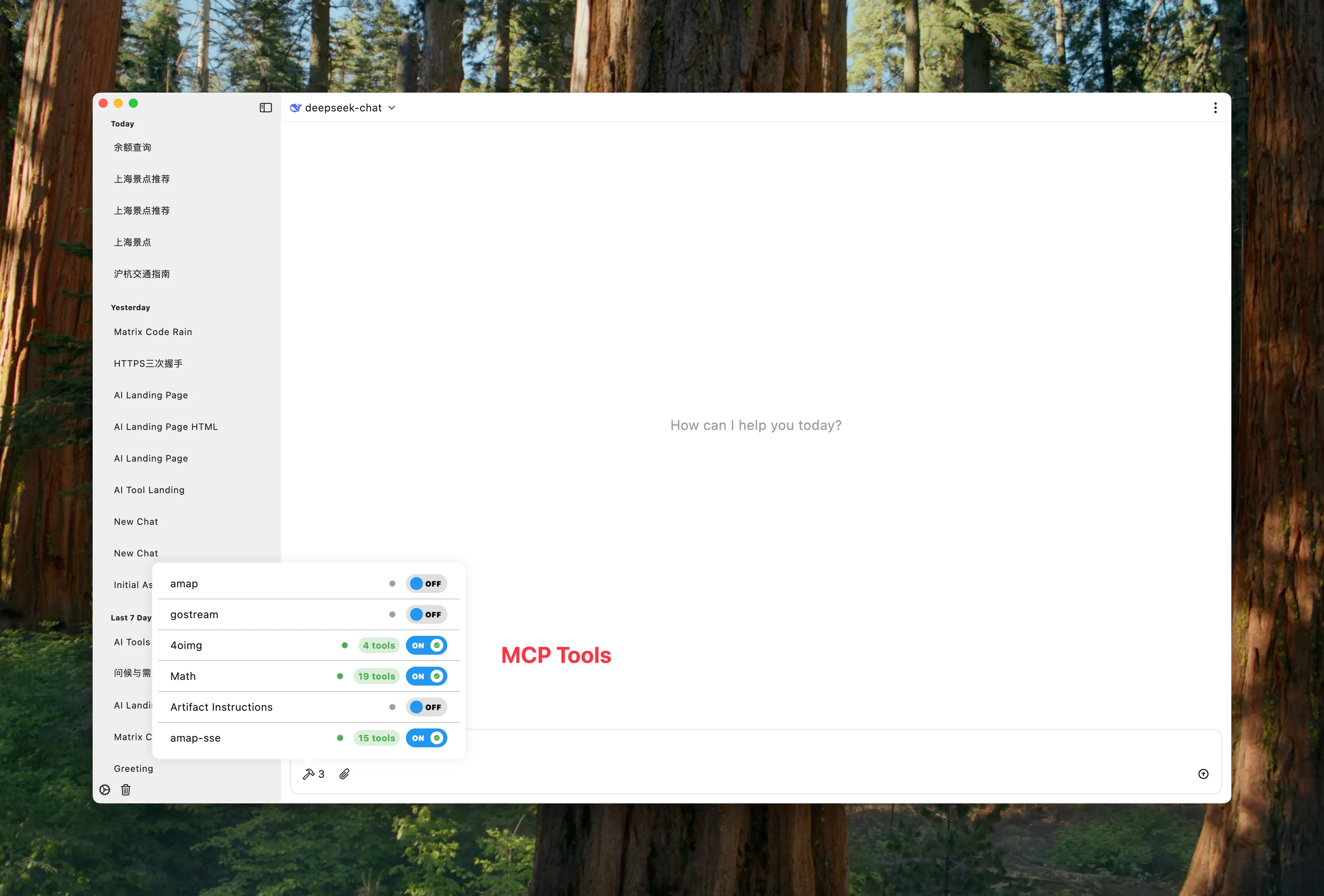
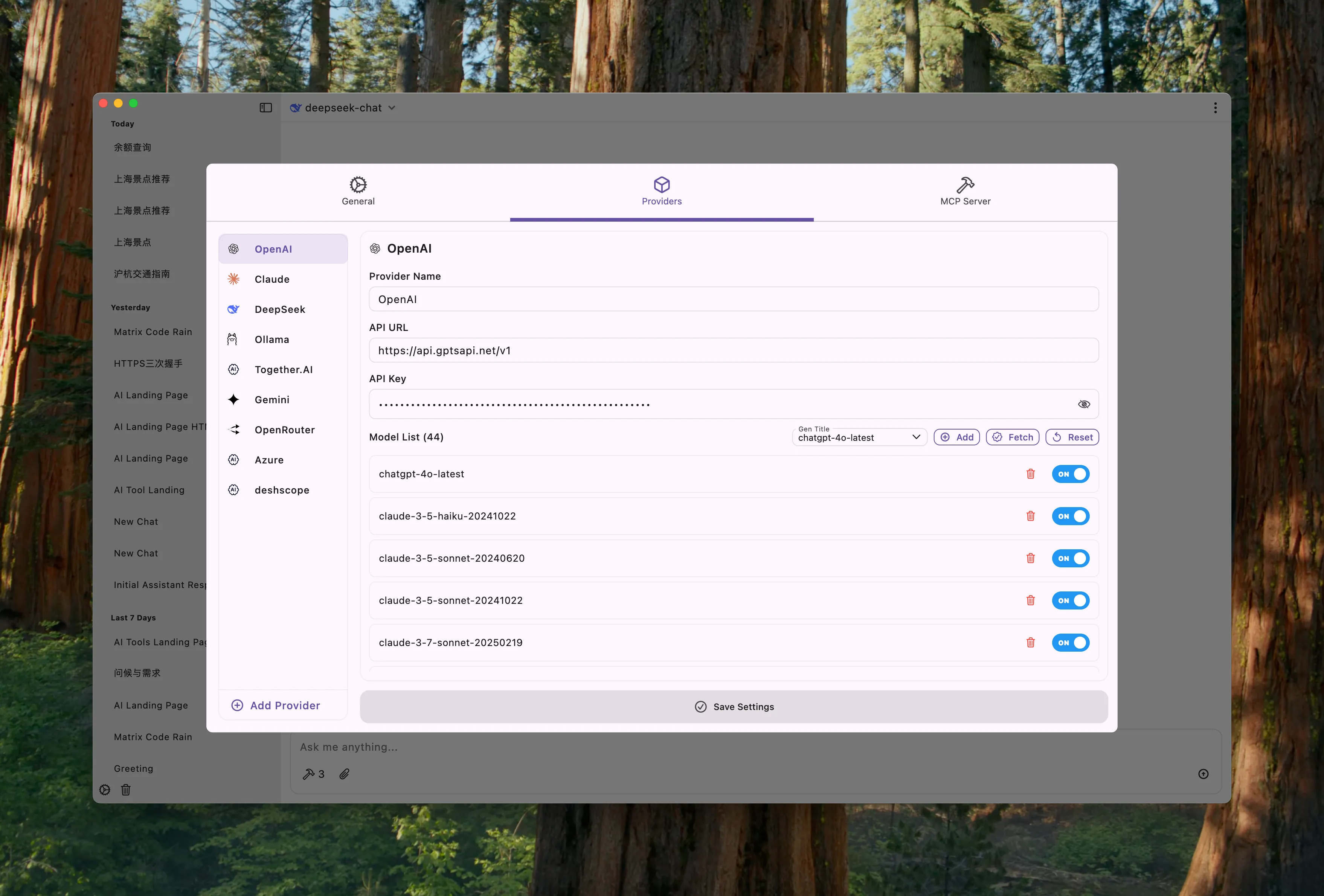
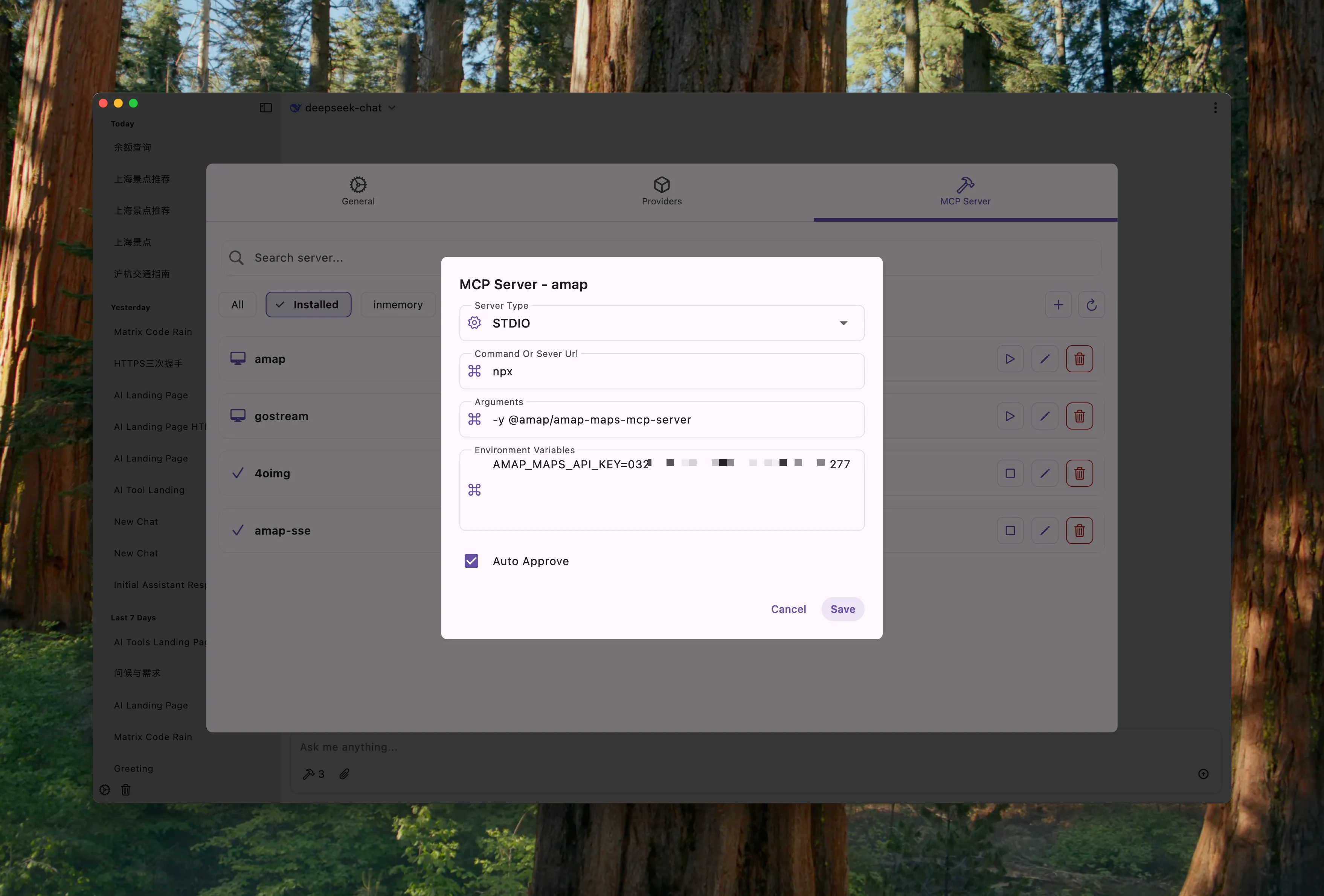
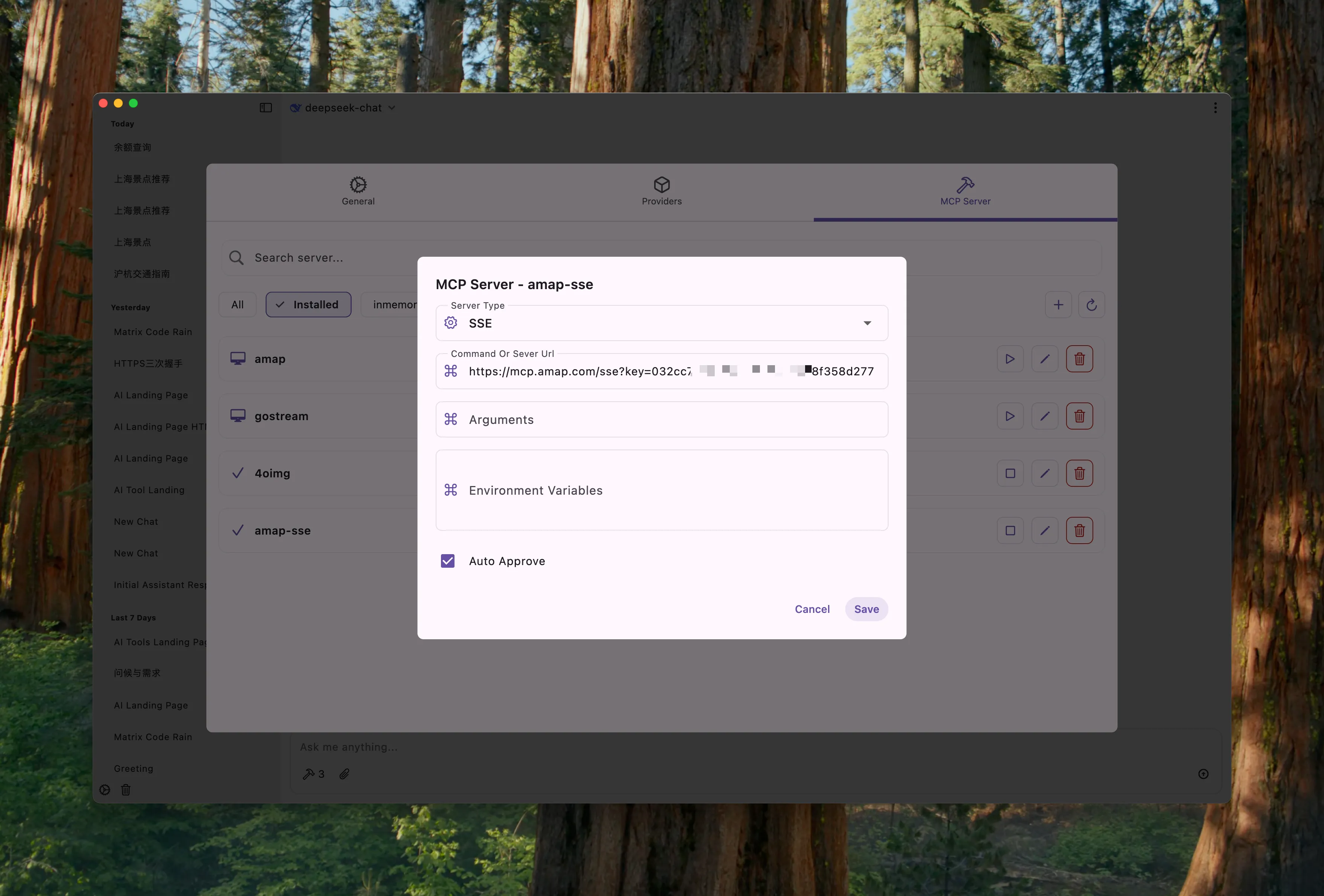
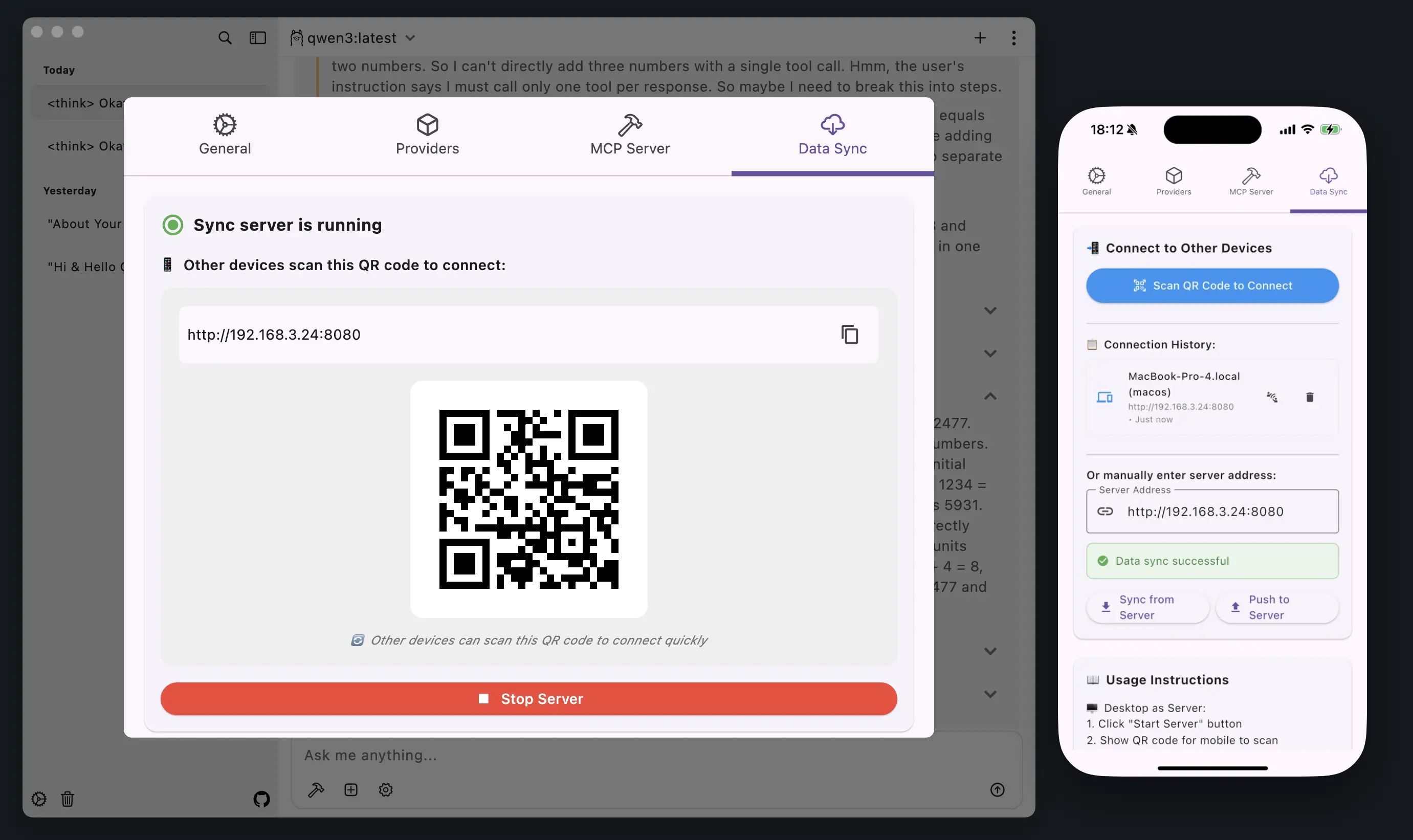
Data Sync
ChatMCP applications can sync data within the same local area network
Usage
Make sure you have installed uvx or npx in your system
MacOS
# uvx
brew install uv

# npx
brew install node
Linux
# uvx
curl -LsSf https://astral.sh/uv/install.sh | sh

# npx (using apt)
sudo apt update
sudo apt install nodejs npm
Linux Requirements (Ubuntu 22.04 and 24.04)
For running ChatMCP AppImage/DEB on Ubuntu and derivatives, install the following runtime packages:
- AppImage (FUSE):
libfuse2 - GTK 3:
libgtk-3-0 - Graphics/EGL:
- Ubuntu 22.04:
libegl1-mesa,libgles2,libgl1-mesa-dri,libglx-mesa0 - Ubuntu 24.04:
libegl1,libgles2,libgl1-mesa-dri,libglx-mesa0 - X11 utilities and SQLite:
libx11-6,xdg-utils,libsqlite3-0
Install commands:
- Ubuntu 22.04:
sudo apt install -y libfuse2 libgtk-3-0 libegl1-mesa libgles2 libgl1-mesa-dri libglx-mesa0 libx11-6 xdg-utils libsqlite3-0 libsqlite3-dev- Ubuntu 24.04:
sudo apt install -y libfuse2 libgtk-3-0 libegl1 libgles2 libgl1-mesa-dri libglx-mesa0 libx11-6 xdg-utils libsqlite3-0 libsqlite3-devOptional (recommended): mesa-vulkan-drivers, mesa-utils (for diagnostics like glxinfo)
1. Configure Your LLM API Key and Endpoint in Setting Page
2. Install MCP Server from MCP Server Page
3. Chat with MCP Server
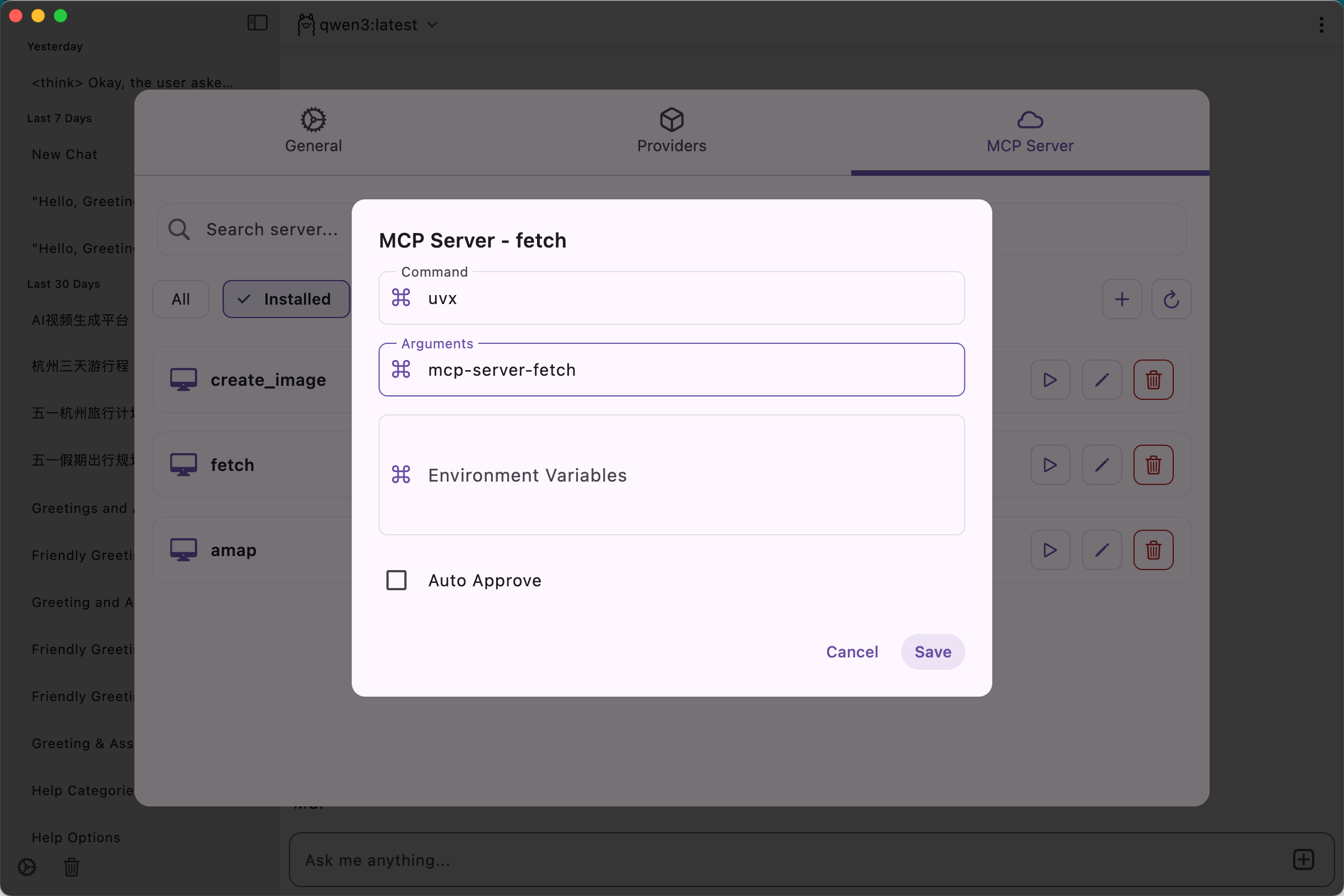
- stdio mcp server
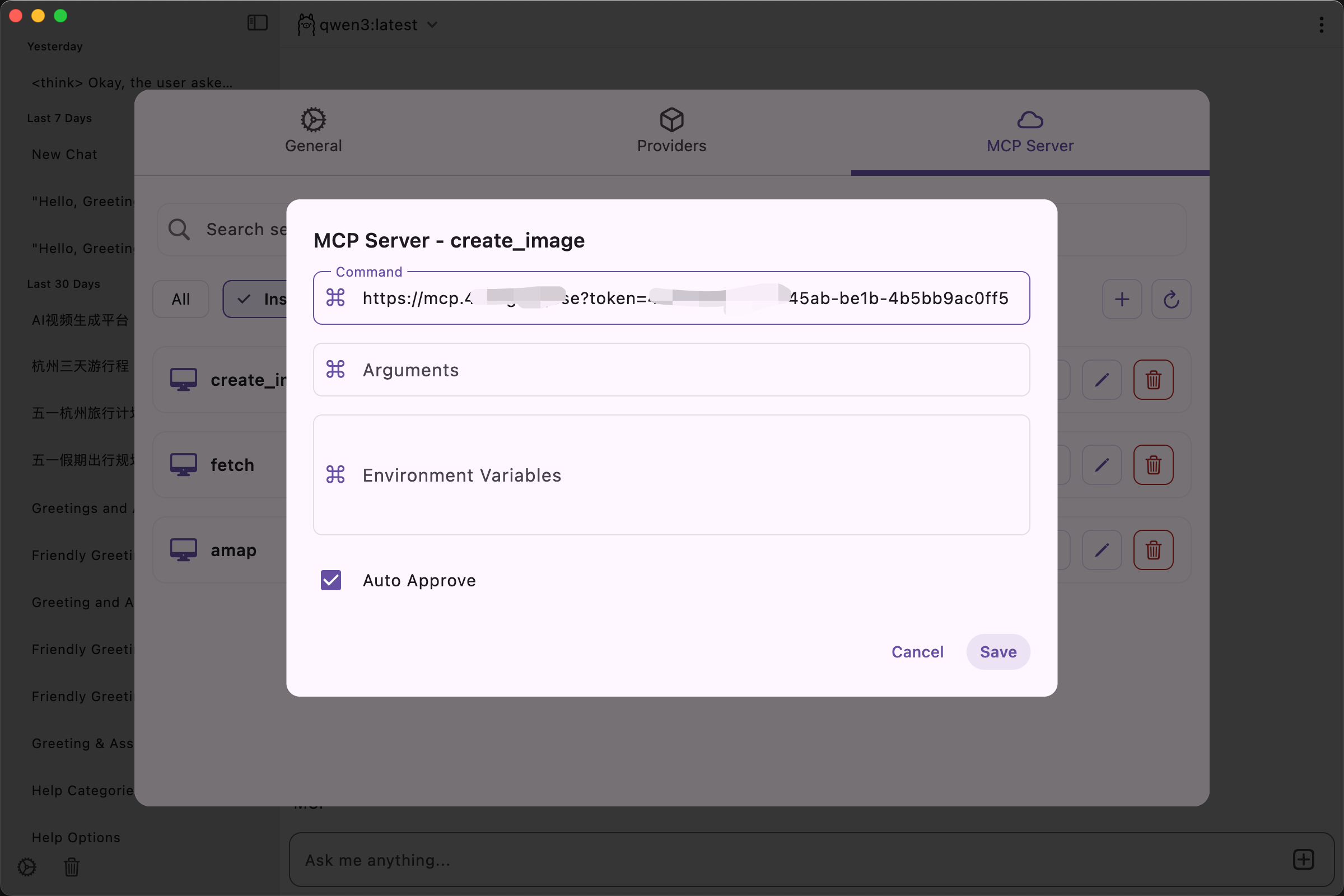
- sse mcp server
Data Storage
ChatMCP follows platform-specific best practices for data storage:
Storage Locations
macOS:
~/Library/Application Support/ChatMcp/Windows:
%APPDATA%\ChatMcp\Linux:
~/.local/share/ChatMcp/           # Honors $XDG_DATA_HOME if set
~/.local/share/run.daodao.chatmcp # Flutter dependency
Mobile:
- Application Documents Directory
File Structure
All platforms store data in a unified directory structure:
logsfolder - Application logschatmcp.db- Main database file containing chat history and messagesshared_preferences.json- Application settings and preferencesmcp_server.json- MCP server configurations
Reset Application Data
To completely reset the application (delete all chat history, settings, and configurations):
macOS:
rm -rf ~/Library/Application\ Support/ChatMcpWindows:
rd /s /q "%APPDATA%\ChatMcp"Linux:
rm -rf ~/.local/share/ChatMcp
rm -rf ~/.local/share/run.daodao.chatmcp
Development
Install Flutter
To develop or run ChatMCP, you need to have Flutter installed.
Follow the official Flutter installation guide for your platform.
After installing, verify with:
flutter --versionMandatory Code Formatting and Pre-commit Hook
To keep a consistent code style across contributors, this repository enforces Dart formatting on every commit.
- The repository ships a versioned Git hook at
.githooks/pre-commit. - On commit, it runs
dart format ., re-adds changed files, and then performs a no-output check to ensure nothing remains unformatted. - Commits that are not properly formatted will be rejected locally; in addition, CI will fail unformatted PRs.
Quick setup (once per clone):
make setup-git-hooksManual setup (alternative):
git config core.hooksPath .githooks
chmod +x .githooks/pre-commit
Requirements (at least one must be available on PATH):
- Dart SDK, or
- Flutter (bundles Dart)
Examples:
- macOS/Linux (Flutter):
export PATH="$PATH:$HOME/flutter/bin"
  which flutter && flutter --version
which dart && dart --version- macOS/Linux (Dart SDK):
export PATH="$PATH:$HOME/dart-sdk/bin"
which dart && dart --version- Windows (PowerShell): Add
C:\\src\\flutter\\bin(or your Flutter path) to the User/System PATH. Validate via:
where flutter
  where dart
IDE note: After changing PATH, restart your IDE so VCS operations (commit) inherit the updated environment.
CI enforcement:
- A GitHub Actions workflow
check-formatrunsdart format --output=none --set-exit-if-changed .on push/PR and will fail if any file is not formatted.
Policy:
- Do not bypass hooks (e.g.,
--no-verify). Such changes will fail in CI and must be reformatted anyway.
Clone and Run Locally
# Clone the repository
git clone https://github.com/daodao97/chatmcp.git
cd chatmcp

# Install dependencies
flutter pub get

# Run on macOS
flutter run -d macos

# Run on Linux (requires Flutter desktop support enabled)
flutter run -d linux

# Build release for Linux
flutter build linux
Web Version
Local Development
# Install dependencies
flutter pub get

# Run Web version locally
flutter run -d chrome
# Or specify port
flutter run -d chrome --web-port 8080
# Or run as web-serer for other browsers.
flutter run -d web-server
Build Web Version
# Build production version
flutter build web

# Build with base path (for deploying to subdirectory)
flutter build web --base-href /chatmcp/
Deploy to GitHub Pages
# 1. Build Web version
flutter build web --base-href /chatmcp/

# 2. Push build/web directory contents to gh-pages branch
# Or use GitHub Actions for automatic deployment
After building, files will be in the build/web directory and can be deployed to any static website hosting service.
Features
- [x] Chat with MCP Server
- [X] MCP Server Market
- [ ] Auto install MCP Server
- [x] SSE MCP Transport Support
- [x] Auto Choose MCP Server
- [x] Chat History
- [x] OpenAI LLM Model
- [x] Claude LLM Model
- [x] OLLama LLM Model
- [x] DeepSeek LLM Model
- [ ] RAG
- [ ] Better UI Design
- [x] Dark/Light Theme
All features are welcome to submit, you can submit your ideas or bugs in Issues
MCP Server Market
You can install MCP Server from MCP Server Market, MCP Server Market is a collection of MCP Server, you can use it to chat with different data.
- Also you can add new MCP Server to the Market : MCP Server Market
Create a fork of mcp_server_market and add your MCP Server to the mcp_server_market.json end of the file.
{
    "mcpServers": {
        "existing-mcp-servers": {},
        "your-mcp-server": {
              "command": "uvx",
              "args": [
                  "--from",
                  "git+https://github.com/username/your-mcp-server",
                  "your-mcp-server"
            ]
        }
    }
}
You can send a Pull Request to the mcp_server_market repository to add your MCP Server to the Market. After your PR is merged, your MCP Server will be available in the Market and other users can use it immediately.
Your feedback helps us improve chatmcp and helps other users make informed decisions.
Thanks
License
This project is licensed under the Apache License 2.0.
Star History
Similar MCP
Based on tags & features
Trending MCP
Most active this week