Ollama MCP server for bybit
Documentation
Bybit MCP Server
A Model Context Protocol (MCP) server that provides read-only access to Bybit's cryptocurrency exchange API.
THIS IS ALPHA QUALITY SOFTWARE - USE AT YOUR OWN RISK!
Only ever use a read-only API key with this server. I wouldn't trust my code with your "money" and neither should you!
Features
This MCP server provides the following tools for interacting with Bybit's API:
get_ticker: Get real-time ticker information for a trading pairget_orderbook: Get orderbook (market depth) data for a trading pairget_kline: Get kline/candlestick data for a trading pairget_market_info: Get detailed market information for trading pairsget_trades: Get recent trades for a trading pairget_instrument_info: Get detailed instrument information for a specific trading pairget_wallet_balance: Get wallet balance information for the authenticated userget_positions: Get current positions information for the authenticated userget_order_history: Get order history for the authenticated userget_ml_rsi: Get machine learning-based RSI (Relative Strength Index) for a trading pairget_market_structure: Get market structure information for a trading pairget_order_blocks: Detect institutional order accumulation zonesget_order_history: Get order history for the authenticated userget_orderbook: Get orderbook (market depth) data for a trading pairget_ticker: Get real-time ticker information for a trading pair
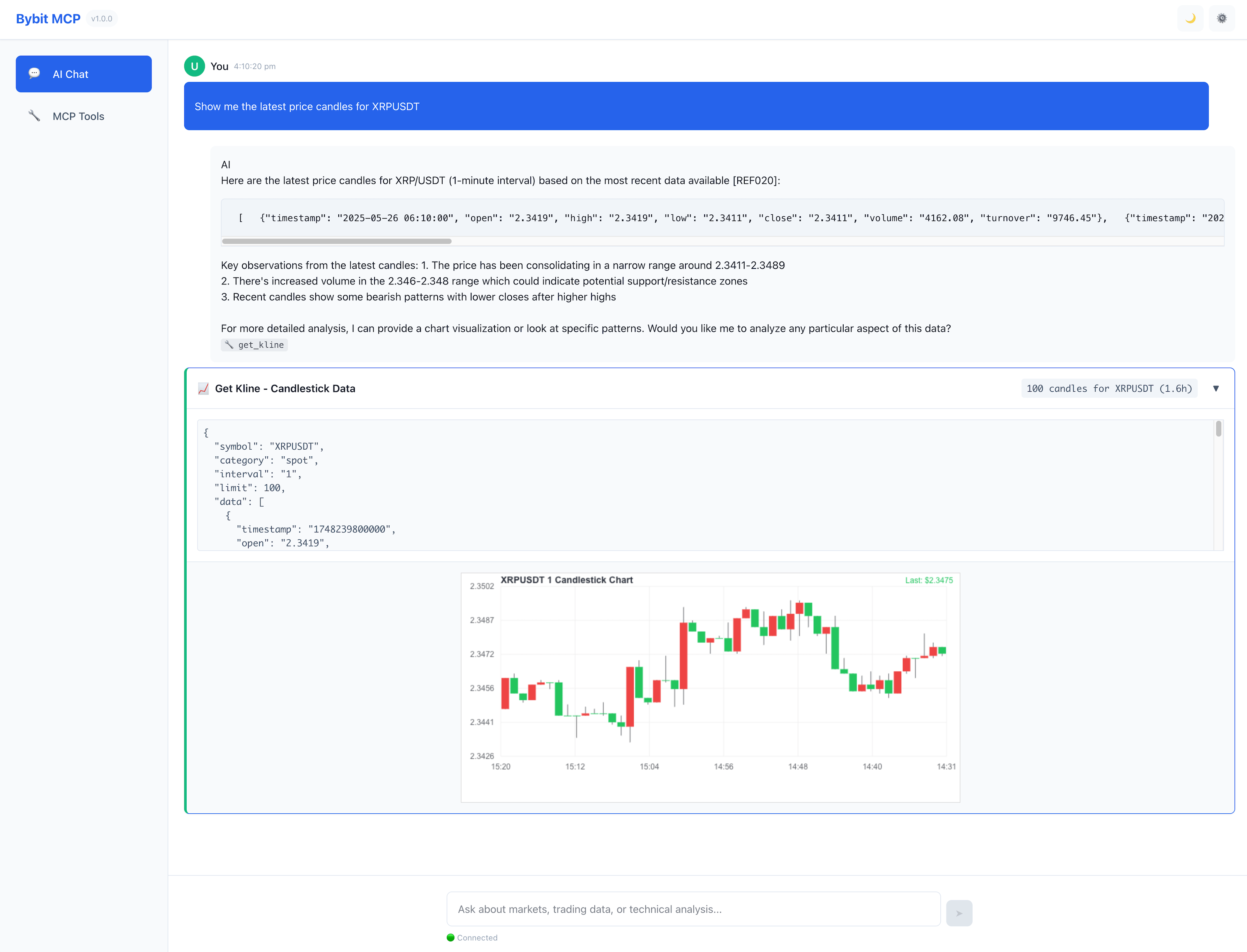
There is also a highly experimental WebUI, see WebUI README for details.
All code is subject to breaking changes and feature additions / removals as I continue to develop this project.
Requirements & Installation
1. Node.js (v22+)
2. pnpm (npm i -g pnpm)
3. If you want to run the Ollama client as shown in the quick start below, you'll need Ollama installed and running, as well as your model of choice.
pnpm iQuick Start
To install packages build everything and start the interactive client:
pnpm iCopy the .env.example file to .env and fill in your details.
cp .env.example .env
code .env
MCP-Server (Only)
Stdio Transport (Default)
pnpm serveHTTP/SSE Transport
pnpm start:httpThe HTTP server runs on port 8080 by default and provides both modern Streamable HTTP and legacy SSE transports, making it compatible with web applications and various MCP clients. See HTTP Server Documentation for detailed information.
MCP-Server and Ollama client
Install required client packages:
(cd client && pnpm i)Copy the client .env.example file to .env and fill in your details.
cp client/.env.example client/.env
code client/.env
Then to start the client and server in one command:
pnpm startConfiguration
Environment Variables
The server requires Bybit API credentials to be set as environment variables:
BYBIT_API_KEY: Your Bybit API key (required)BYBIT_API_SECRET: Your Bybit API secret (required) - IMPORTANT - Only ever create a read-only API key!BYBIT_USE_TESTNET: Set to "true" to use testnet instead of mainnet (optional, defaults to false)DEBUG: Set to "true" to enable debug logging (optional, defaults to false)
Client environment variables (./client/.env):
OLLAMA_HOST: The host of the Ollama server (defaults to http://localhost:11434)DEFAULT_MODEL: The default model to use for chat (defaults to qwen3-30b-a3b-ud-nothink-128k:q4_k_xl)
MCP Settings Configuration
To use this server with MCP clients, you need to add it to your MCP settings configuration file. The file location depends on your client:
MCP Example - Claude Desktop
Location: ~/Library/Application\ Support/Claude/claude_desktop_config.json
{
  "mcpServers": {
    "bybit": {
      "command": "node",
      "args": ["/path/to/bybit-mcp/build/index.js"],
      "env": {
        "BYBIT_API_KEY": "your-api-key",
        "BYBIT_API_SECRET": "your-api-secret",
        "BYBIT_USE_TESTNET": "false"
      }
    }
  }
}
MCP Example - gomcp
Location: ~/.config/gomcp/config.yaml
mcp_servers:
  - name: "bybit"
    command: "cd /path/to/bybit-mcp && pnpm run serve"
    arguments: []
    env:
      BYBIT_API_KEY: ""      # Add your Bybit API **READ ONLY** key here
      BYBIT_API_SECRET: ""   # Add your Bybit API **READ ONLY** secret here
      BYBIT_USE_TESTNET: "true"  # Set to false for production
      DEBUG: "false"         # Optional: Set to true for debug logging
Client Integration
This package includes a TypeScript client that provides a command-line interface for interacting with both Ollama LLMs and the bybit-mcp server. The client supports:
- Interactive chat with Ollama models
- Direct access to all bybit-mcp trading tools
- Automatic server management
- Environment-based configuration
- Debug logging
For detailed client documentation, see the client README.
Running the Server
Production
1. Build the server:
pnpm build2. Run the server:
node build/index.jsDevelopment
For development with automatic TypeScript recompilation:
pnpm watchTo inspect the MCP server during development:
pnpm inspectorTool Documentation
Get Ticker Information
{
  "name": "get_ticker",
  "arguments": {
    "symbol": "BTCUSDT",
    "category": "spot" // optional, defaults to "spot"
  }
}
Get Orderbook Data
{
  "name": "get_orderbook",
  "arguments": {
    "symbol": "BTCUSDT",
    "category": "spot", // optional, defaults to "spot"
    "limit": 25 // optional, defaults to 25 (available: 1, 25, 50, 100, 200)
  }
}
Get Kline/Candlestick Data
{
  "name": "get_kline",
  "arguments": {
    "symbol": "BTCUSDT",
    "category": "spot", // optional, defaults to "spot"
    "interval": "1", // optional, defaults to "1" (available: "1", "3", "5", "15", "30", "60", "120", "240", "360", "720", "D", "M", "W")
    "limit": 200 // optional, defaults to 200 (max 1000)
  }
}
Get Market Information
{
  "name": "get_market_info",
  "arguments": {
    "category": "spot", // optional, defaults to "spot"
    "symbol": "BTCUSDT", // optional, if not provided returns info for all symbols in the category
    "limit": 200 // optional, defaults to 200 (max 1000)
  }
}
Get Recent Trades
{
  "name": "get_trades",
  "arguments": {
    "symbol": "BTCUSDT",
    "category": "spot", // optional, defaults to "spot"
    "limit": 200 // optional, defaults to 200 (max 1000)
  }
}
Get Instrument Information
{
  "name": "get_instrument_info",
  "arguments": {
    "symbol": "BTCUSDT", // required
    "category": "spot" // optional, defaults to "spot"
  }
}
Returns detailed information about a trading instrument including:
- Base and quote currencies
- Trading status
- Lot size filters (min/max order quantities)
- Price filters (tick size)
- Leverage settings (for futures)
- Contract details (for futures)
Get Wallet Balance
{
  "name": "get_wallet_balance",
  "arguments": {
    "accountType": "UNIFIED", // required (available: "UNIFIED", "CONTRACT", "SPOT")
    "coin": "BTC" // optional, if not provided returns all coins
  }
}
Get Positions
{
  "name": "get_positions",
  "arguments": {
    "category": "linear", // required (available: "linear", "inverse")
    "symbol": "BTCUSDT", // optional
    "baseCoin": "BTC", // optional
    "settleCoin": "USDT", // optional
    "limit": 200 // optional, defaults to 200
  }
}
Get Order History
{
  "name": "get_order_history",
  "arguments": {
    "category": "spot", // required (available: "spot", "linear", "inverse")
    "symbol": "BTCUSDT", // optional
    "baseCoin": "BTC", // optional
    "orderId": "1234567890", // optional
    "orderLinkId": "myCustomId", // optional
    "orderStatus": "Filled", // optional (available: "Created", "New", "Rejected", "PartiallyFilled", "PartiallyFilledCanceled", "Filled", "Cancelled", "Untriggered", "Triggered", "Deactivated")
    "orderFilter": "Order", // optional (available: "Order", "StopOrder")
    "limit": 200 // optional, defaults to 200
  }
}
Supported Categories
spot: Spot tradinglinear: Linear perpetual contractsinverse: Inverse perpetual contracts
License
MIT
Similar MCP
Based on tags & features
Trending MCP
Most active this week