MCP server for the Attendee Project
Documentation
Attendee MCP Server
This is an MCP for sending and managing meeting bots with Attendee, an open-source meeting bot for recording and transcription. You can run Attendee locally or deploy it to the cloud.
Questions? Join the Attendee Slack.
Quick Start: What can you do with this MCP?
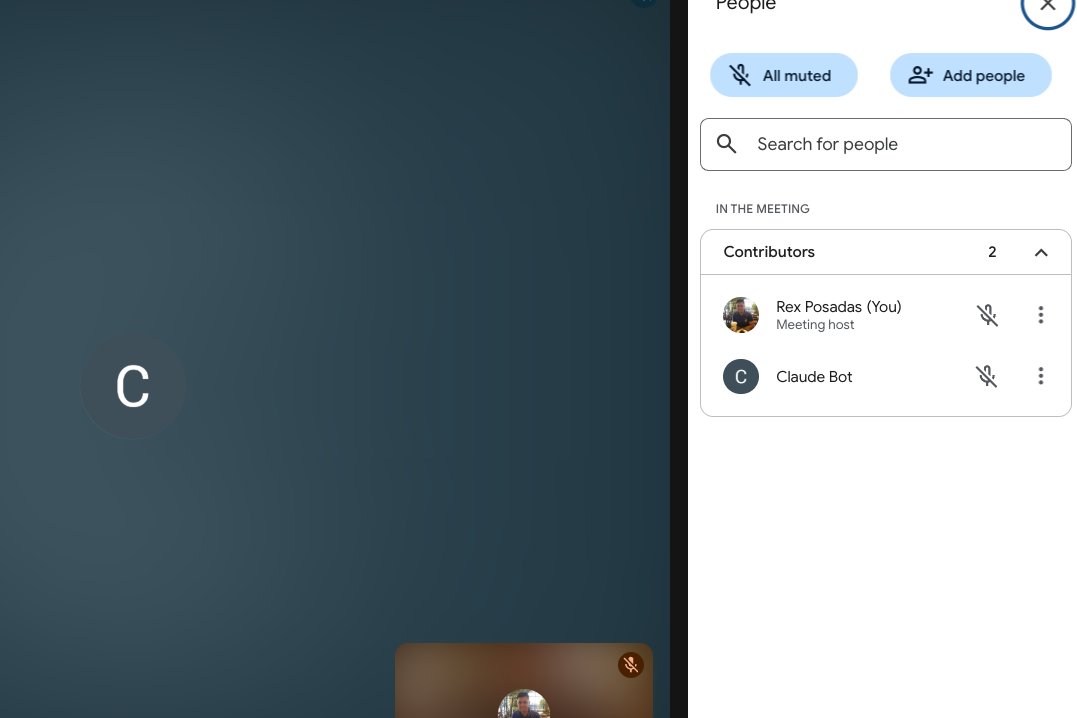
Using Claude as an example: You can type the following and start working with an AI meeting bot.
1. "Send a bot to this meeting: "
2. "Have the bot speak 'Hello'", and the bot would say 'Hello' it in the meeting.
3. "Have the bot send a chat message: 'Glad to be here'", and the bot would write 'Glad to be here' in the chat.
4. "Have the bot leave the meeting"
Combining MCPs
Combining MCPs leads to powerful workflows. For example, I use the Brave Search MCP alongside the Attendee MCP. When I ask Claude, “Who won the last Roland Garros tournament?”, it:
1. Uses the web MCP to find the answer online.
2. Pipes the result to the Attendee bot, which speaks the answer back to me
🚀 Installation
We will use Claude as an example, but you can use any tool that works with MCPs.
Clone the repository
# Clone your fork or the main repo
git clone https://github.com/rexposadas/attendee-mcp.git
cd attendee-mcp

# Install dependencies
npm install

# Build the TypeScript
npm run build

# Link for global use
npm link
⚙️ Configuration
Environment Variables
Set these environment variables for your Attendee server:
export MEETING_BOT_API_URL="http://localhost:8000"  # Your Attendee server URL
export MEETING_BOT_API_KEY="your-api-key-here"     # Your Attendee API key
Add these to your shell profile (~/.zshrc, ~/.bashrc, etc.) to make them permanent.
Claude Desktop Configuration
Update your Claude Desktop configuration file at:
~/Library/Application Support/Claude/claude_desktop_config.json. after you make the changes, restart Claude
Adjust the mcpServers section to include the Attendee MCP server. Use the direct path for now since that's proving to be the most reliable.
{
  "mcpServers": {
    "attendee": {
      "command": "node",
      "args": [
        "/attendee-mcp/dist/index.js"
      ],
      "env": {
        "MEETING_BOT_API_URL": "",
        "MEETING_BOT_API_KEY": "your-api-key-here"
      }
    }
  }
}
Replace /path/to/attendee-mcp with the actual path where you cloned the repository.
🏃♂️ Quick Start if you want to run Attendee Locally.
1. Start your Attendee server:
make build
   make up
1. Test in Claude Desktop:
- Ask Claude: "What MCP tools are available?"
🎯 Usage Examples
Once configured, you can use natural language commands in Claude Desktop:
Creating Meeting Bots
- "Create a meeting bot for this Zoom: https://zoom.us/j/123456789"
- "Send a bot to this Google Meet: https://meet.google.com/abc-defg-hij"
- "Join this Teams meeting with a bot: https://teams.microsoft.com/..."
Managing Bots
- "What's the status of bot bot_abc123?"
- "Remove bot bot_abc123 from the meeting"
🔧 Available MCP Tools
This server provides the following tools:
Core Bot Management
- **
create_meeting_bot** - Create a bot to join and record a meeting - **
get_bot_status** - Check the current status of a meeting bot - **
remove_meeting_bot** - Remove a bot from a meeting
Communication & Media
- **
make_bot_speak** - Make the bot speak using text-to-speech - **
send_chat_message** - Send chat messages from the bot - **
send_image_to_meeting** - Display images through the bot (Google Meet only) - **
send_video_to_meeting** - Play videos through the bot (Google Meet only)
Data Retrieval
- **
get_meeting_transcript** - Retrieve the meeting transcript - **
get_chat_messages** - Get chat messages from the meeting - **
get_recording** - Get the recording download URL - **
delete_bot_data** - Permanently delete all bot data
🐛 Troubleshooting
Common Issues
1. "Network error" or API connection issues:
- Ensure your Attendee server is running on the configured URL
- Check that your API key is correct
- Verify the
MEETING_BOT_API_URLandMEETING_BOT_API_KEYenvironment variables
2. MCP server not appearing in Claude Desktop:
- Restart Claude Desktop completely after config changes
- Check the Claude Desktop config file syntax is valid JSON
- Look at Claude Desktop logs for error messages
3. "Method not allowed" errors:
- Some API endpoints might not be fully implemented in your Attendee server
- Check your Attendee server logs for more details
📄 License
MIT License - see LICENSE file for details.
🤝 Contributing
1. Fork the repository
2. Create a feature branch: git checkout -b feature-name
3. Make your changes and test them
4. Commit your changes: git commit -m 'Add feature'
5. Push to the branch: git push origin feature-name
6. Submit a pull request
🔗 Related Projects
- Attendee - The main meeting bot service
- Model Context Protocol - The MCP specification and SDK
---
Note: This MCP server requires a running Attendee backend service. Make sure you have the Attendee server set up and running before using this MCP server.
Similar MCP
Based on tags & features
Trending MCP
Most active this week