MCP Server for using any LLM as a Tool JavaScript-based implementation.
Documentation
any-chat-completions-mcp MCP Server
Integrate Claude with Any OpenAI SDK Compatible Chat Completion API - OpenAI, Perplexity, Groq, xAI, PyroPrompts and more.
This implements the Model Context Protocol Server. Learn more: https://modelcontextprotocol.io
This is a TypeScript-based MCP server that implements an implementation into any OpenAI SDK Compatible Chat Completions API.
It has one tool, chat which relays a question to a configured AI Chat Provider.
Development
Install dependencies:
npm installBuild the server:
npm run buildFor development with auto-rebuild:
npm run watchInstallation
To add OpenAI to Claude Desktop, add the server config:
On MacOS: ~/Library/Application Support/Claude/claude_desktop_config.json
On Windows: %APPDATA%/Claude/claude_desktop_config.json
You can use it via npx in your Claude Desktop configuration like this:
{
  "mcpServers": {
    "chat-openai": {
      "command": "npx",
      "args": [
        "@pyroprompts/any-chat-completions-mcp"
      ],
      "env": {
        "AI_CHAT_KEY": "OPENAI_KEY",
        "AI_CHAT_NAME": "OpenAI",
        "AI_CHAT_MODEL": "gpt-4o",
        "AI_CHAT_BASE_URL": "https://api.openai.com/v1"
      }
    }
  }
}
Or, if you clone the repo, you can build and use in your Claude Desktop configuration like this:
{
  "mcpServers": {
    "chat-openai": {
      "command": "node",
      "args": [
        "/path/to/any-chat-completions-mcp/build/index.js"
      ],
      "env": {
        "AI_CHAT_KEY": "OPENAI_KEY",
        "AI_CHAT_NAME": "OpenAI",
        "AI_CHAT_MODEL": "gpt-4o",
        "AI_CHAT_BASE_URL": "https://api.openai.com/v1"
      }
    }
  }
}
You can add multiple providers by referencing the same MCP server multiple times, but with different env arguments:
{
  "mcpServers": {
    "chat-pyroprompts": {
      "command": "node",
      "args": [
        "/path/to/any-chat-completions-mcp/build/index.js"
      ],
      "env": {
        "AI_CHAT_KEY": "PYROPROMPTS_KEY",
        "AI_CHAT_NAME": "PyroPrompts",
        "AI_CHAT_MODEL": "ash",
        "AI_CHAT_BASE_URL": "https://api.pyroprompts.com/openaiv1"
      }
    },
    "chat-perplexity": {
      "command": "node",
      "args": [
        "/path/to/any-chat-completions-mcp/build/index.js"
      ],
      "env": {
        "AI_CHAT_KEY": "PERPLEXITY_KEY",
        "AI_CHAT_NAME": "Perplexity",
        "AI_CHAT_MODEL": "sonar",
        "AI_CHAT_BASE_URL": "https://api.perplexity.ai"
      }
    },
    "chat-openai": {
      "command": "node",
      "args": [
        "/path/to/any-chat-completions-mcp/build/index.js"
      ],
      "env": {
        "AI_CHAT_KEY": "OPENAI_KEY",
        "AI_CHAT_NAME": "OpenAI",
        "AI_CHAT_MODEL": "gpt-4o",
        "AI_CHAT_BASE_URL": "https://api.openai.com/v1"
      }
    }
  }
}
With these three, you'll see a tool for each in the Claude Desktop Home:
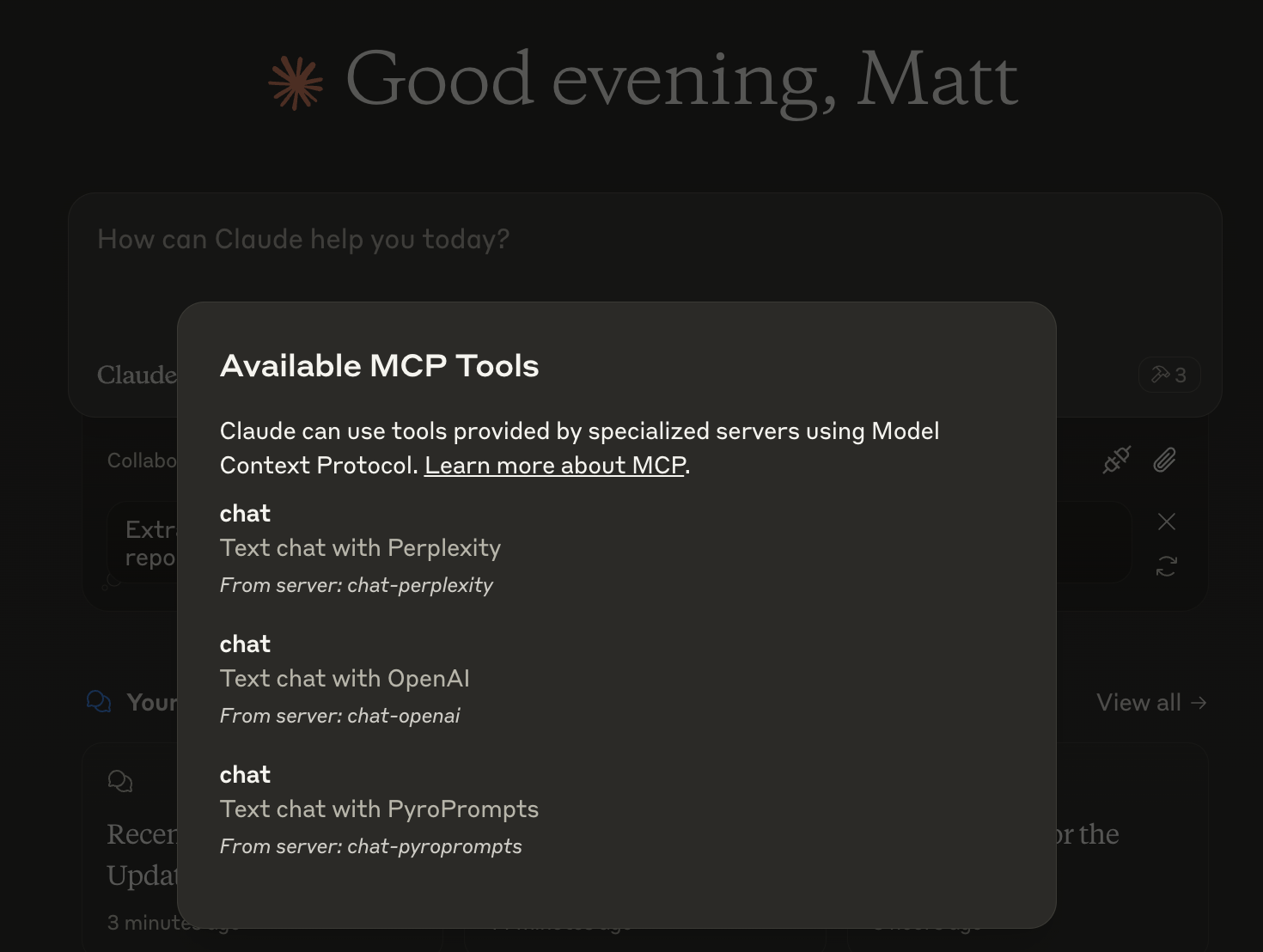
And then you can chat with other LLMs and it shows in chat like this:
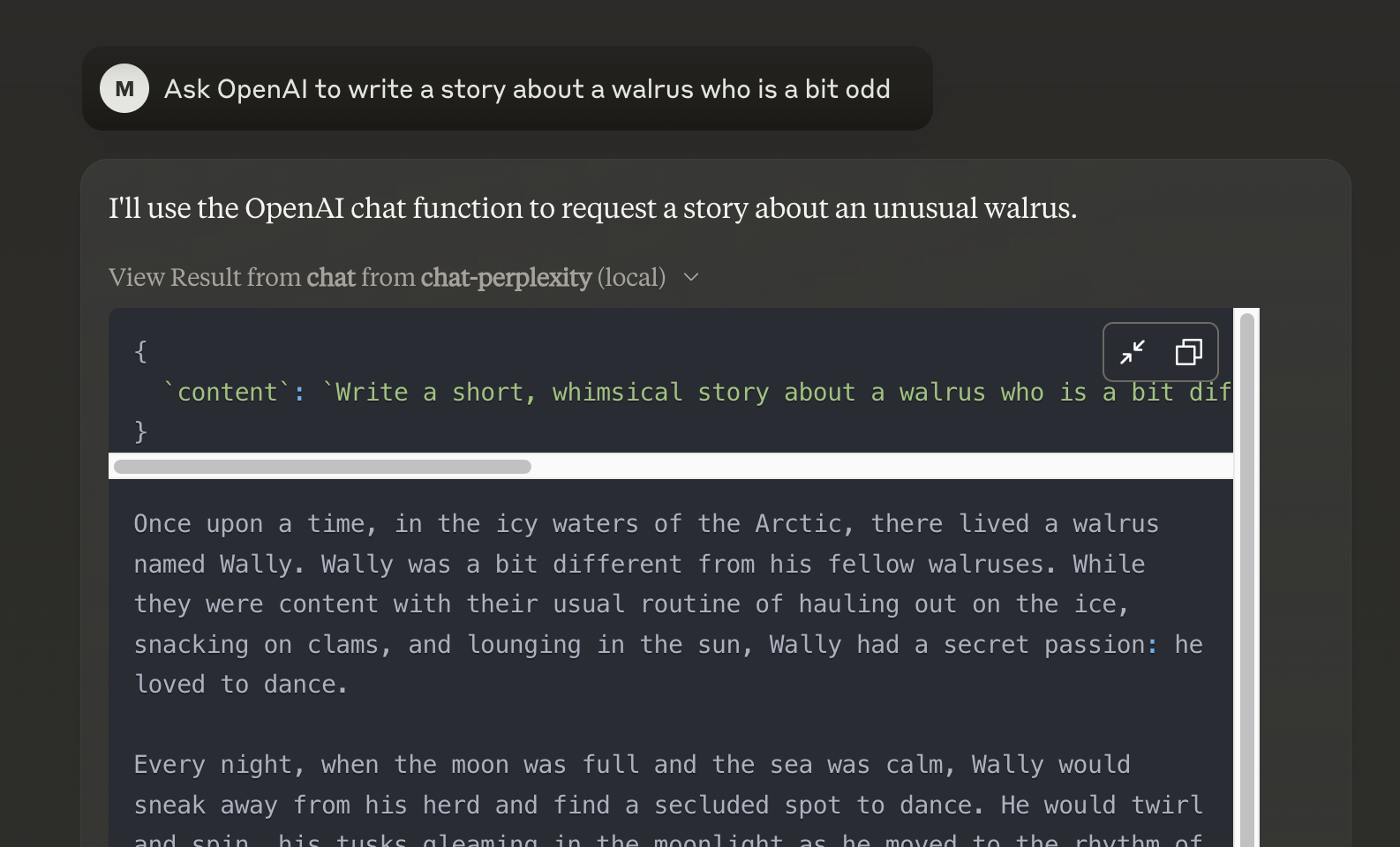
Or, configure in LibreChat like:
chat-perplexity:
    type: stdio
    command: npx
    args:
      - -y
      - @pyroprompts/any-chat-completions-mcp
    env:
      AI_CHAT_KEY: "pplx-012345679"
      AI_CHAT_NAME: Perplexity
      AI_CHAT_MODEL: sonar
      AI_CHAT_BASE_URL: "https://api.perplexity.ai"
      PATH: '/usr/local/bin:/usr/bin:/bin'
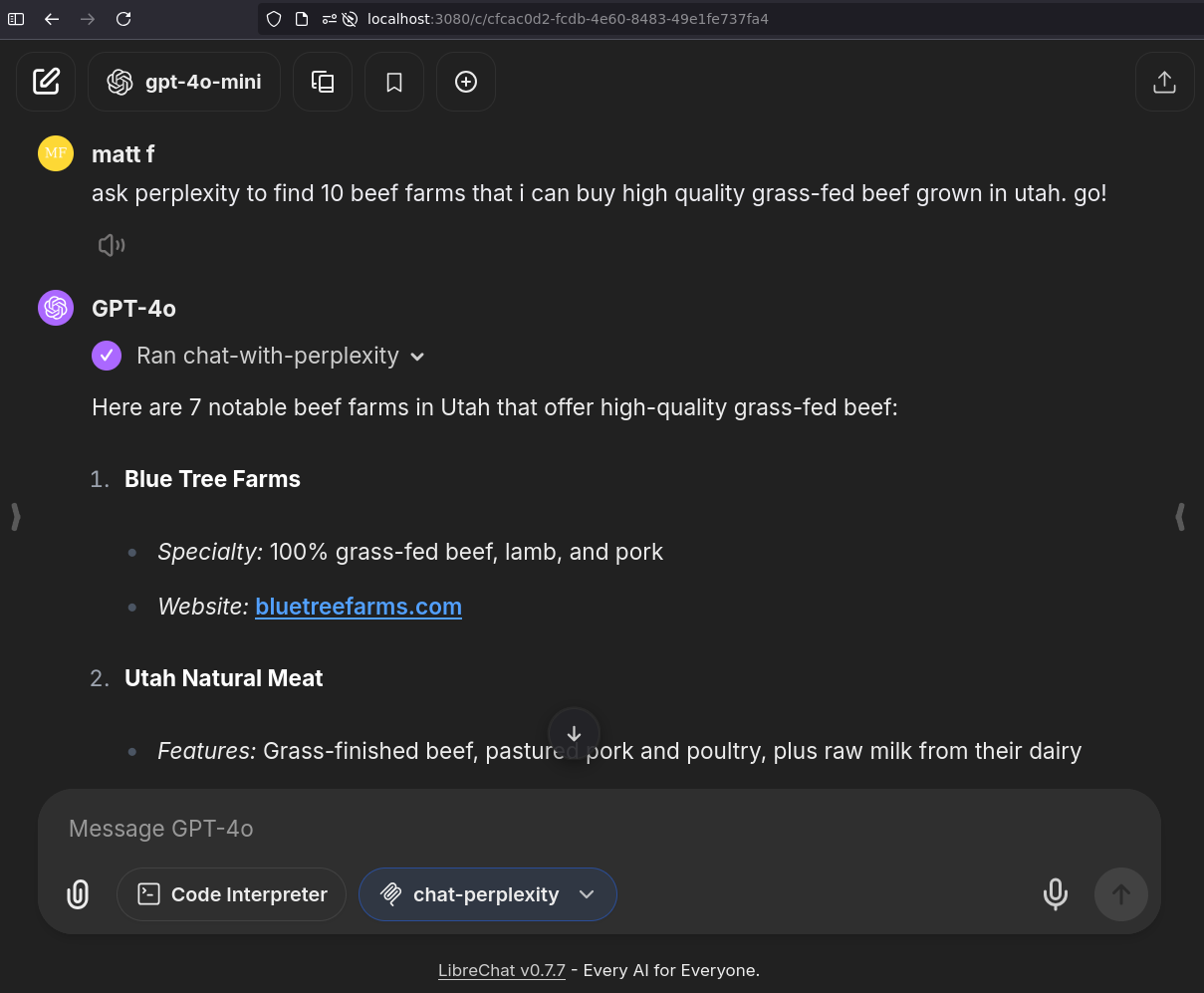
And it shows in LibreChat:
Installing via Smithery
To install Any OpenAI Compatible API Integrations for Claude Desktop automatically via Smithery:
npx -y @smithery/cli install any-chat-completions-mcp-server --client claudeDebugging
Since MCP servers communicate over stdio, debugging can be challenging. We recommend using the MCP Inspector, which is available as a package script:
npm run inspectorThe Inspector will provide a URL to access debugging tools in your browser.
Acknowledgements
- Obviously the modelcontextprotocol and Anthropic team for the MCP Specification and integration into Claude Desktop. https://modelcontextprotocol.io/introduction
- PyroPrompts for sponsoring this project. Use code
CLAUDEANYCHATfor 20 free automation credits on Pyroprompts.
Similar MCP
Based on tags & features
Trending MCP
Most active this week